 Aser One
Hotel
Every room, every booking, every deposit.
The front desk on one screen. The guest gets a confirmation.
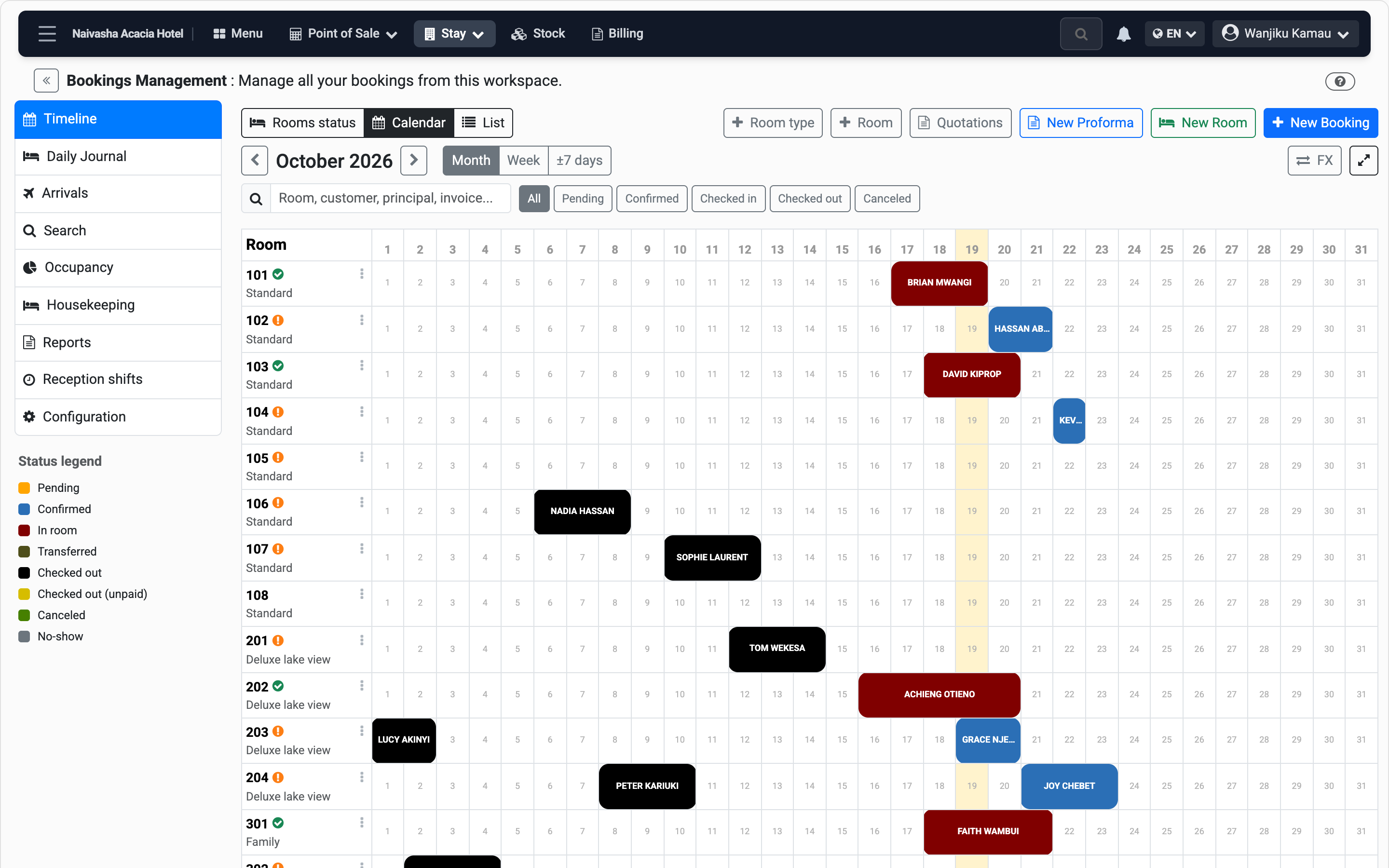
The calendar
Every room down the side, every stay as a bar across the month.
You see at a glance which nights are free, so you never sell the same room twice.
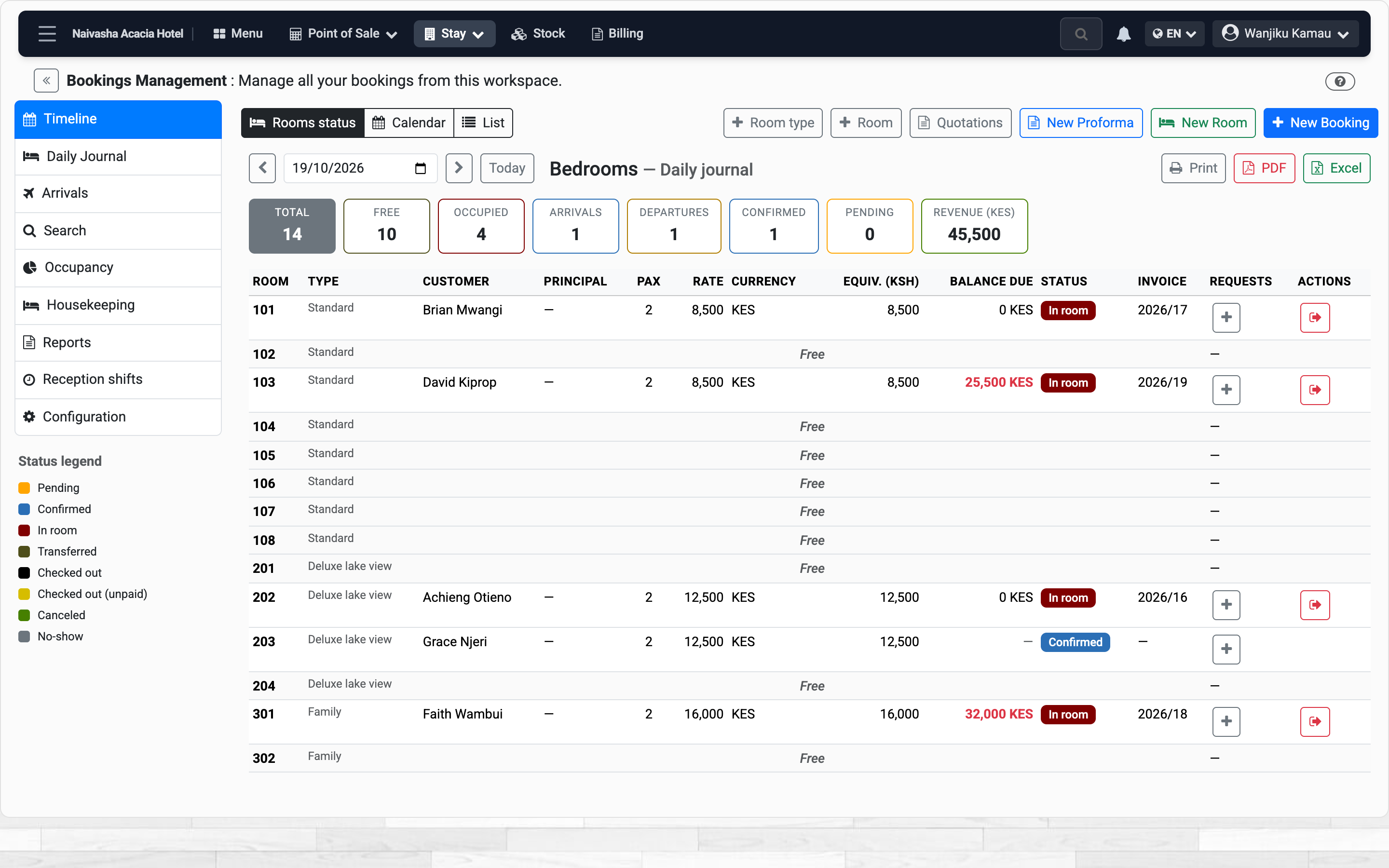
Rooms status
Today, room by room: who is in, who arrives, who leaves, what is still owed.
This is the screen the desk keeps open. It answers the phone call before it ends.
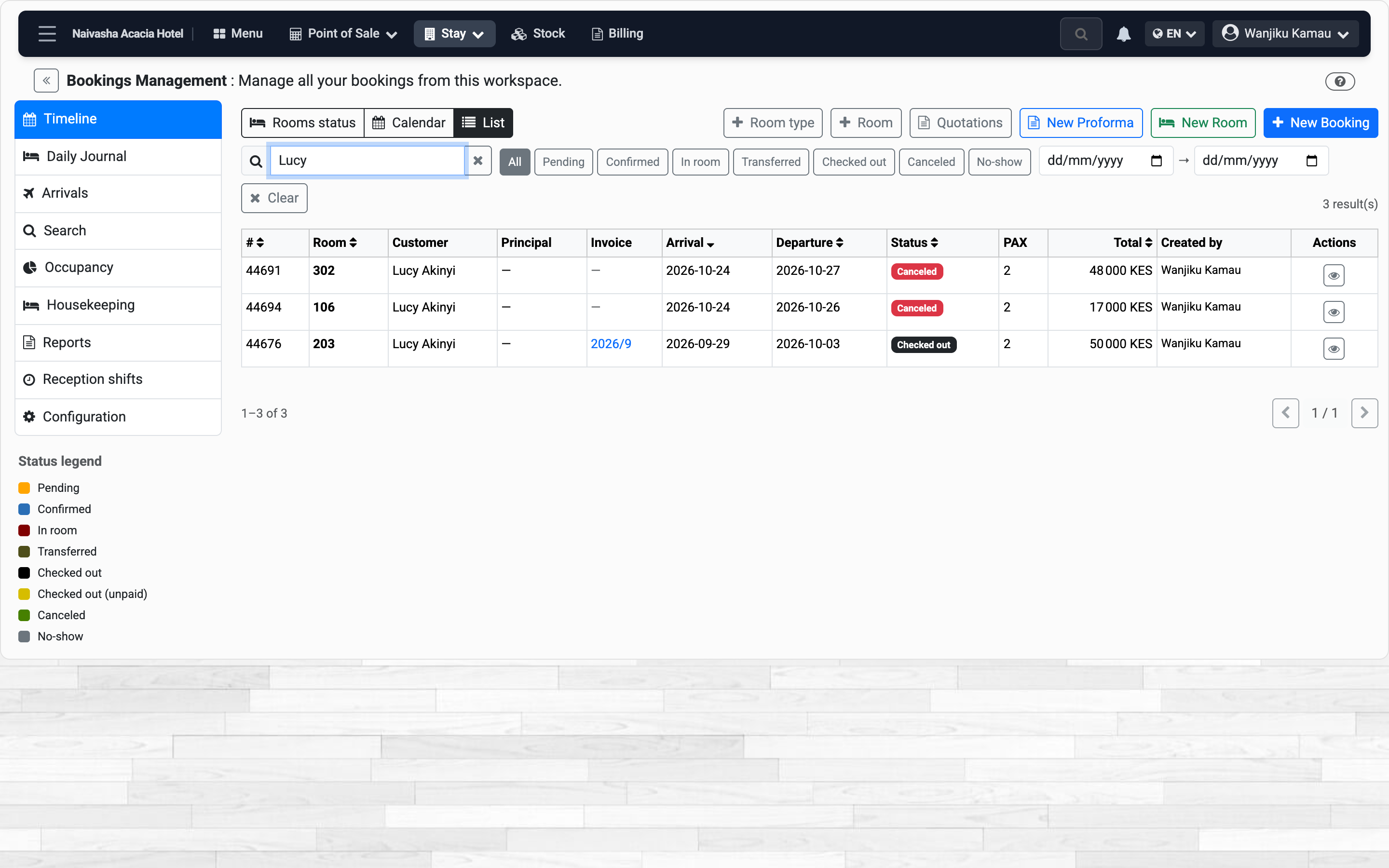
List and search
Every booking in one table. Type a name, a room or an invoice number.
When a guest calls back about last month, you find the stay in seconds.
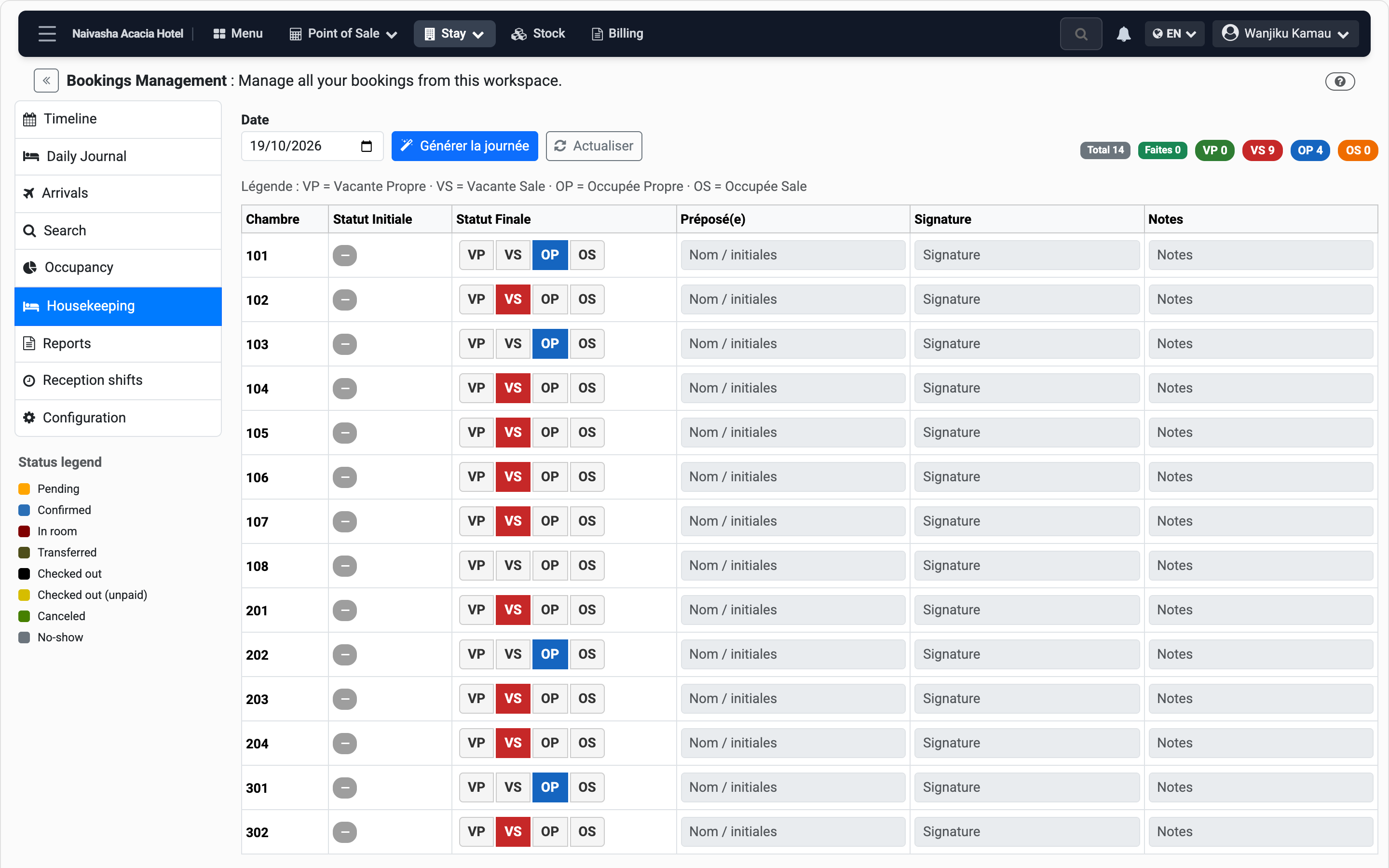
Housekeeping
Each room’s state for the day: vacant or occupied, clean or dirty.
A room is only sold again once it is clean. The desk and the cleaners see the same list.
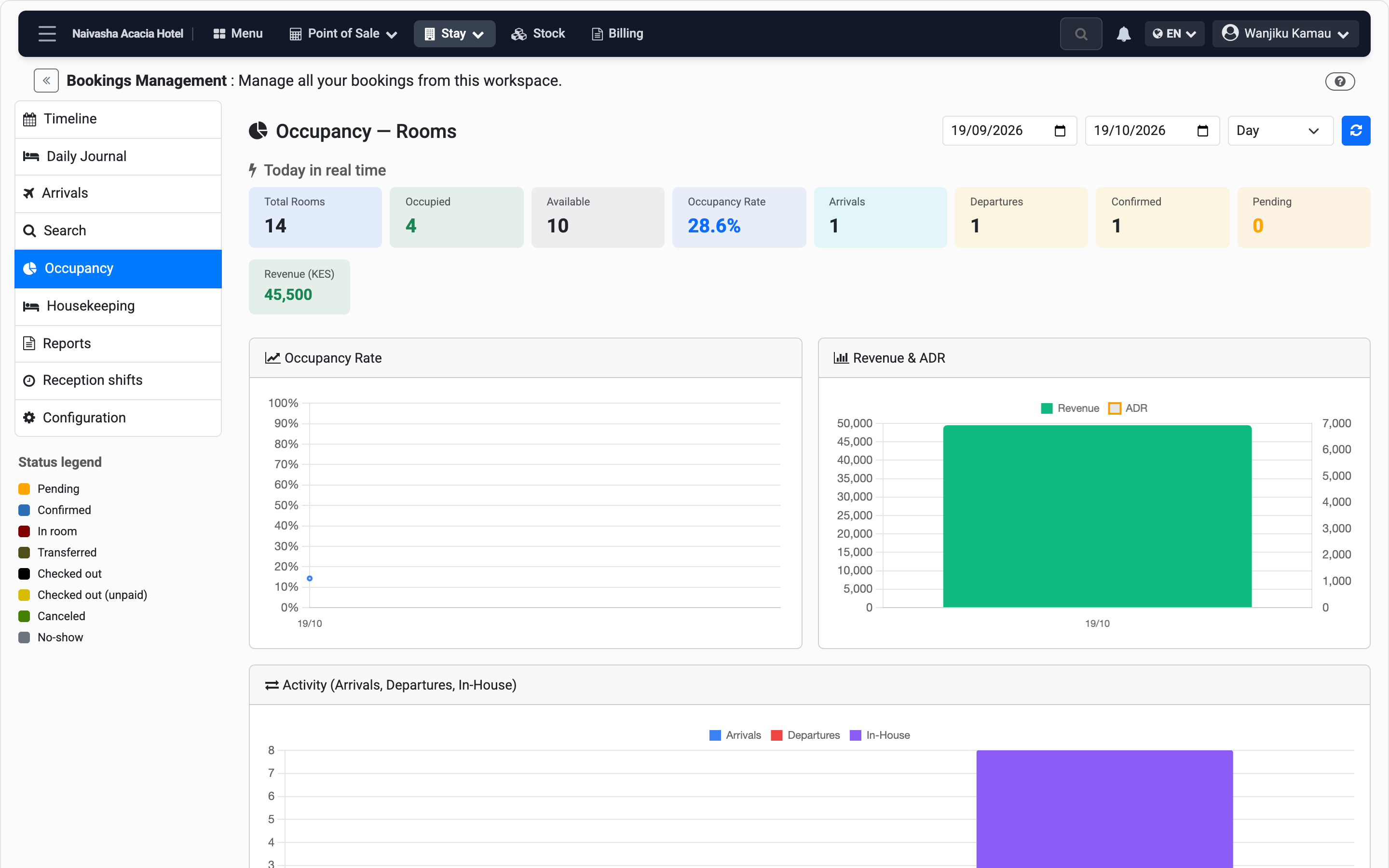
Occupancy
Rooms sold, occupancy rate, average rate and revenue, day by day.
It tells you whether the price is right and which weeks need a push.
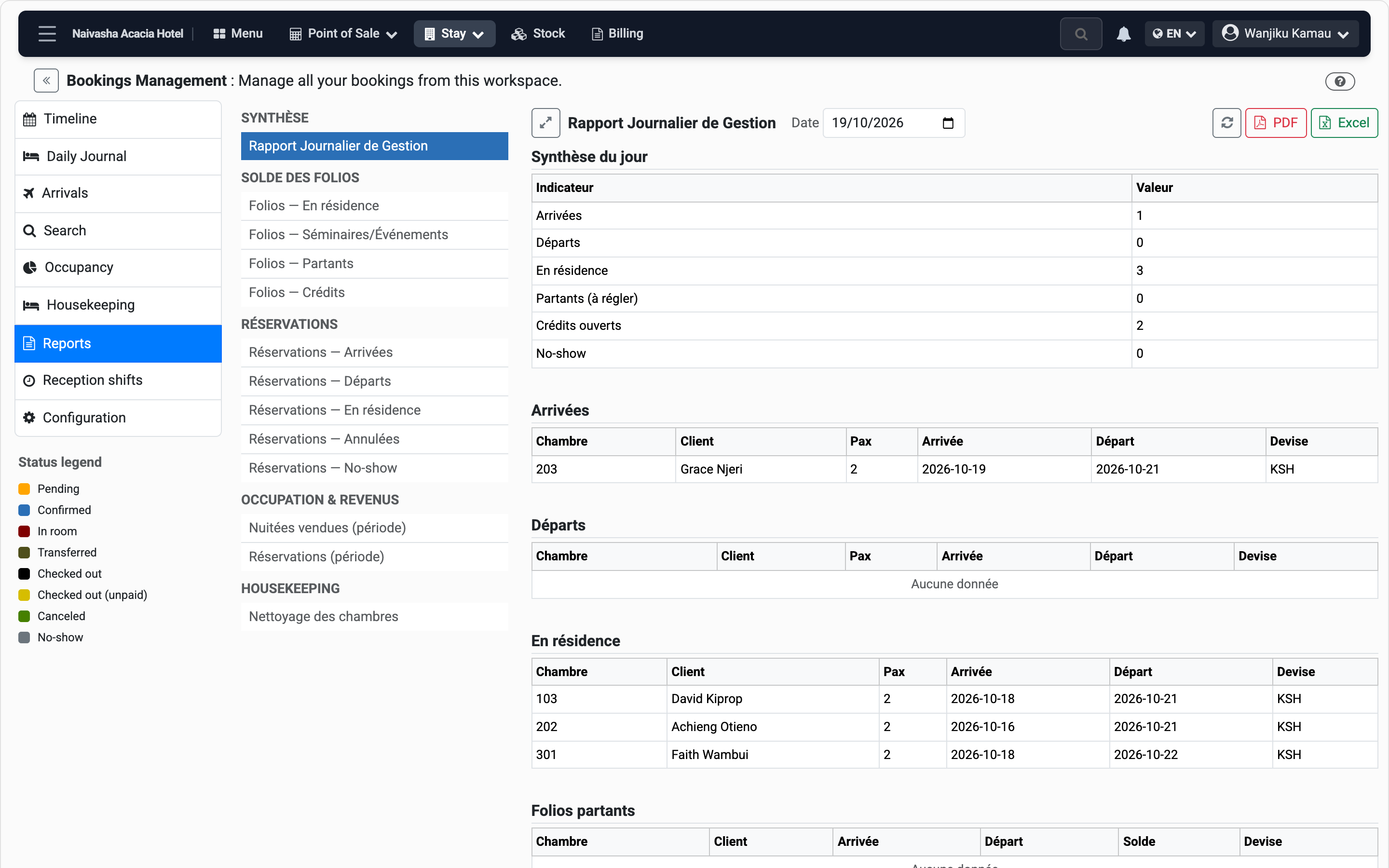
Reports
The daily manager report, folios, arrivals, cancellations and no-shows. PDF or Excel.
The owner gets the day’s figures without calling the desk.
Book, take a deposit, give it back
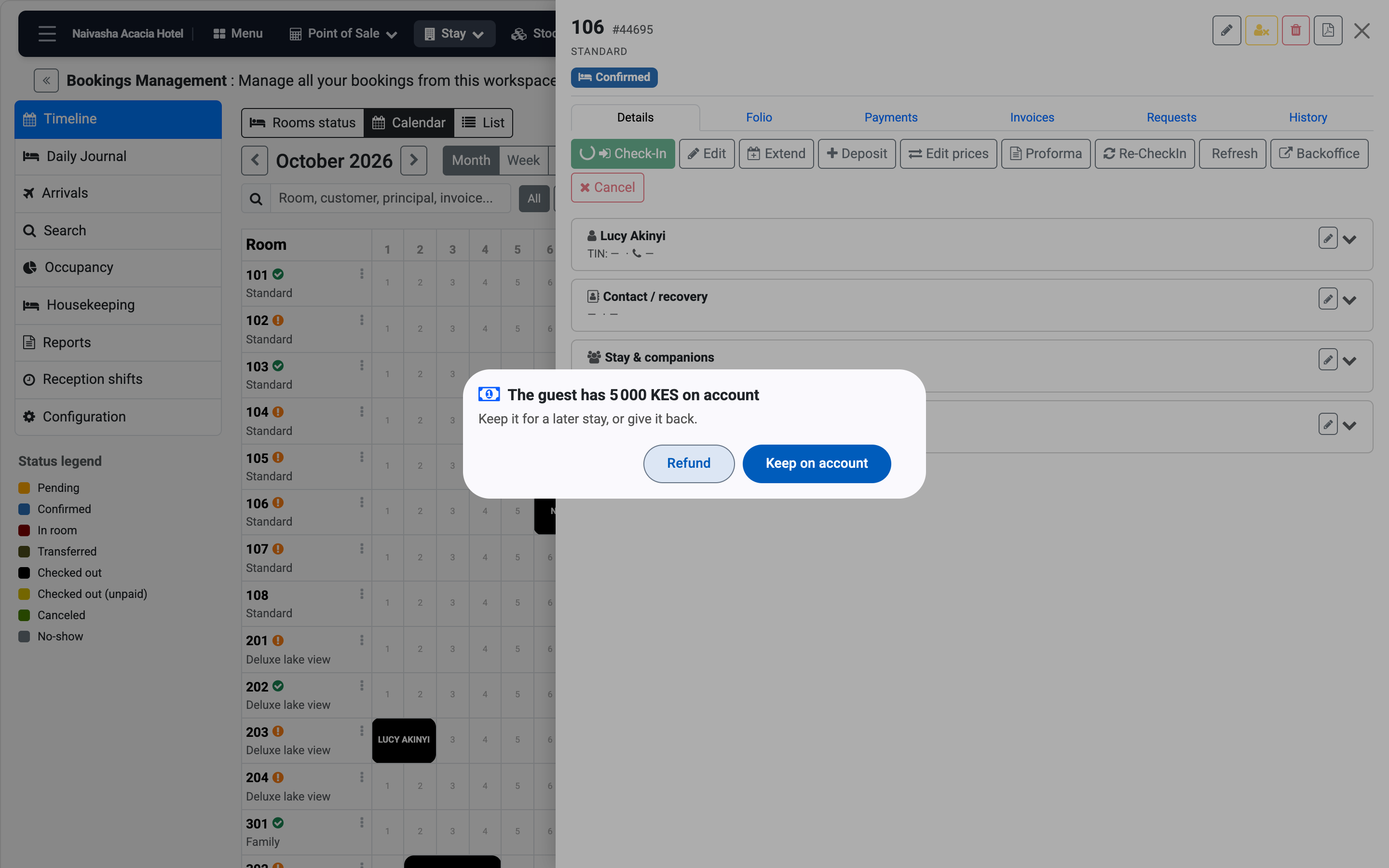
Nothing moves until you choose. A refund gets its own voucher.
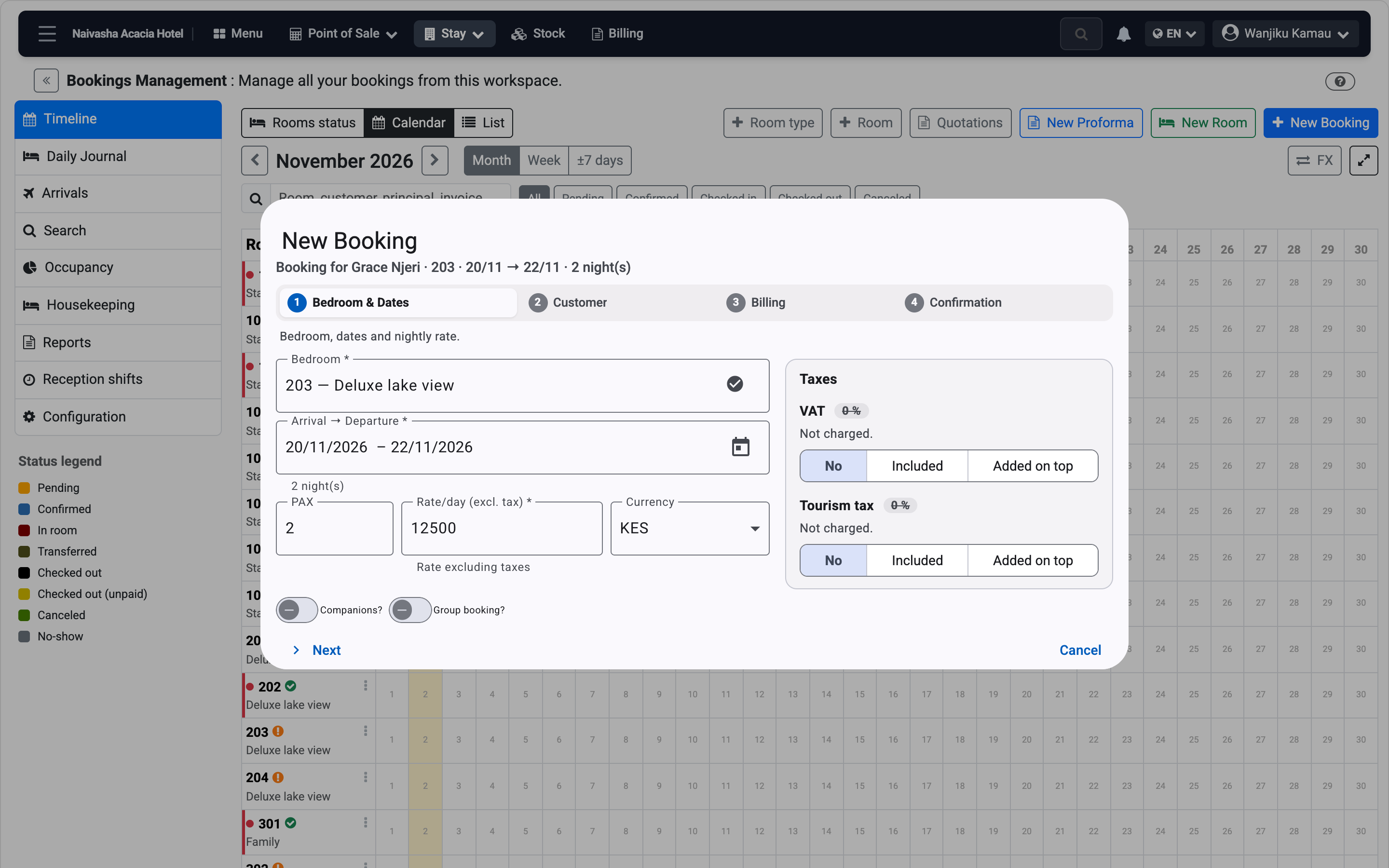
A new booking
Room, guest, price and deposit. Taxes shown before you save.
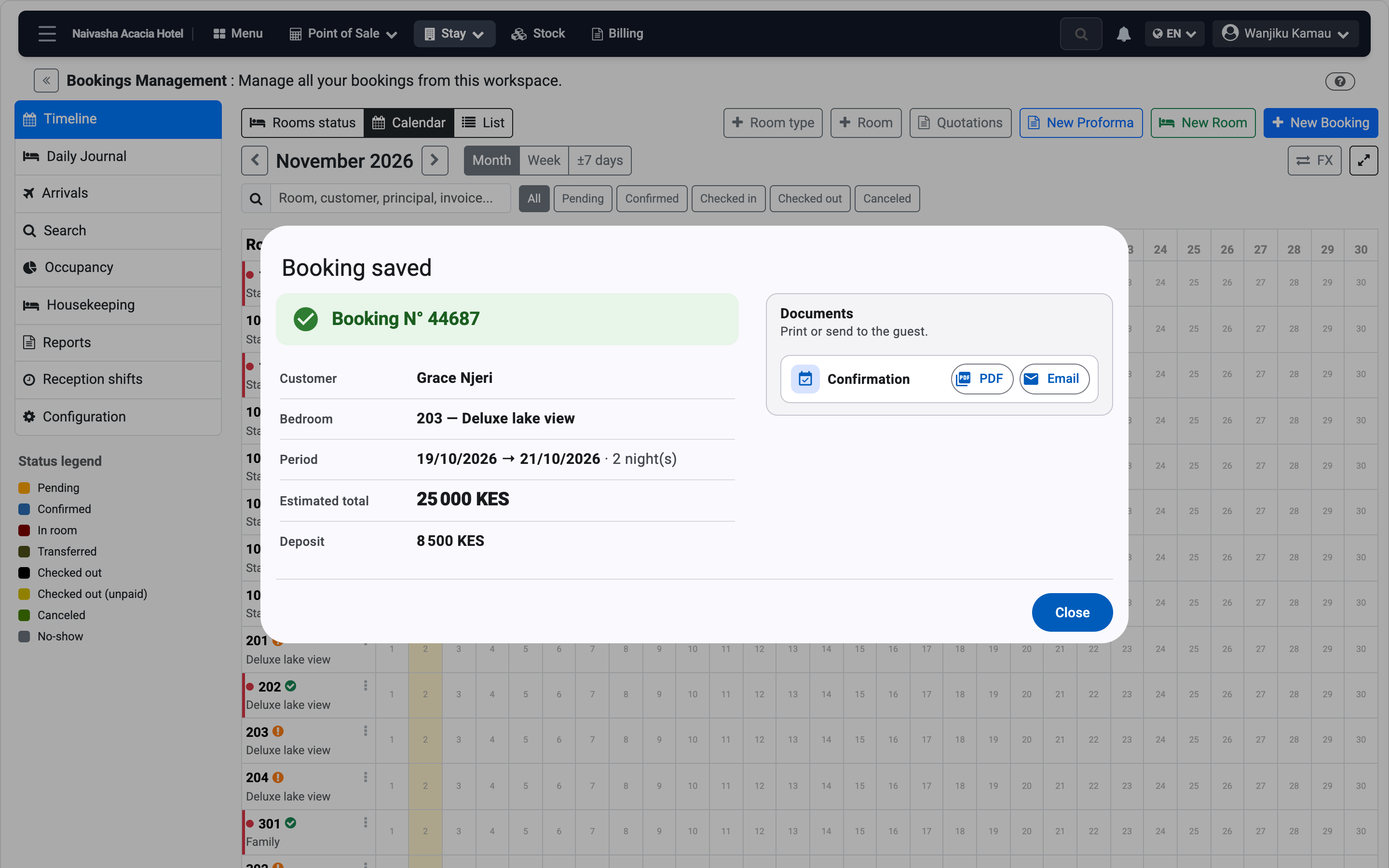
Booked
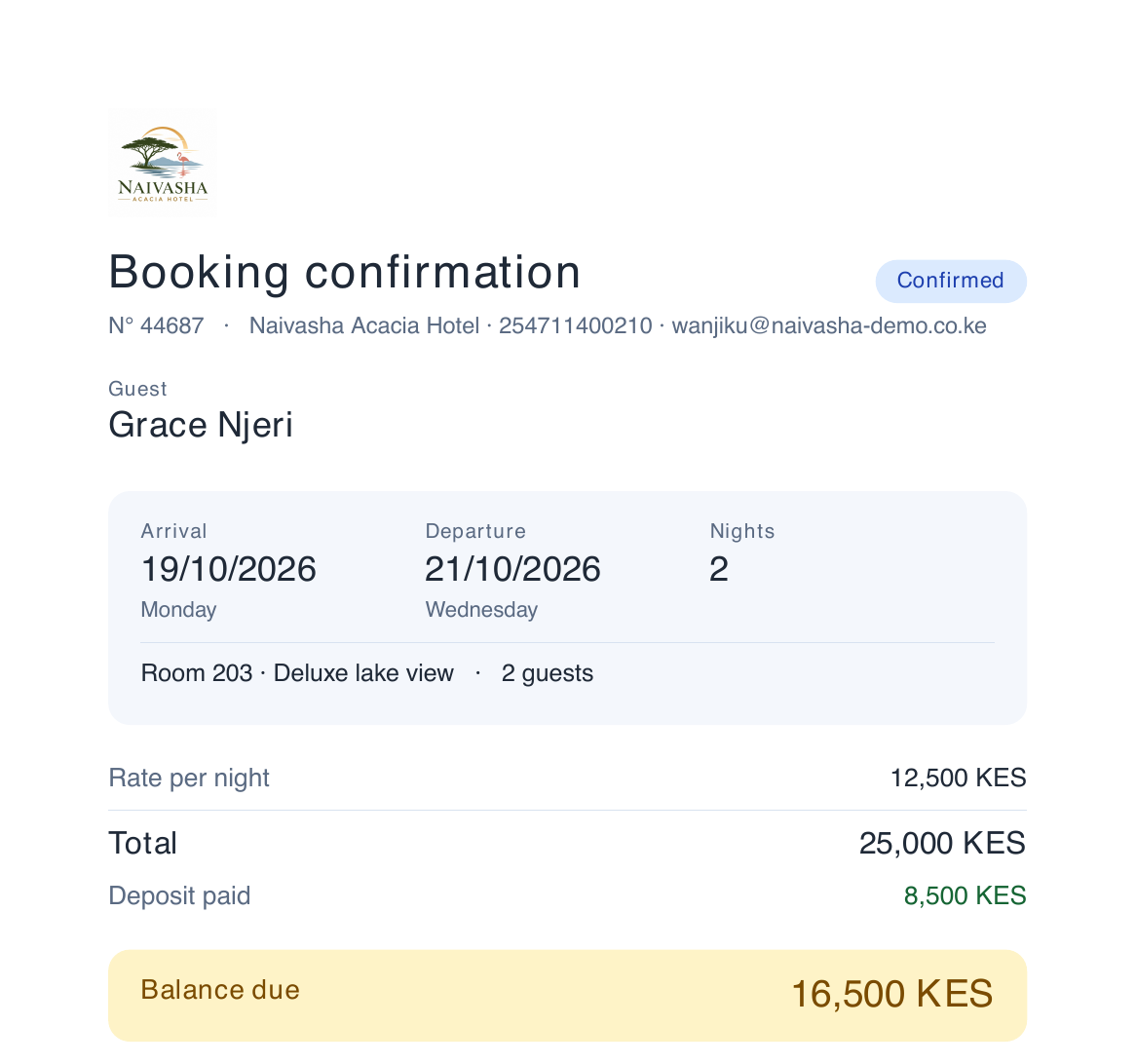
Print or e-mail the confirmation.
The confirmation
Dates, room, deposit paid and balance due. Send it to the guest as it is.
Keep or refund
After a cancellation, the deposit stays on account or goes back.
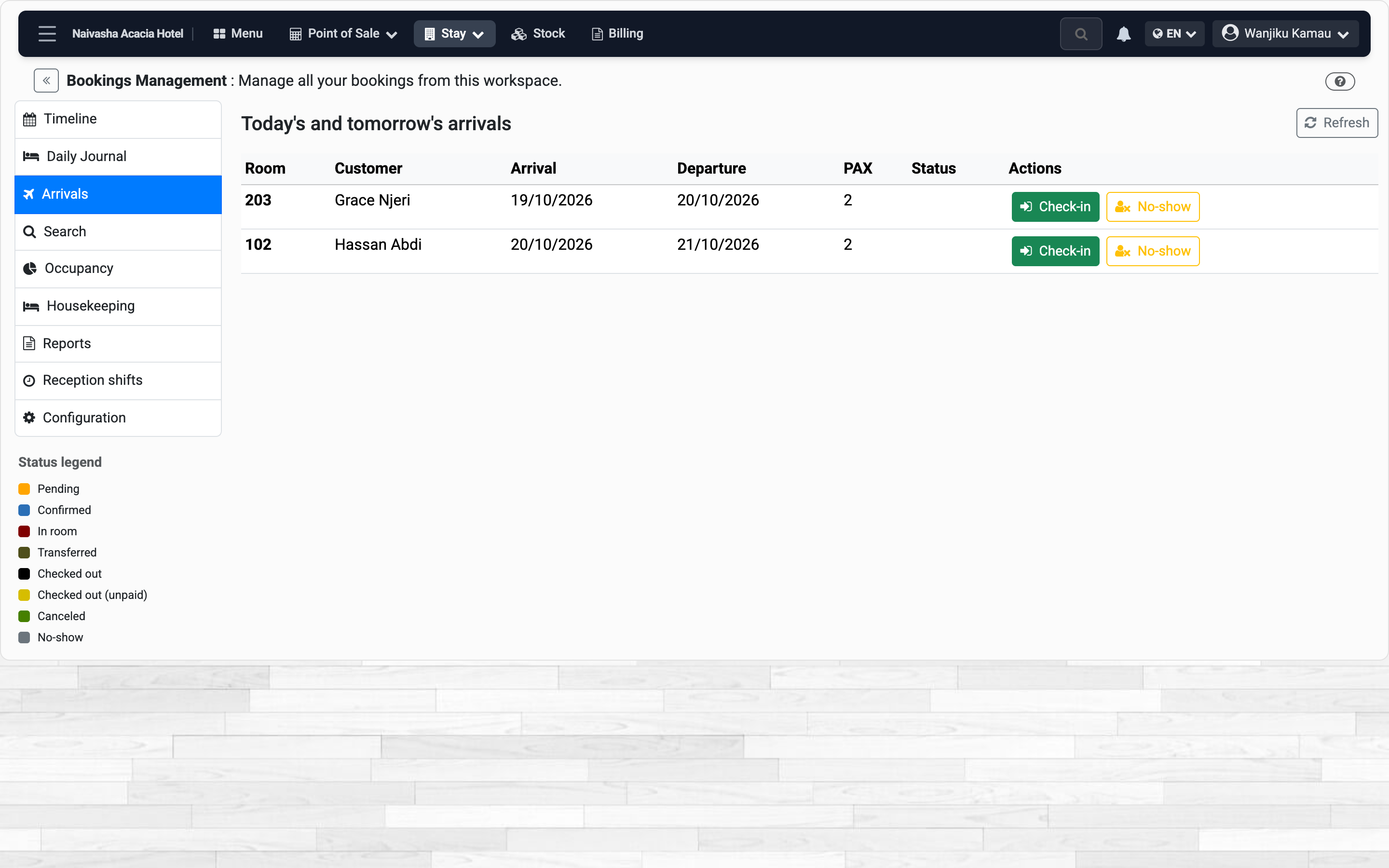
Arrivals
Who comes and who leaves today.
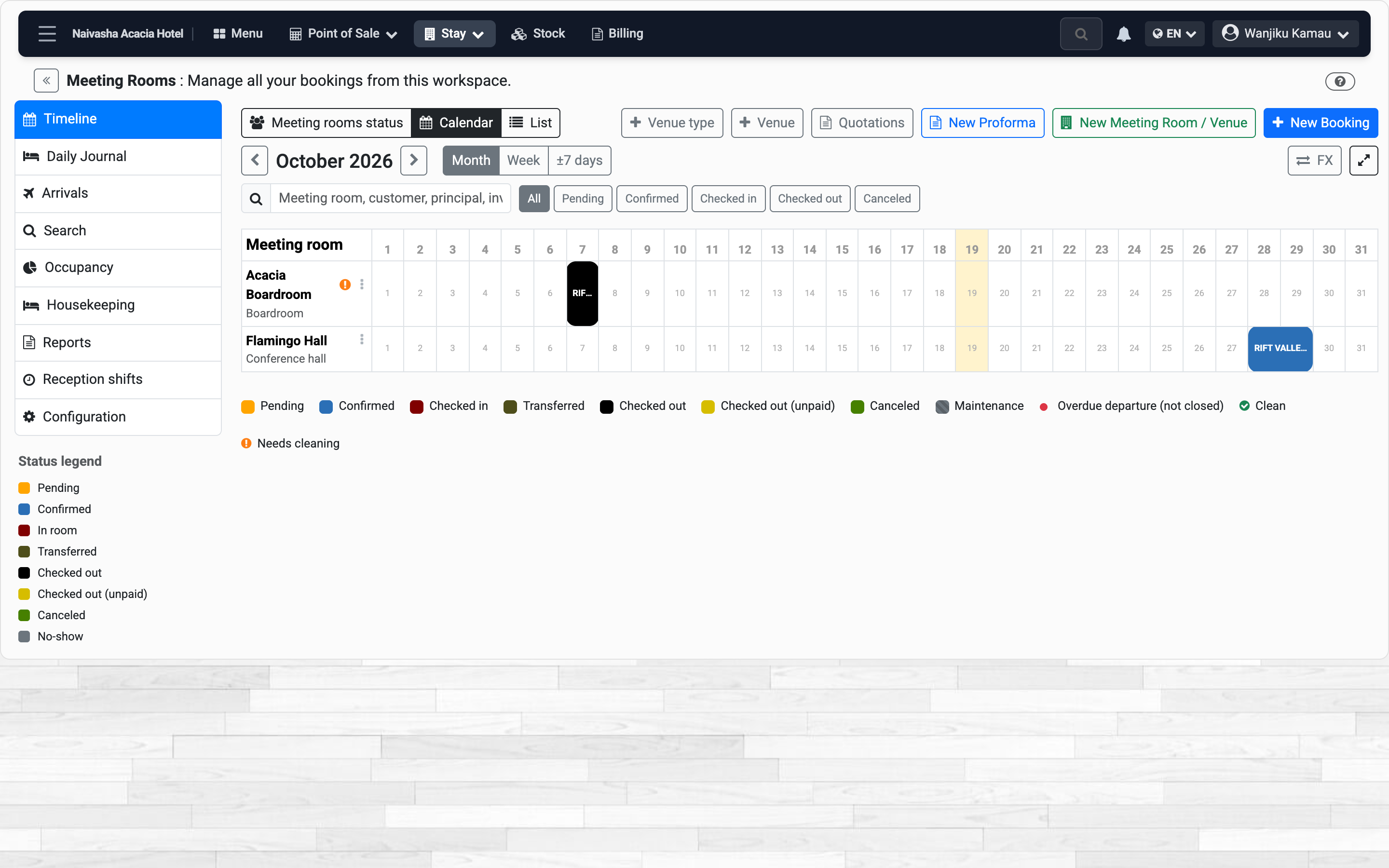
Halls and events
Sold by the day, with the head count.
On the phone
Book a room and send the confirmation
The price is shown before you save, taxes included.
-
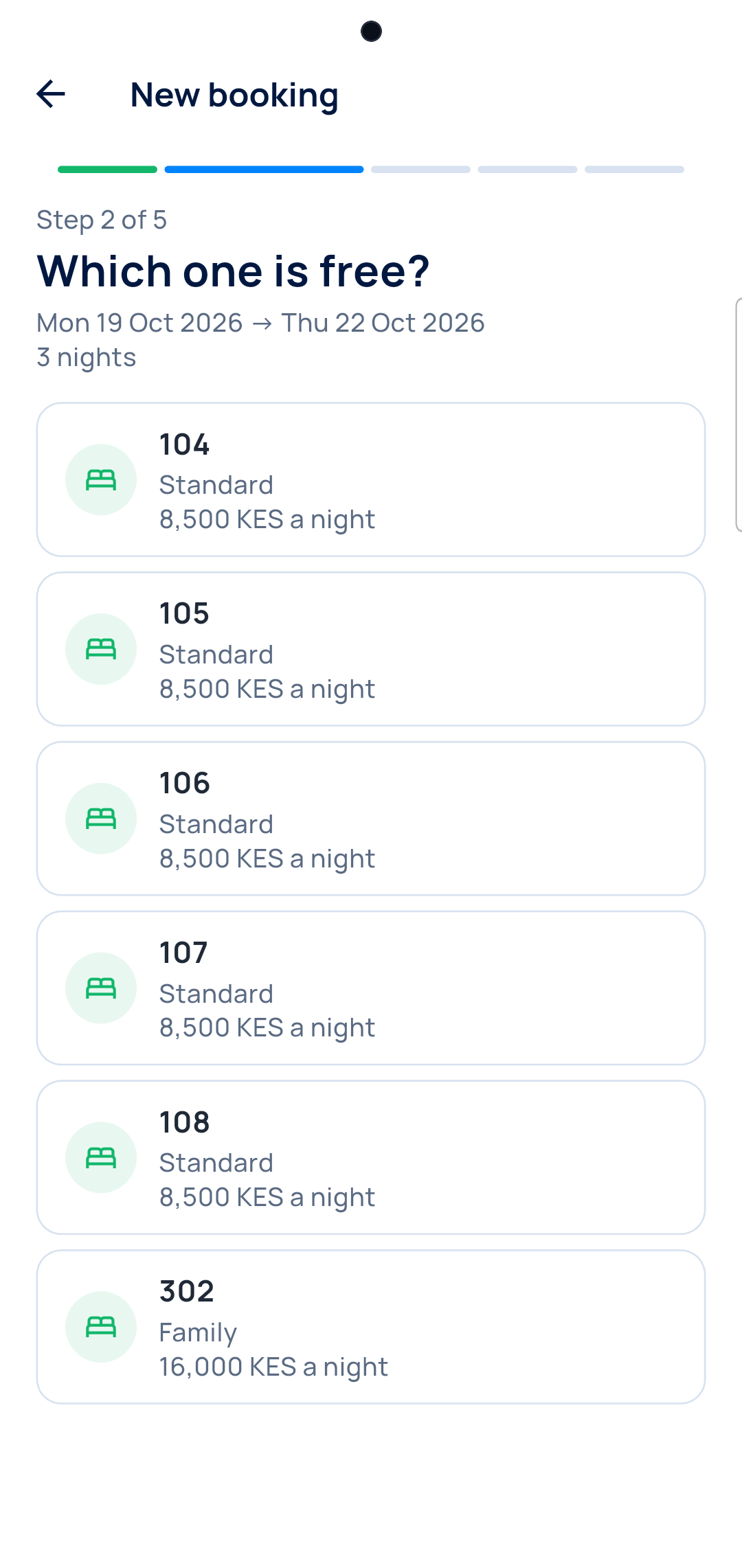
Room and dates
Pick a room or a hall, then the nights.
-
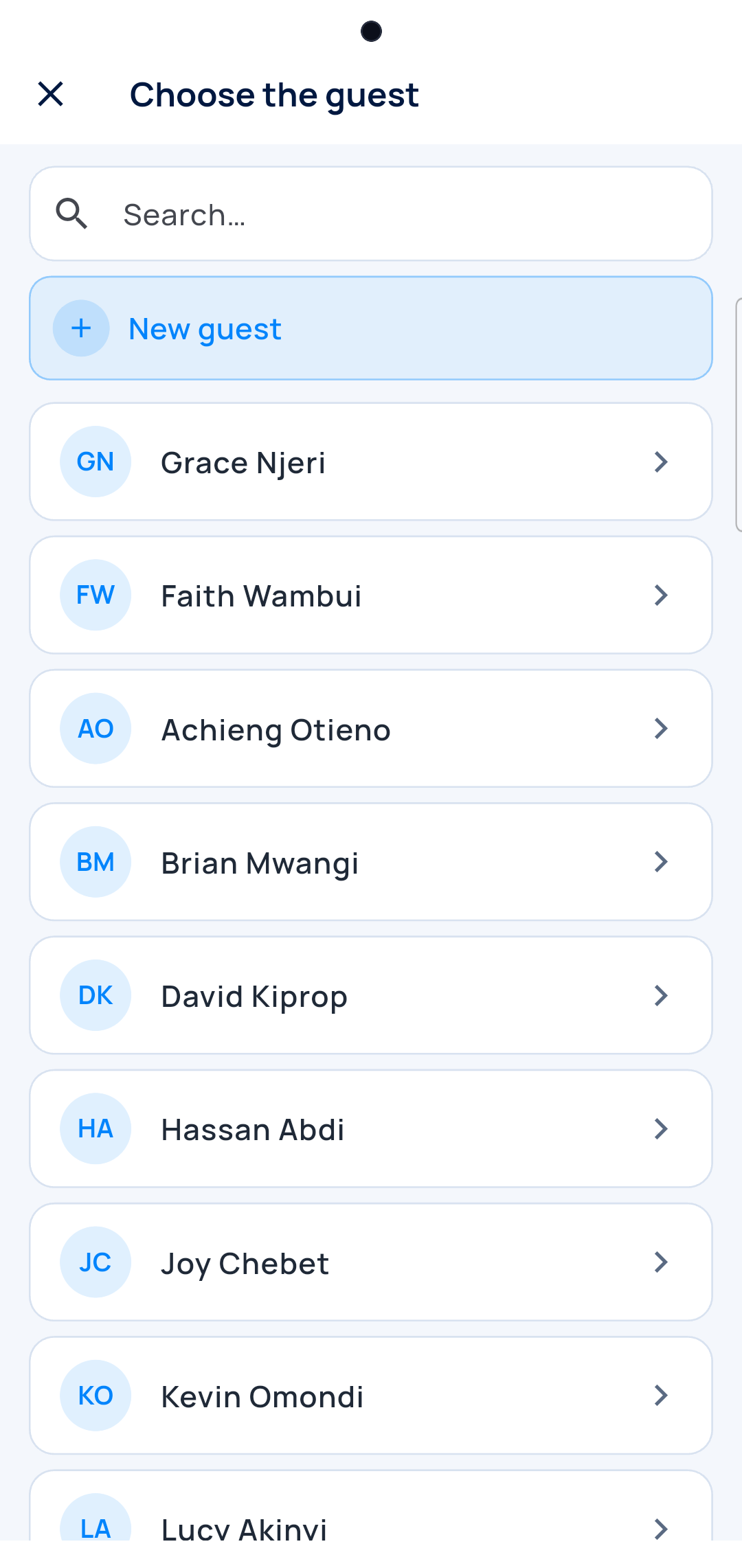
The guest
Find them, or add them on the spot.
-
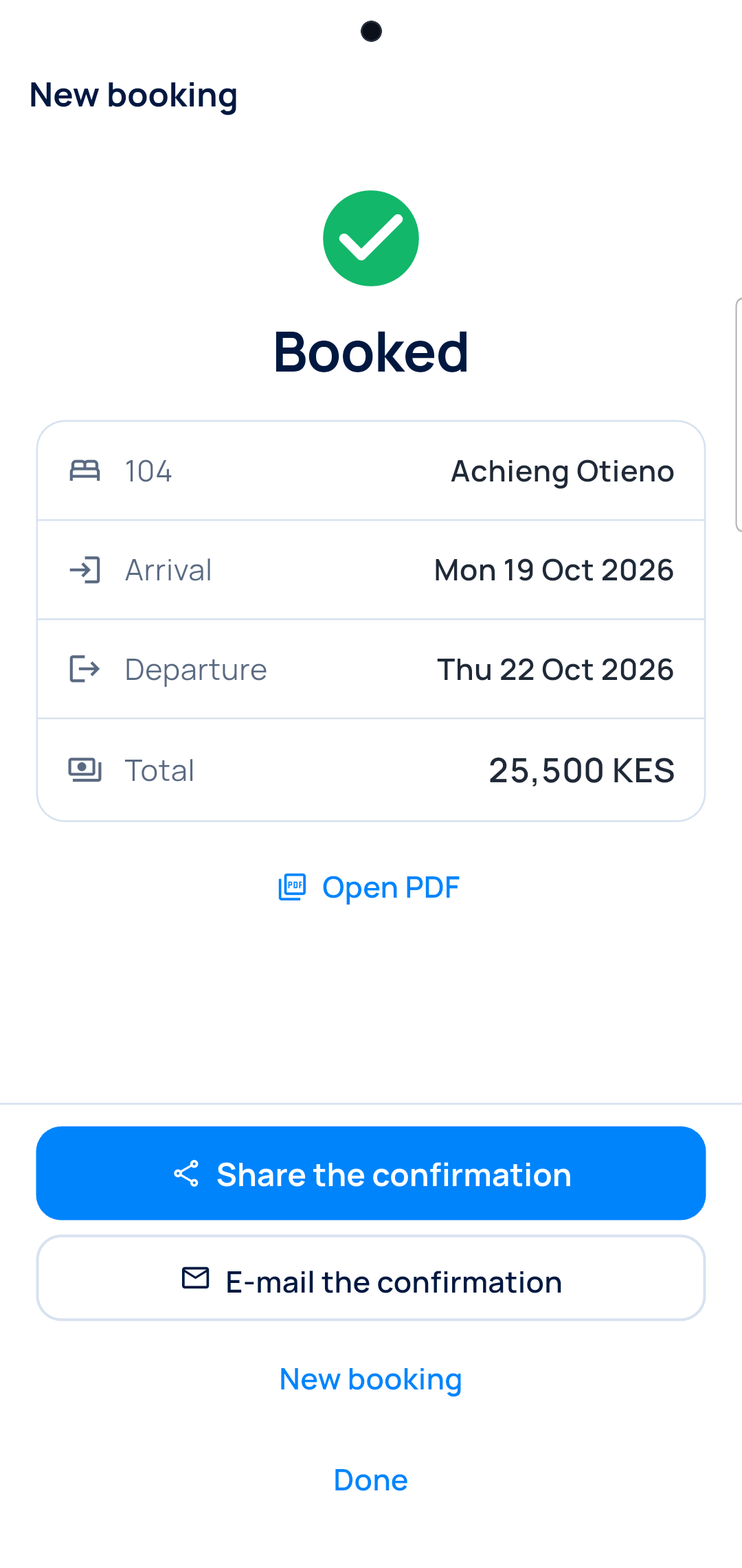
Booked
Share the PDF on WhatsApp.
-
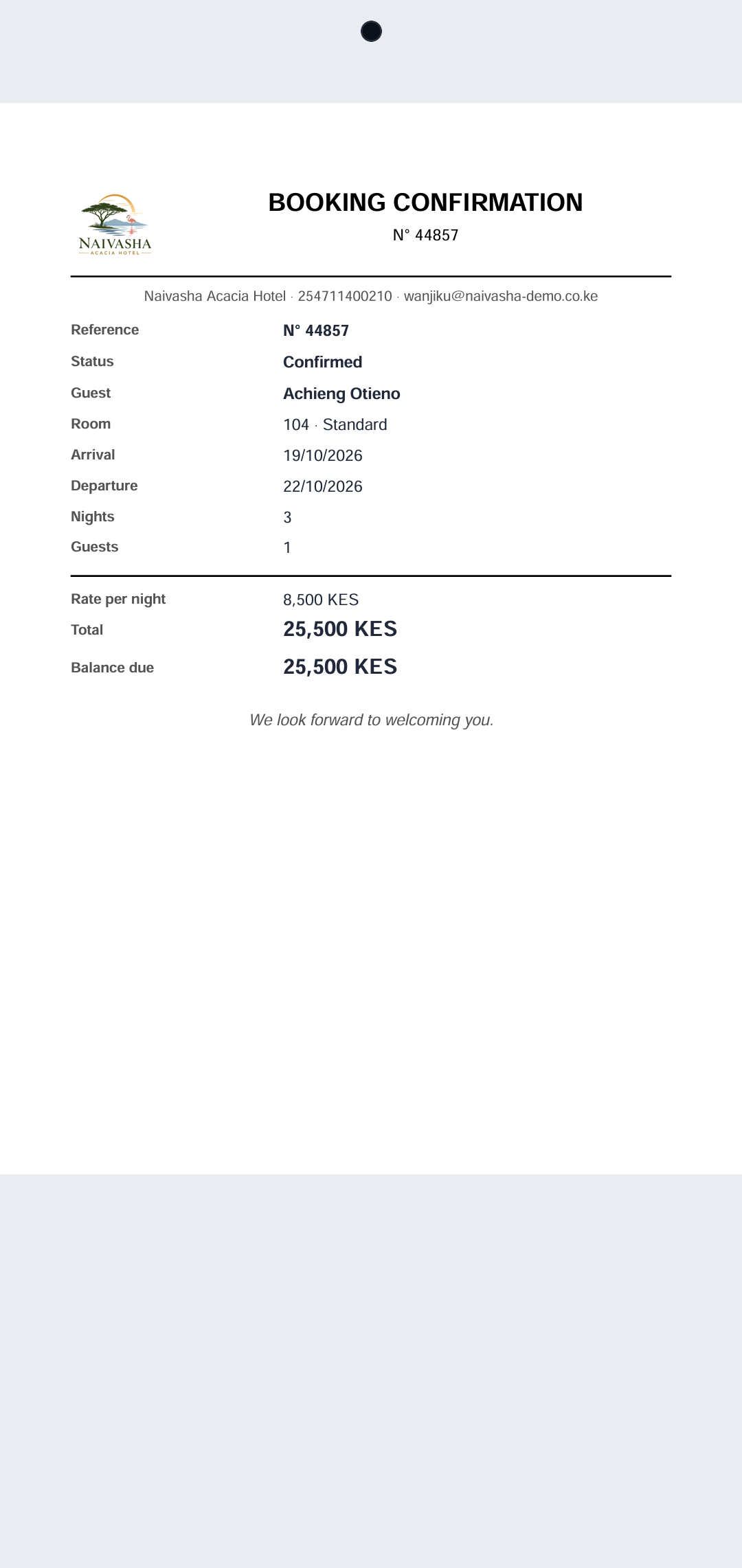
The confirmation
Your logo, the dates and the total.
On the phone
Every room, from the front desk or the corridor
See who is in, and mark a room clean the moment it is done.
-
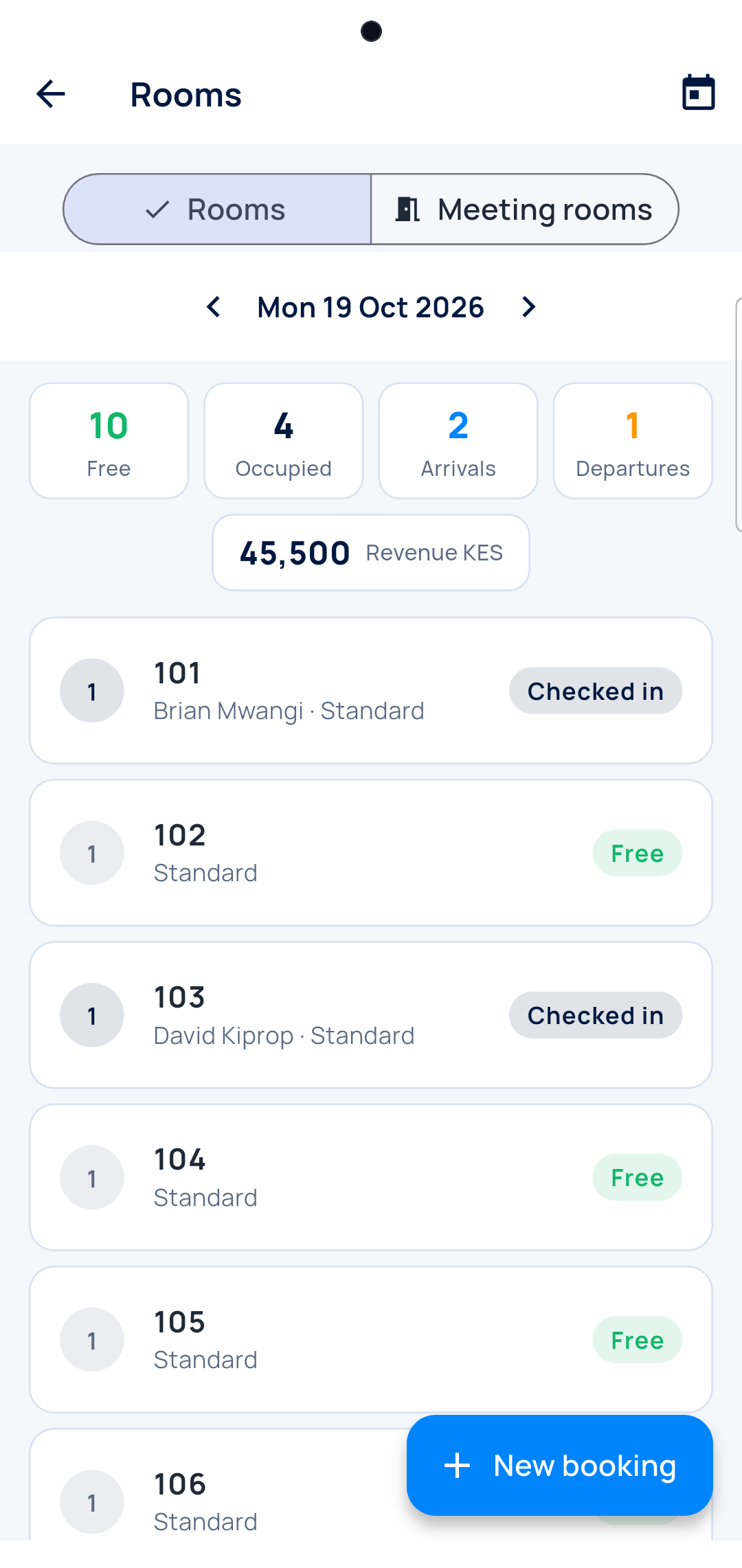
Occupancy
Every room in one list, for any day.
-
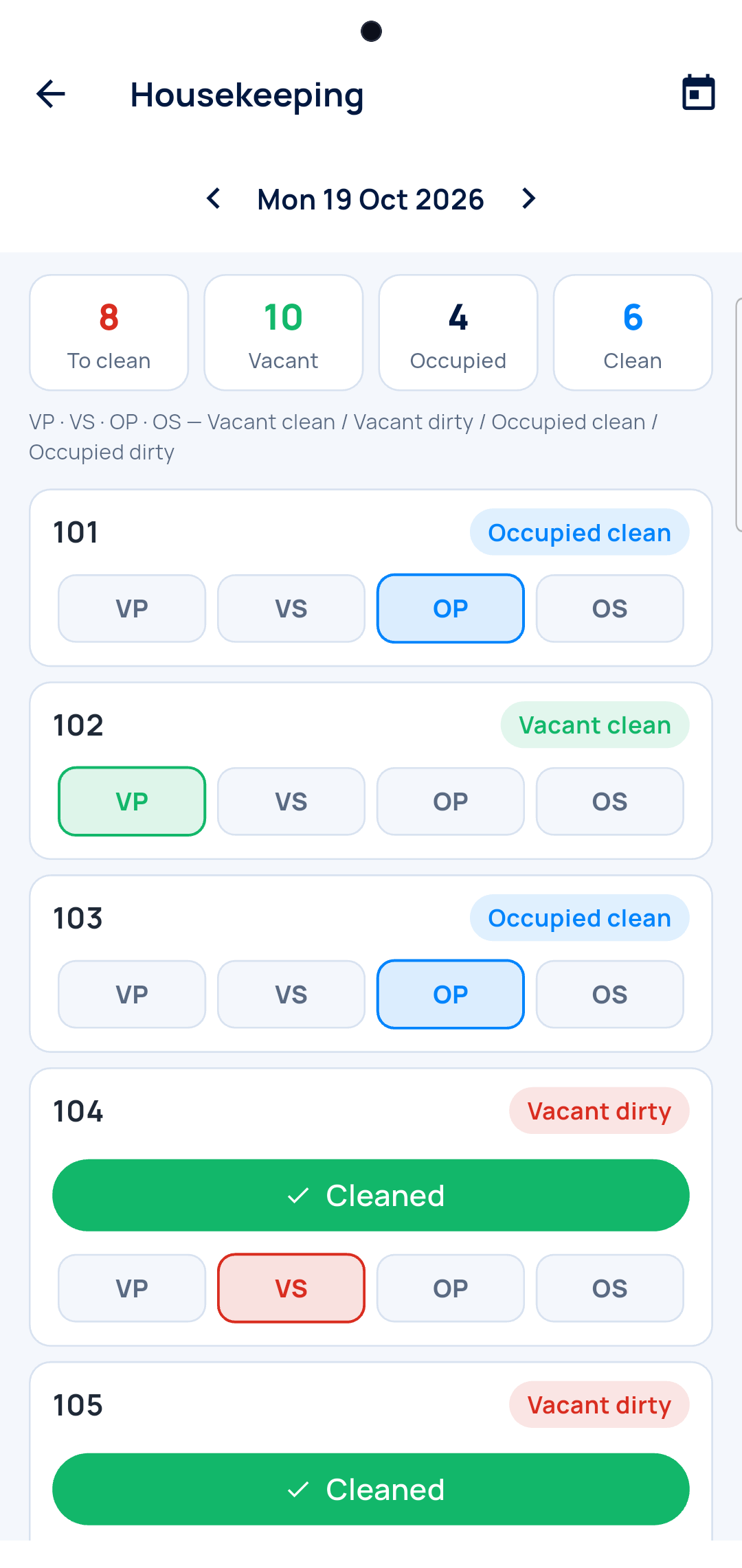
Housekeeping
Tap Cleaned and the room is ready to sell.
Questions
Can I book a conference hall?
Yes. A hall is sold by the day, a room by the night.
The guest paid a deposit and cancelled?
Keep it on their account, or refund it with a numbered voucher.
Does the guest get a confirmation?
Yes, a PDF in English or French, to share on WhatsApp.
Who helps if I get stuck?
A real person, on WhatsApp.