 Aser One
Restaurant & bar
Take the order at the table. The kitchen has it already.
Waiters, kitchen, bar and the owner, each on their own phone.

Start today
Your menu, on sale in minutes
Photograph the menu you already have. No typing.
-
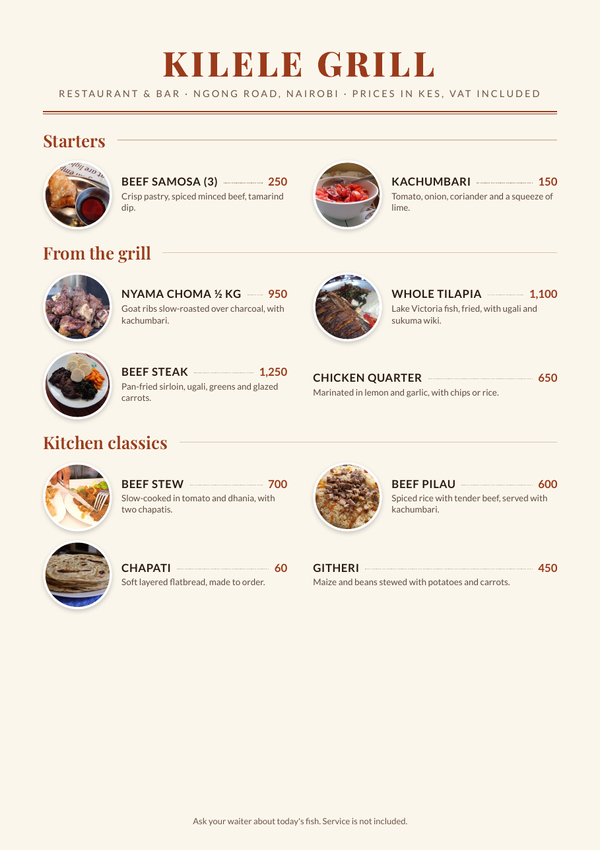
Your menu as it is
The PDF or the printed card.
-
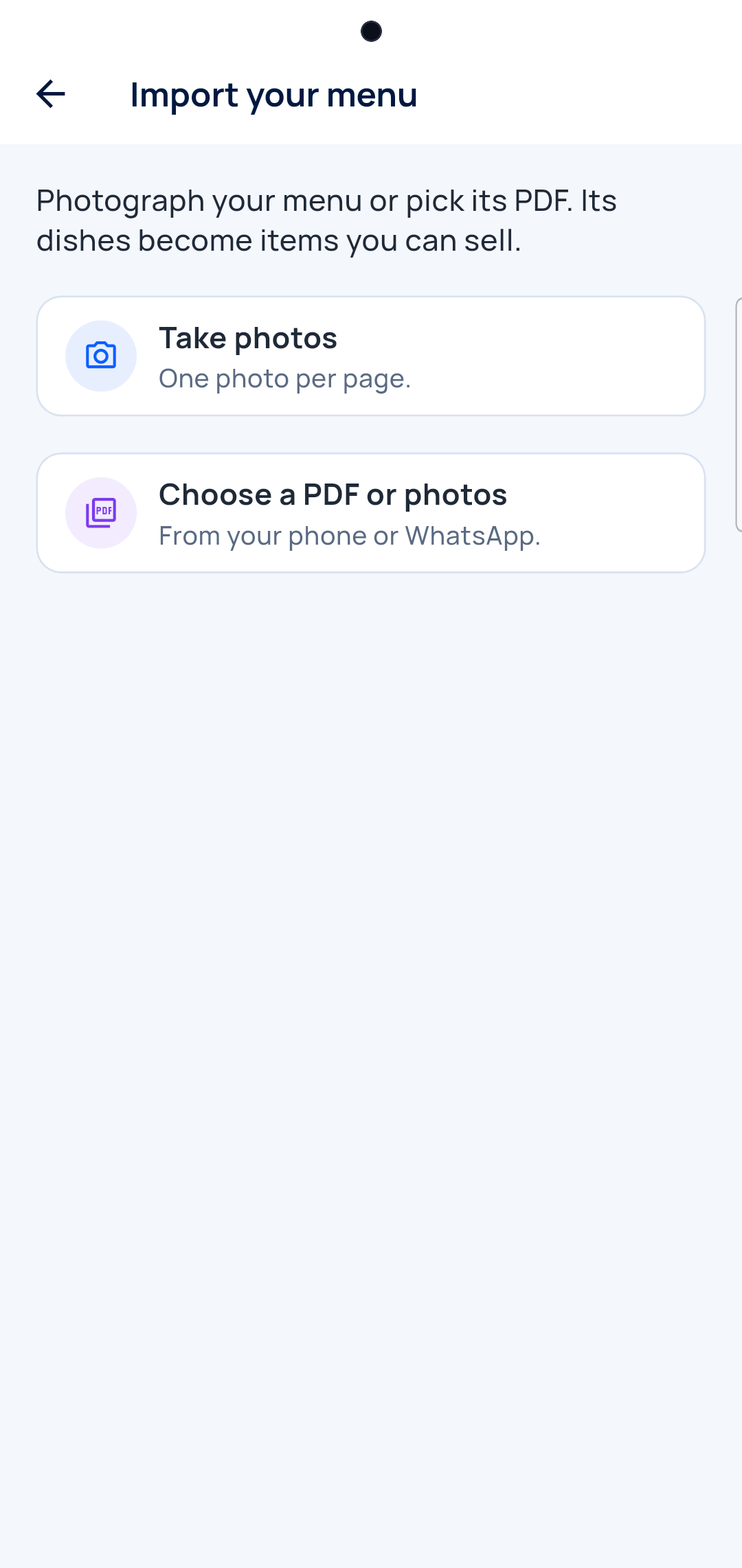
Photograph your menu
Or pick its PDF.
-
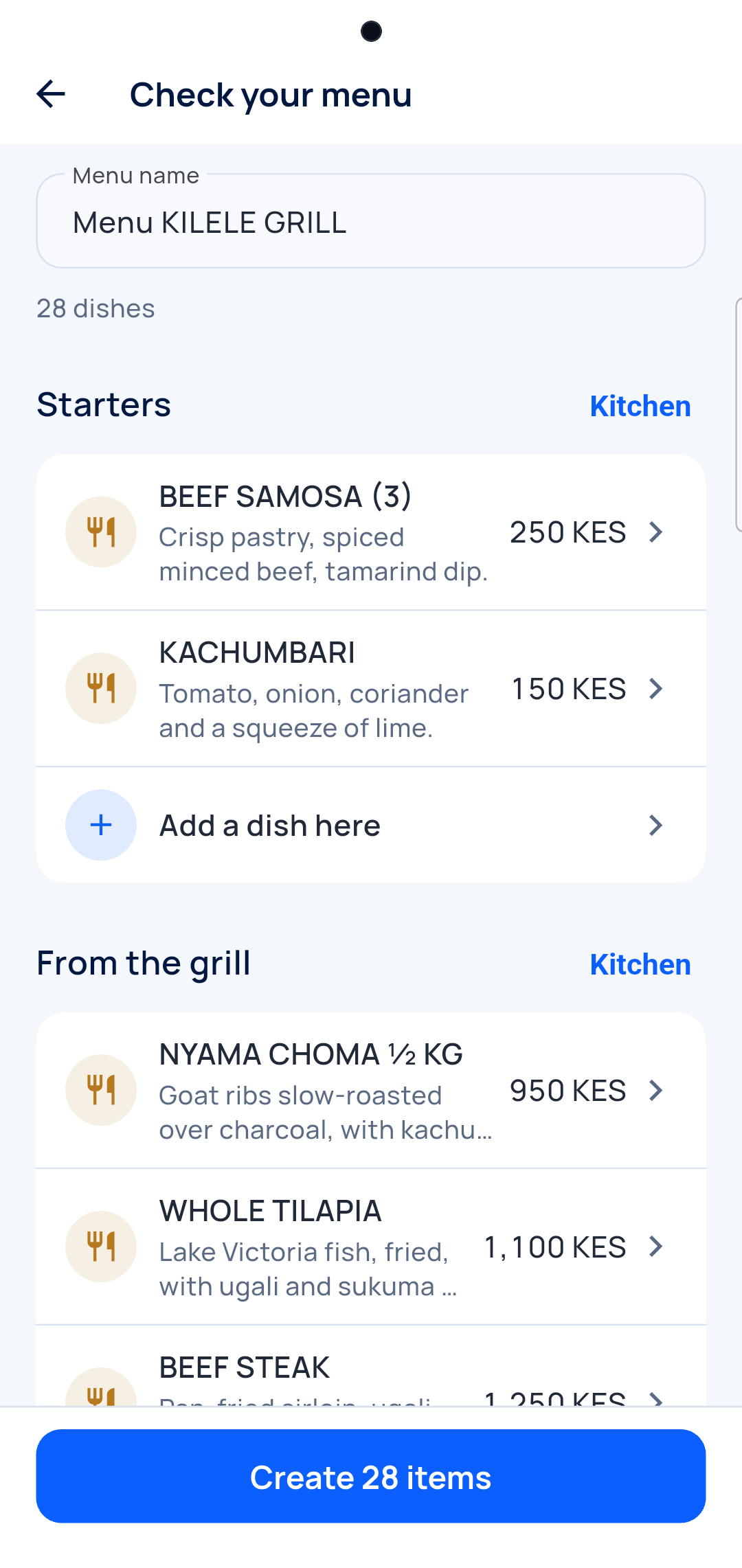
Check the dishes
Prices, kitchen or bar.
-
Take the first order
Your dishes are ready to sell.
The waiter
Table, menu, send
Dishes go to the kitchen, drinks to the bar, on their own.
-
Pick the table
Free in green, taken in red.
-
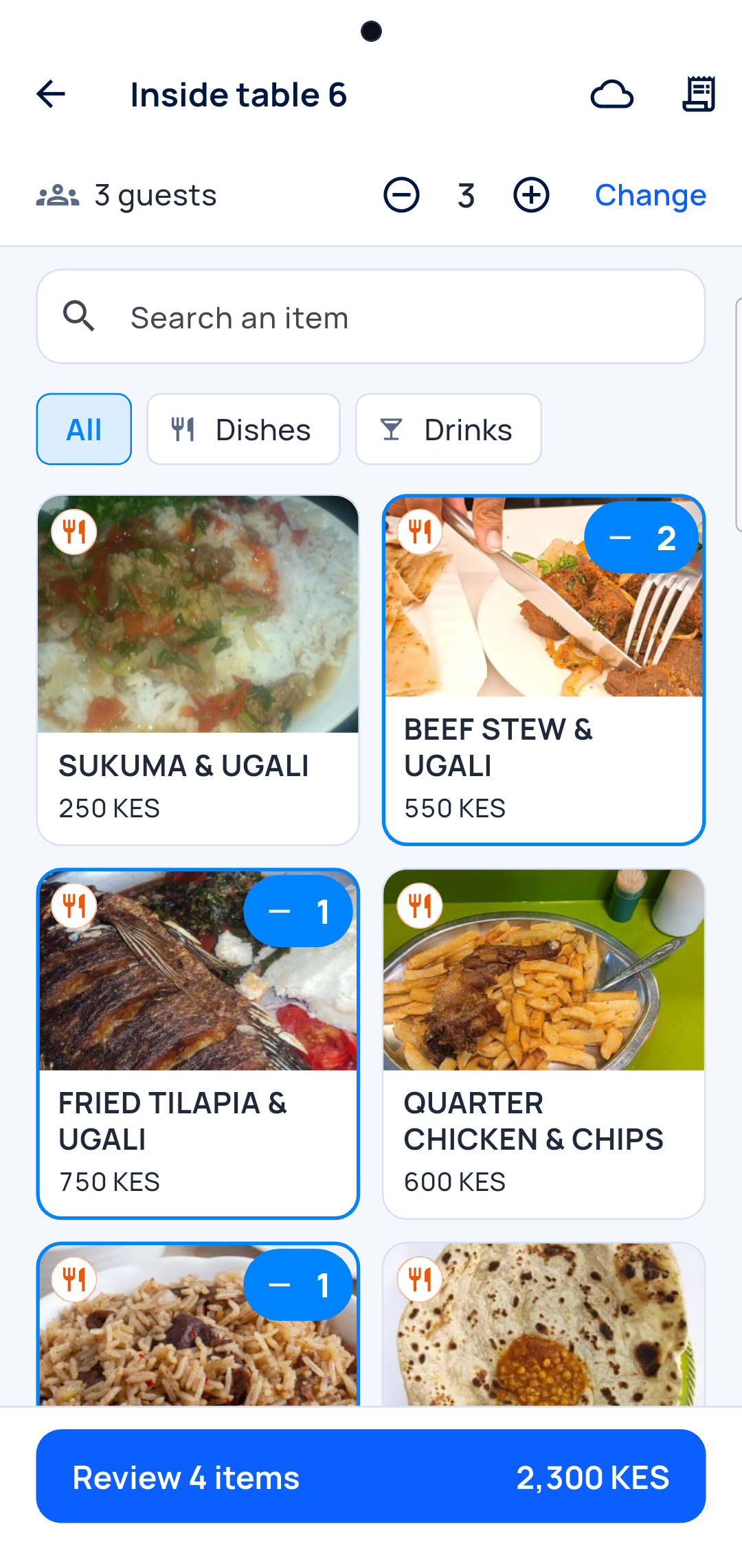
Tap the dishes
Tap again for one more.
-
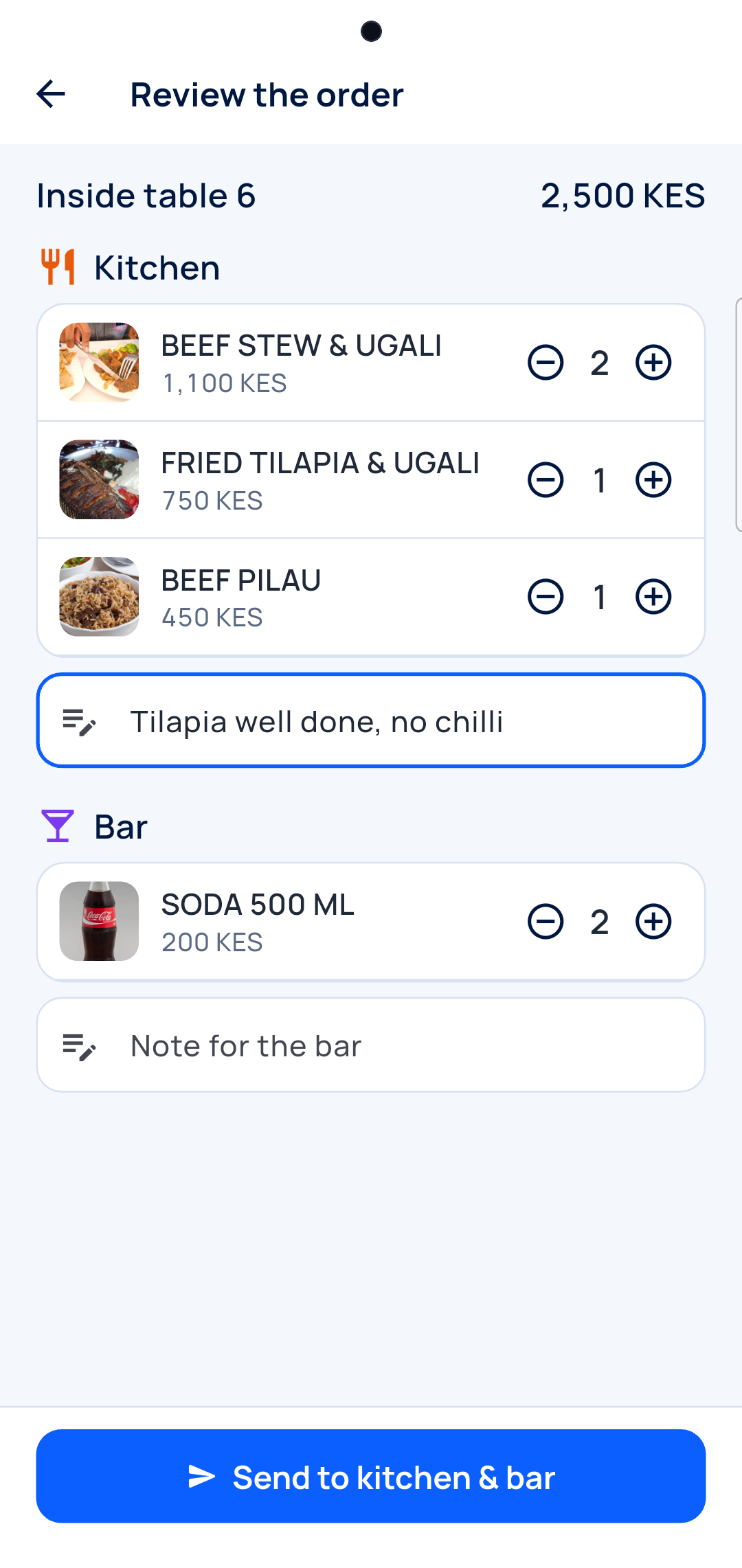
Check and send
Add a note for the kitchen.
-
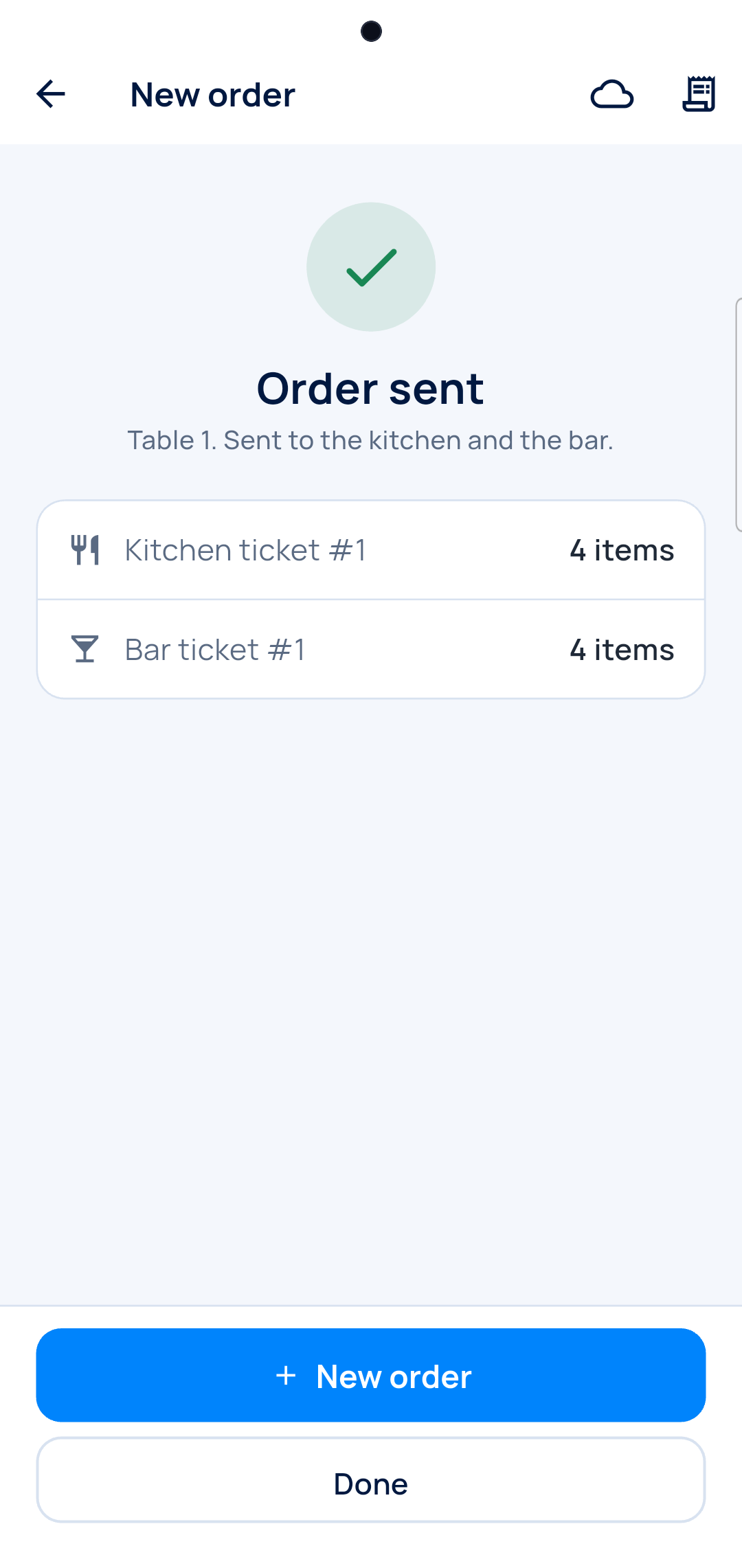
Sent
Each station gets its ticket.
Kitchen and bar
Every ticket, in order
The chef sees the kitchen, the barman the bar.
-
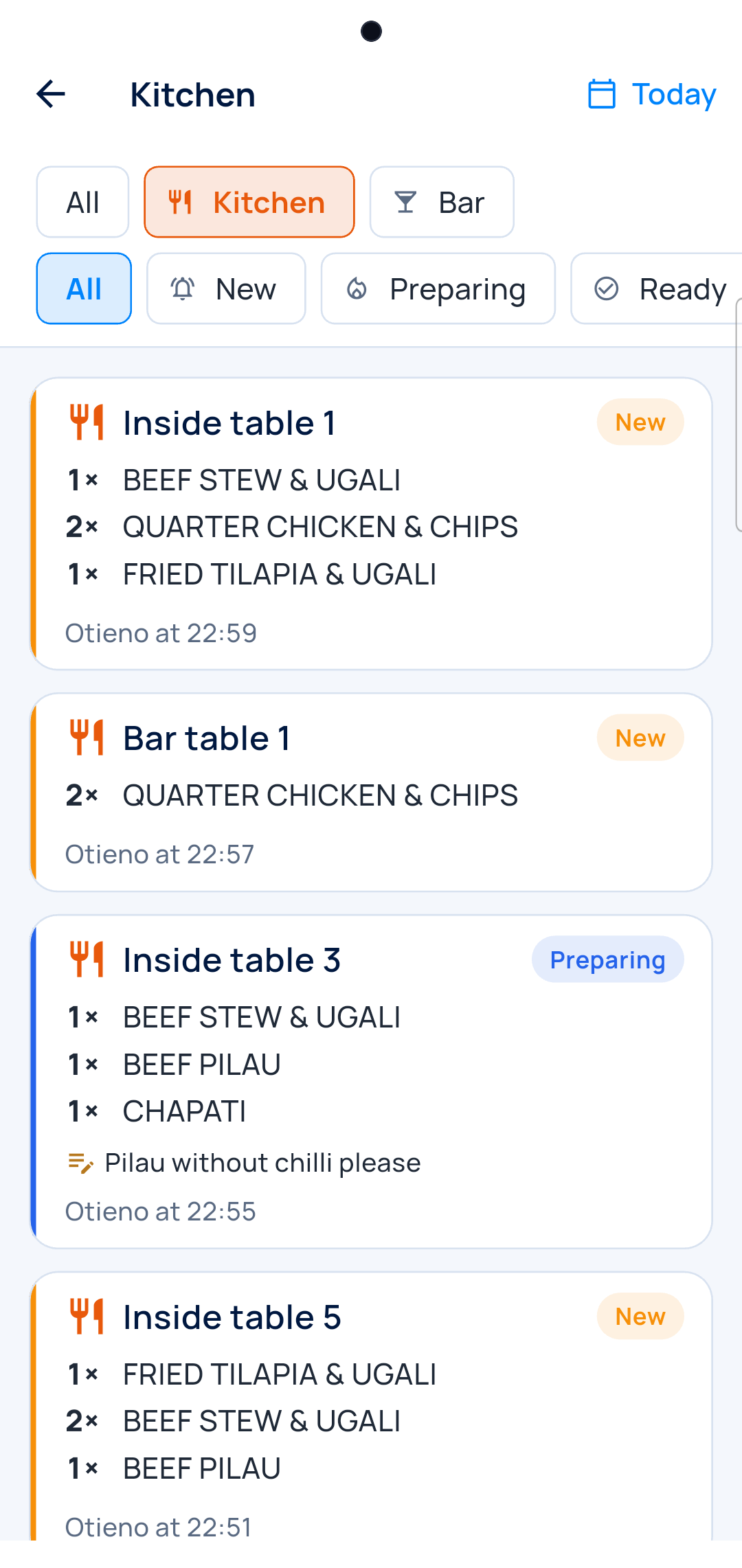
The board
New, preparing, ready.
-
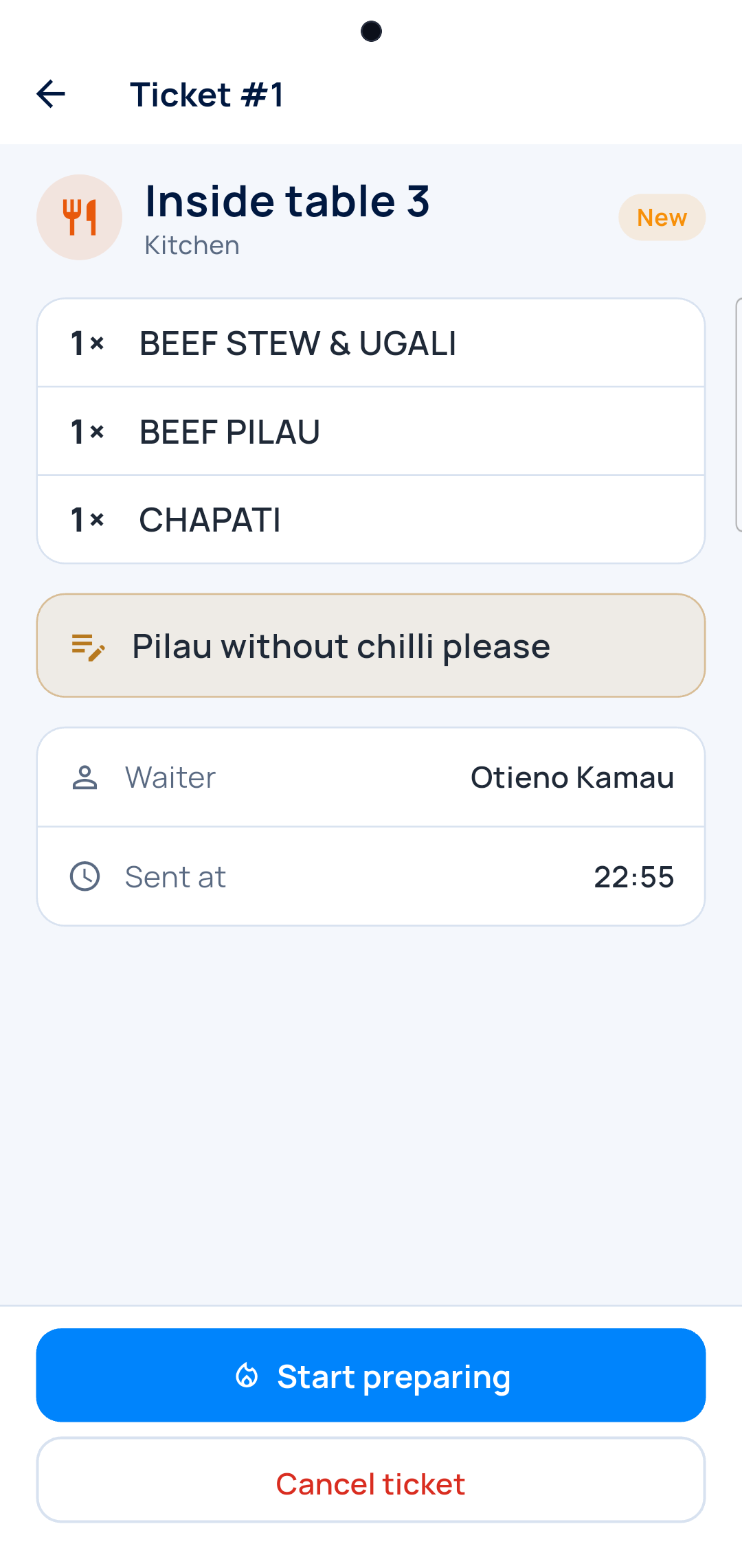
The ticket
Start it, then mark it ready.
The bill
The bill, in one tap
Every table’s bill waits for the cashier.
-
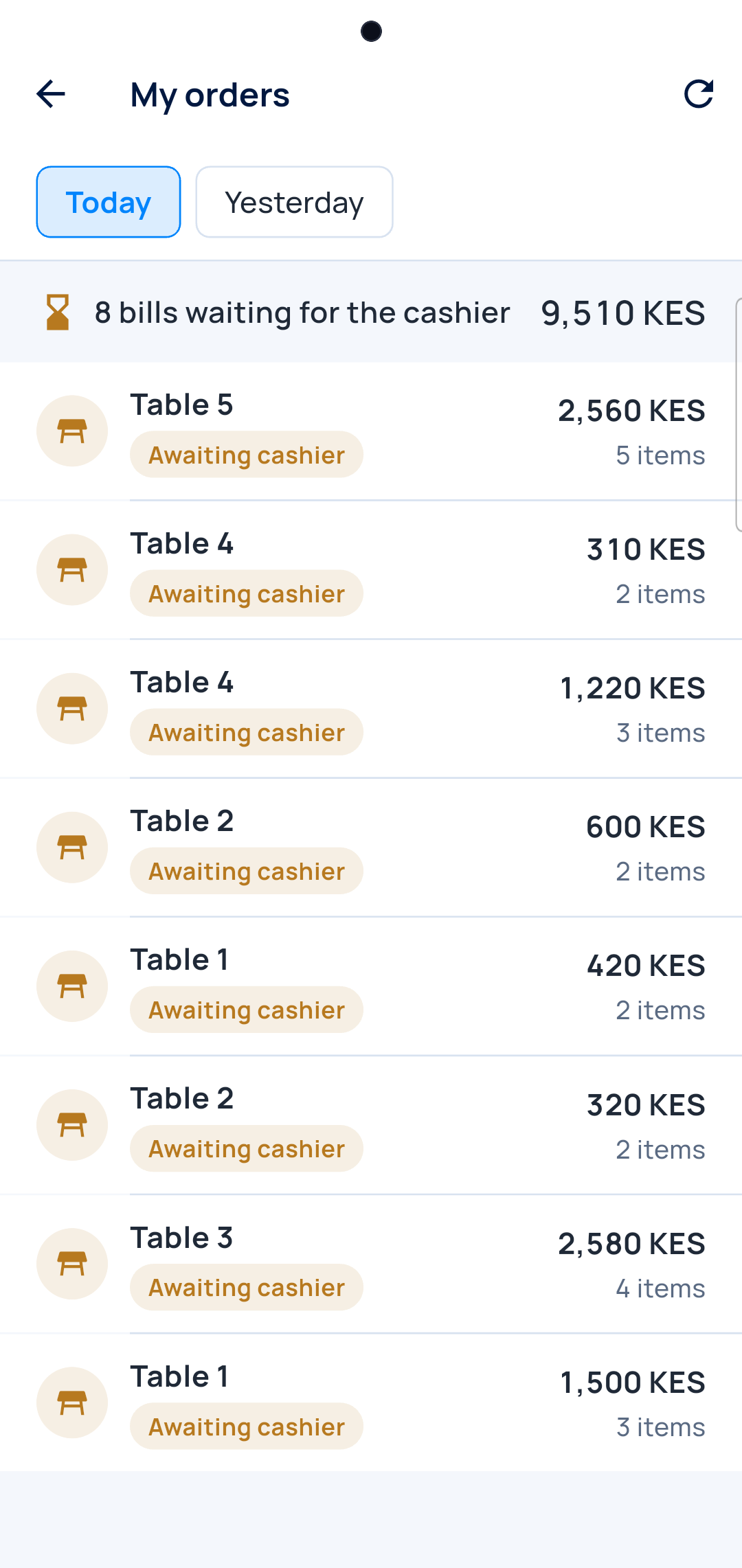
Open bills
What each table owes.
-
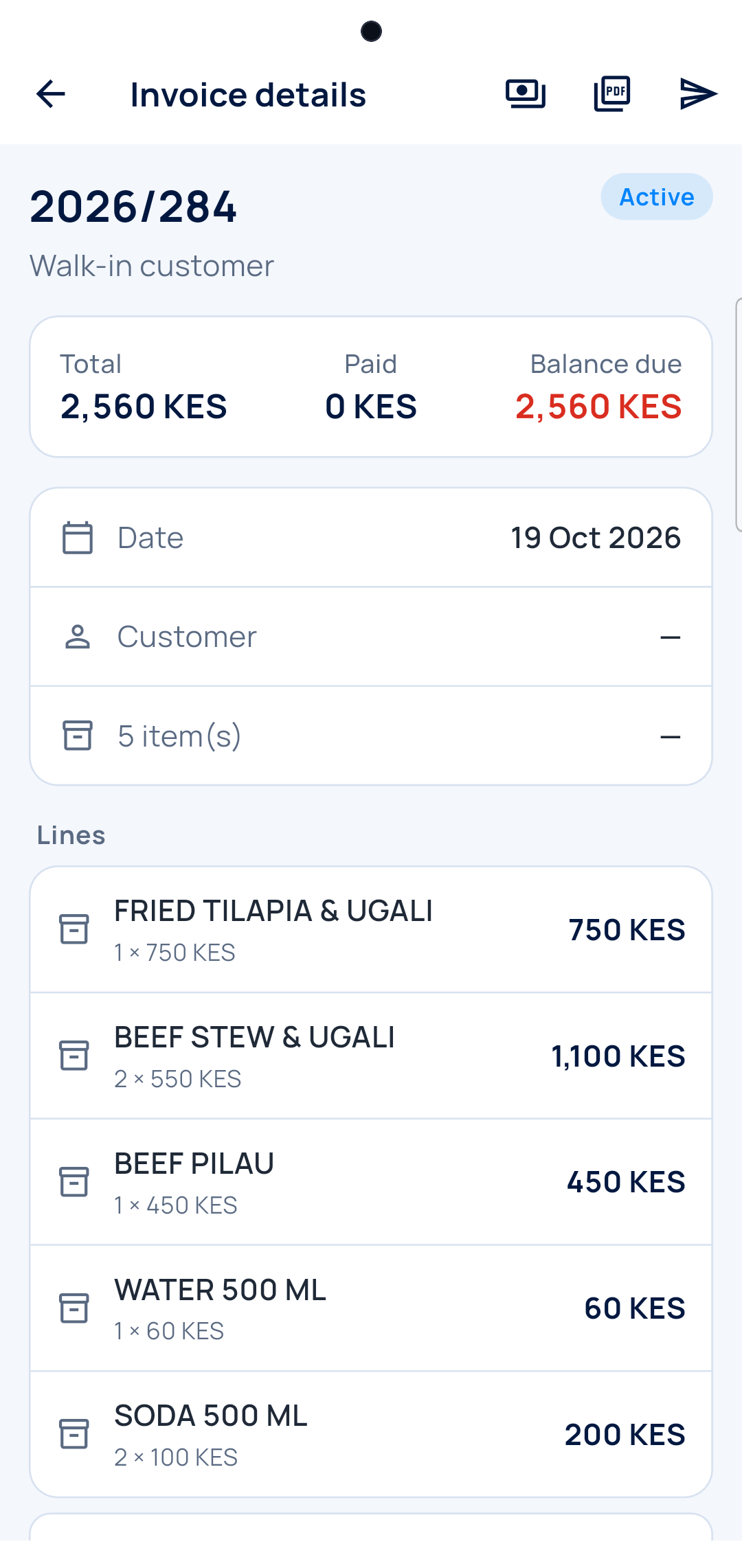
The bill
Paid, or still due.
The owner
What sells, when, and by whom
Top dishes and their margin, the busy hours, tables and waiters.
-
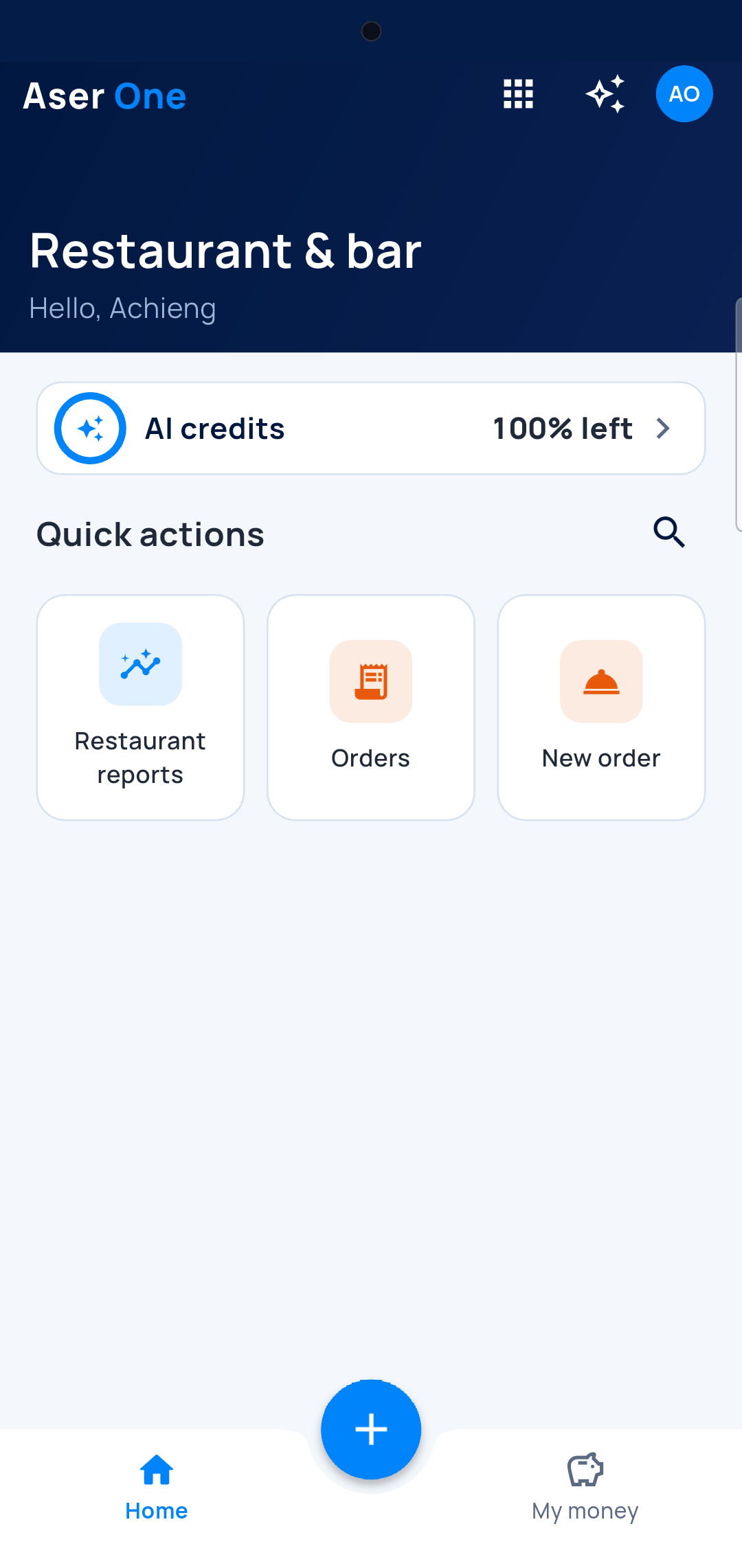
Your restaurant
Reports next to the orders.
-
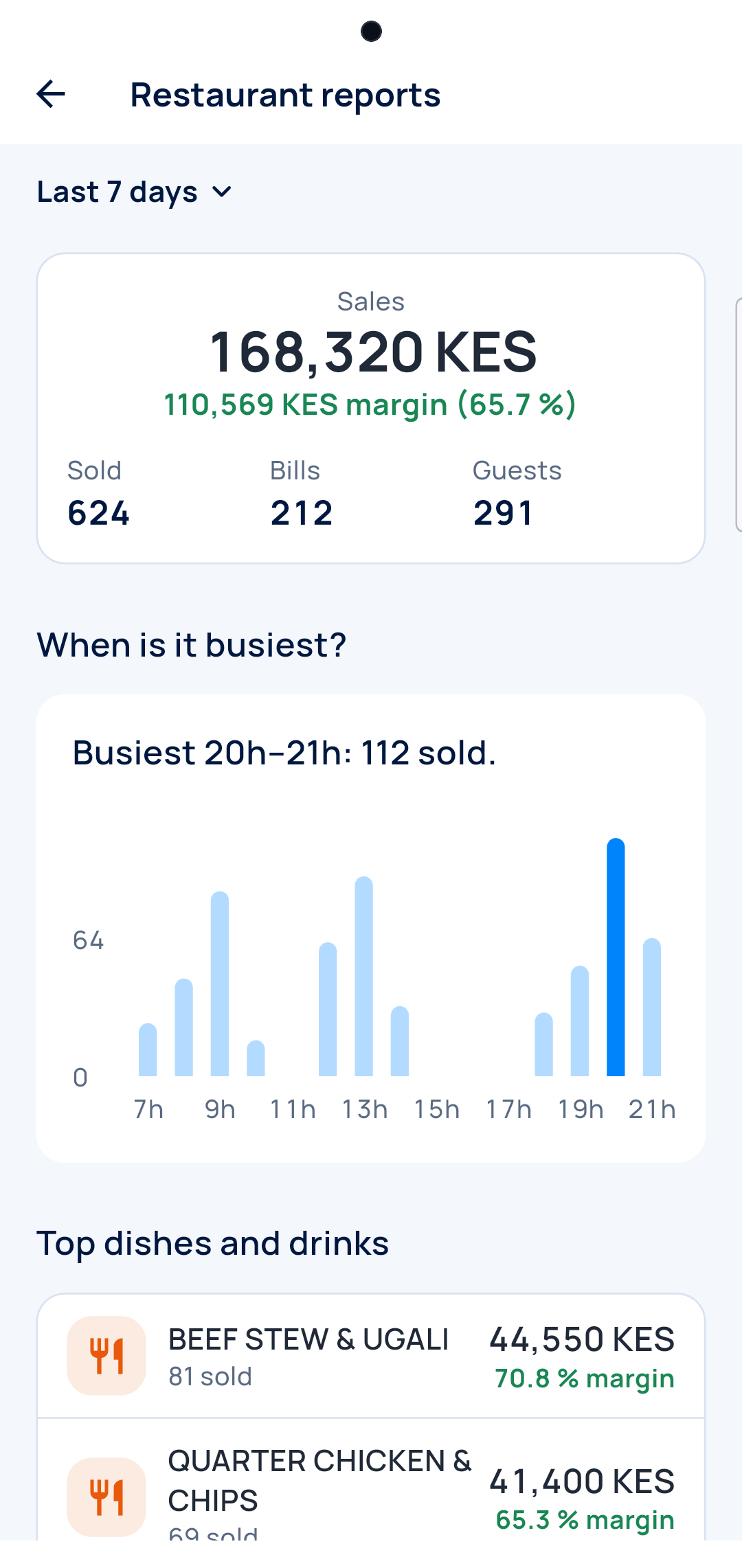
Busy hours
The peak hour stands out.
-
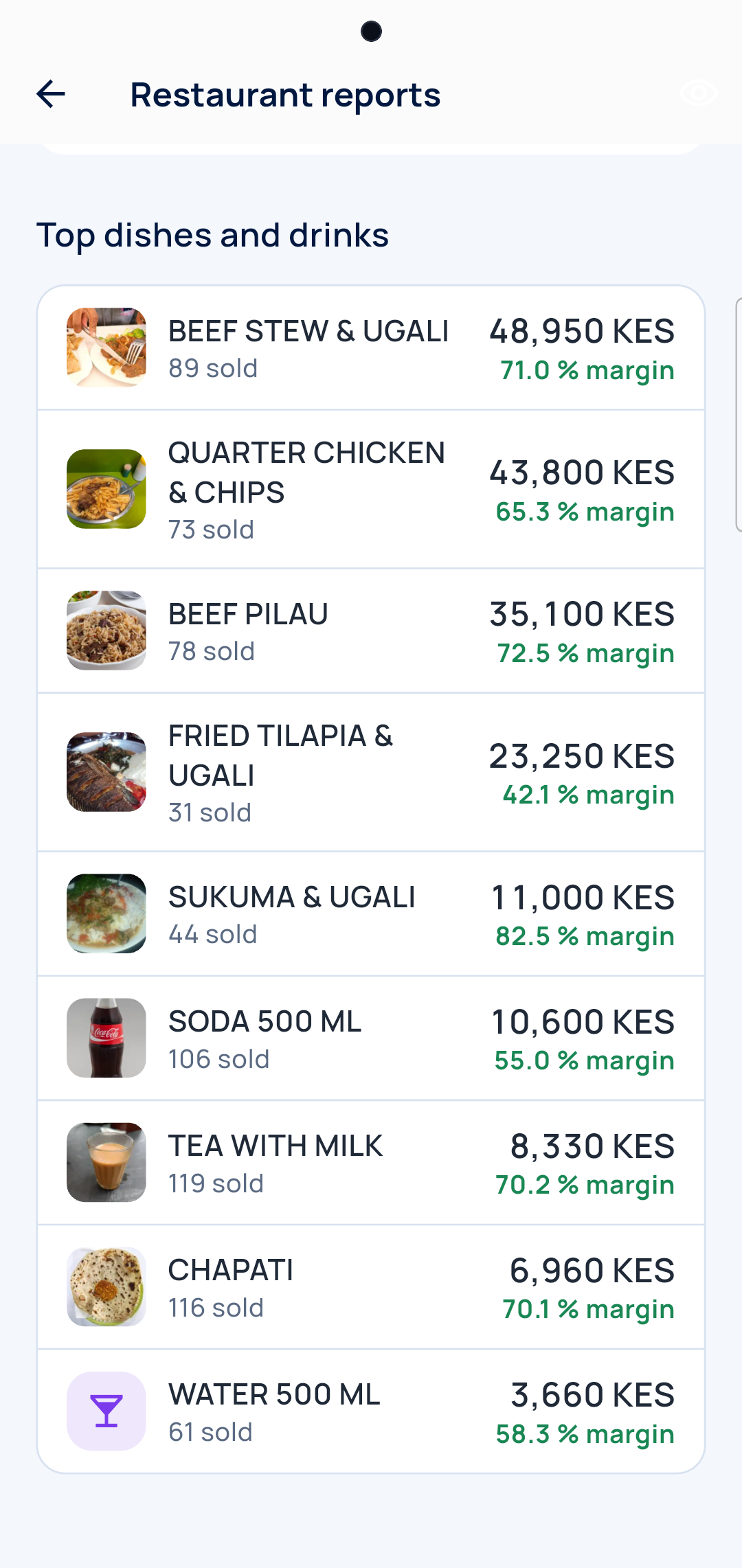
Top dishes
What sells and what it earns.
-
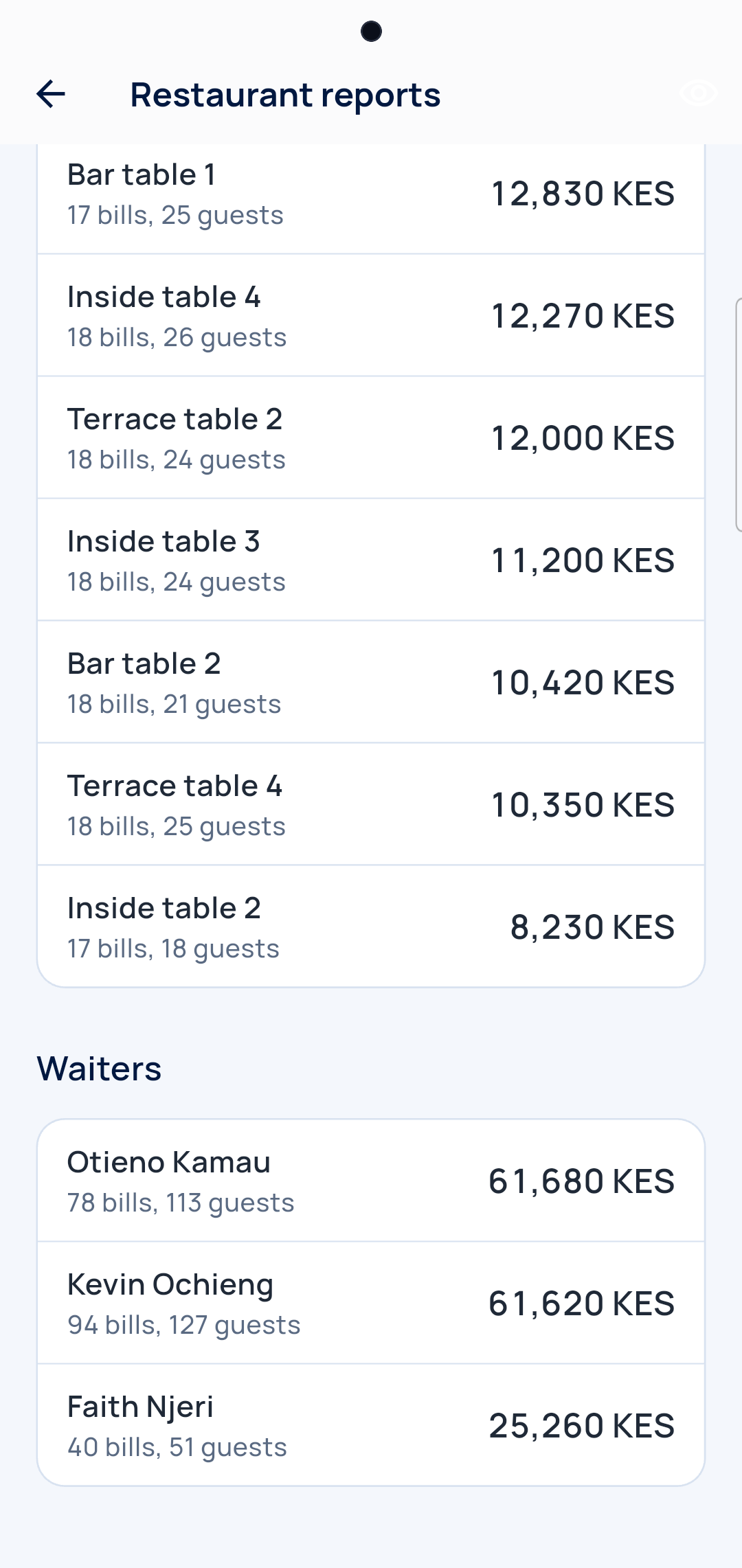
Tables and waiters
Bills, guests and sales each.
Stock
The stock follows every plate
Ingredients come off as the dishes sell.
-
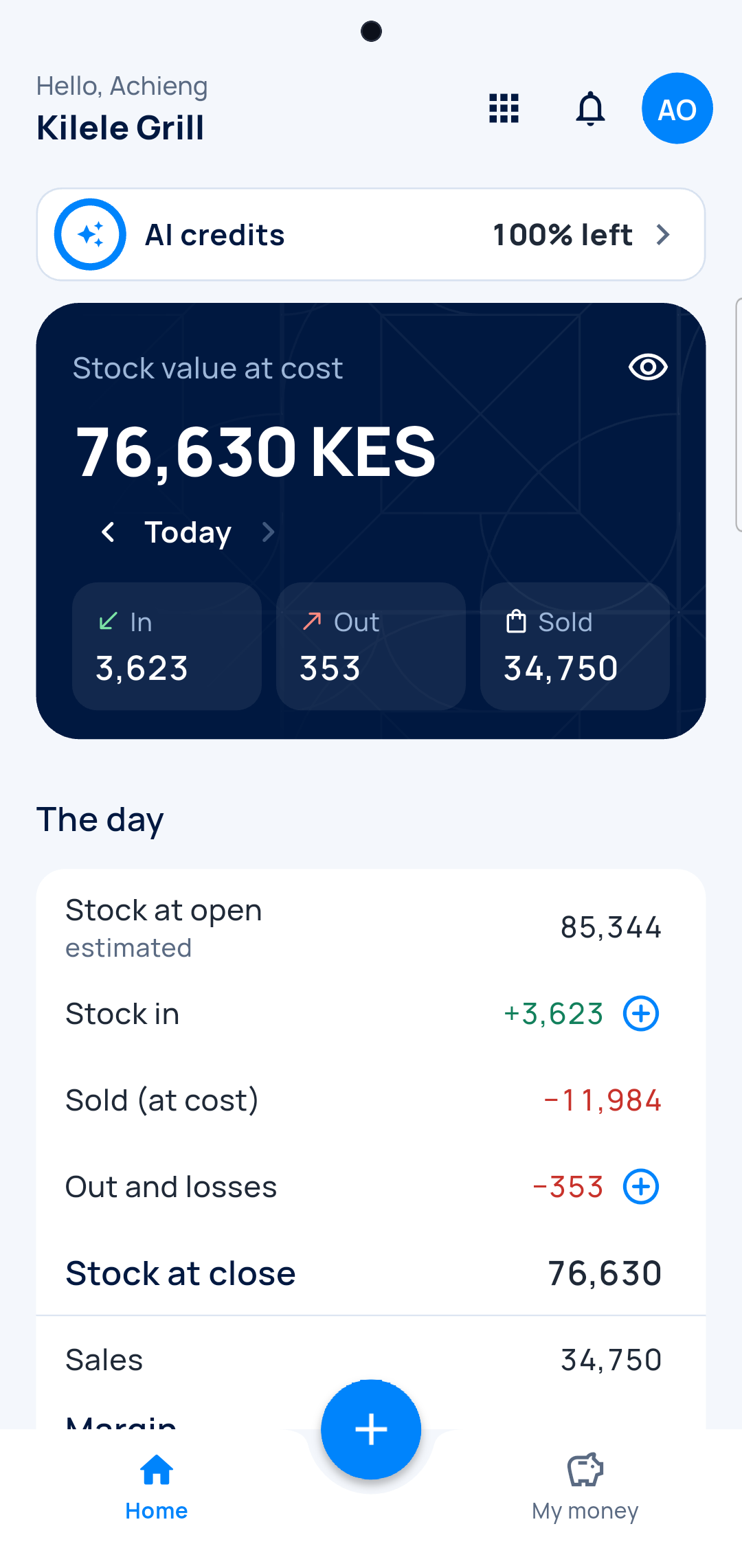
The day
What came in, what went out.
-
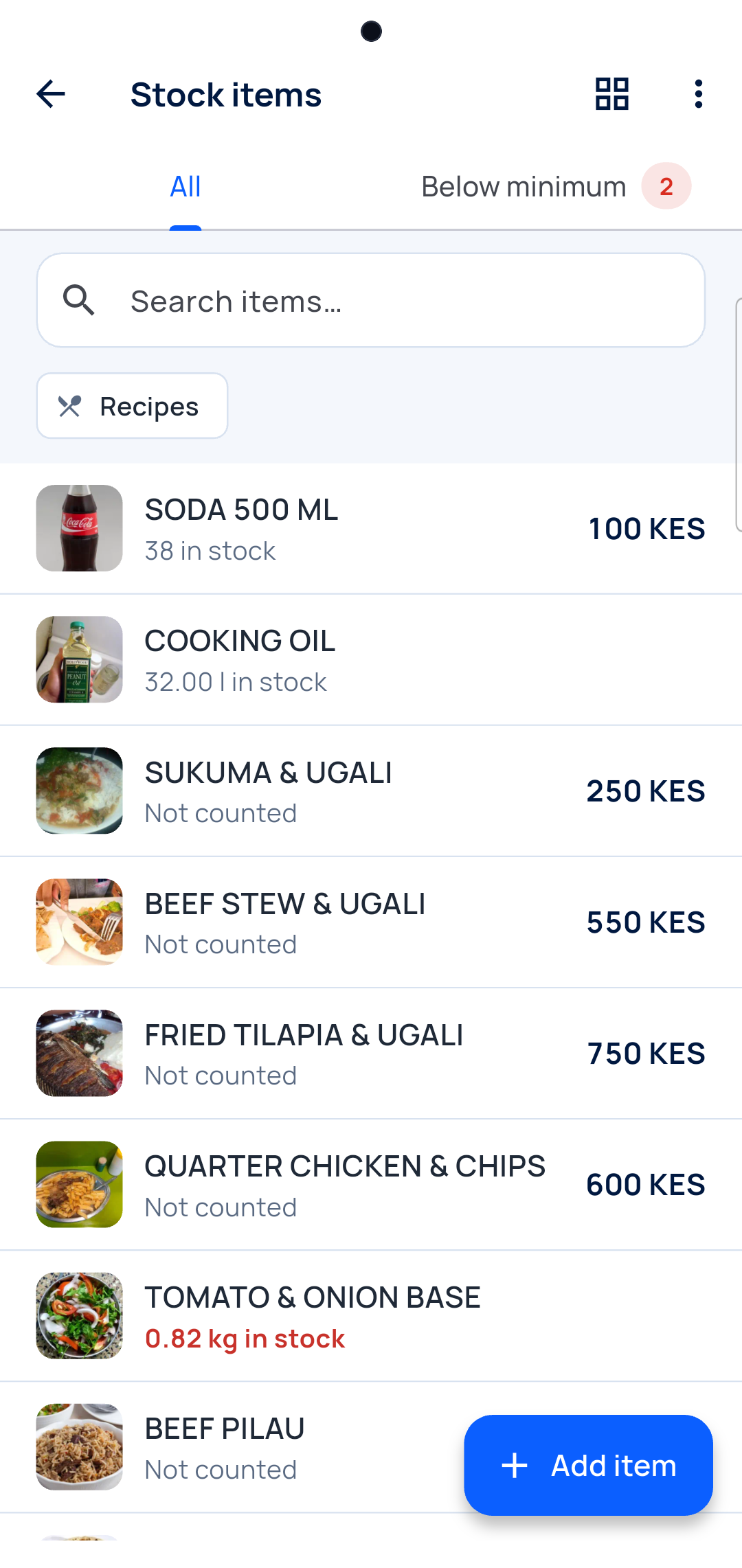
Items
What is left, what runs low.
At the till
The same orders, on the computer
The cashier sees every table and closes the bill.
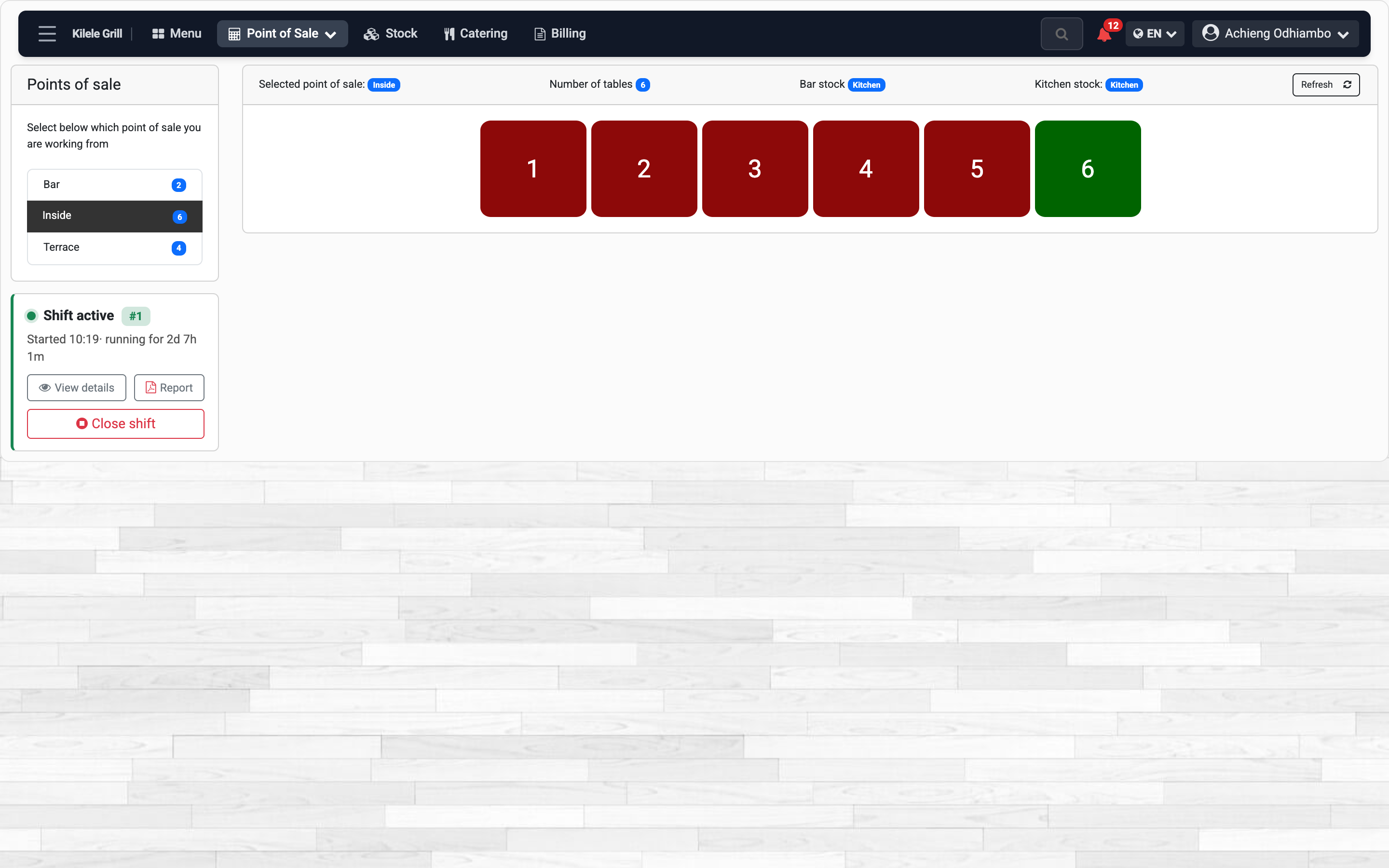
The floor
Busy tables in red, free ones in green.
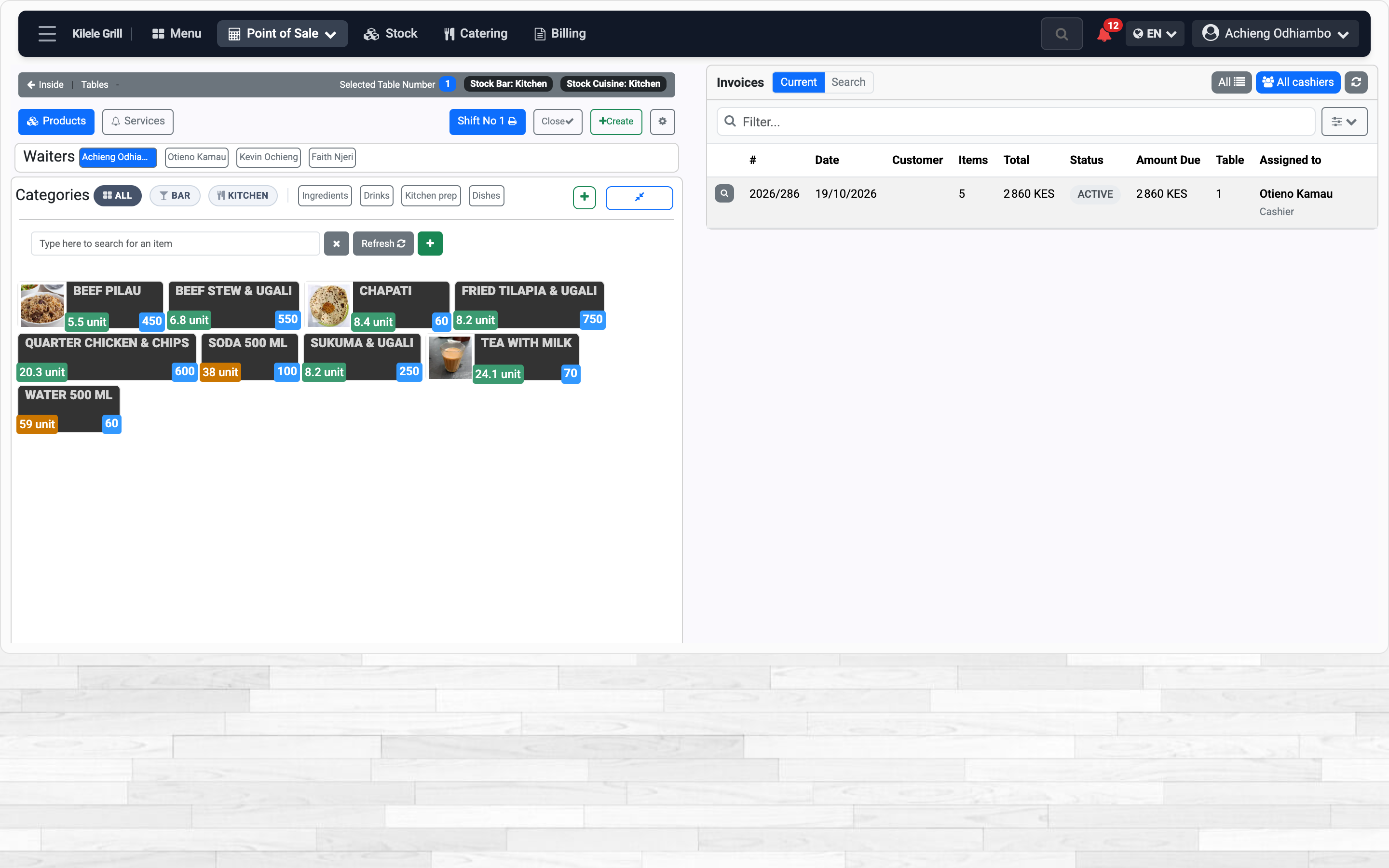
The till
Tap a dish to add it to the table’s bill.
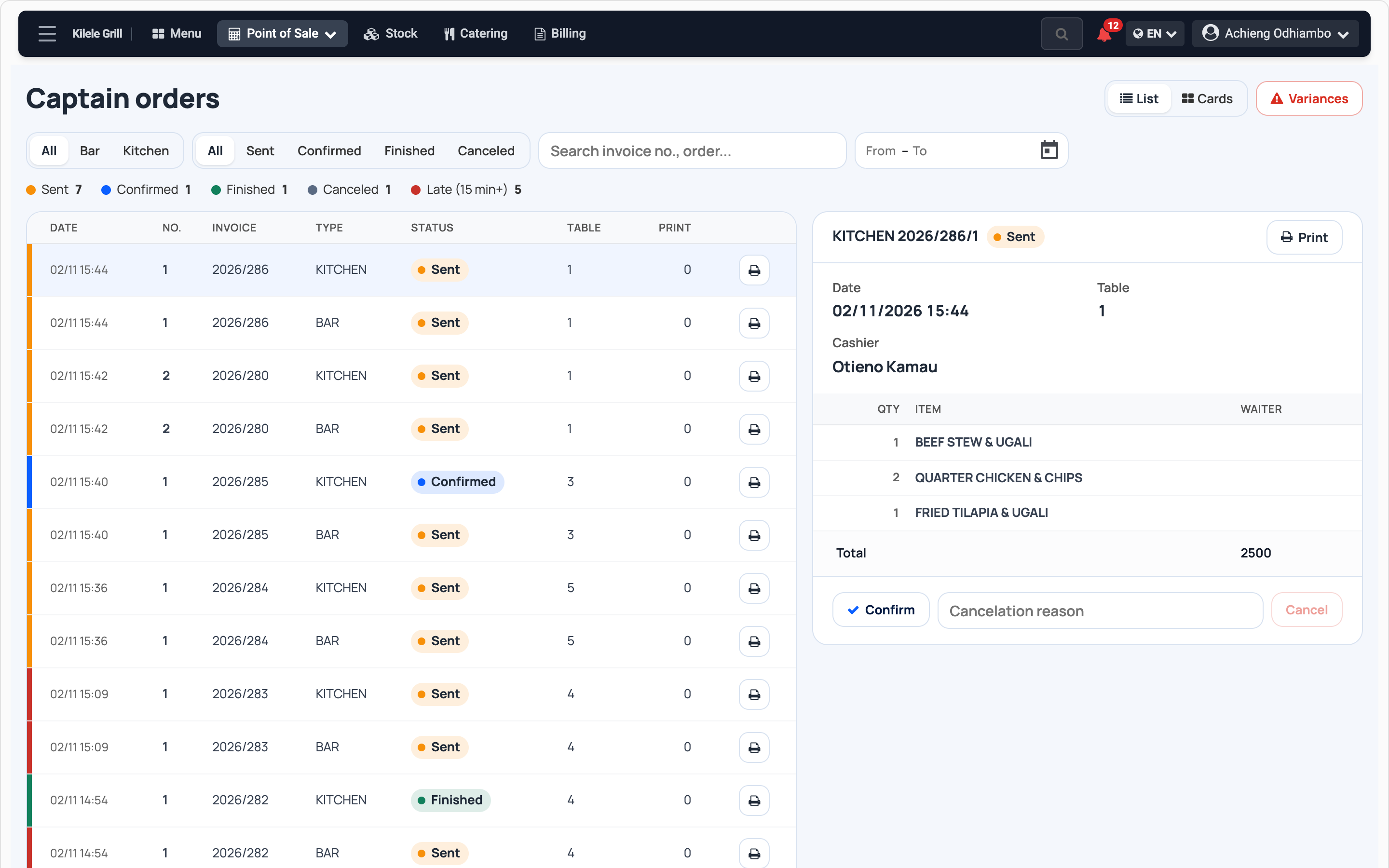
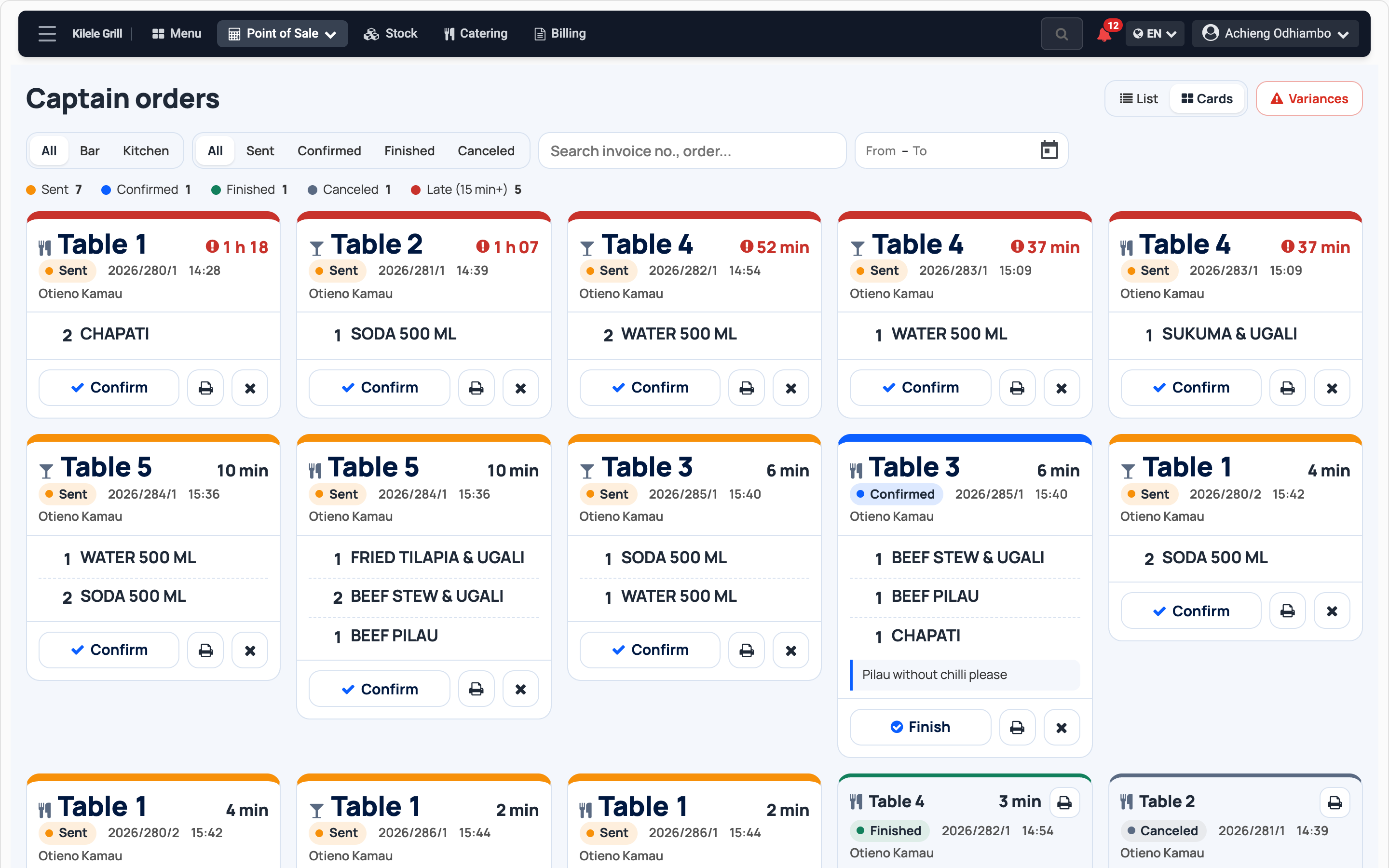
Kitchen and bar tickets
A list at the till, a grid on the kitchen screen.
Questions
How fast can I start?
Today. Photograph your menu and its dishes are ready to sell.
Do the waiters need their own phone?
Yes, any Android phone. Each one signs in with their own account.
Can the kitchen print tickets?
Yes. A printer at the bar or the kitchen prints each ticket.
Who sees the margin?
Only the people you allow. Waiters never see costs.
Who helps if I get stuck?
A real person, on WhatsApp.