 Aser One
Stock
Know what you have, what it cost, and what you made today.
Count, sell and receive from your phone. For shops, restaurants, bakeries and wholesalers.
From / month + VAT
From the delivery to the count
One stock, whatever you sell. Pick your trade.
-
Receive
Every delivery, at its price.
-
Store
By storage and by shelf.
-
Make
The recipe takes the ingredients out.
-
Sell
Cash, M-Pesa or on credit.
-
Count
The gap, and what it is worth.
You receive, store, sell and count. See it in a shop Every dish sold takes its recipe out of stock. See it in a restaurant You produce: the flour goes out, the bread comes in. See it in a bakery You deliver to shops on credit. See it at a wholesaler
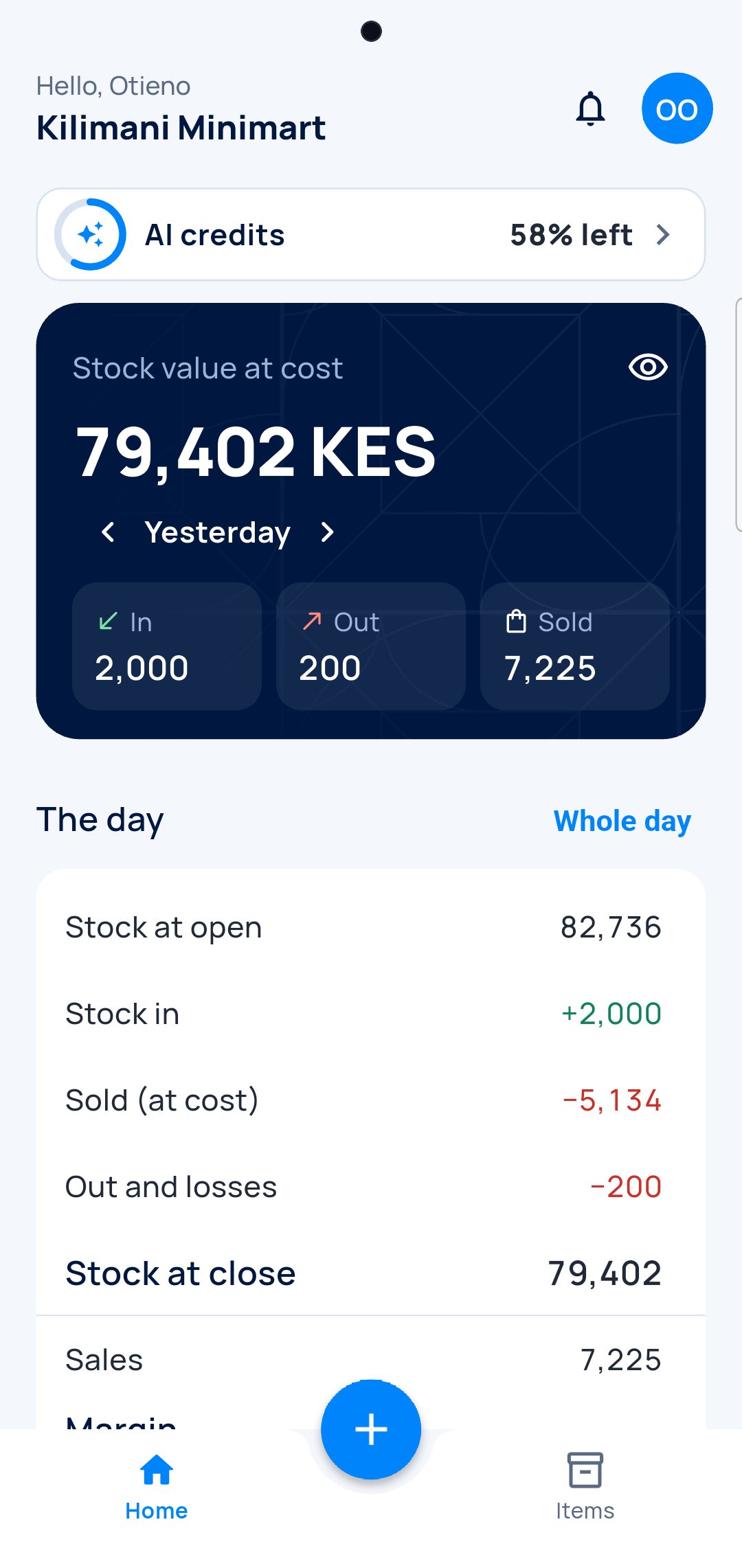
Your day on one screen
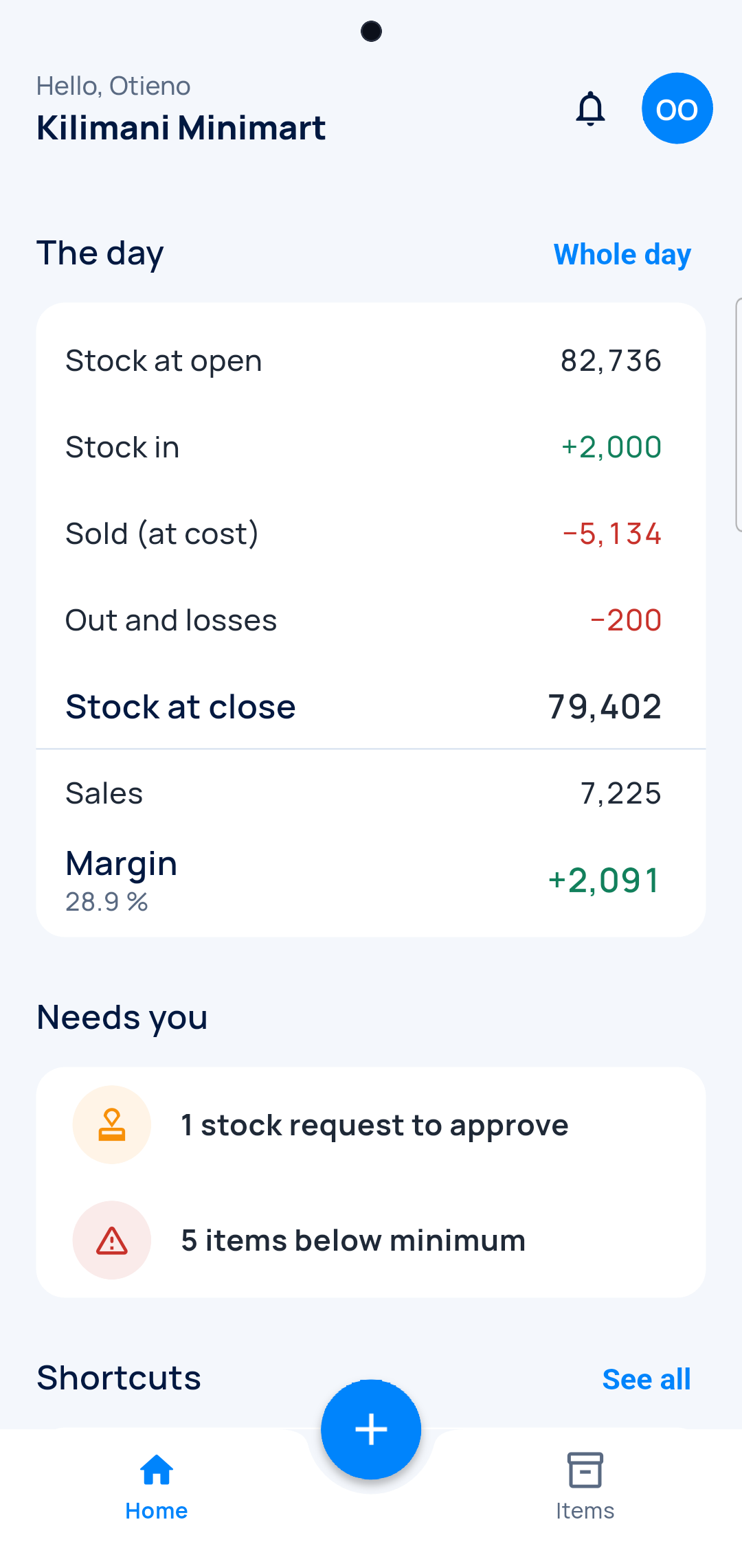
Opening, in, sold, out, closing. And today's margin.
What you had this morning
Opening and closing stock, in money.
What you sold
At cost, next to your sales.
Today's margin
What the day left you.
A gap? It shows
Nothing is hidden to make the numbers fit.
Every trade
Receive a delivery without typing it
A photo of the delivery note, or the supplier's Excel. The lines fill themselves.
From the paper
-
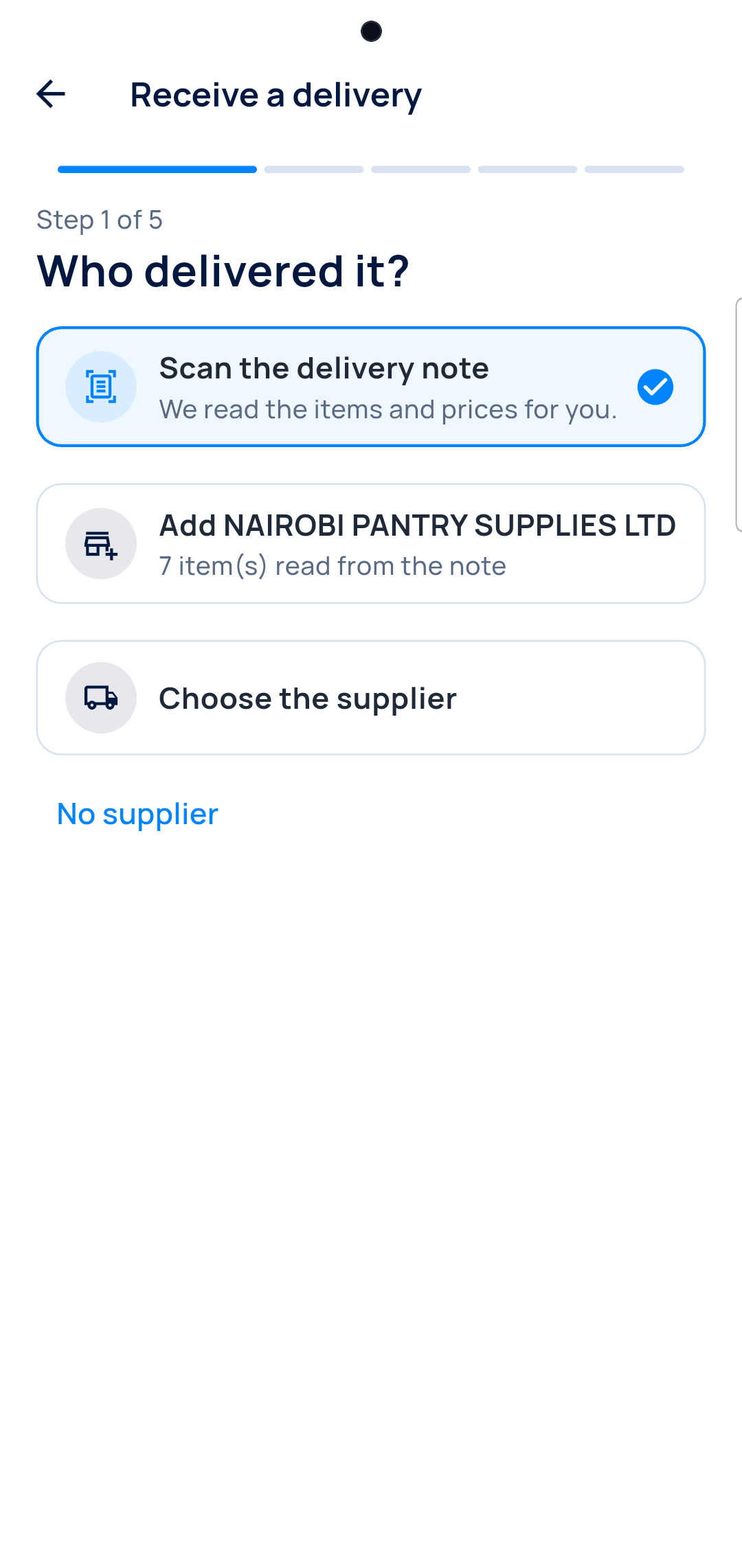
Photograph the note
A photo or a screenshot. The AI reads the supplier and every line.
-
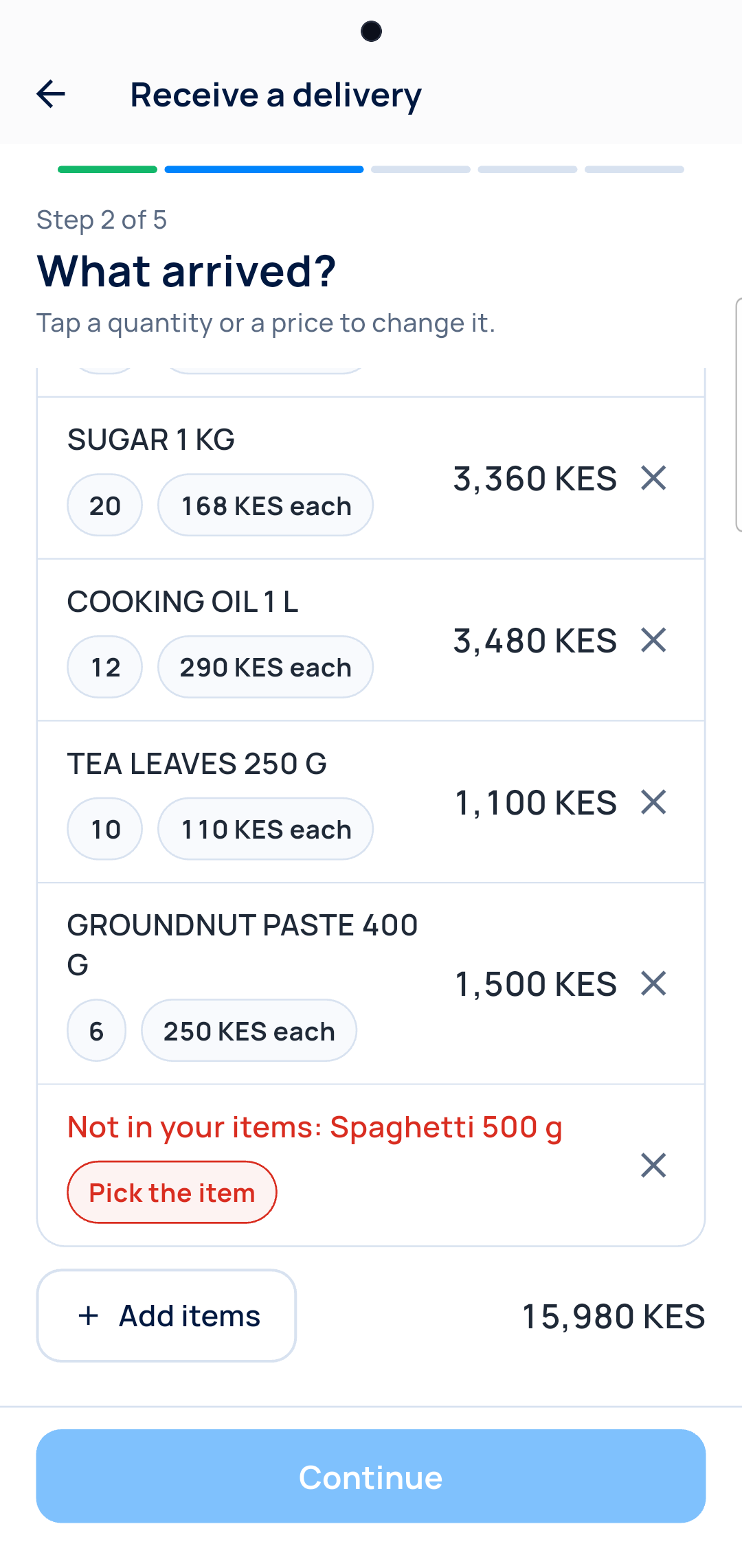
Check the lines
An item you don't stock waits for your choice.
From the supplier's Excel
-
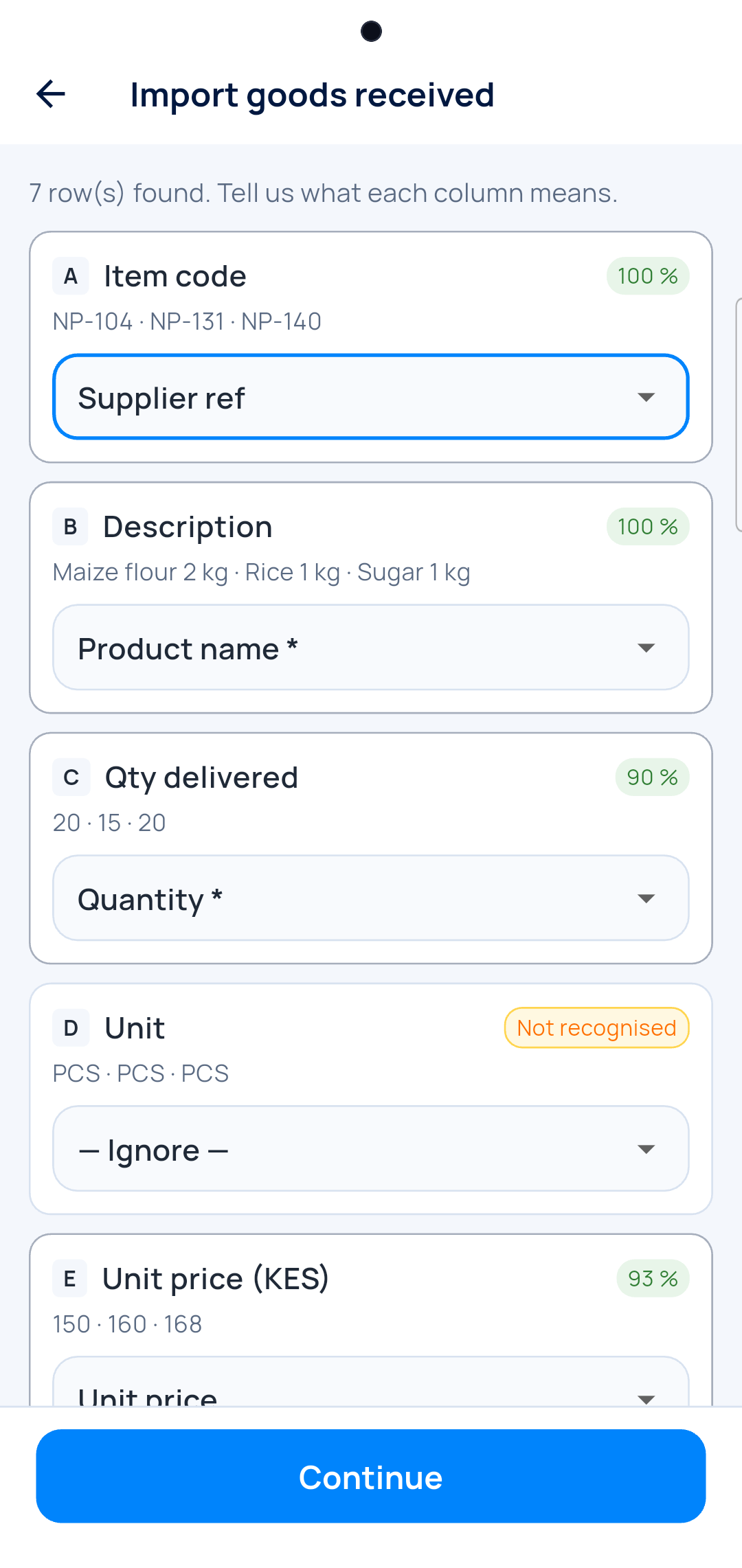
Match the columns
Code, name, quantity, price. Most are guessed for you.
-
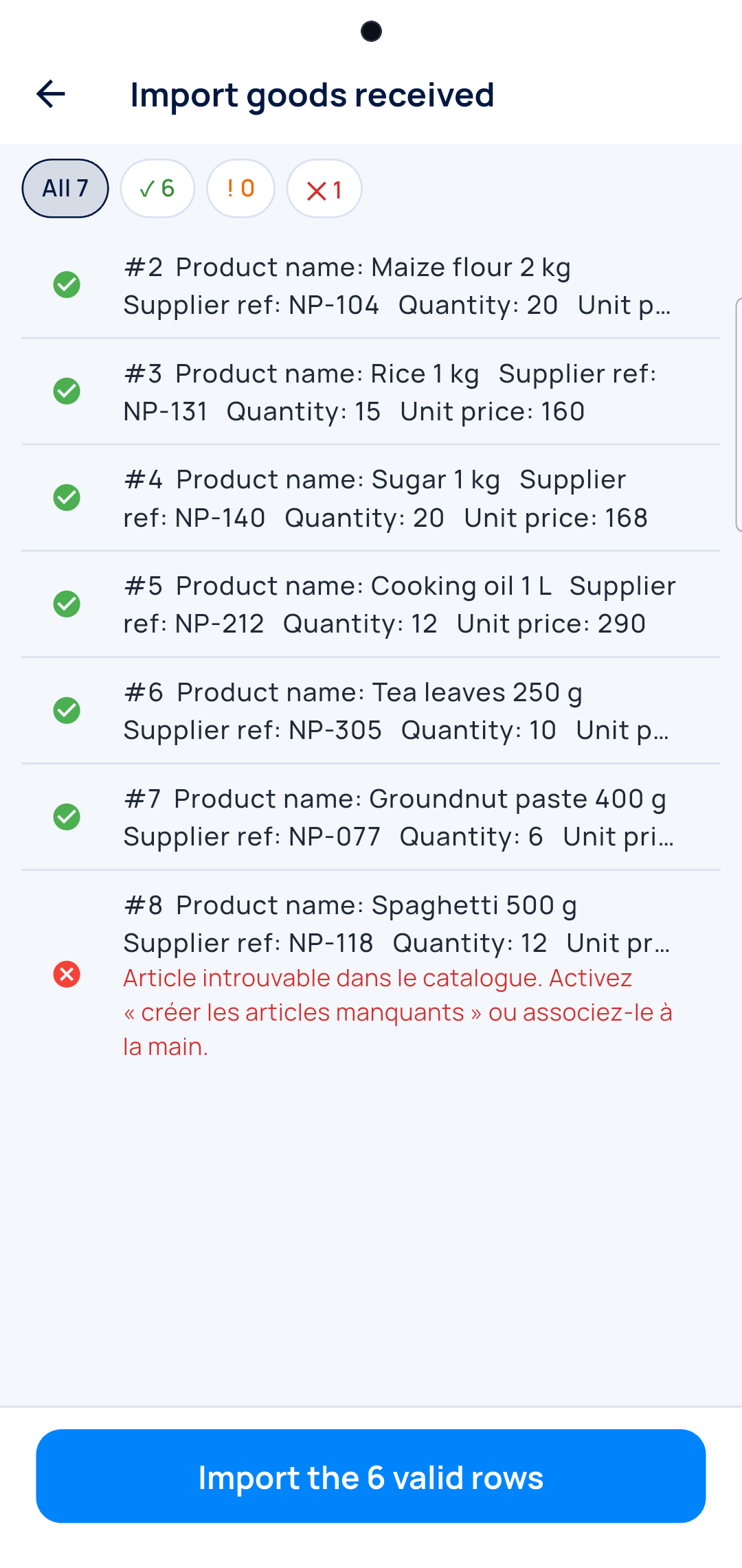
Import the good rows
A row with a problem is shown, not imported.
On the computer, the supplier's PDF works too. Next delivery, their item codes are already known.
Shop
Scan it, see what is short, count the shelf
The phone does the job of the barcode reader and the notebook.
-
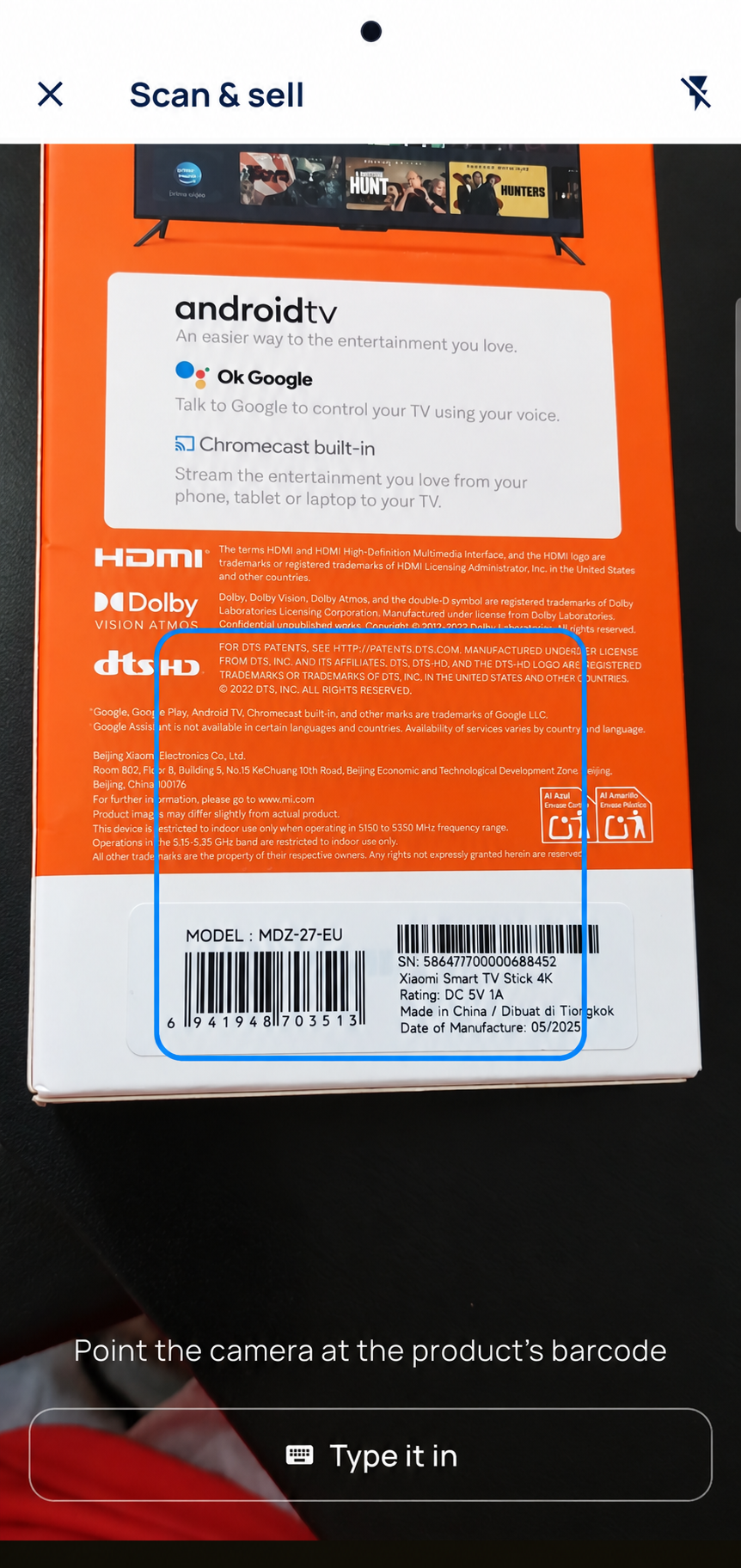
Scan
Point the phone at the barcode. No reader to buy.
-
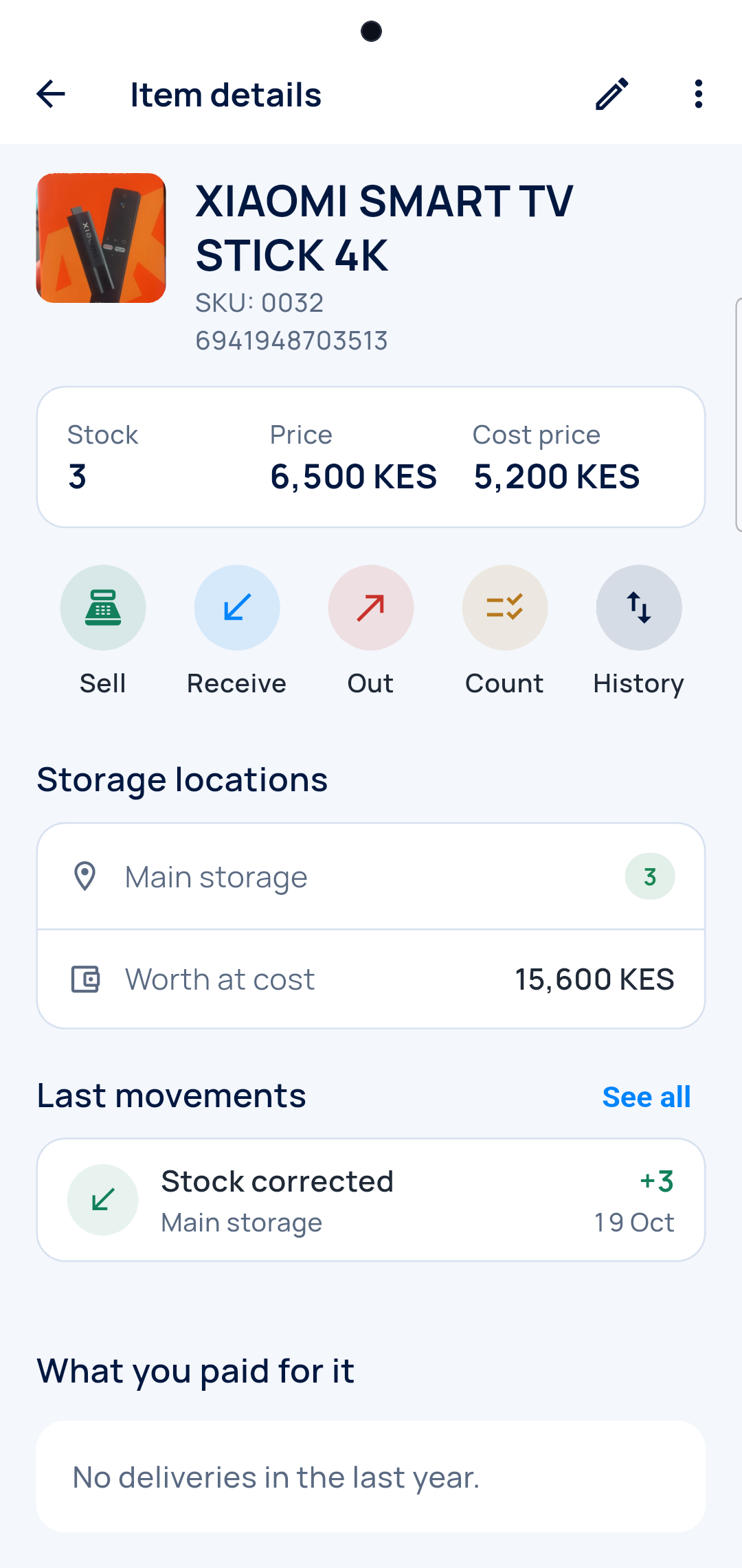
The item
Stock, price and cost. Sell, receive, take out or count from here.
-
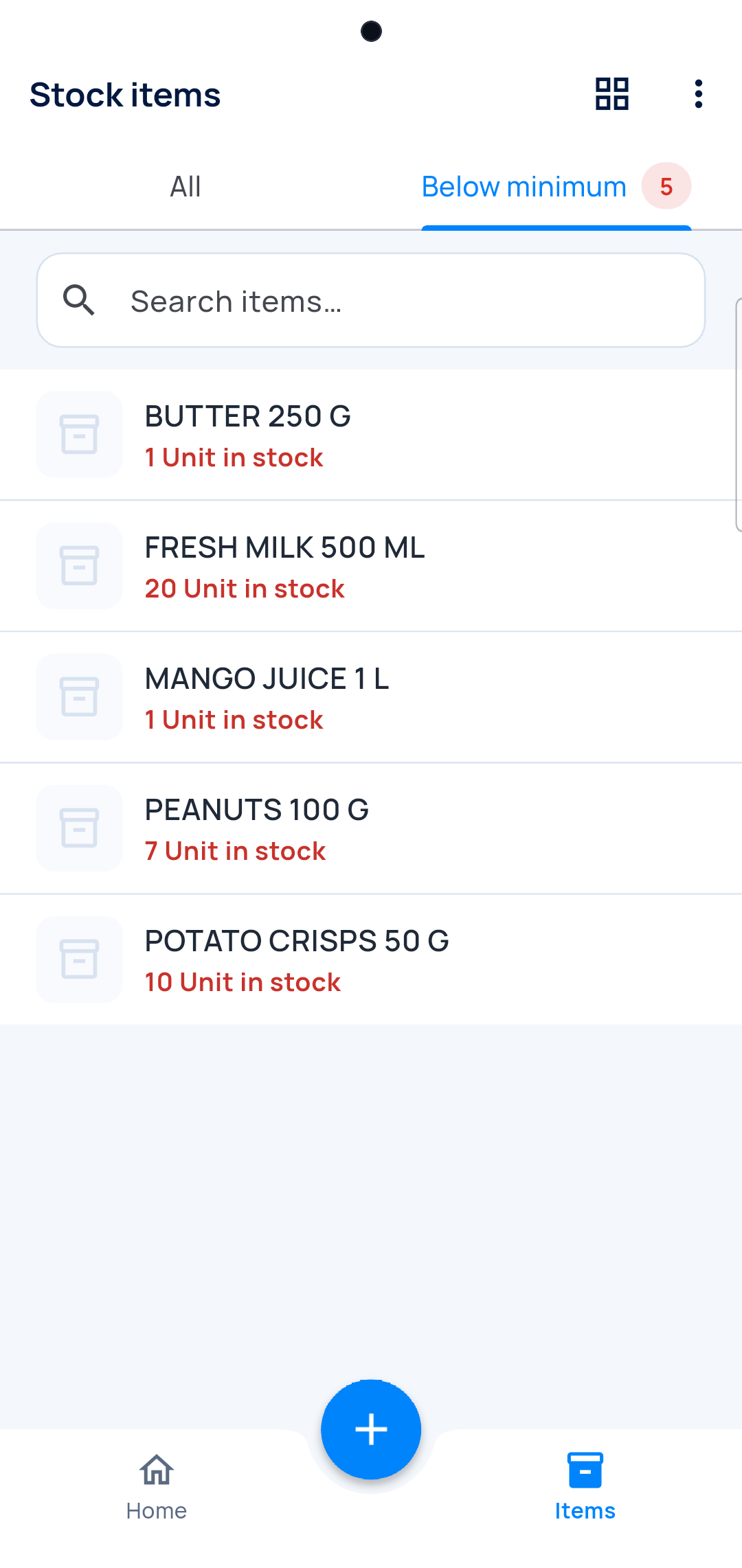
What is short
Items below their minimum, before you run out.
-

Count
The gap shows at once, in money.
Every trade
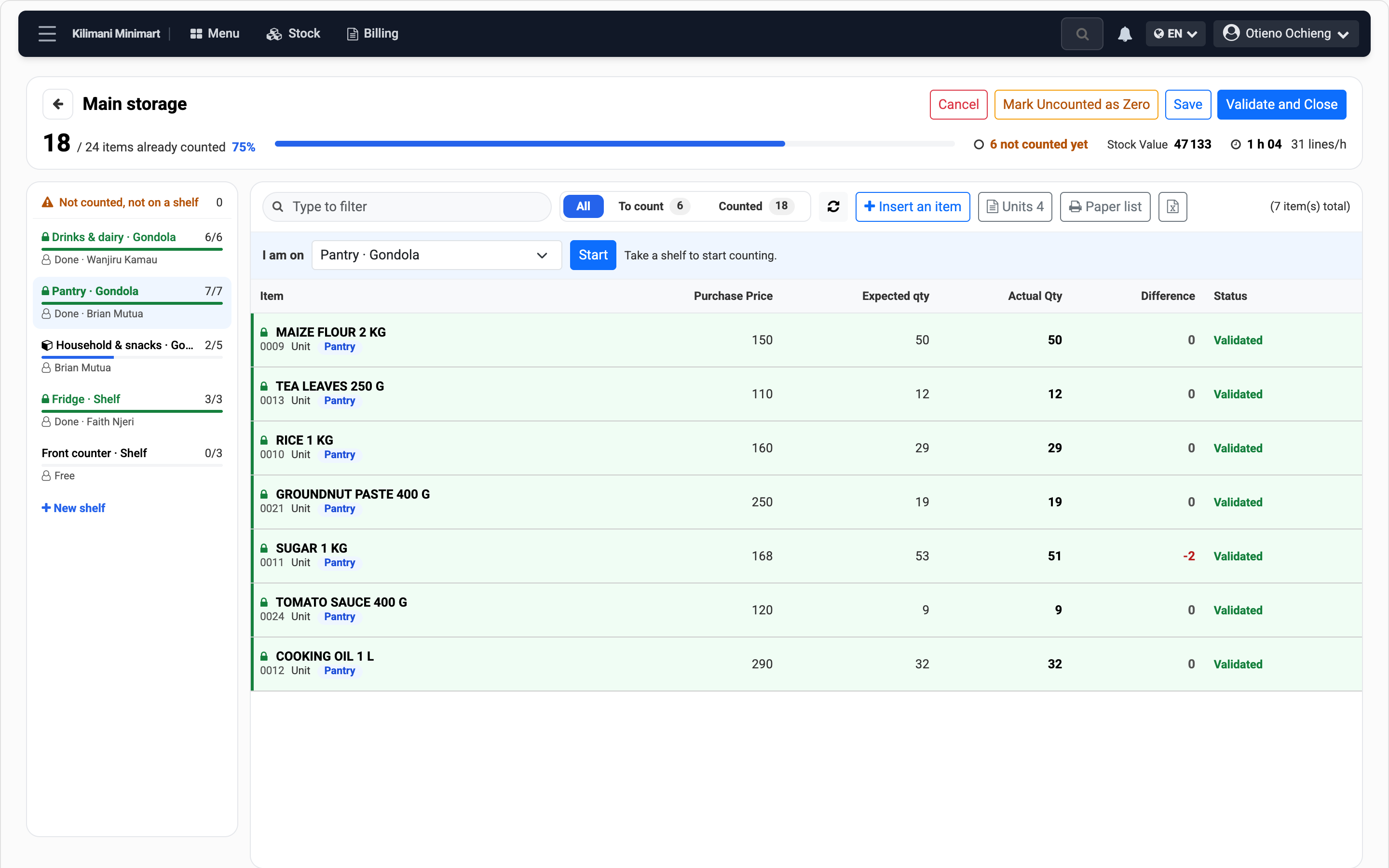
Count as a team, one shelf each
Everyone counts at the same time, from their own phone.
-
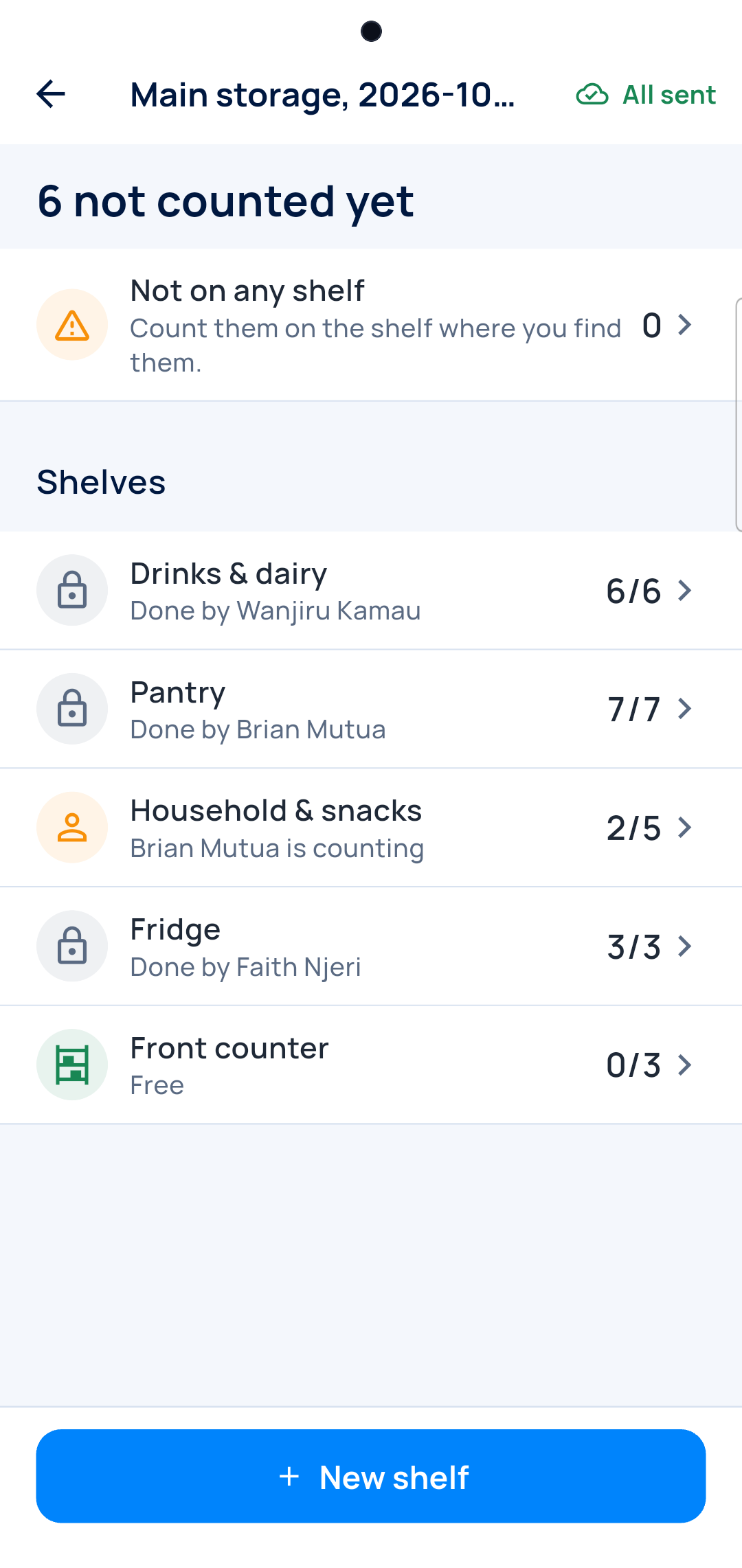
Take a shelf
Who has which shelf, done or free.
-
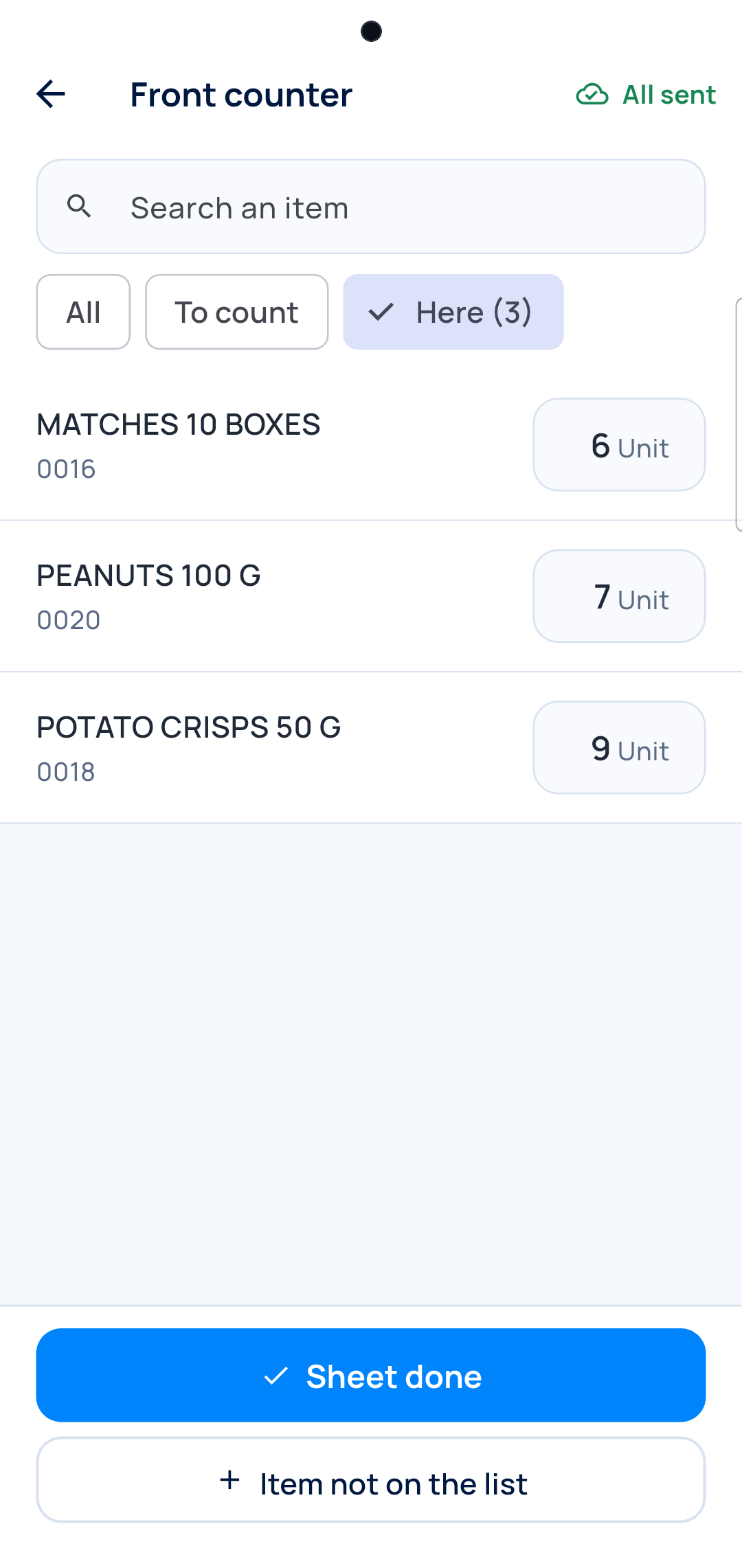
Count it
Type what you see. The phone never shows the expected number.
-
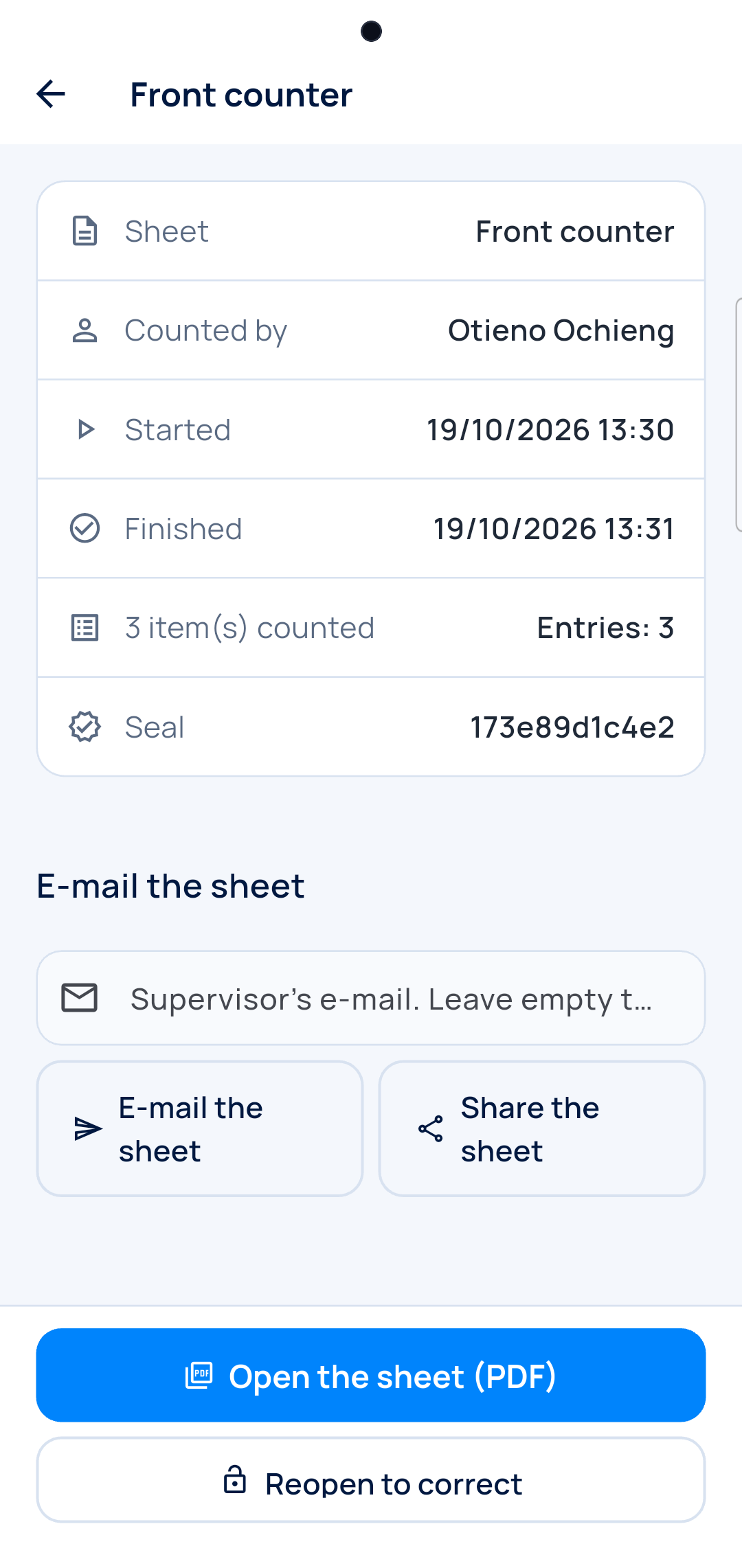
Seal the sheet
Who counted, when, and what. It can't be changed. Share it as a PDF.
No network? It counts anyway and sends when it can. On the computer, the gaps per shelf as they come in.
Restaurant
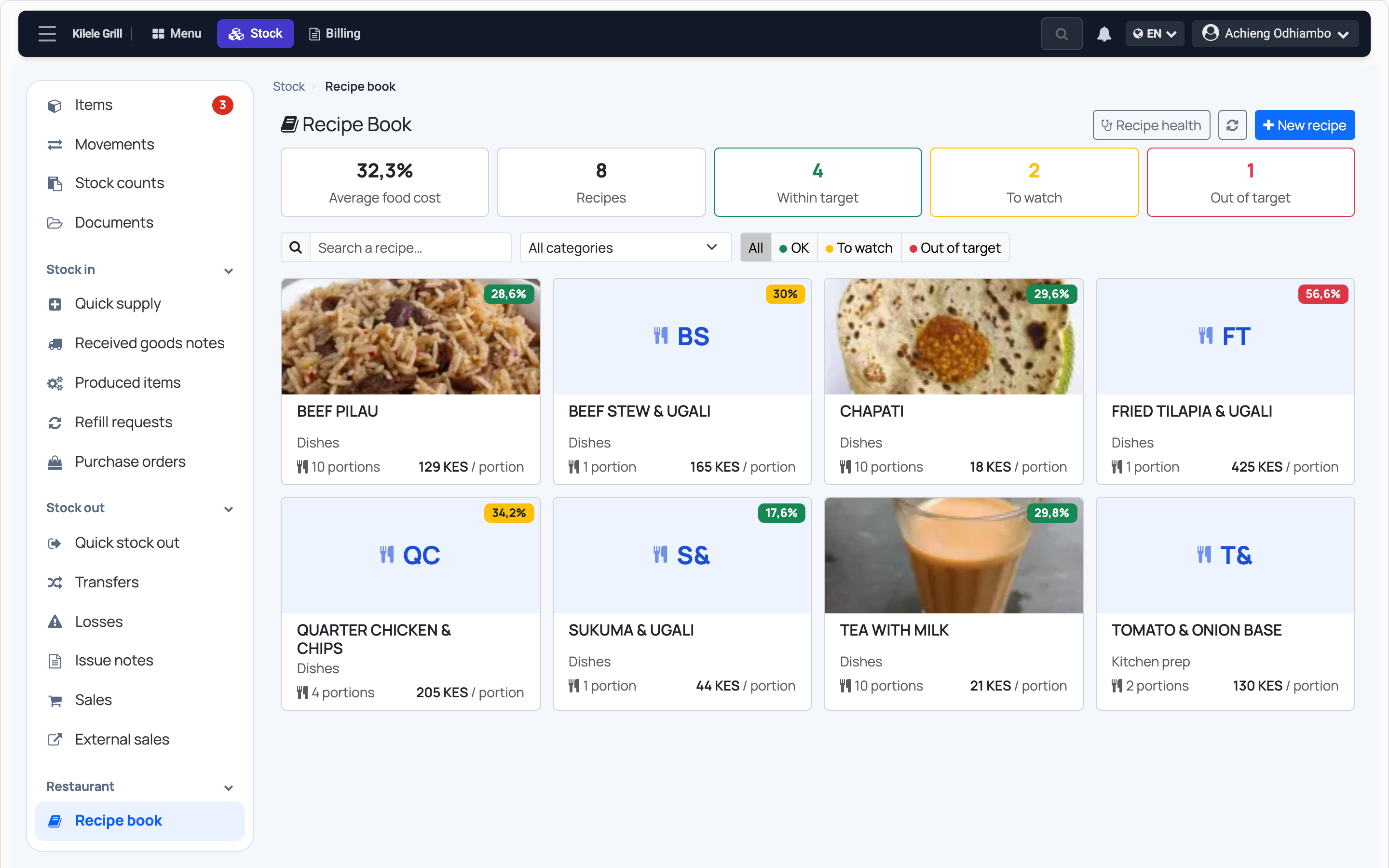
What each dish costs
Every dish has its recipe. You see what it costs, and what it leaves you.
-
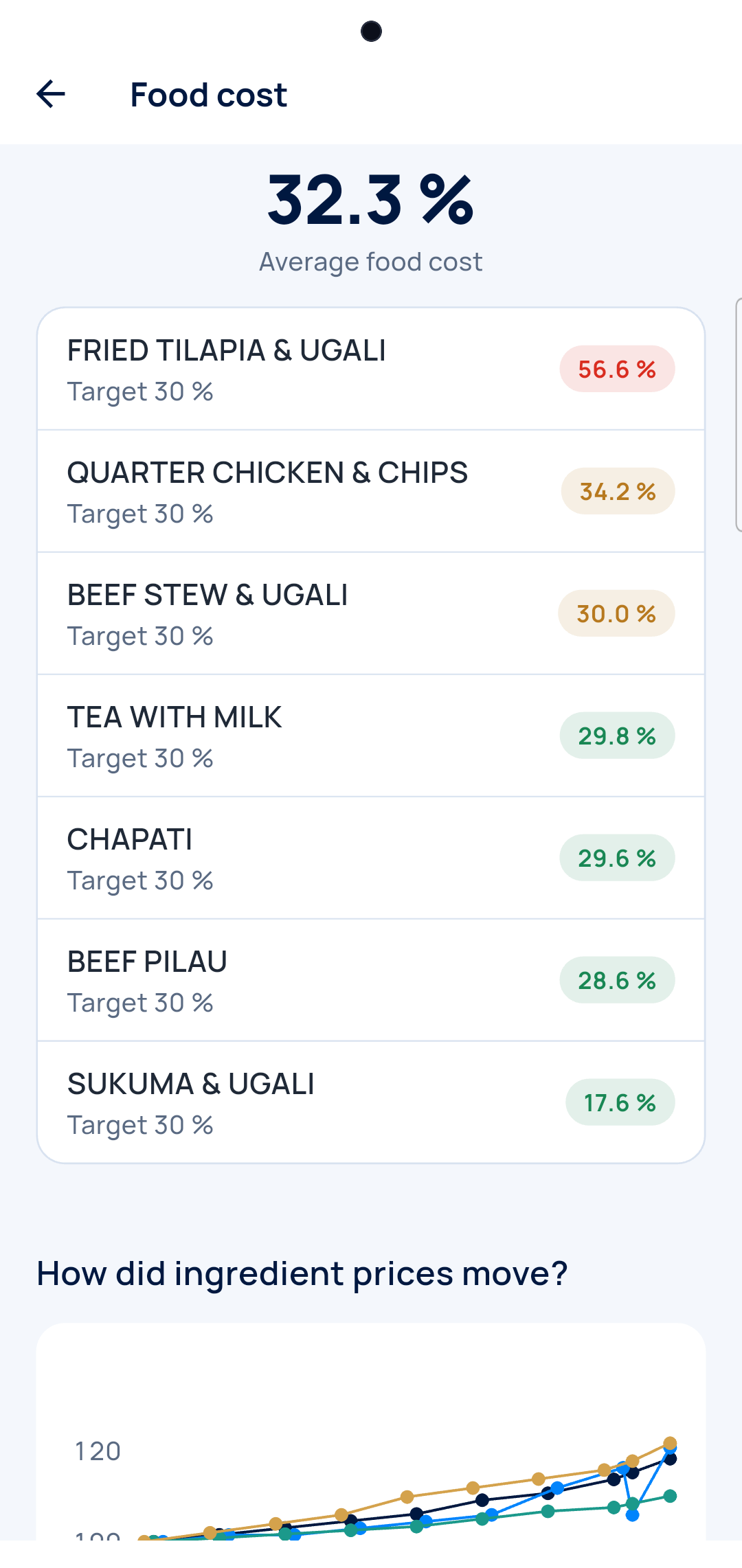
Food cost
Every dish against your target, worst first.
-
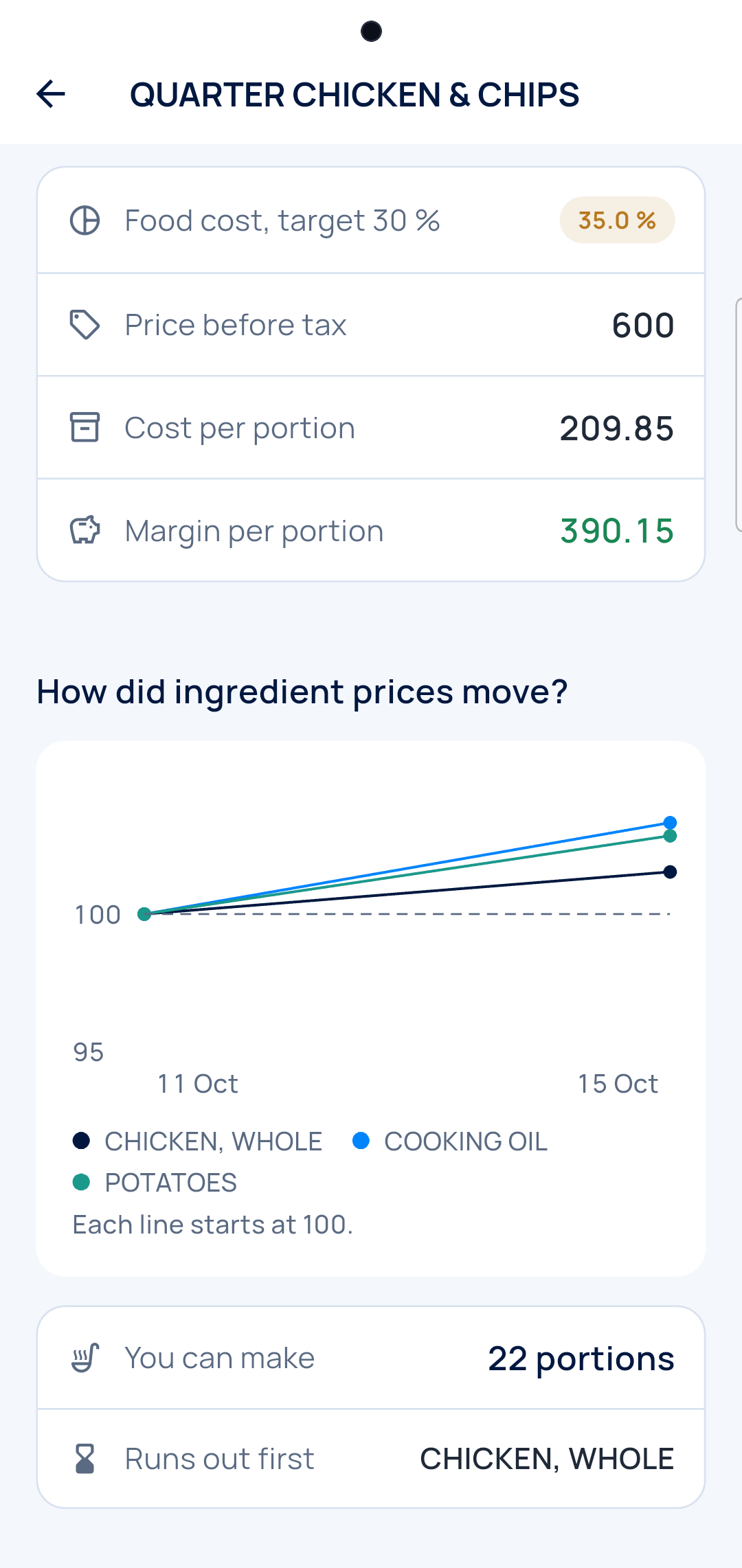
The dish card
Cost, price and margin per portion.
-
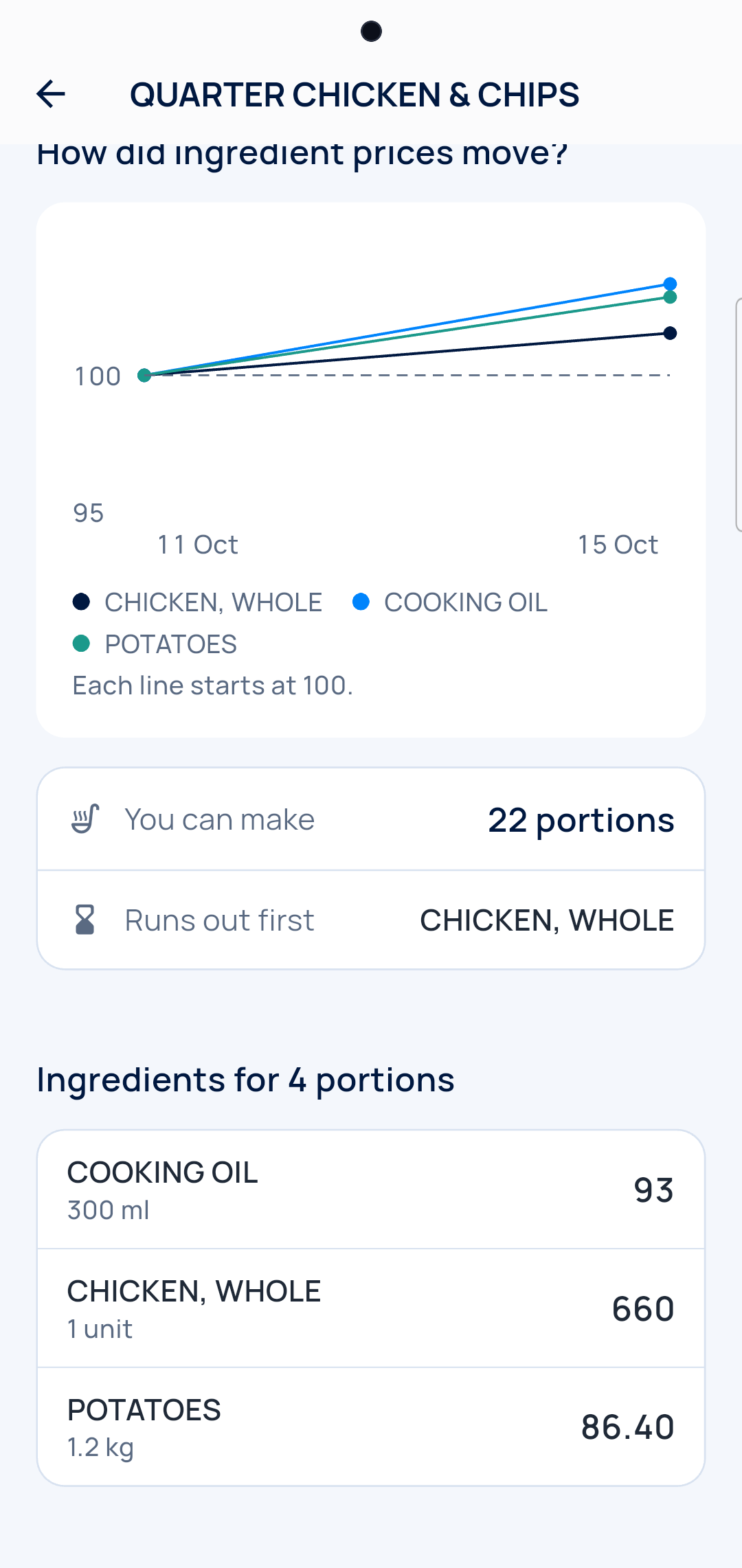
Prices go up
Which ingredient rose, and since when.
Every dish sold takes its recipe out of stock. No one writes the kitchen's use down.
Maker
The recipe goes out, the product comes in
Bakery, juice, soap: one recipe per product. You know what each piece costs.
-
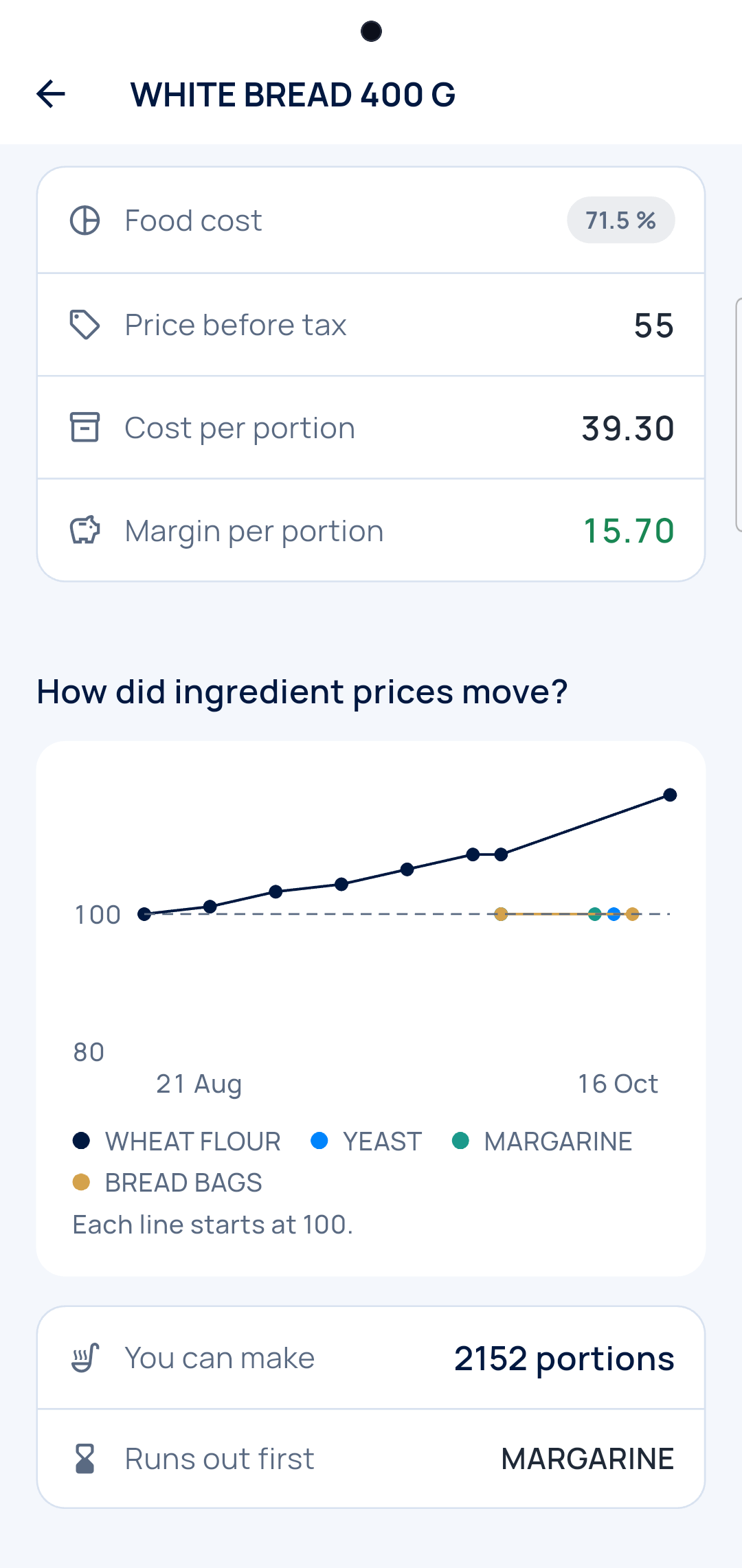
The recipe
What goes into a loaf, and what it costs.
-
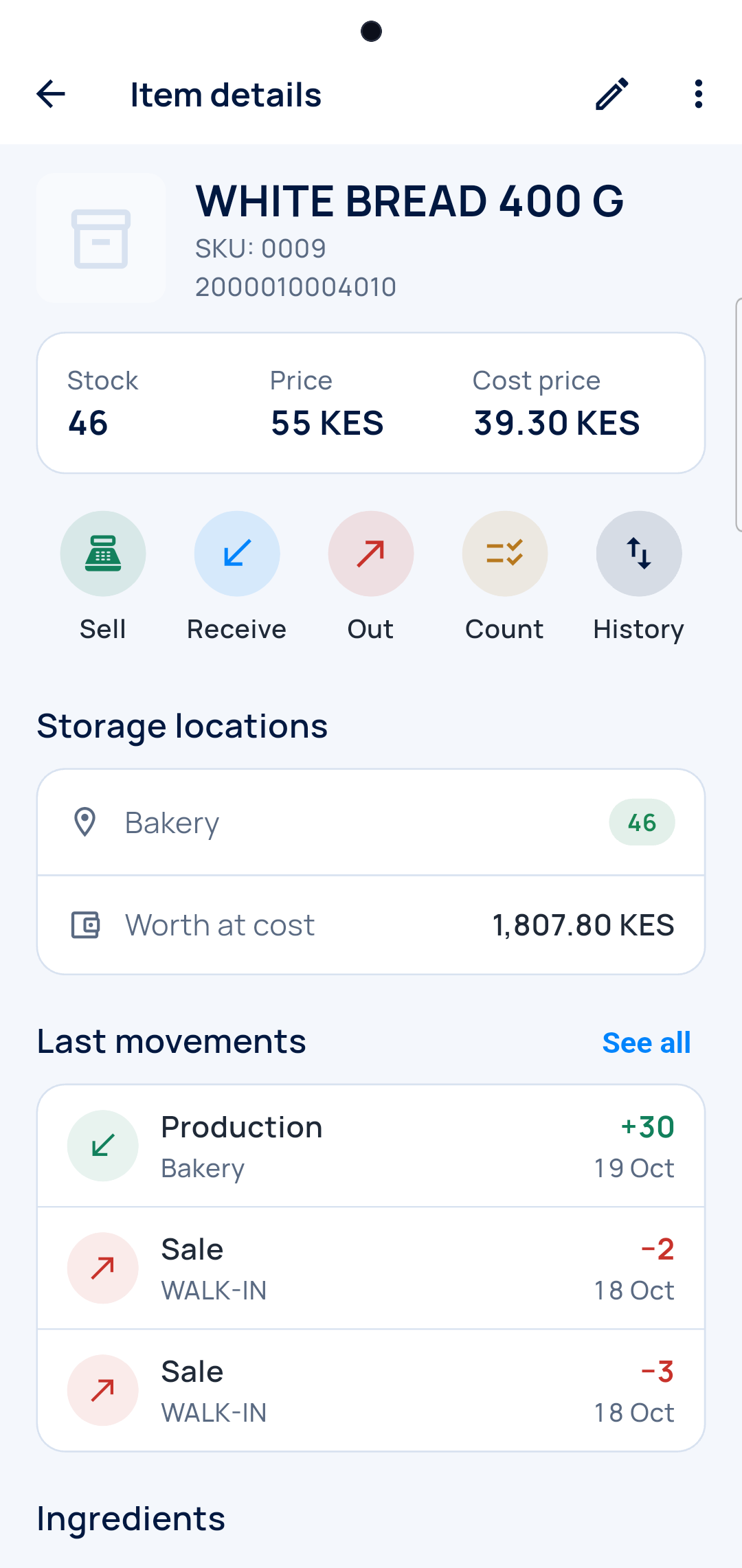
You produce
The bread goes into stock, the flour comes out.
-
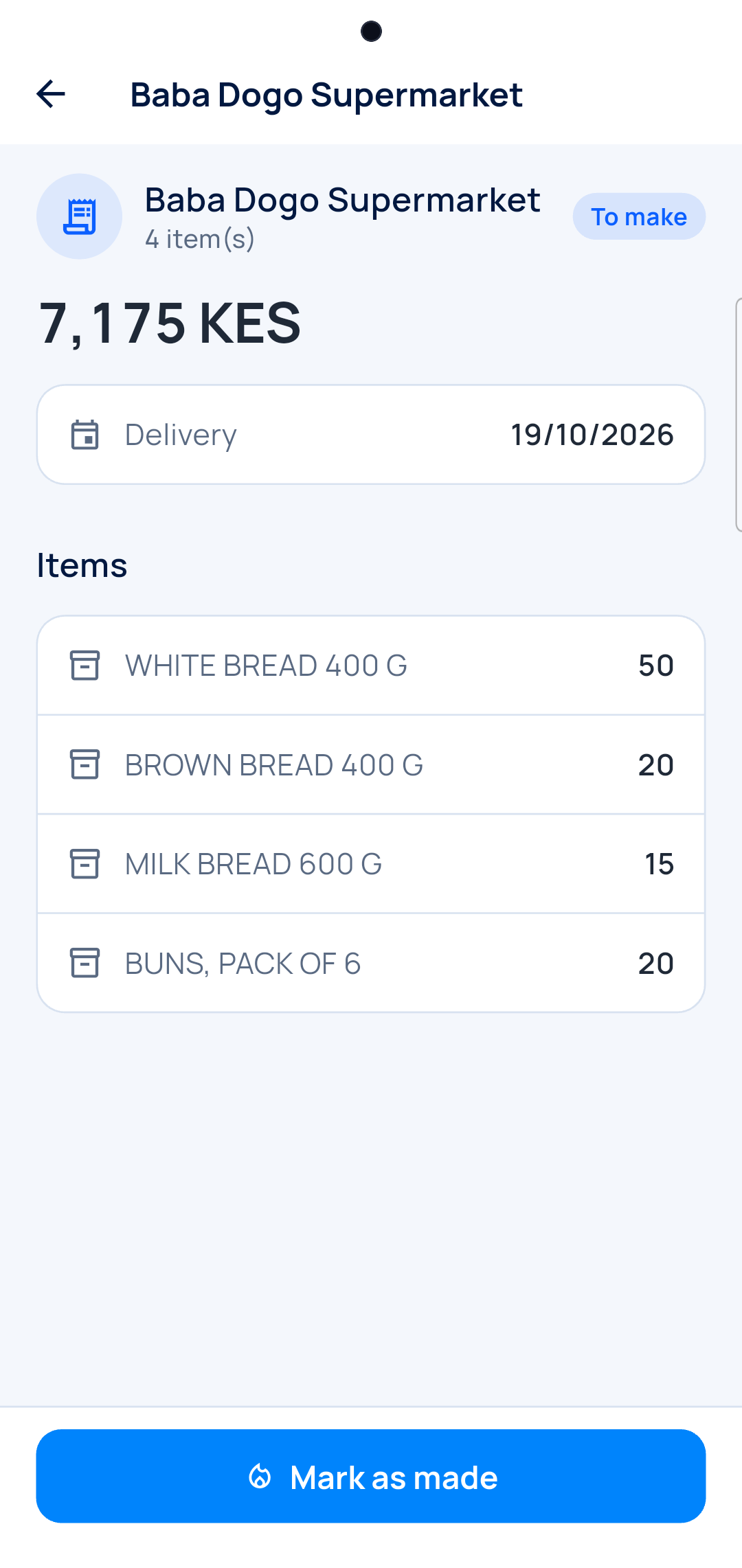
Shops' orders
Made, then delivered.
Wholesaler
You deliver to shops on credit
What each shop took, what it paid, what it owes you.
-
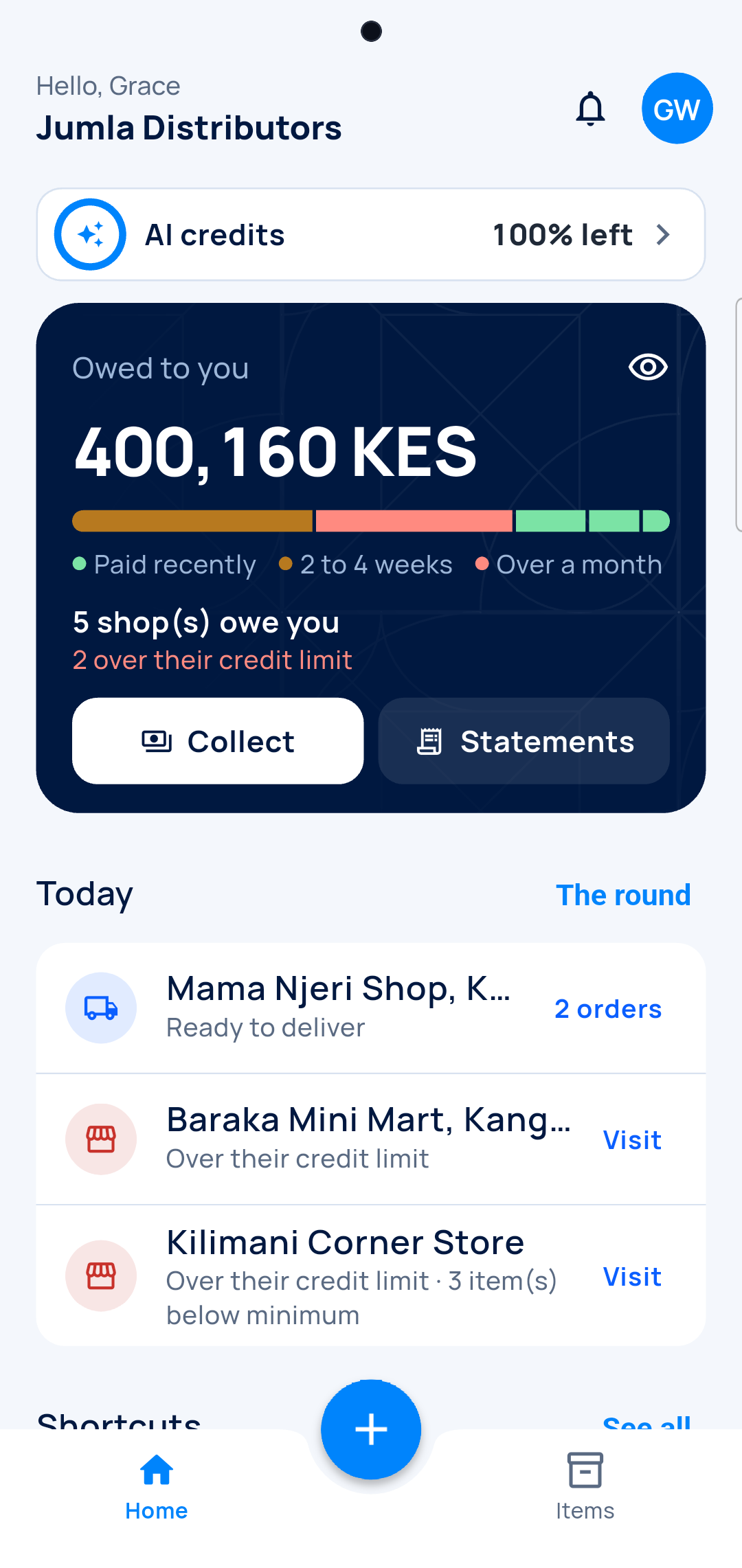
Owed to you
Every shop, by how old the debt is.
-
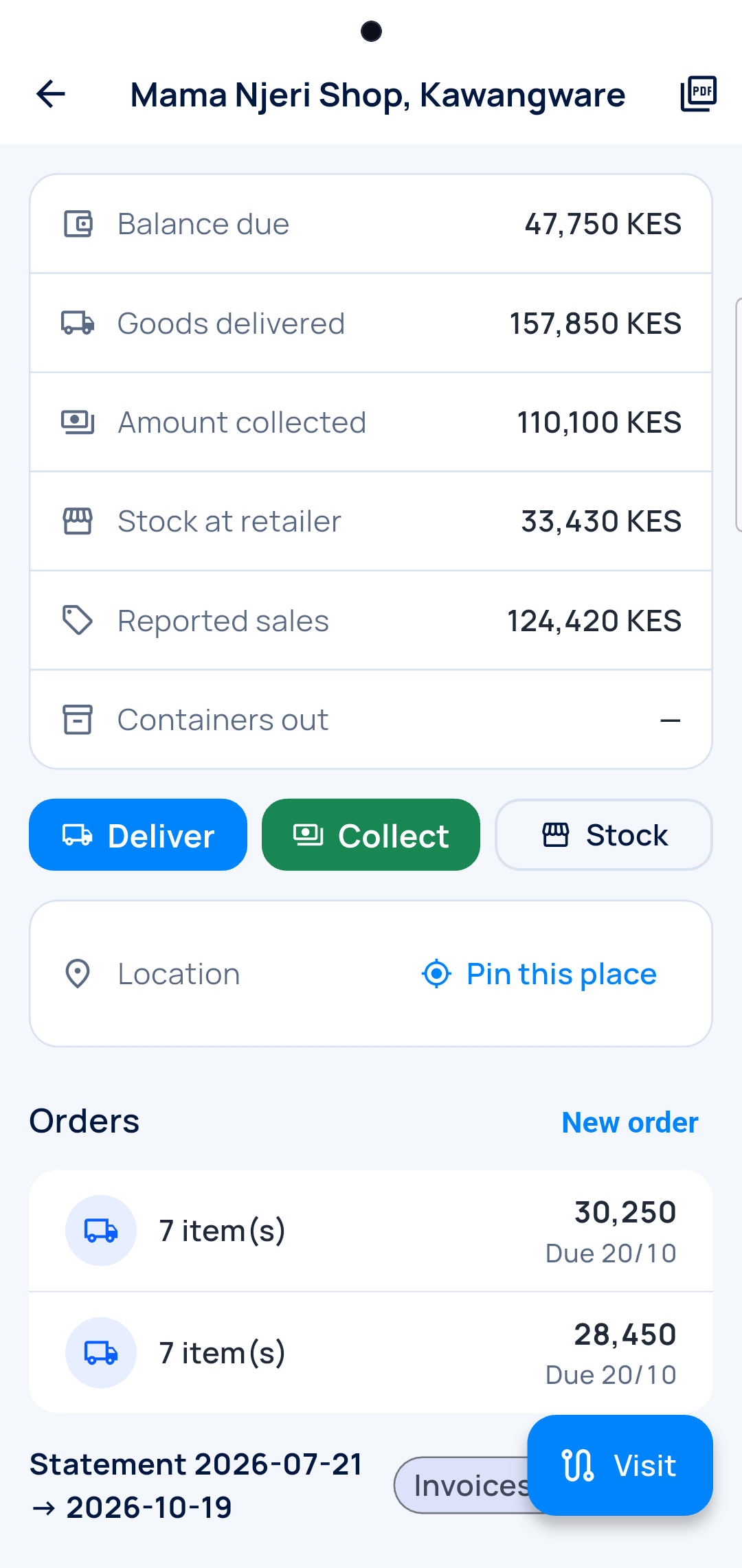
One shop
Delivered, collected, its stock, its sales.
-
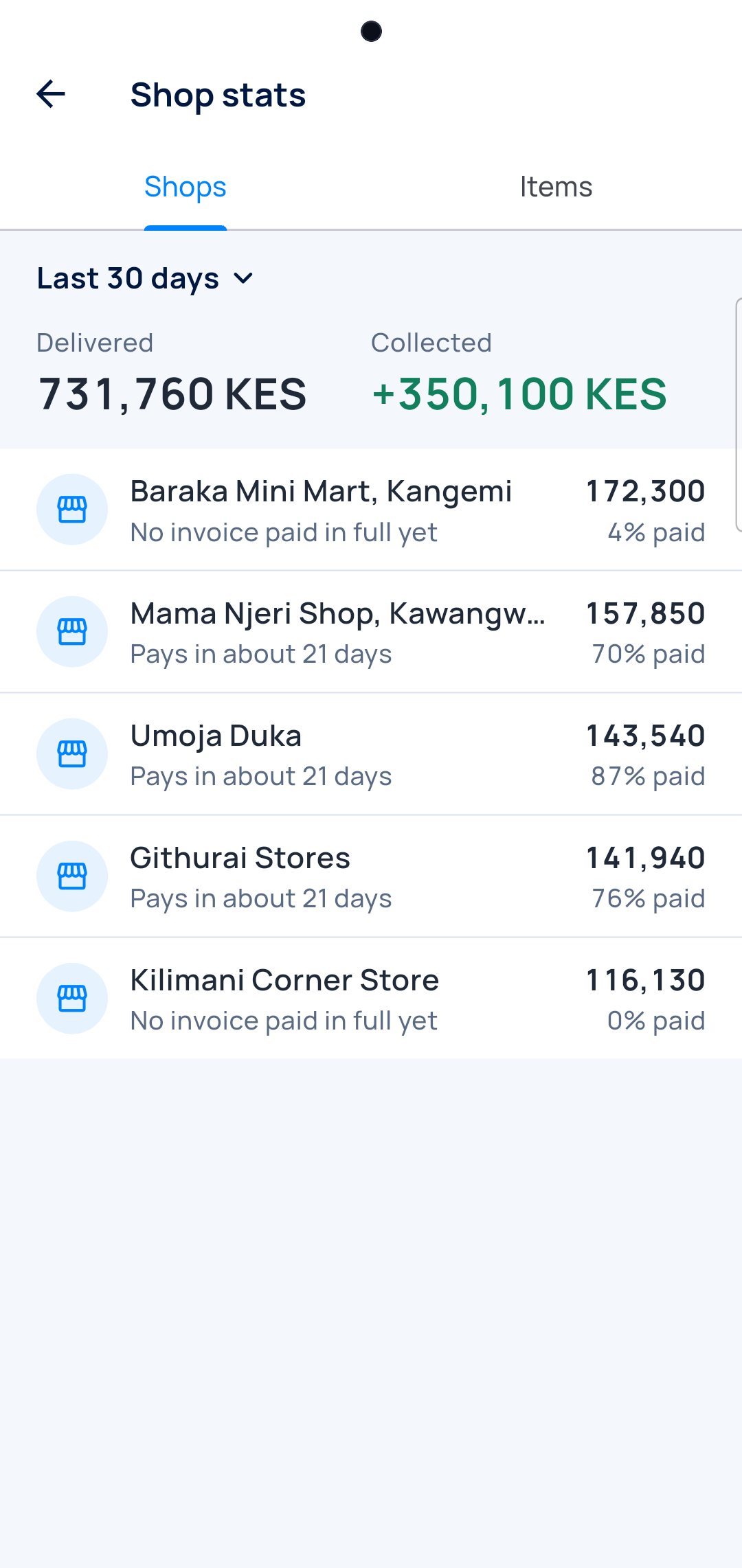
Who pays
What each shop took, and how much it paid.
And a real back office on the computer
For the days you are at the desk.
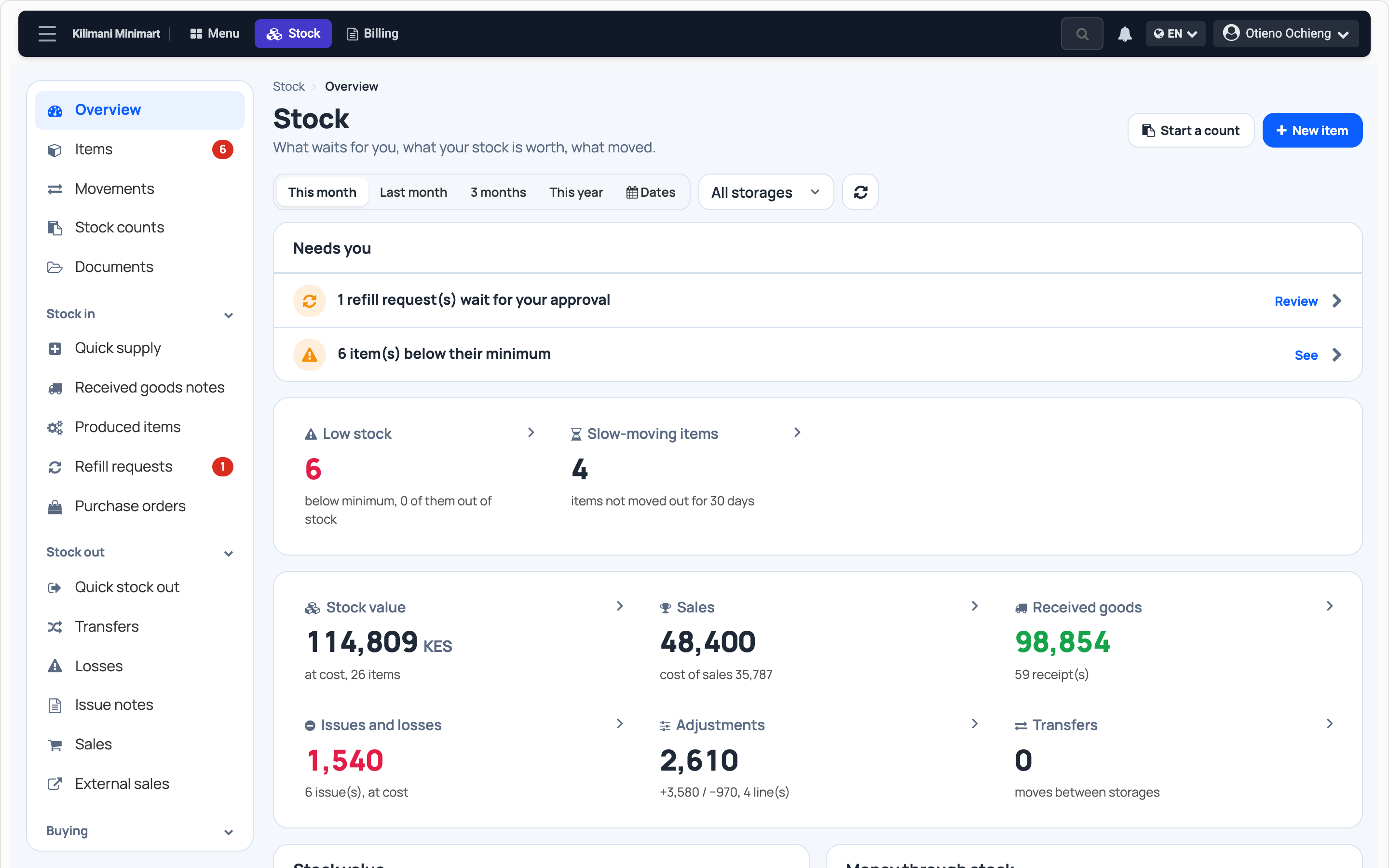
Stock at a glance
Value, what moves, what sleeps.
Recipes
Every dish and its sub-recipes, with their cost.
Counts
Who counted what, and the gaps.
Questions
Do I need a barcode reader?
No. The phone's camera is enough.
I have several stores?
Yes. Each has its stock, and you transfer between them.
Does it work for a restaurant?
Yes. Every dish sold takes its ingredients out of stock.
What if I make what I sell?
Enter the recipe once. Every production takes the ingredients out.
I sell to shops on credit?
Yes. Each shop has its balance and its limit.
Who helps if I get stuck?
A real person, on WhatsApp.
Count your first shelf tonight.
From / month + VAT