Aser One
Close the bill
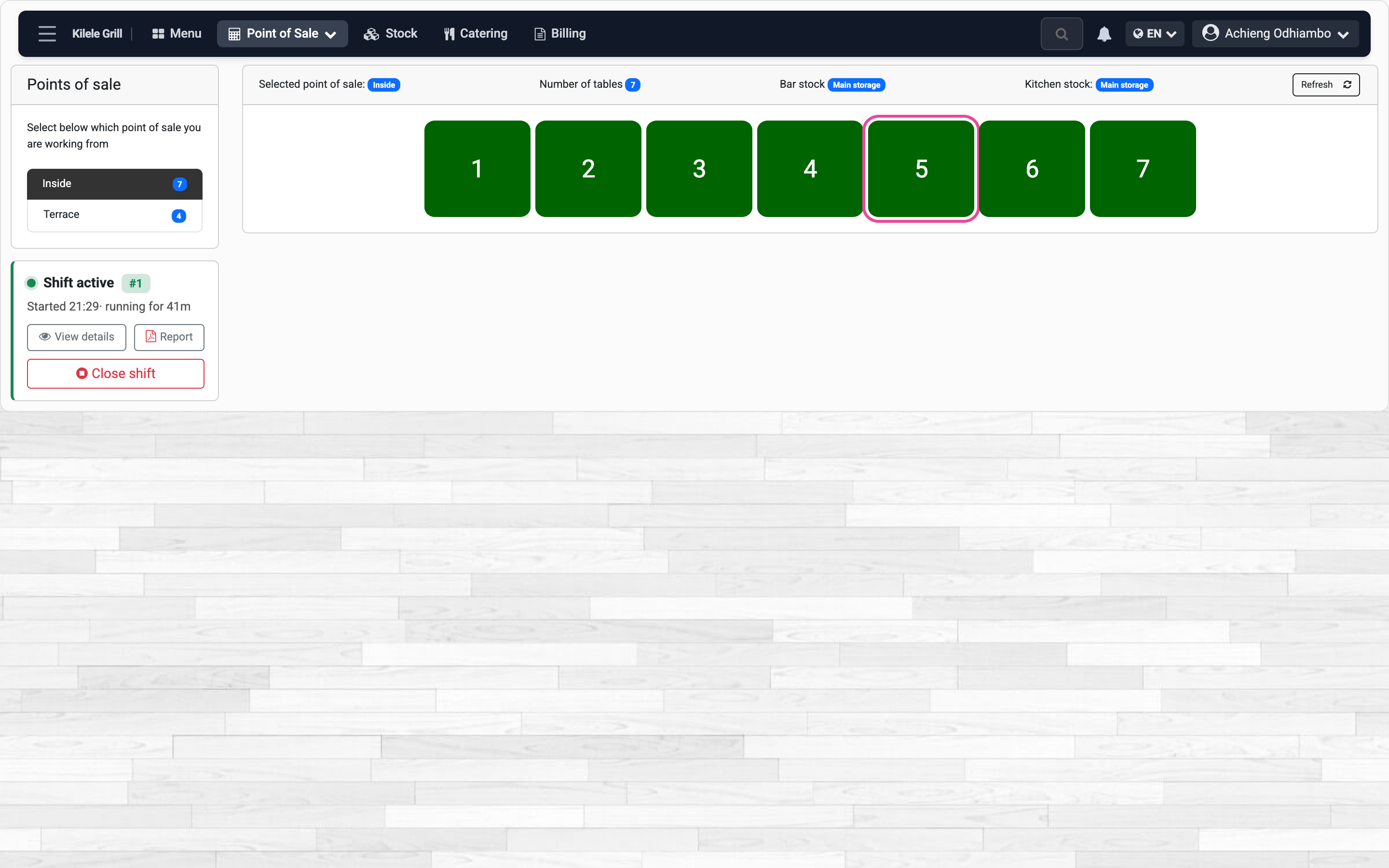
Print the bill for the table, take the payment, and free the table.
On the computer, 7 steps
Guide 3 of 5 in Restaurant & kitchen
-
See the bill
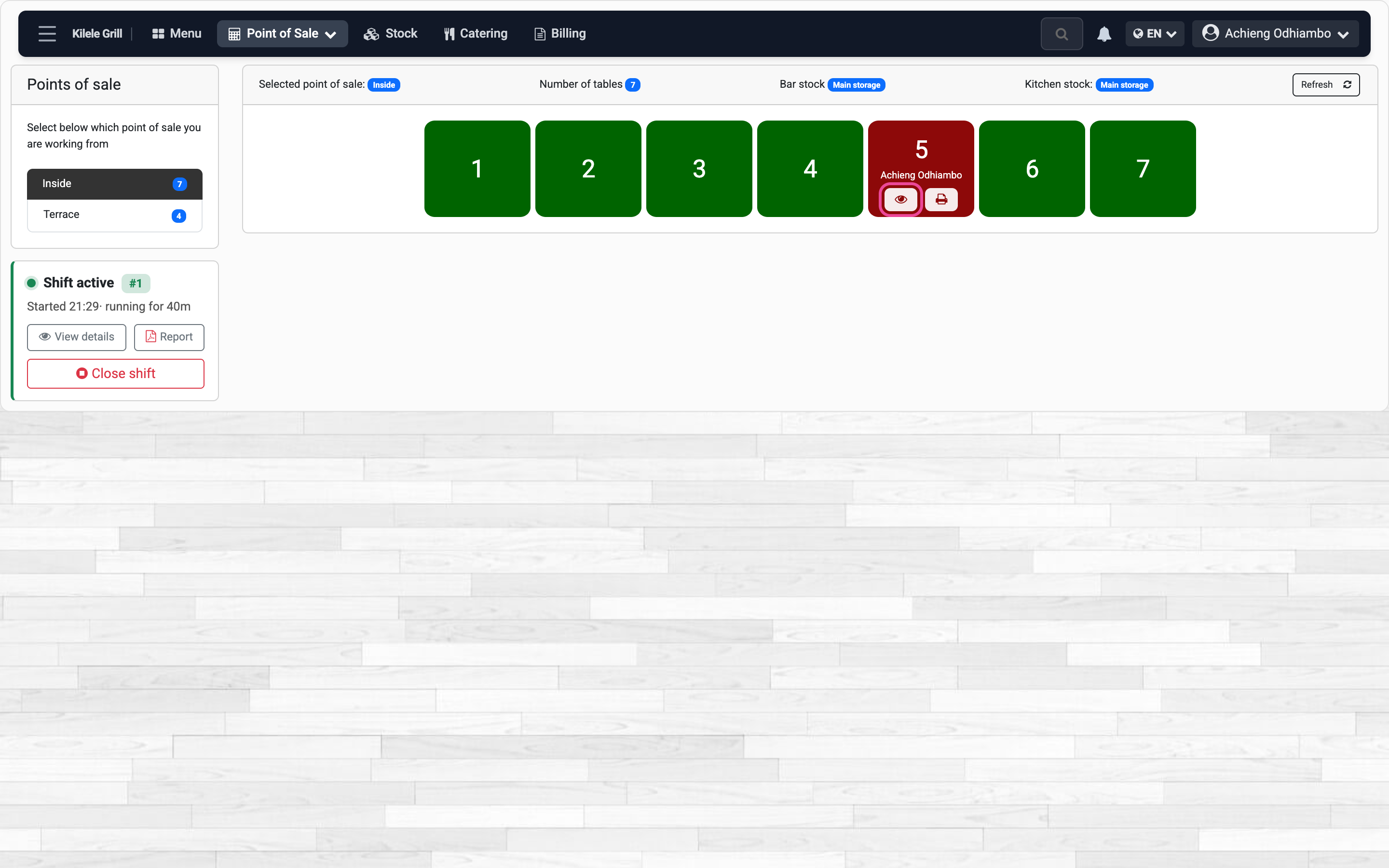
On the tables, a red table has an open bill. Press its eye.
-
Print it
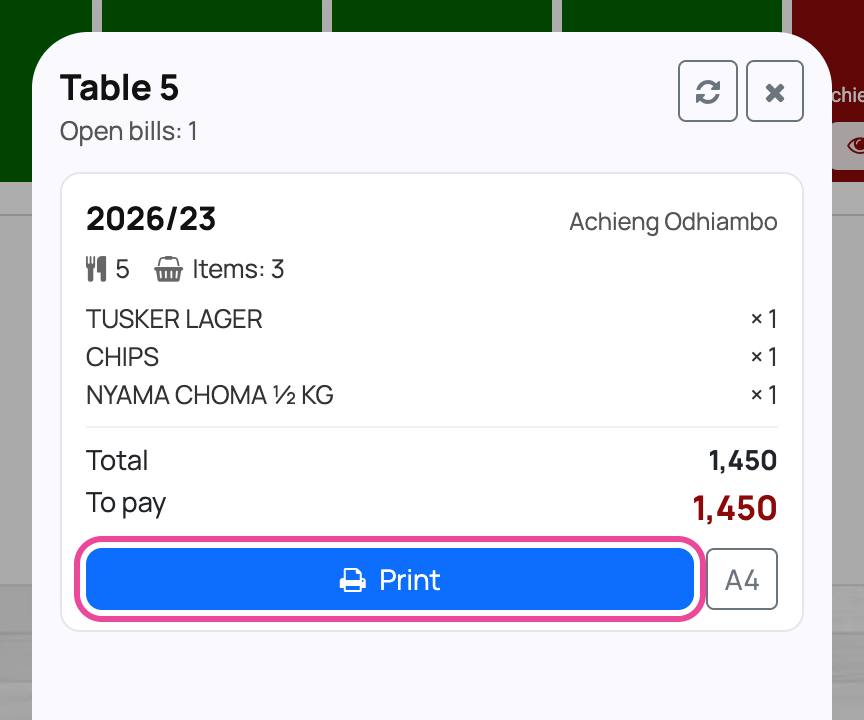
Check what was ordered and press Print for the guests.
-
Open the bill
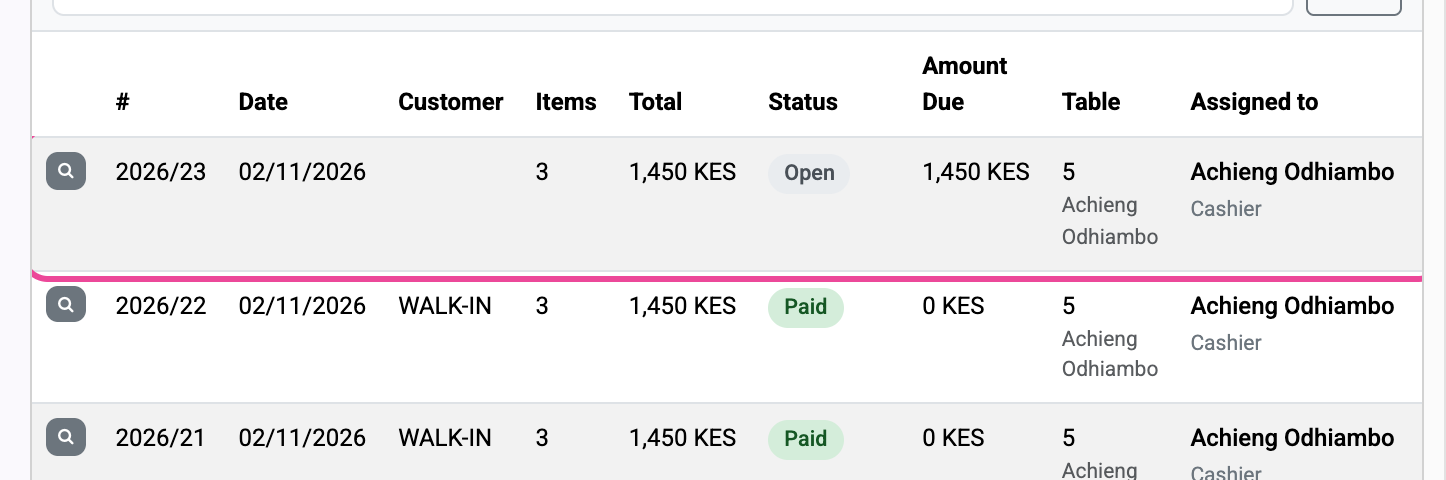
When they pay, tap the table and open its Open bill.
-
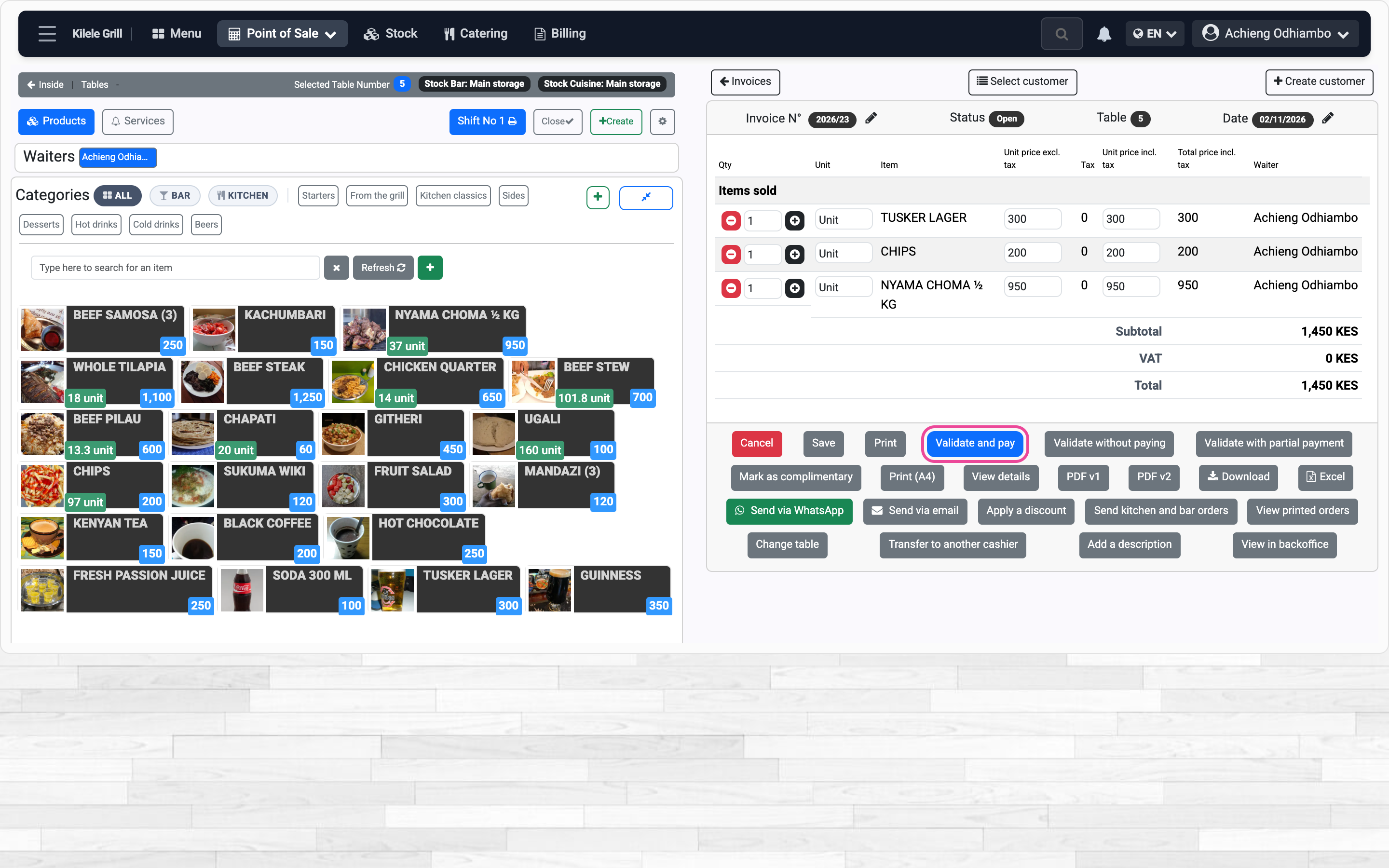
Validate and pay
Press Validate and pay, then confirm.
-
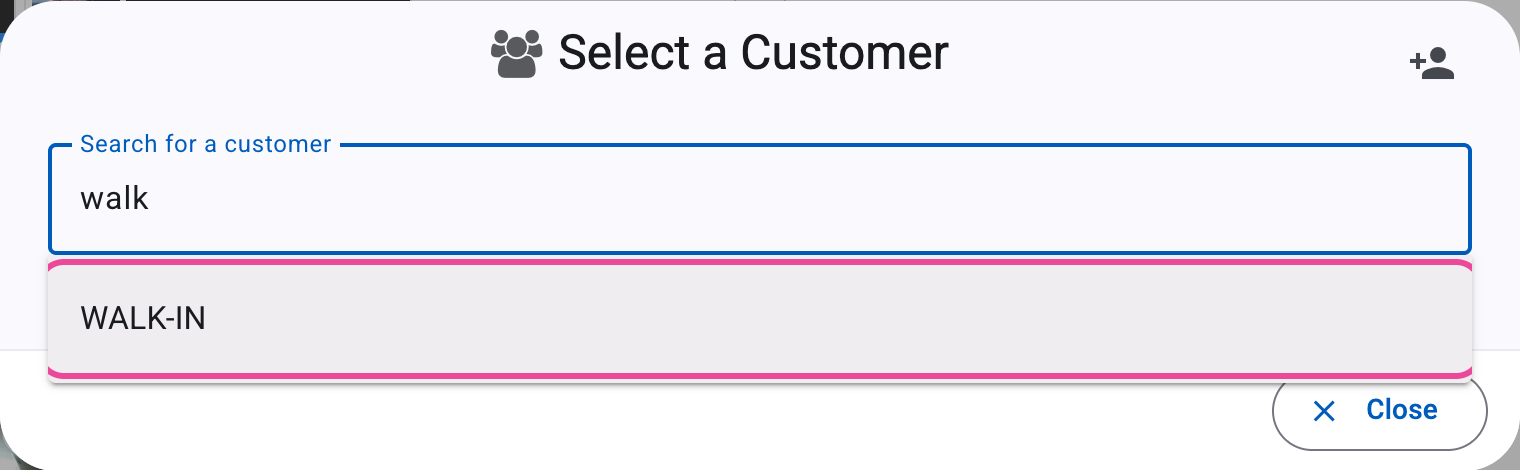
The customer
Type walk and pick WALK-IN, or search a regular customer.
-
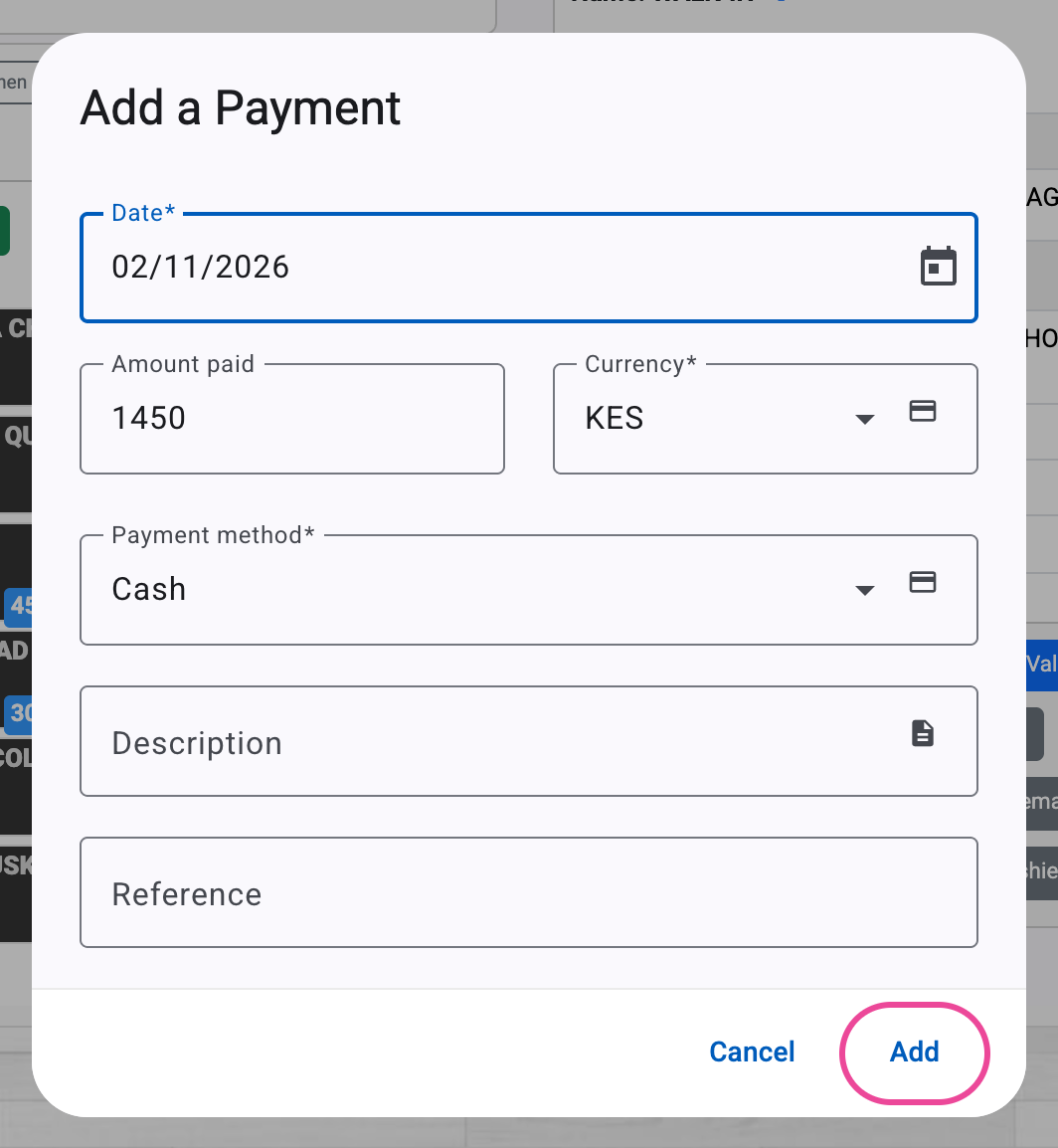
The payment
The amount is filled in. Pick Cash or M-Pesa and press Add.
-
The table is free
The table turns green, ready for the next guests.