Aser One
Follow kitchen orders
The kitchen sees each ticket the waiters send, starts it, and marks it done.
On the computer, 5 steps
Guide 2 of 5 in Restaurant & kitchen
-
Open the tickets
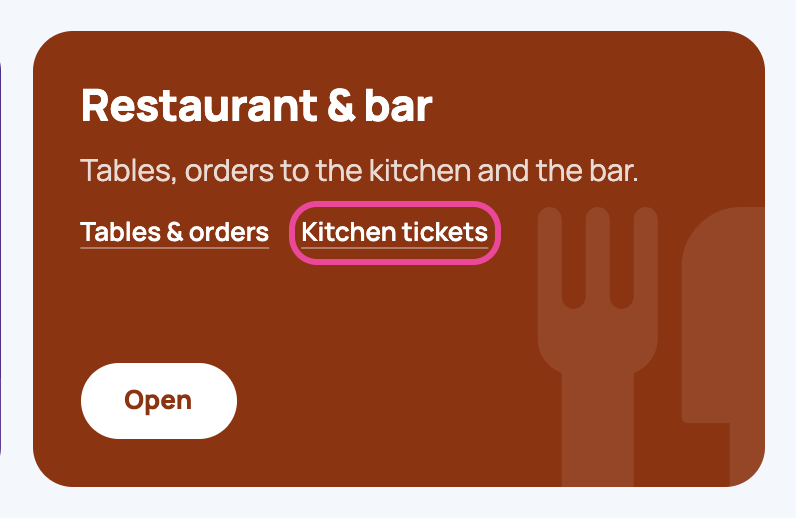
On the Menu page, under Restaurant & bar, open Kitchen tickets.
-
Kitchen only
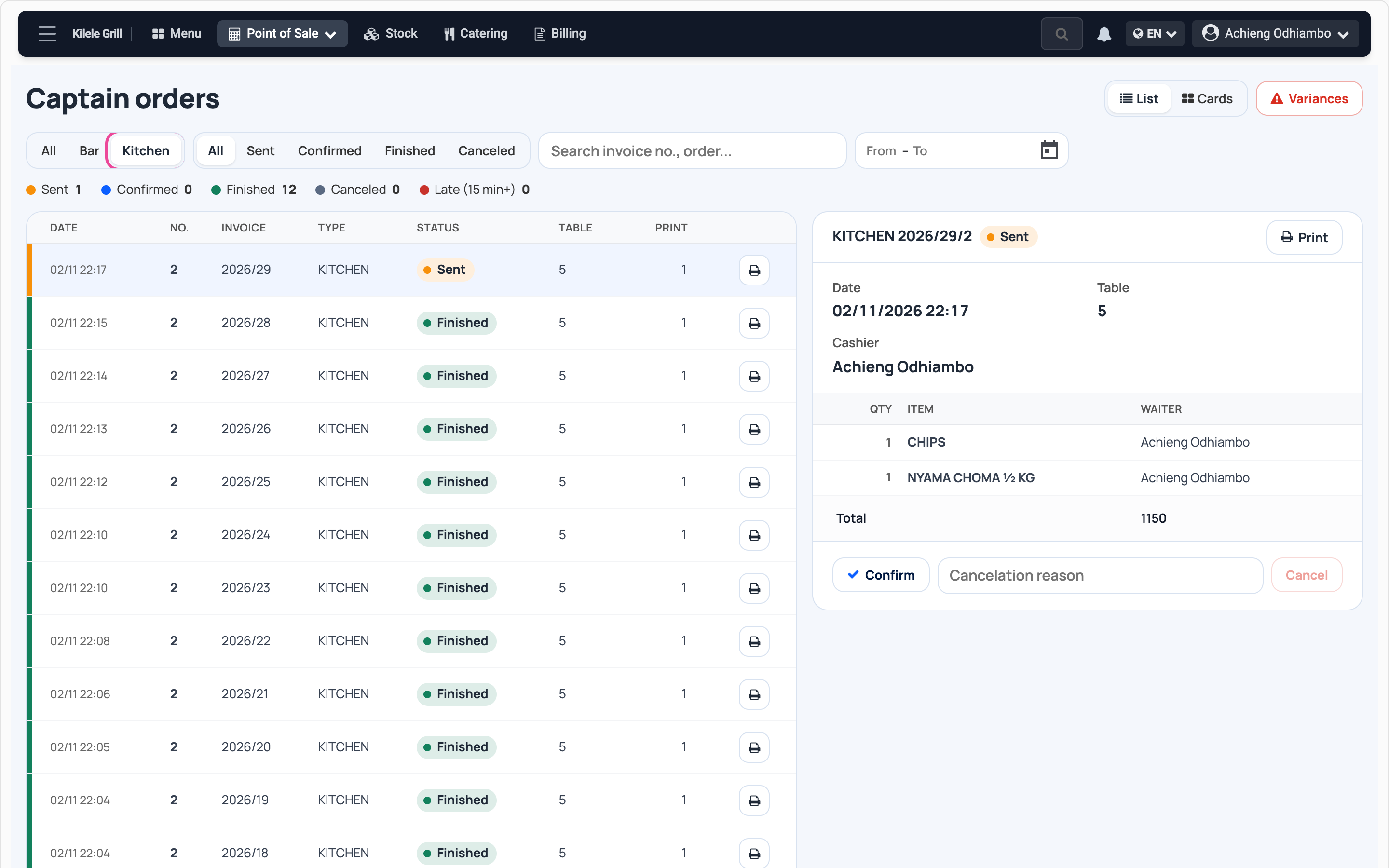
Press Kitchen. Orange tickets are waiting, newest on top.
-
Start a ticket
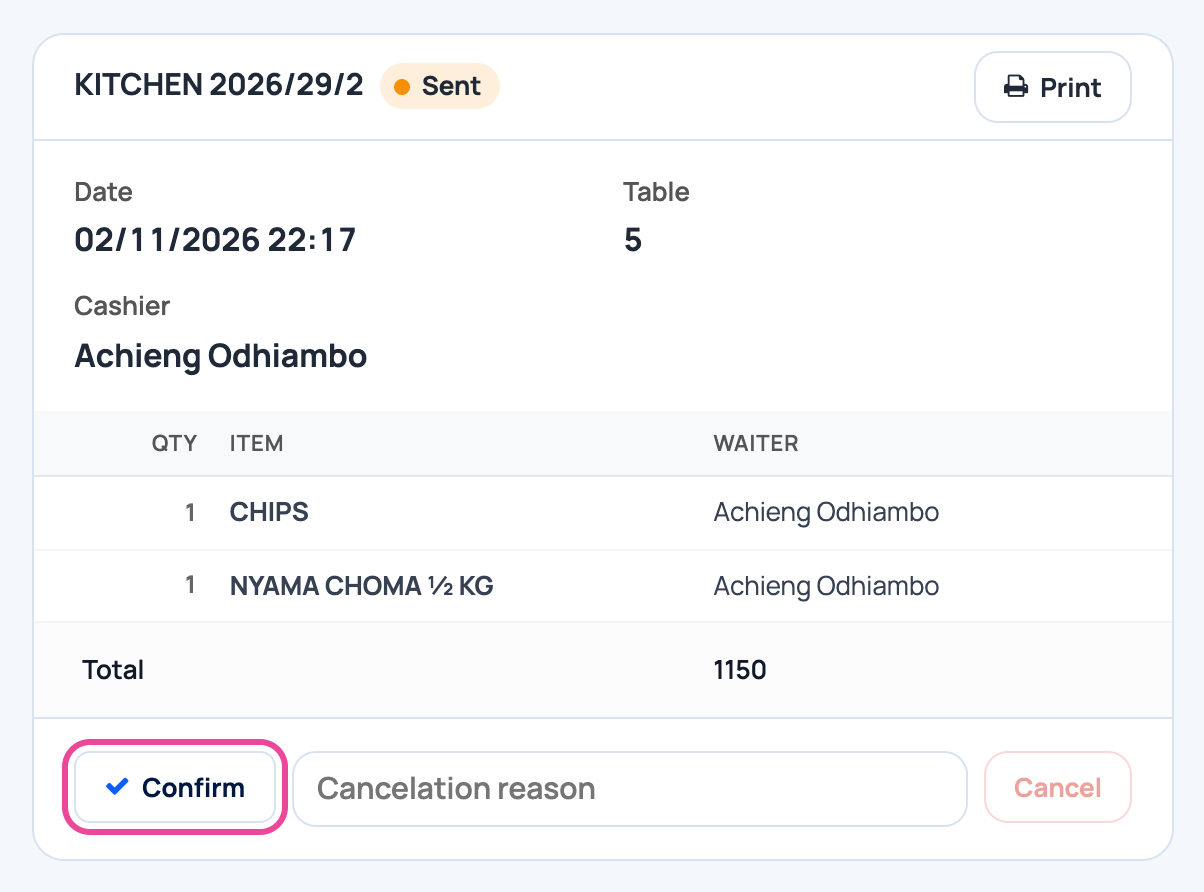
Open the ticket to see the table and dishes. Press Confirm when you start.
-
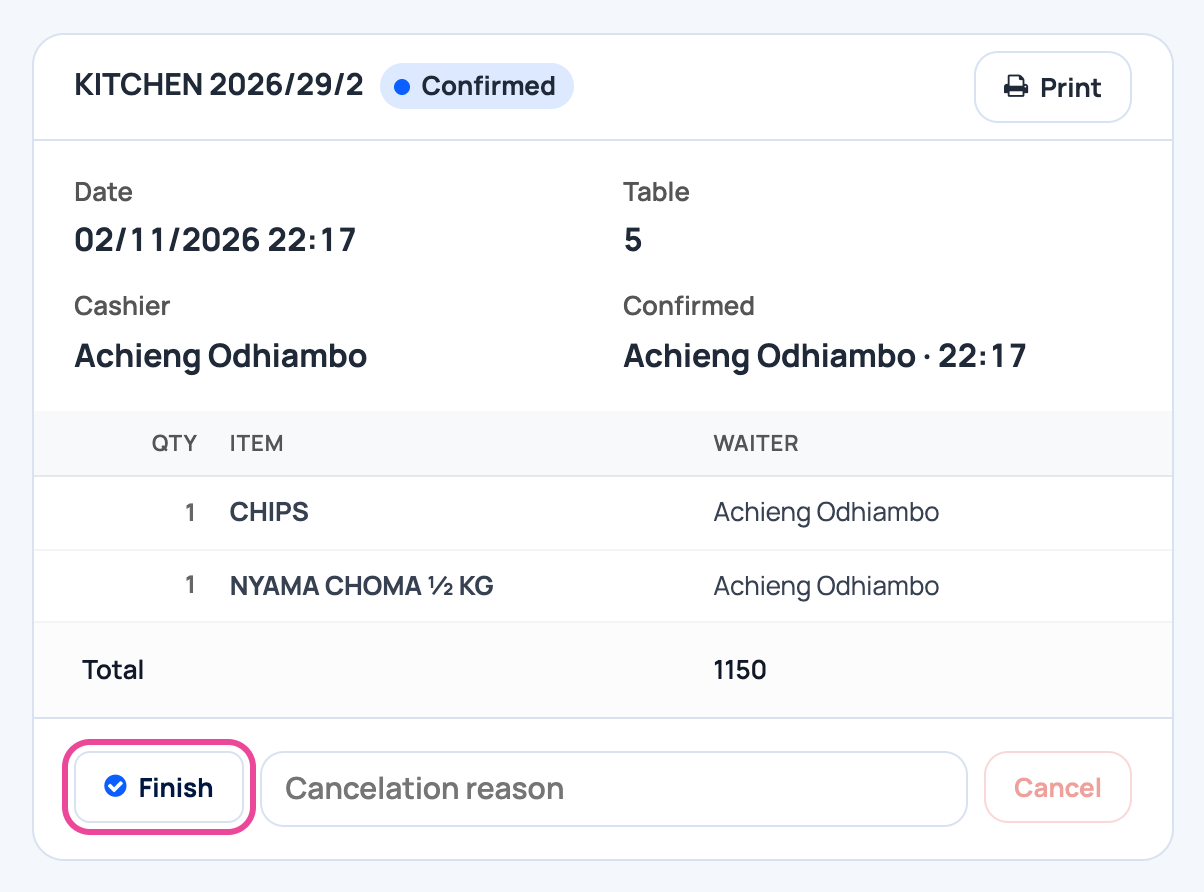
Finish it
When the dishes leave the kitchen, press Finish.
-
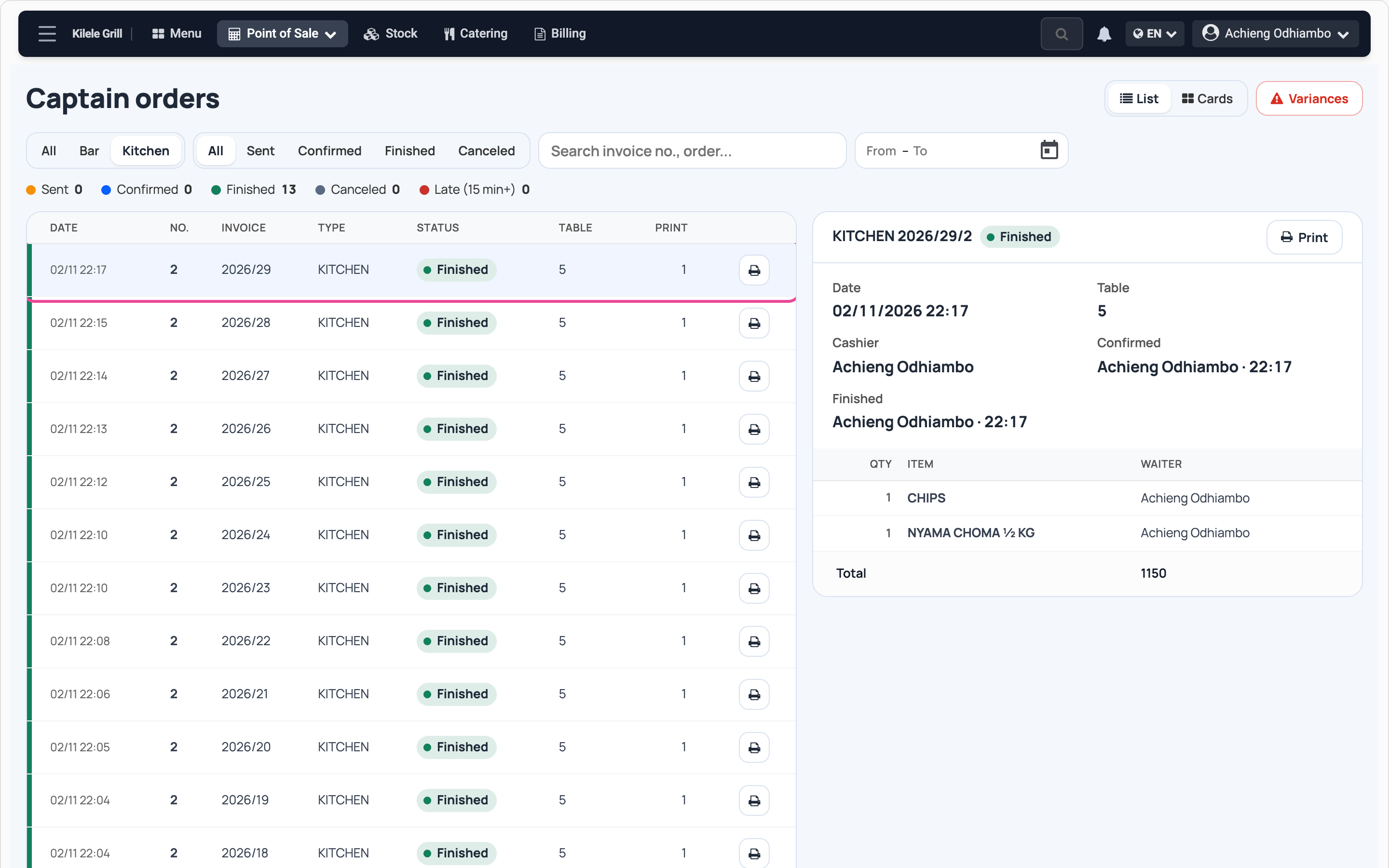
Done
The ticket turns green. The counts on top show what is still waiting.