Aser One
Take a table order
Open a table, add what the guests ask for, and send the tickets to the kitchen and the bar.
On the computer, 7 steps
Guide 1 of 5 in Restaurant & kitchen
-
Open the tables
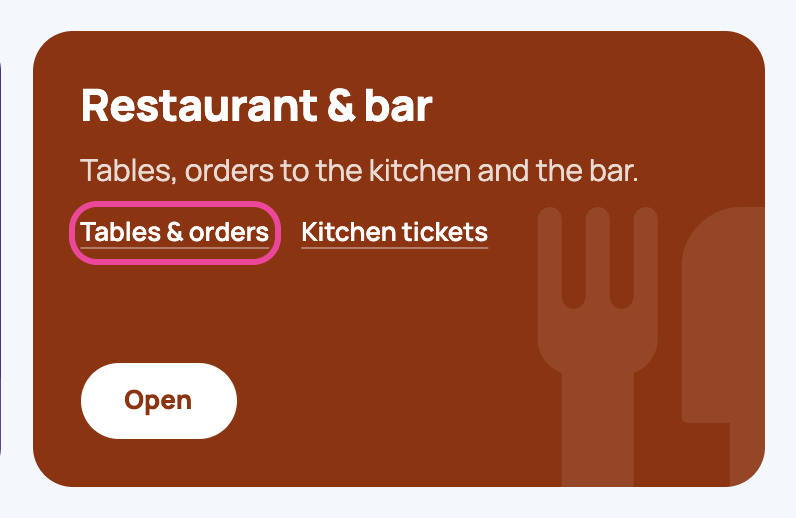
On the Menu page, under Restaurant & bar, open Tables & orders.
-
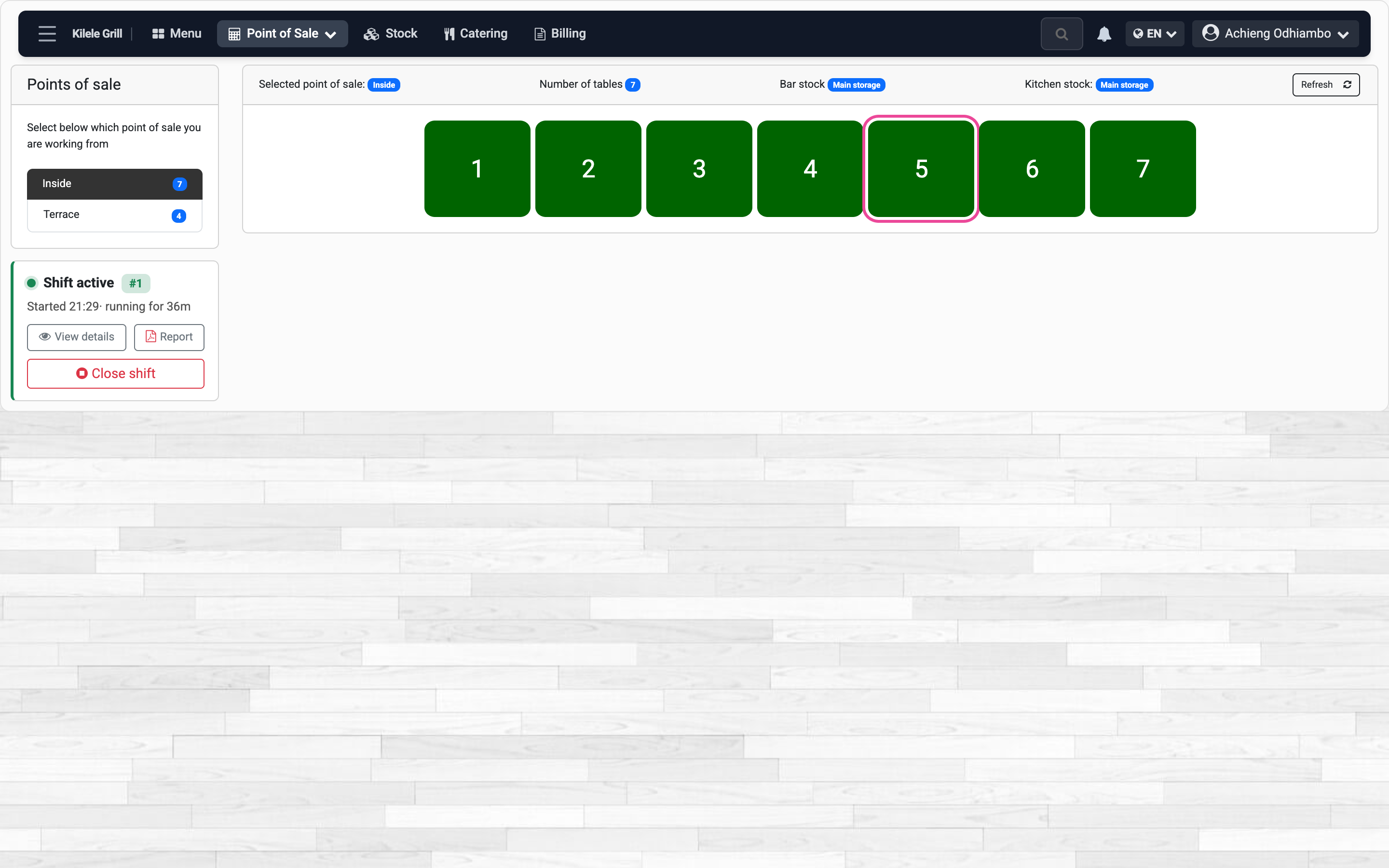
Pick a table
Choose the area, then tap a green table: green is free.
-
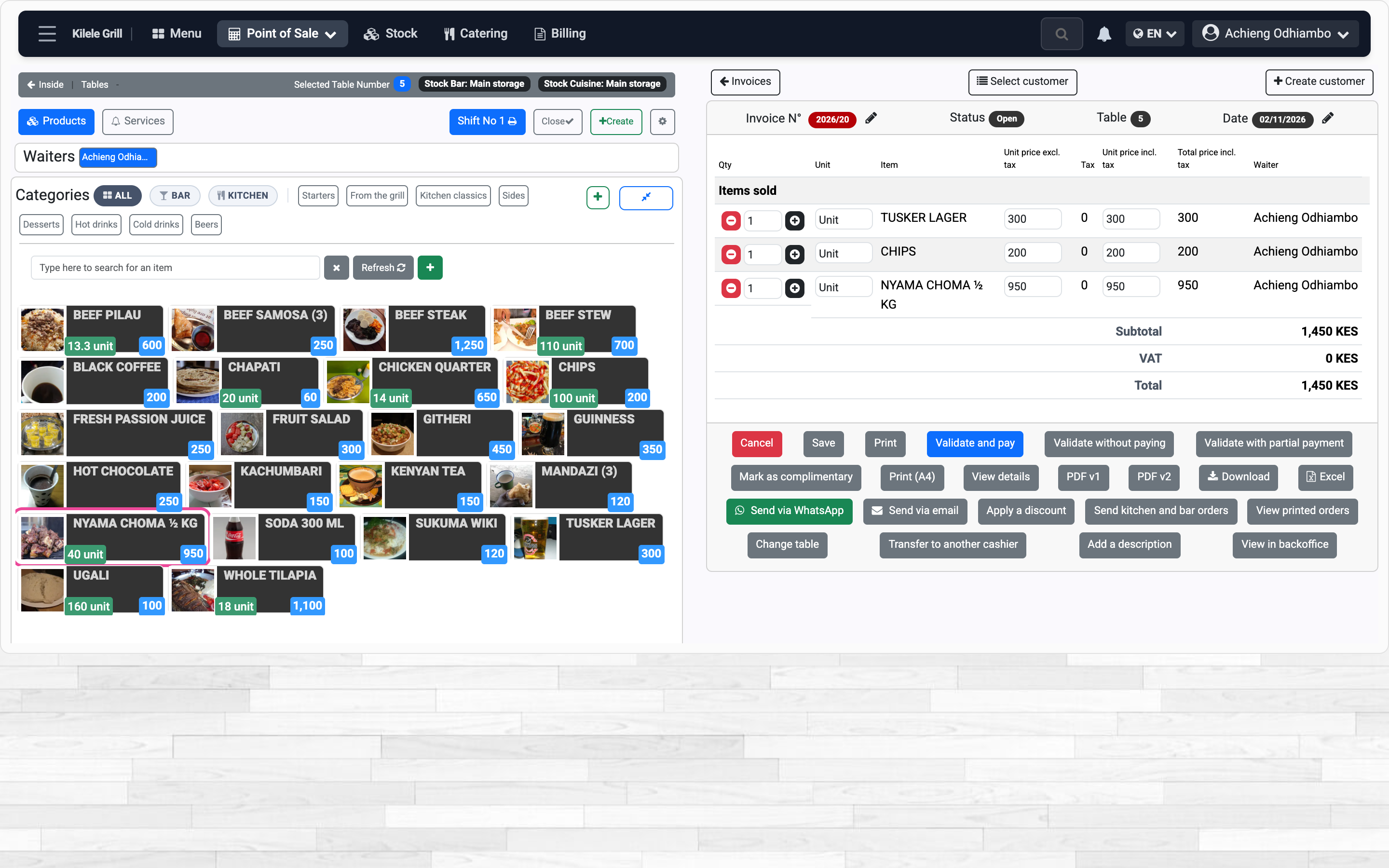
Add the dishes
Tap each dish and drink. It joins the bill on the right.
-
Send the tickets
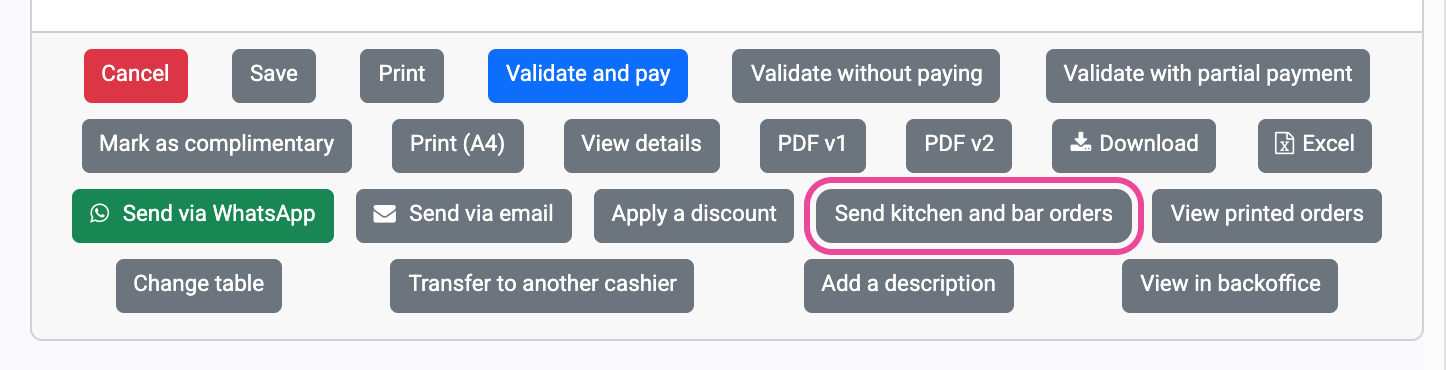
Press Send kitchen and bar orders.
-
Check and send
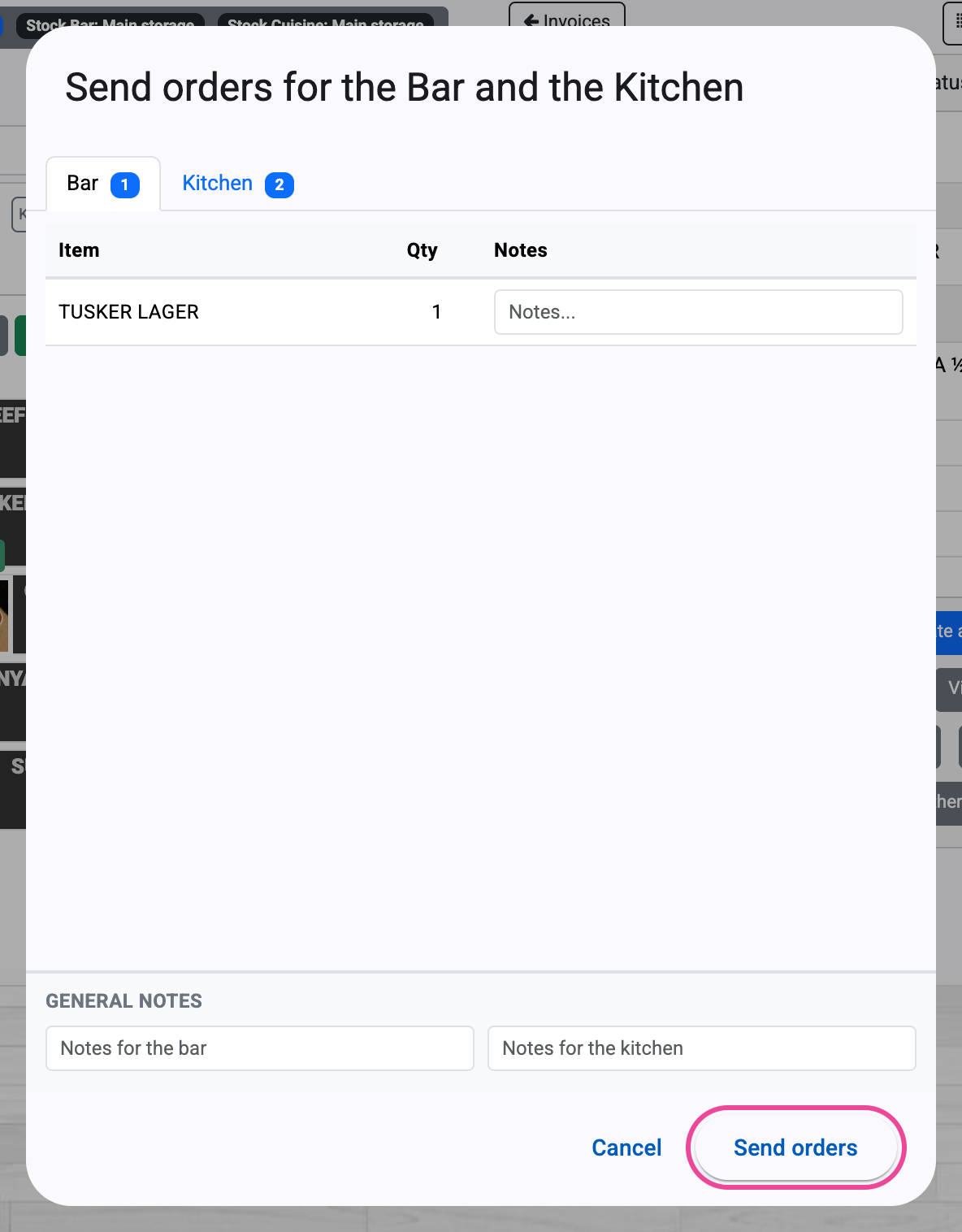
Drinks go to the Bar tab, food to the Kitchen tab. Press Send orders.
-
The tickets print
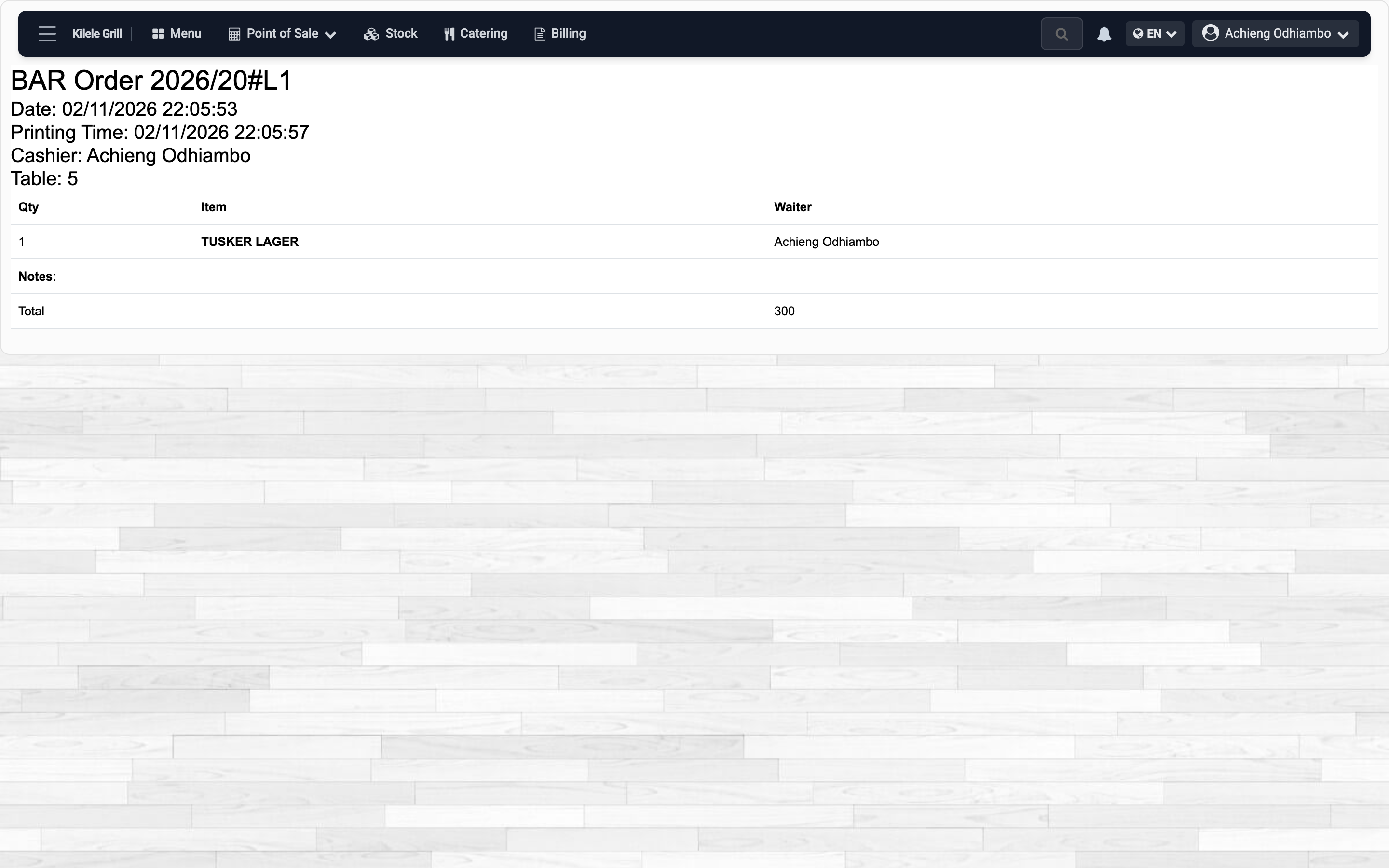
Each ticket prints with the table, the waiter and the items.
-
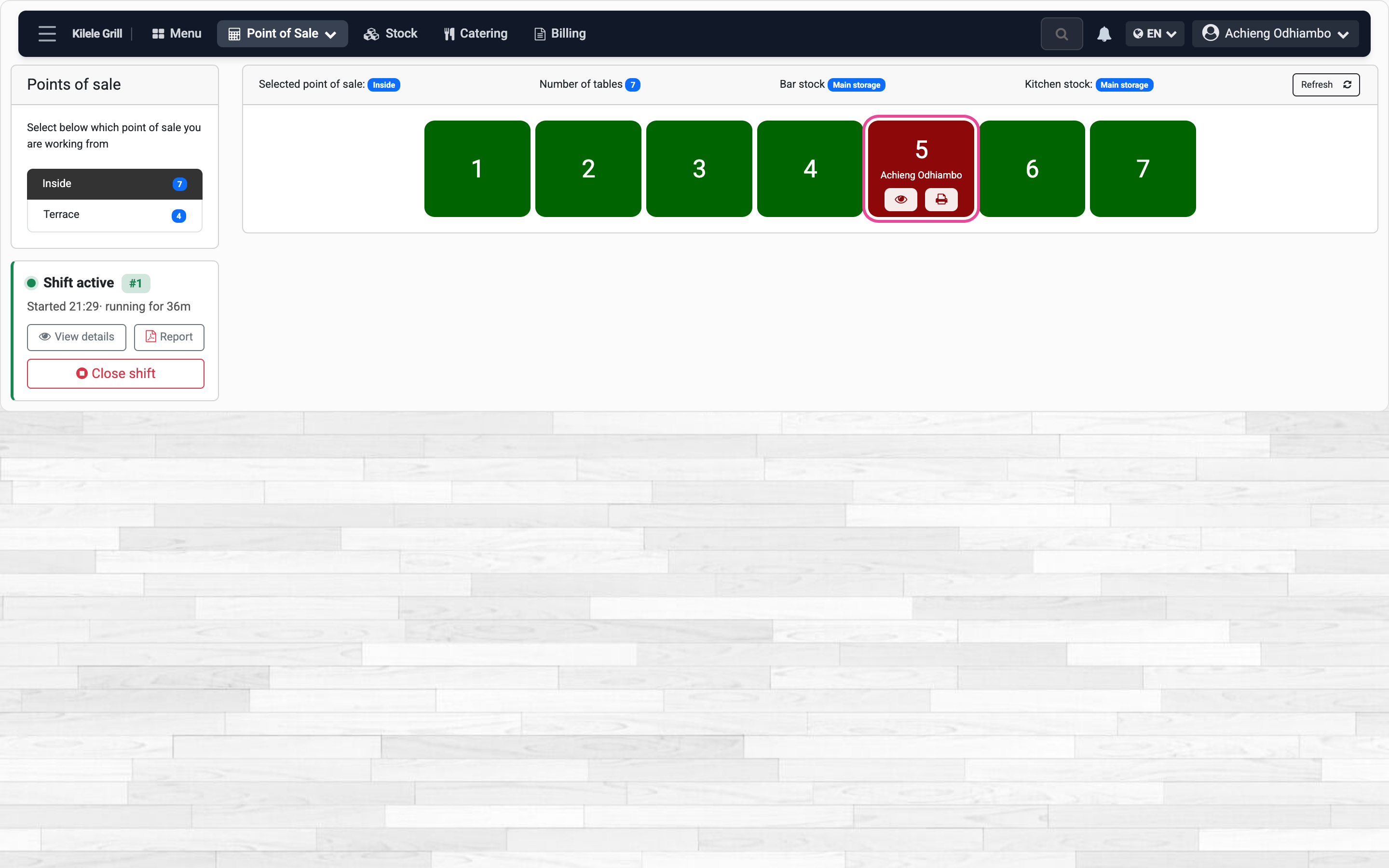
The table is busy
Back on the tables, it is red until the bill is paid.