 Aser One
LearnStart here: one result at a time
How to track business income and expenses without typing everything
Bring receipts, M-Pesa and bank statements together, and see where the money goes.
On the phone, 11 steps
Guide 2 of 5 in Start here: one result at a time
What you need
- A receipt photo, or a receipt on your phone.
- An M-Pesa statement PDF and its password.
- A KCB statement, or a CSV statement from your bank.
Start your free trial
Download Aser One and tap Create account. Choose your sector, then Cashflow & budgeting only. No card is needed.
-
Start your free trial
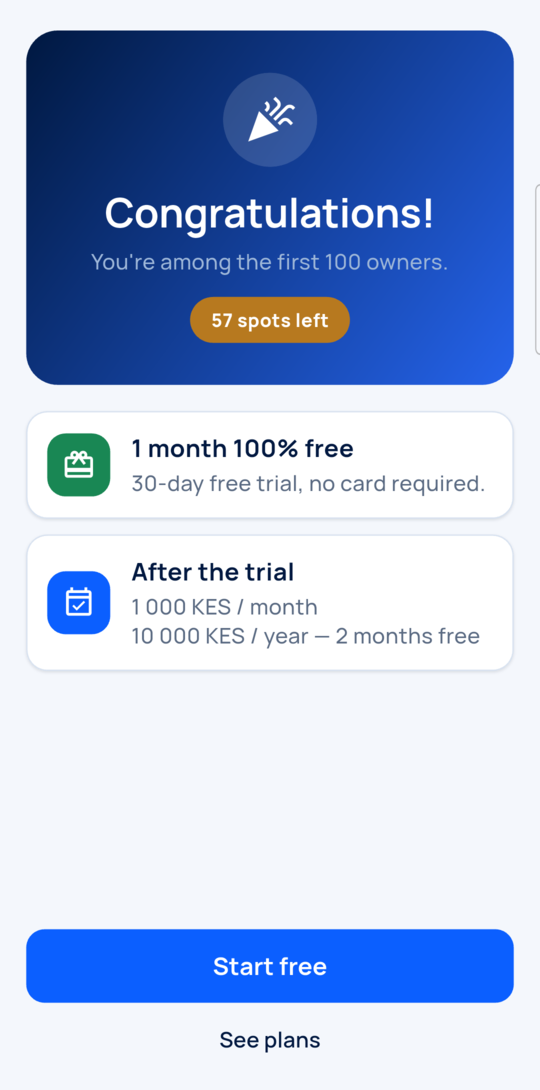
Create your account, then tap Start free.
-
Add your accounts
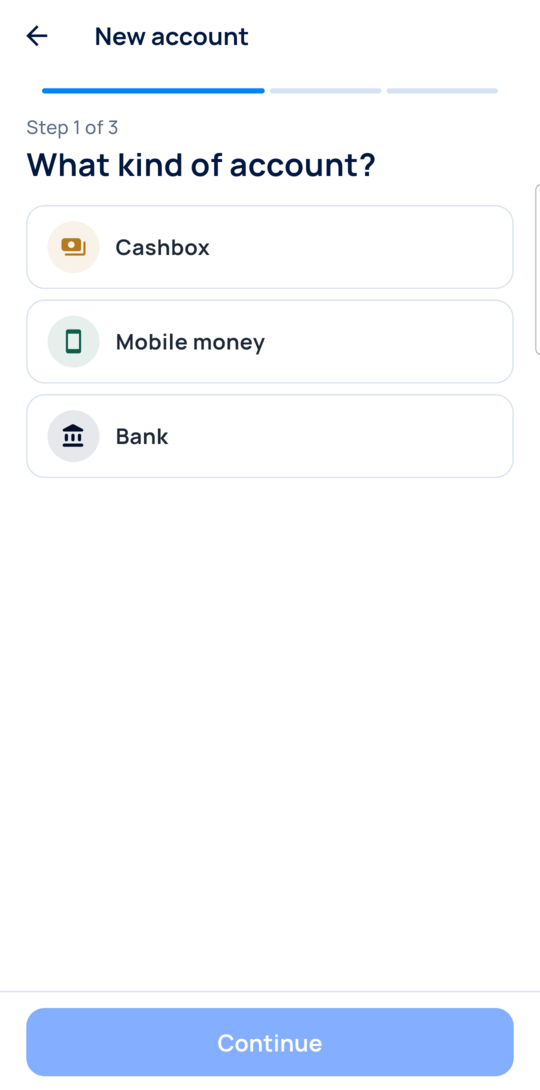
Add each one: Cashbox, Mobile money or Bank.
-
Share a receipt
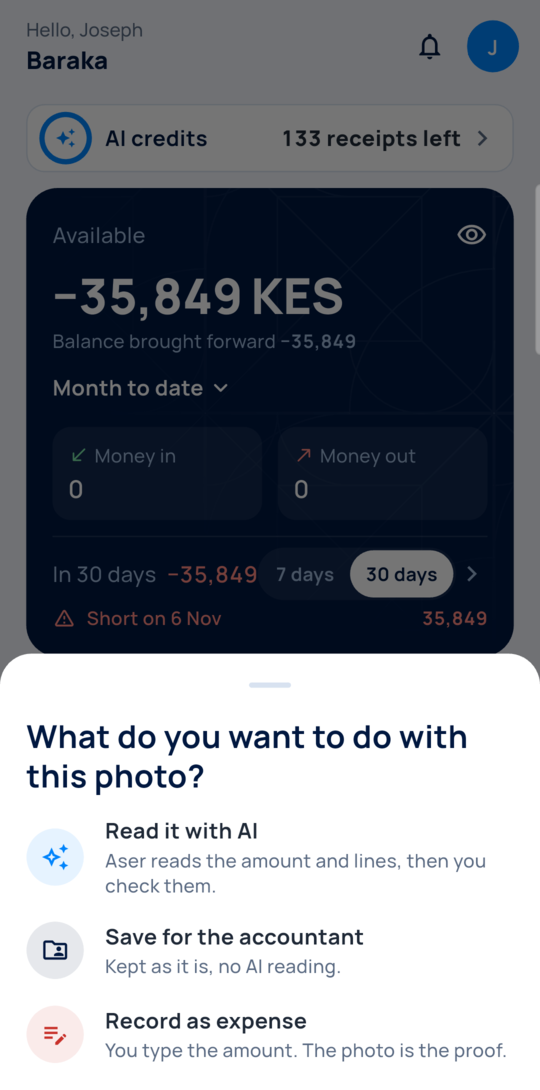
From your gallery or a chat, share the photo to Aser One. Tap Read it with AI.
-
Check what was read
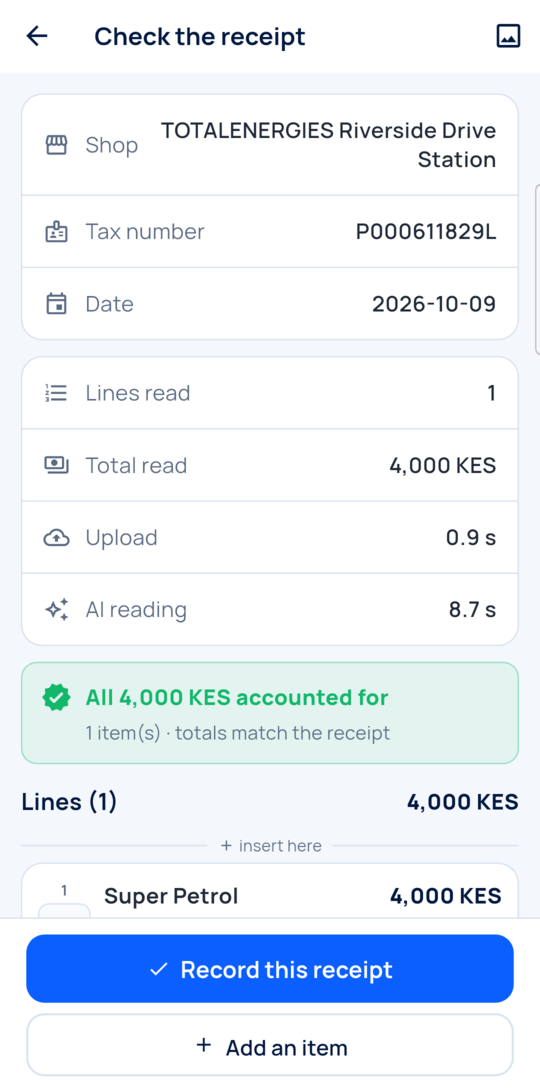
Compare the shop, date and total with the photo. Then tap Record this receipt.
-
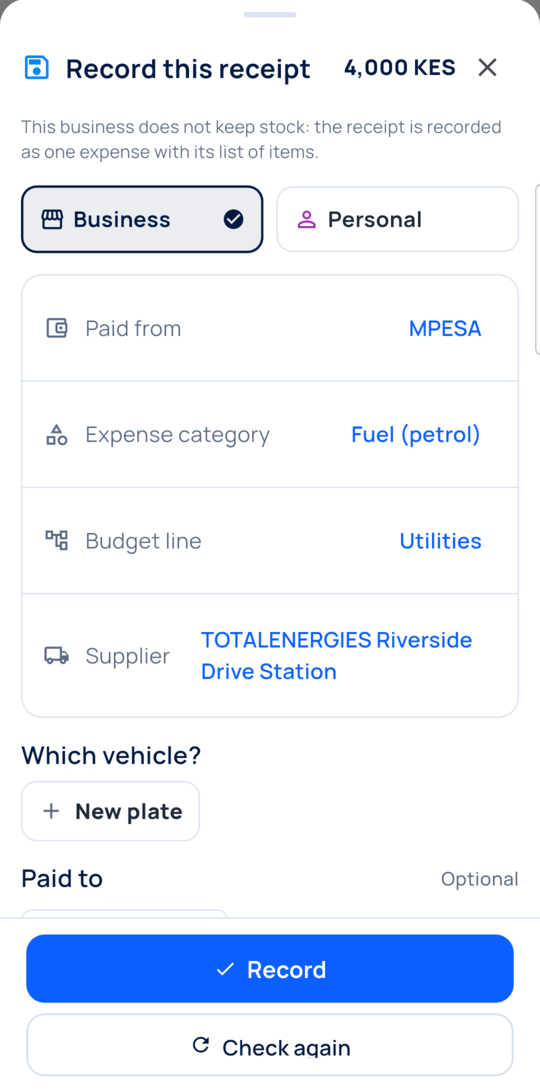
Say where it belongs
Pick the account and the category. Pick a budget line if it should count there.
-
Import a statement
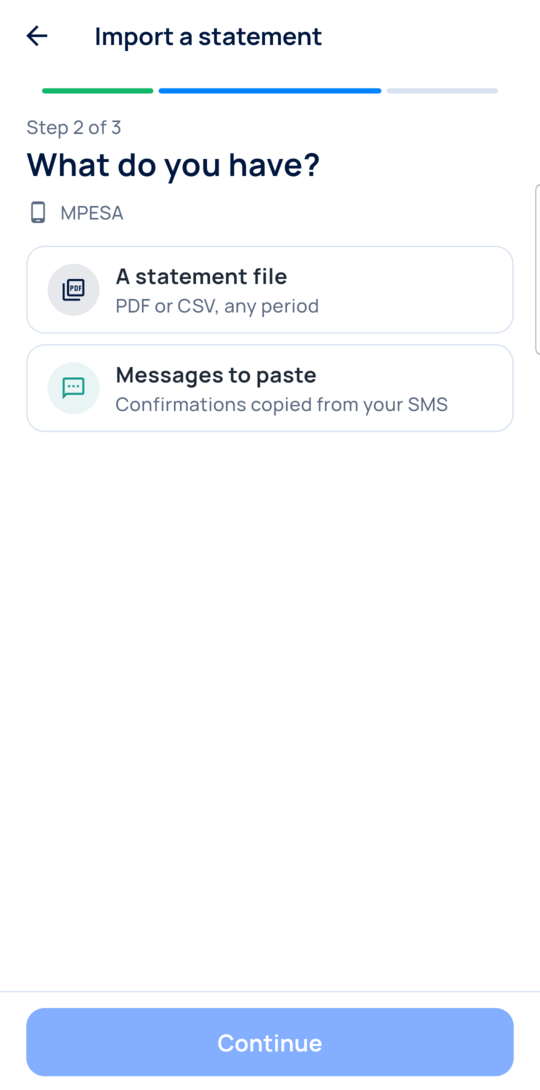
Tap +, then Import a statement. Pick the account, then A statement file.
-
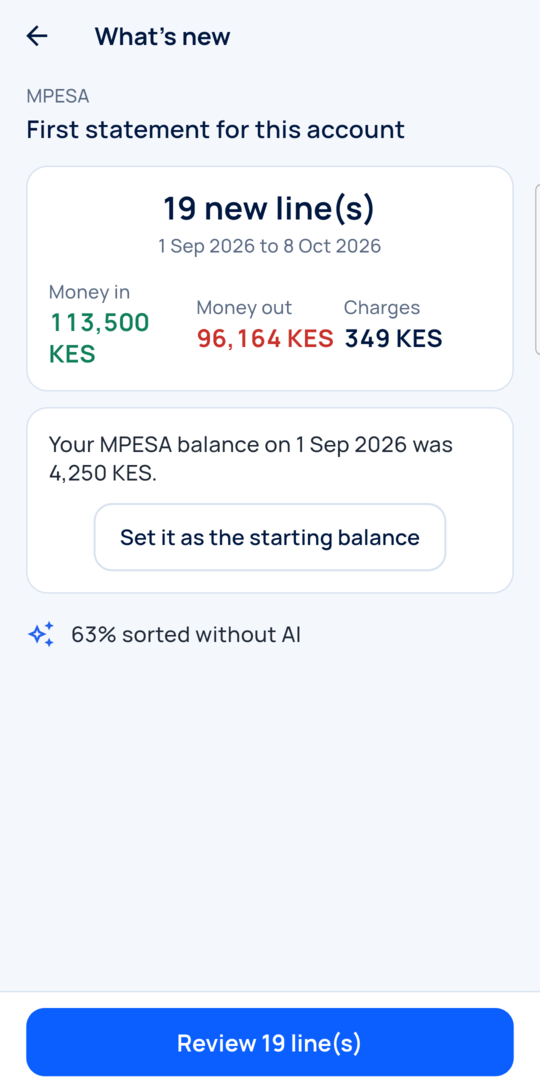
See what is new
You only get lines that are not already in the app.
-
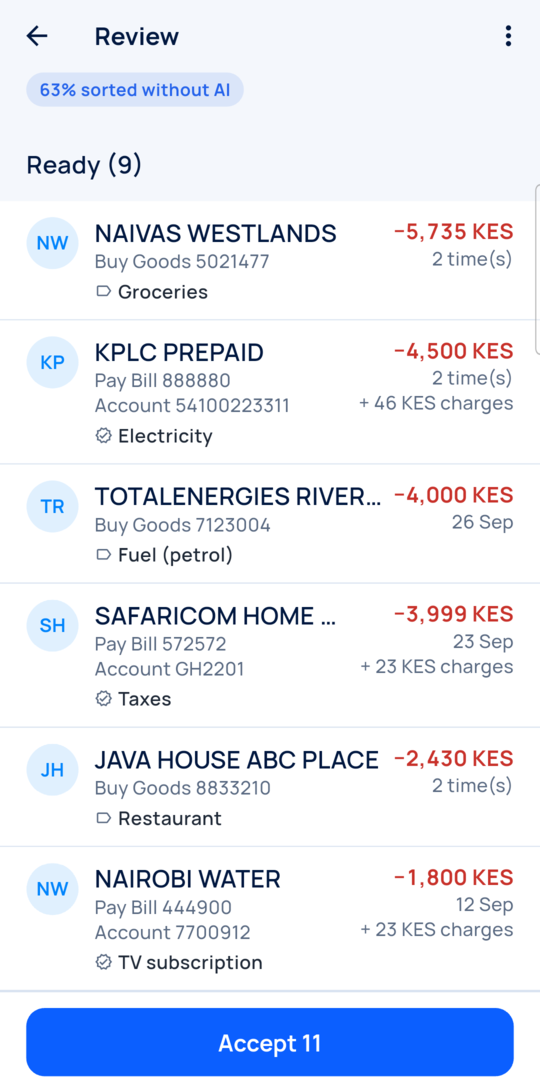
Review the lines
Check the suggested categories and transfers. Sort the rest, then accept.
-
Transfers do not count twice
A transfer already recorded from the other account shows Already recorded.
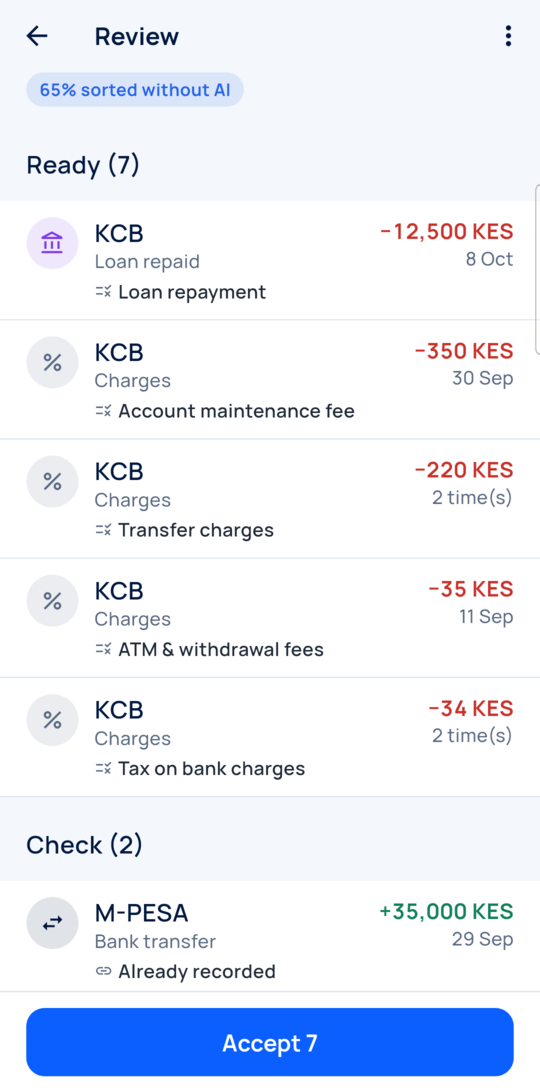
-
See where the money goes
On Reports, choose the period that holds your statement. Open Where does my money go?
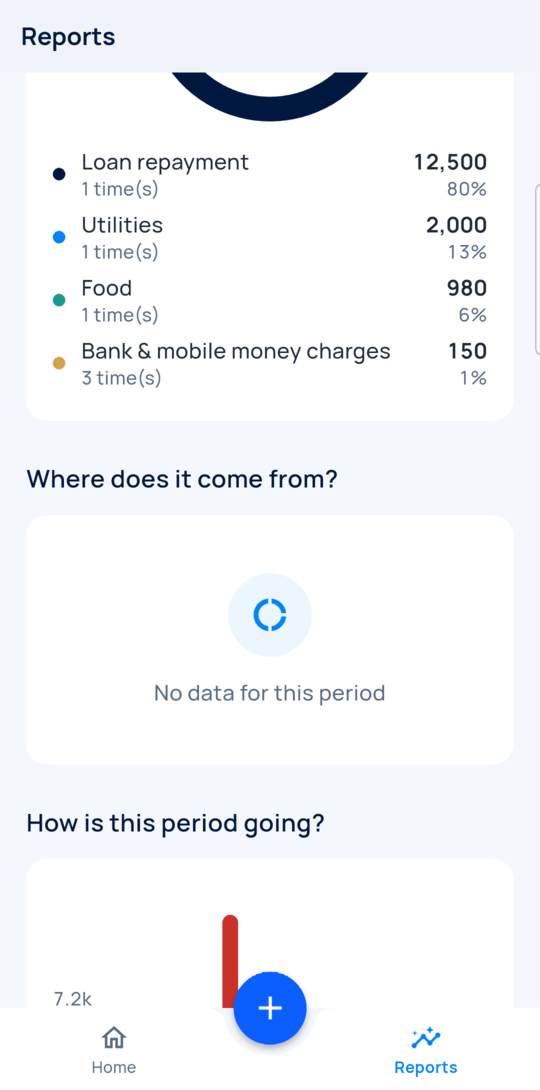
-
Compare with your budget
In Budgets, each row shows what you planned and what you spent.
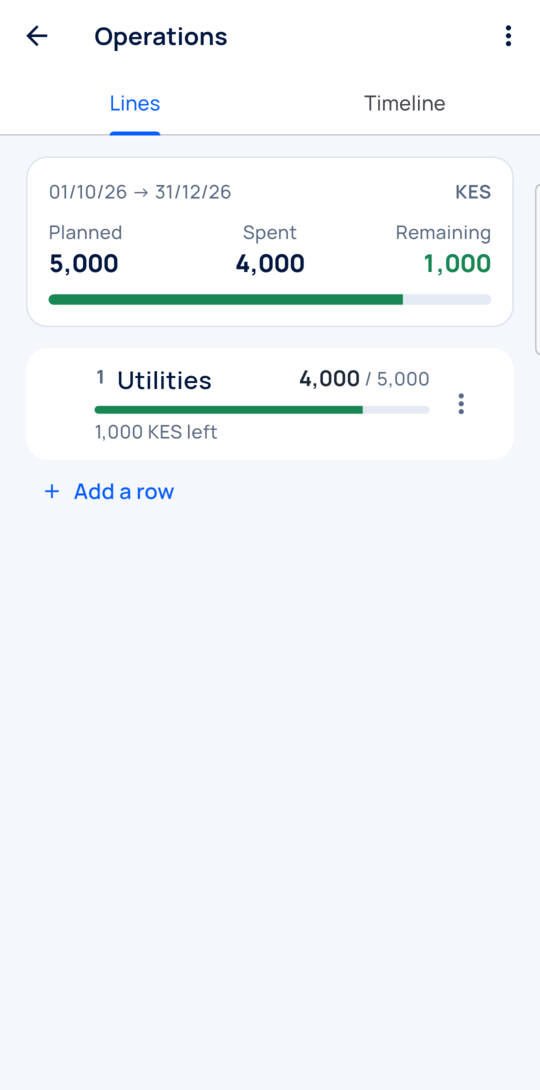
Every day
- Share or scan each receipt when you get it.
- Import a new statement when you want, and only new lines are added.
- Sort anything left in To do.
What you see
You see spending by category, each account’s money and your budget rows.
Time and effort
One test receipt took about 10 seconds to read, on our test connection. You still check each one.
Common mistakes
- Looking at this month after importing an older statement. Change the period on Reports.
- Expecting a budget row to fill by category. Only expenses charged to that row count.
- Trusting every suggestion. Lines the app cannot place stay in To sort for you.
Next step
More guides
- 1How to set up employee attendance with face verificationFrom the free trial to your first real clock-in.
- 4How to calculate your real food cost and price a dishRecipe and purchase costs, then the price.
- 5How to plan next week’s purchases from your sales historyYour history in, a shopping list out.
- The Start here: one result at a time appStart here: one result at a time
- All guidesLearn