 Aser One
LearnStart here: one result at a time
How to find unexplained stock differences
Compare what should be on the shelf with what is there, while there is still time to ask why.
On the computer, 10 steps
Guide 3 of 5 in Start here: one result at a time
What you need
- Your items, typed in or imported from Excel.
- Your purchases and sales recorded in the app.
- A computer to start the count, and phones to join it.
Start your free trial
Press Create an account below. Your free trial starts straight away, and no card is needed.
-
Add your items
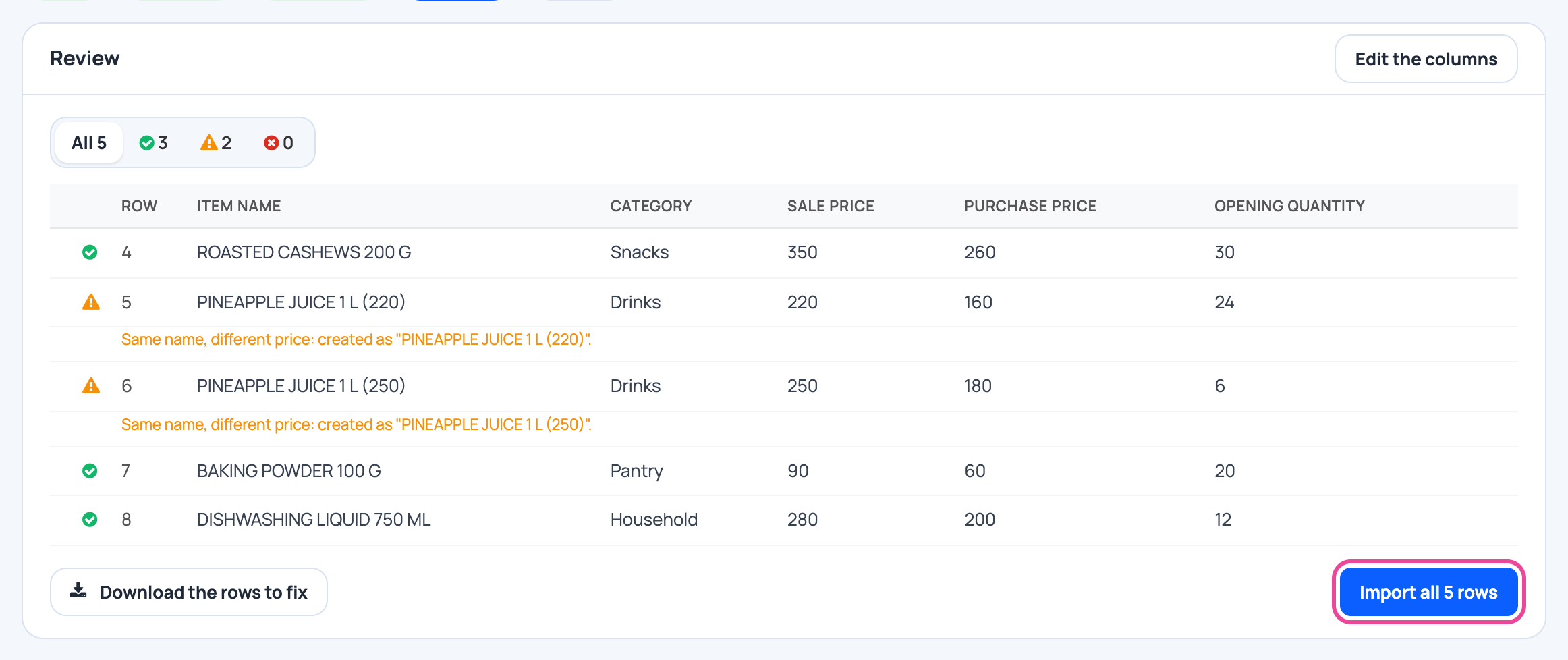
Create them one by one, or bring in your Excel list.
-
Receive what you buy
On the phone, open Stock › Receive goods › New entry › Receive a delivery.

-
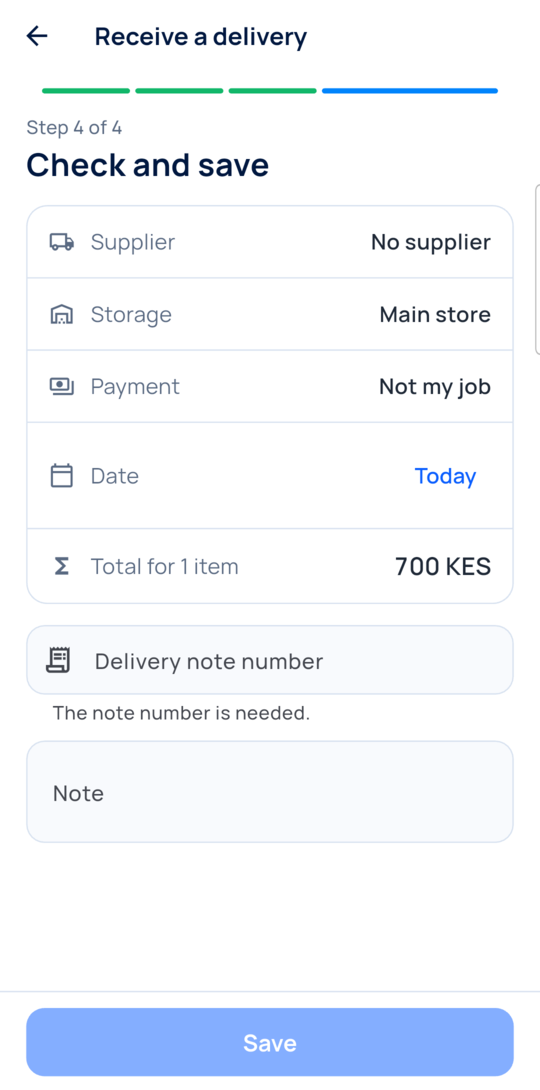
Check and save
Check the items and prices, add the note number, then Save. Stock goes up once.
-
Write the dish’s recipe
Each sale then takes the ingredients out of stock on its own.

-
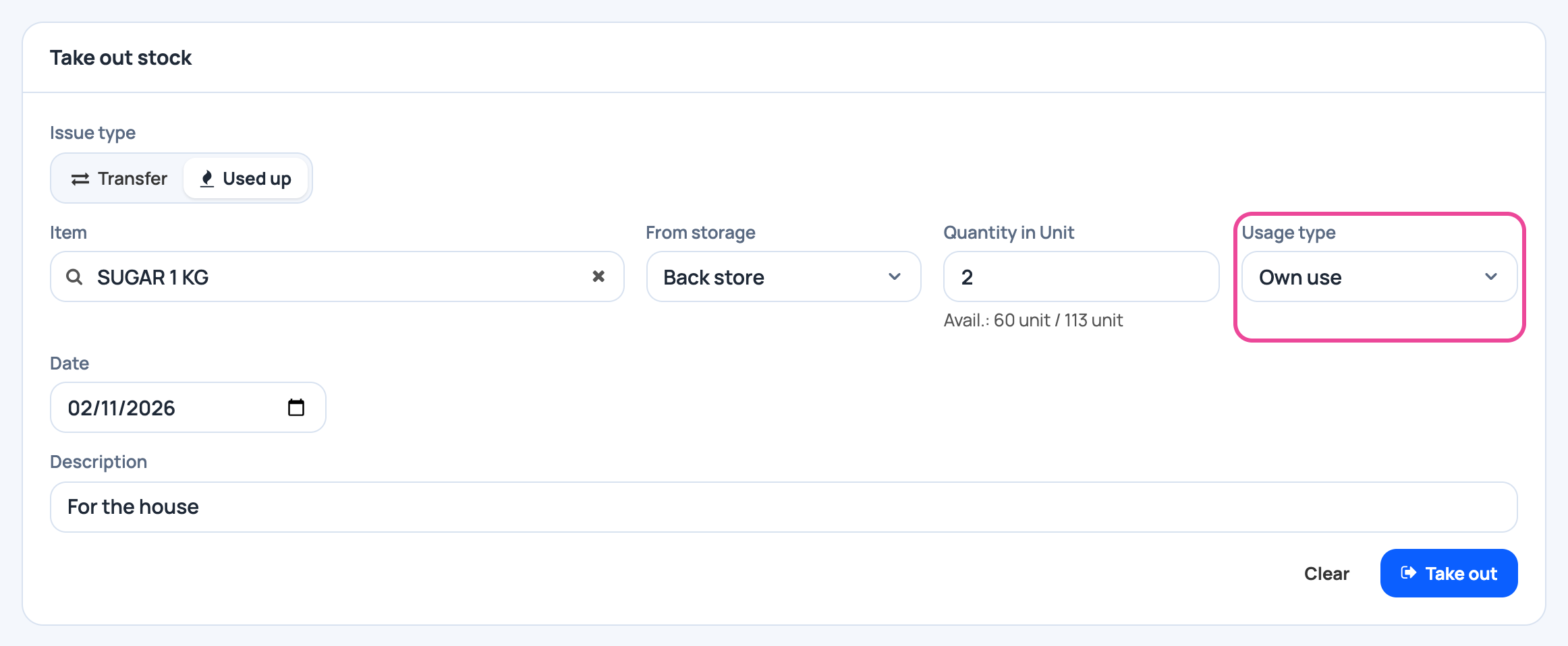
Record staff meals and waste
Use Quick stock out with a reason. Otherwise they look like a gap.
-
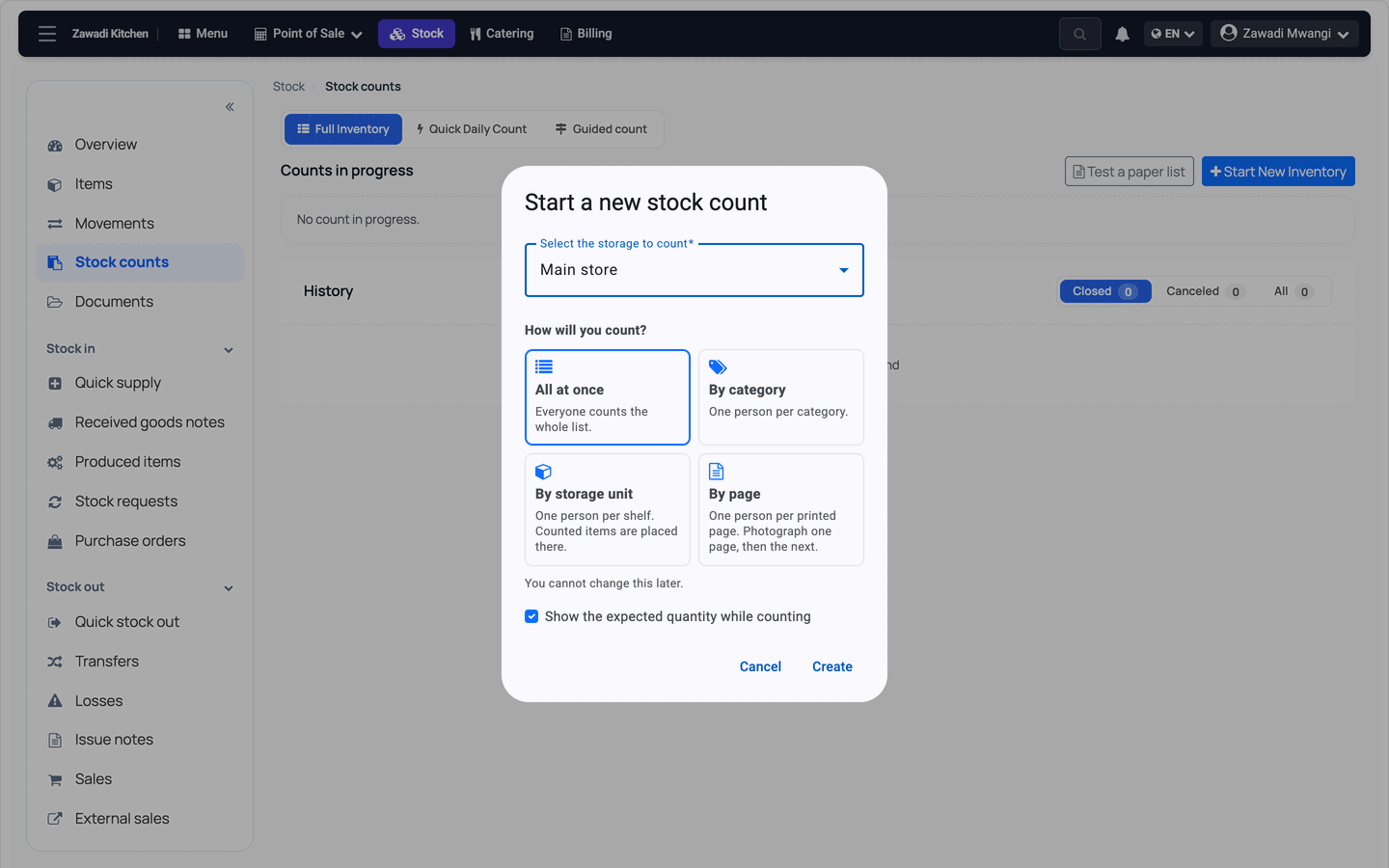
Start a count
On the computer, open Stock counts › Start New Inventory. Pick the storage and how you count.
-
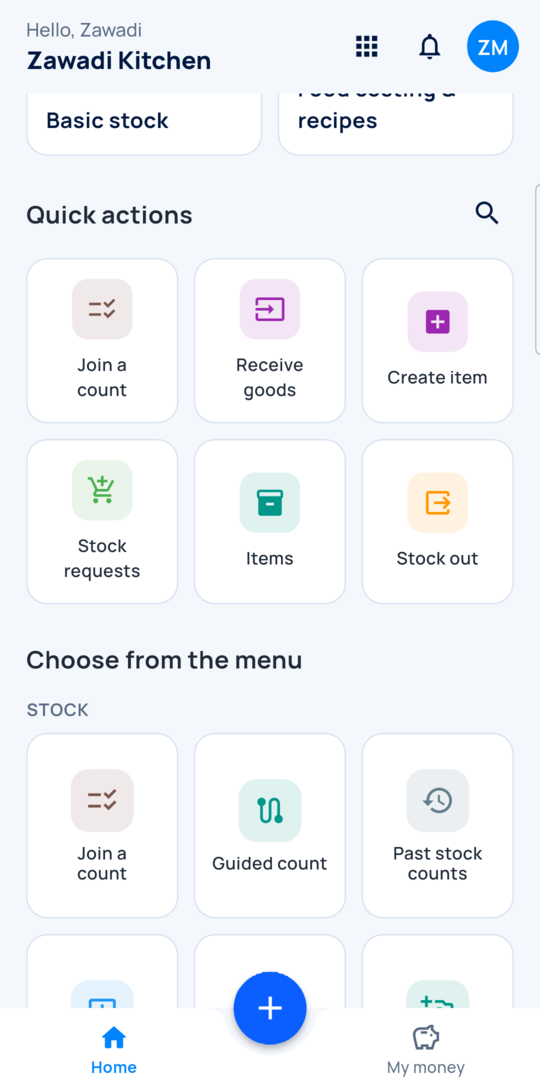
Staff count on their phones
They open Stock › Join a count. They count what is on the shelf.
-
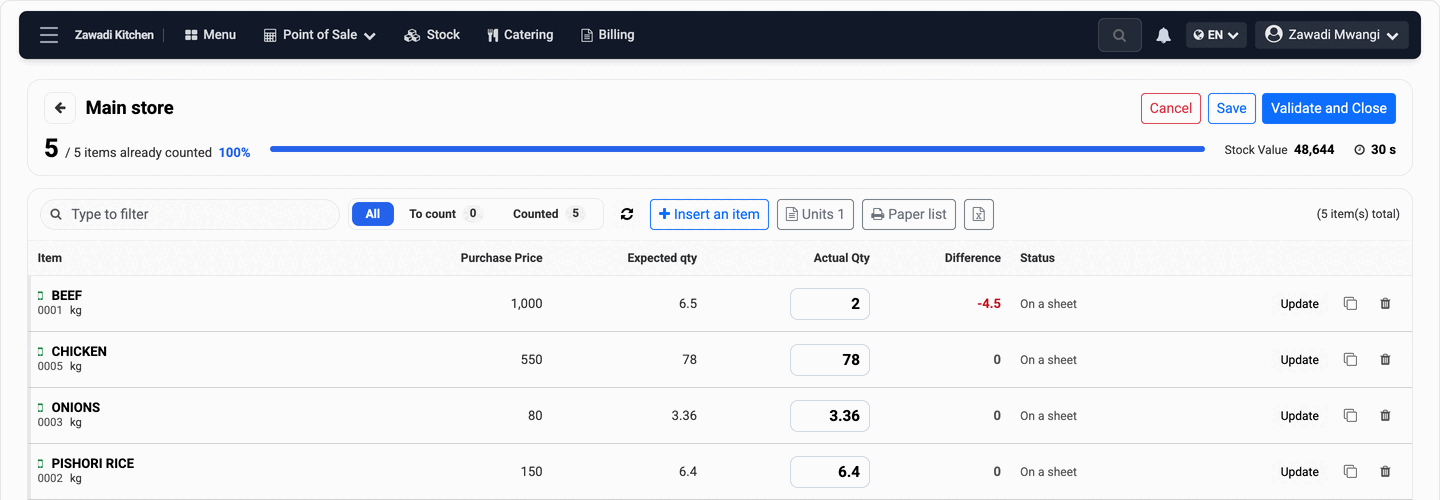
Check, then close
Expected, Actual Qty and Difference sit side by side. Press Validate and Close.
-
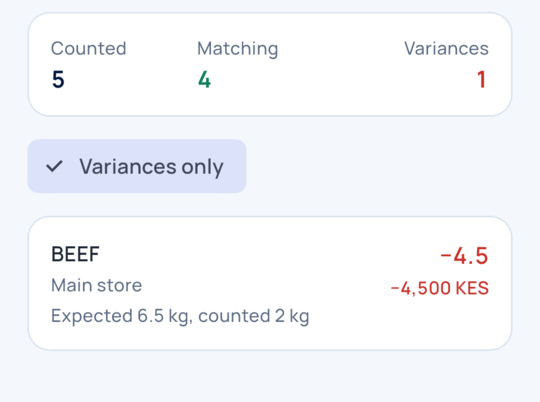
Read the difference
Past stock counts shows each gap in quantity and at cost.
-
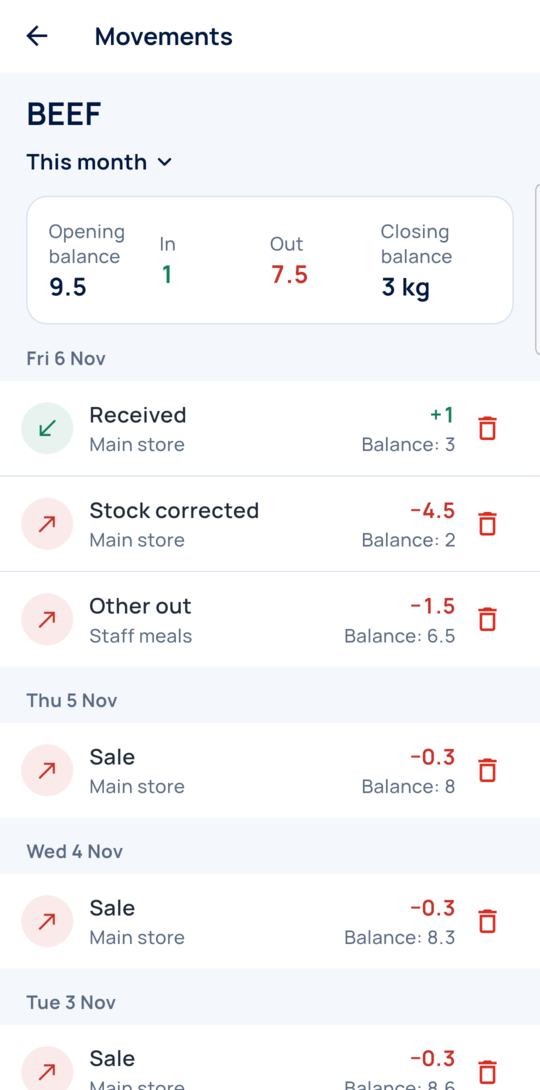
Look at the item’s history
Open the item and tap History. Every movement is there with its balance.
Every day
- Record each delivery, staff meal and loss.
- Sell through the app so recipes take stock out.
- Count your most valuable items often.
What you see
For each item you see expected, counted, the difference and its value at cost.
Time and effort
The first count needs your items, purchases and sales in the app. Each count after that is only the counting.
Common mistakes
- Calling a difference theft. It can be a missed delivery, waste or a wrong recipe, so check first.
- Not recording staff meals. They come back as a gap.
- Marking uncounted items as zero to close faster. Do that only if the shelf is really empty.
Next step
More guides
- 1How to set up employee attendance with face verificationFrom the free trial to your first real clock-in.
- 2How to track business income and expenses without typing everythingReceipts and statements in, a clear picture out.
- 5How to plan next week’s purchases from your sales historyYour history in, a shopping list out.
- The Start here: one result at a time appStart here: one result at a time
- All guidesLearn