 Aser One
LearnStart here: one result at a time
How to plan next week’s purchases from your sales history
A list of what to buy, how much and on which trip, from what you really bought and sold.
On the computer, 5 steps
Guide 5 of 5 in Start here: one result at a time
What you need
- Ingredients and recipes.
- Your purchases, and your sales for full accuracy.
- A stock count, so the plan knows what you have.
Start your free trial
Press Create an account below. Your free trial starts straight away, and no card is needed.
-
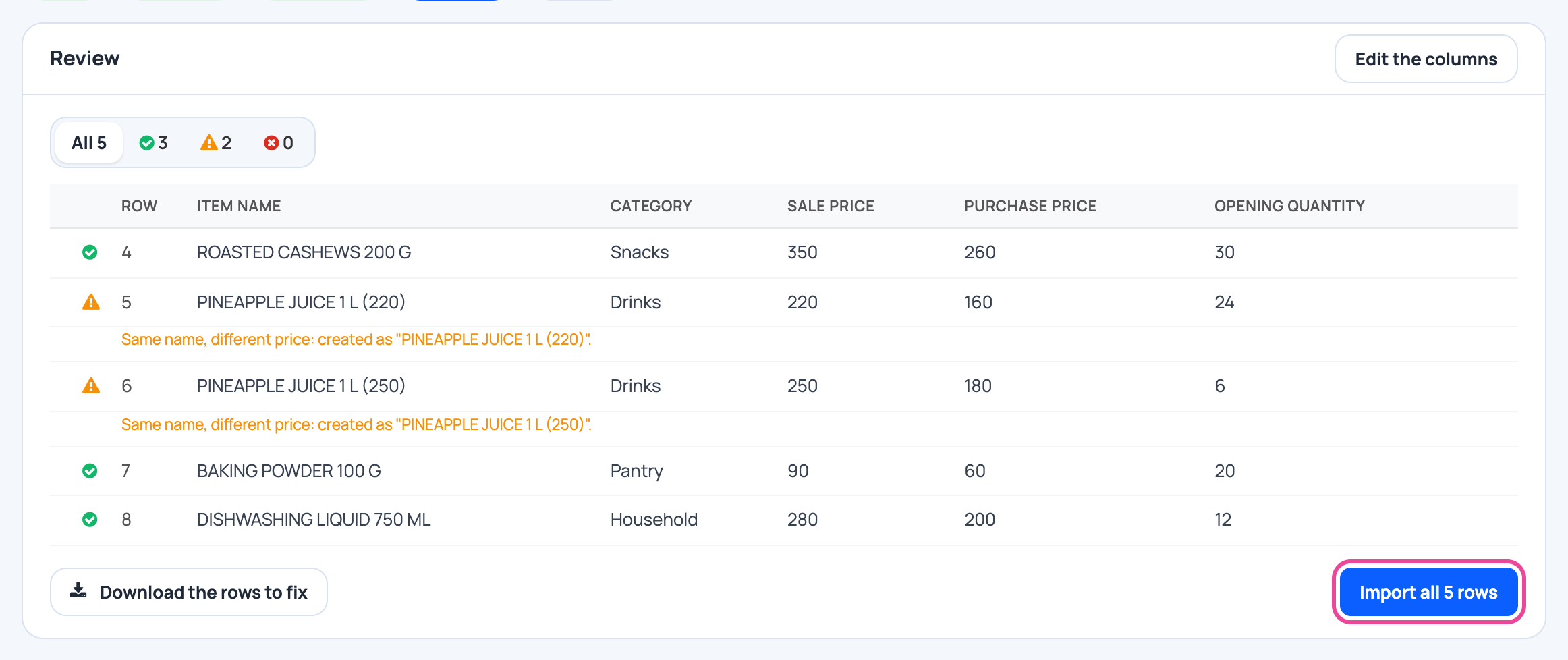
Add your ingredients
Create them or import your Excel list.
-
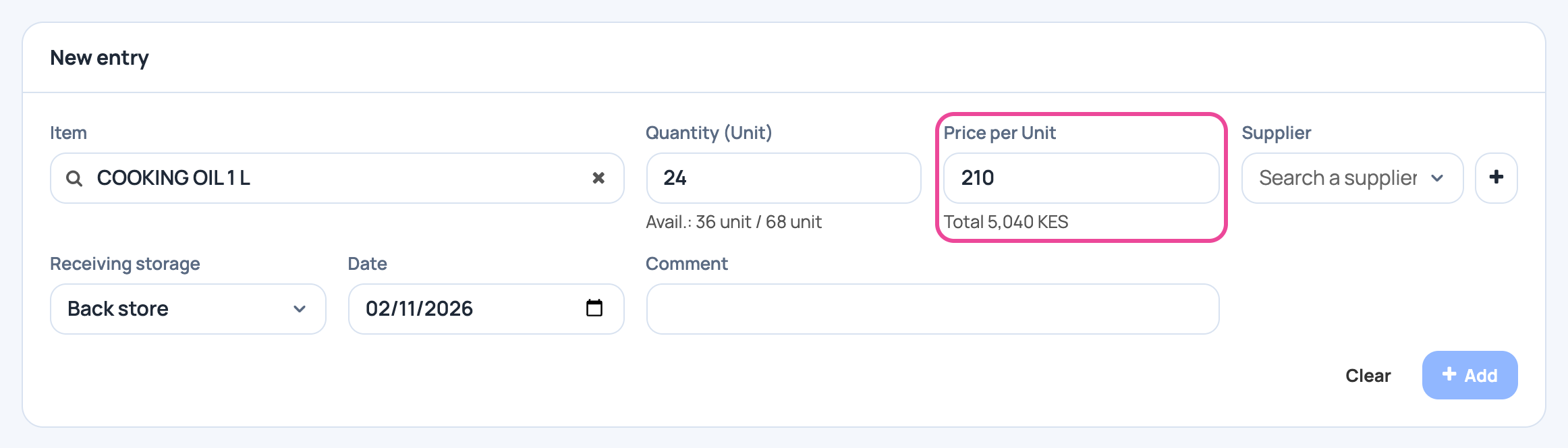
Record what you buy
Each purchase teaches the plan your buying rhythm and your cost.
-
Write your recipes
With recipes and sales, the plan can work out what you really use.

-
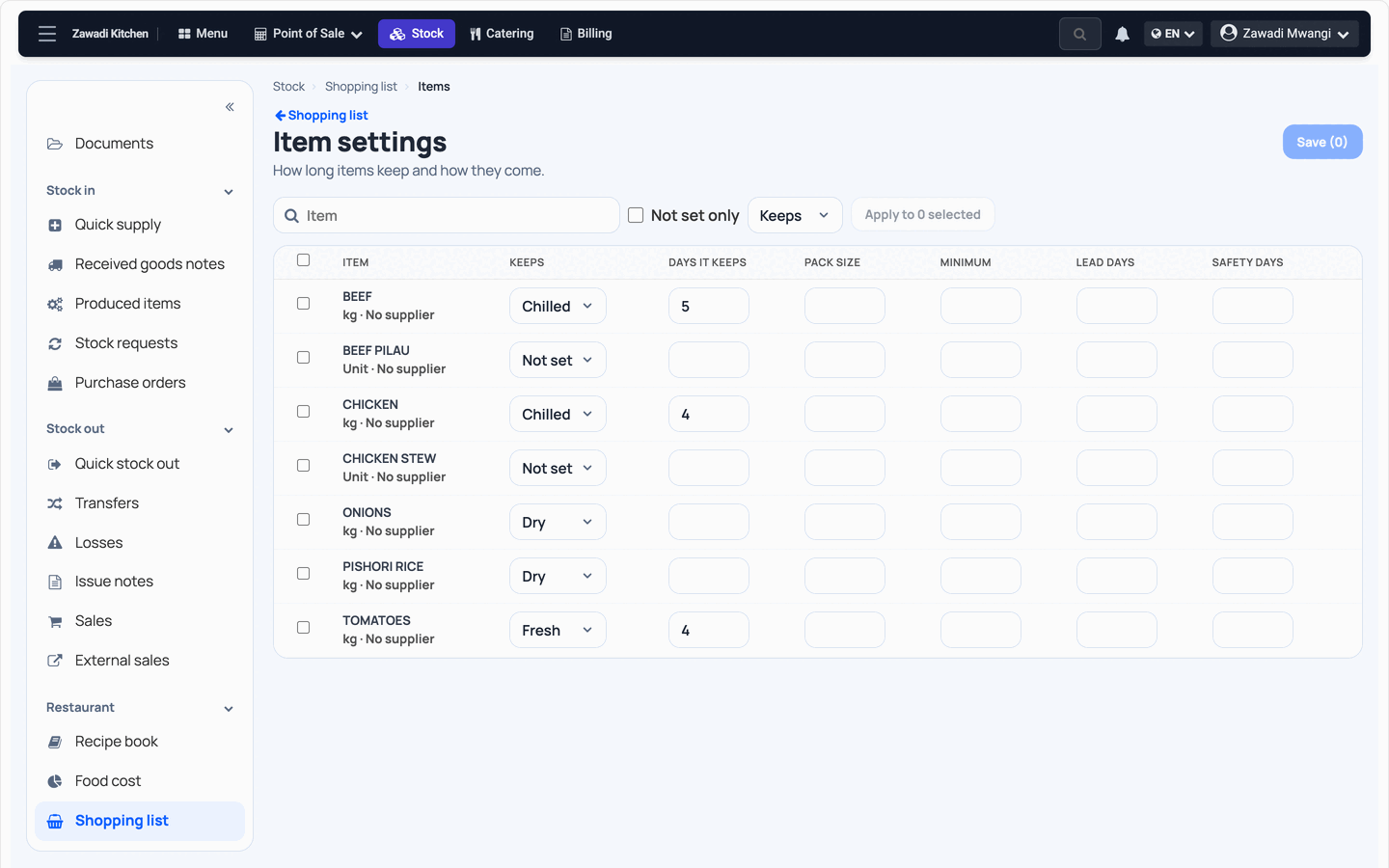
Say how each item keeps
In Shopping list, open Item settings. Say how long it keeps and set a pack size if it has one.
-
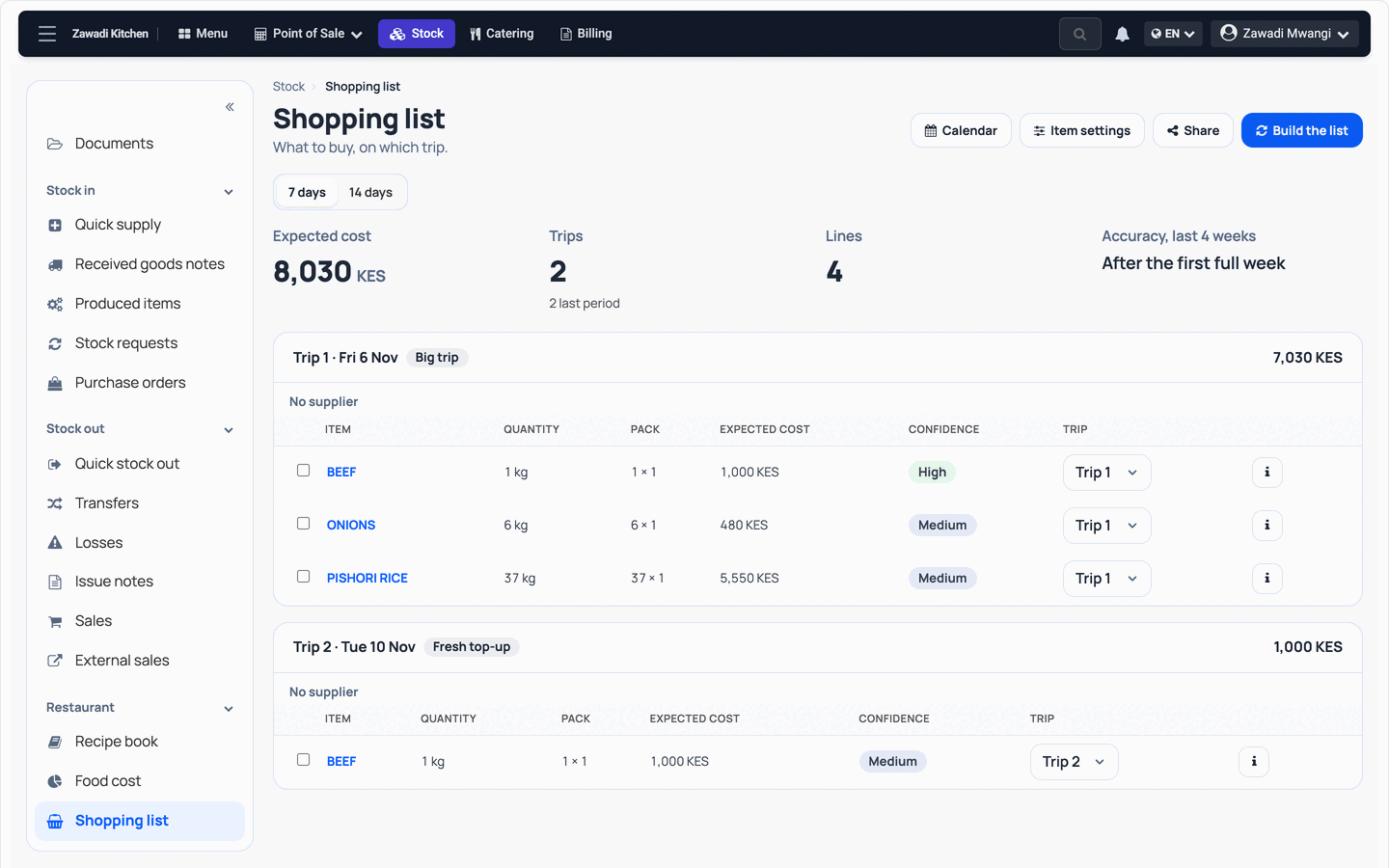
Build the list
Choose 7 days or 14 days and press Build the list. Dry goods go on the big trip, fresh food on a top-up.
Every day
- Build the list before you shop.
- Check the confidence on each line and change what you know better.
- Share the list, then tick what you bought.
What you see
You get the quantities, the expected cost and the trips. Change any line before you buy.
Time and effort
Item settings are done once per item. After that, a list is one press and a review.
Common mistakes
- Expecting recipes and sales to drive everything on day one. An item you buy regularly needs 6 weeks of usage history. Before then, it follows your buying rhythm.
- Following a line blindly. Read its confidence, and adjust for what you know is coming.
- Expecting no waste and no stockouts. The list helps you plan, and it cannot promise that.
More guides
- 1How to set up employee attendance with face verificationFrom the free trial to your first real clock-in.
- 2How to track business income and expenses without typing everythingReceipts and statements in, a clear picture out.
- 3How to find unexplained stock differencesPurchases, sales and a count, then the difference.
- 4How to calculate your real food cost and price a dishRecipe and purchase costs, then the price.
- The Start here: one result at a time appStart here: one result at a time
- All guidesLearn