 Aser One
Plan a budget
What you plan to spend in a month, line by line, and what is left as you go.
On the computer, 6 steps
Guide 5 of 7 in Cash flow & expenses
-
Open budgets
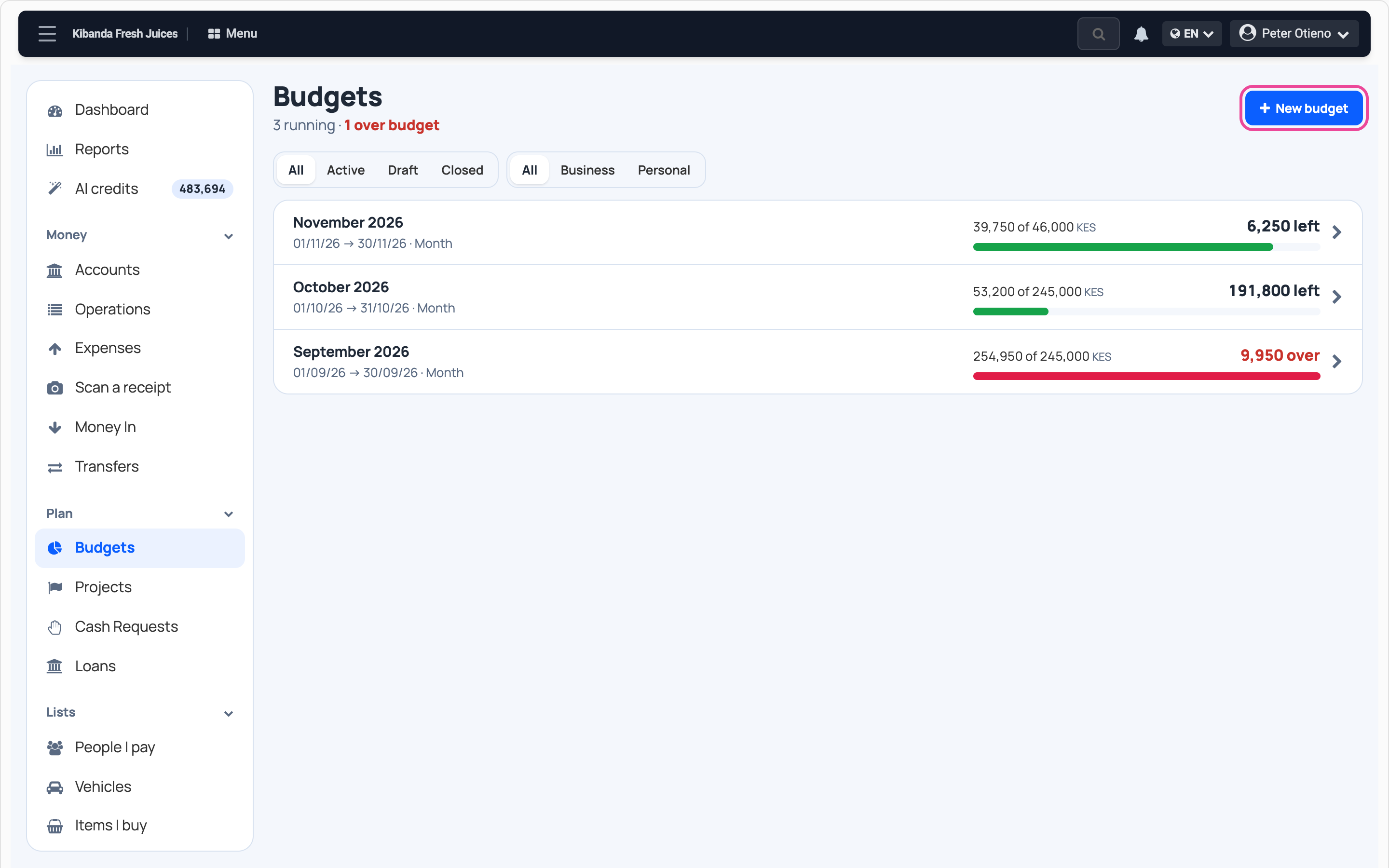
In Cash flow, open Budgets and press New budget.
-
Name and period
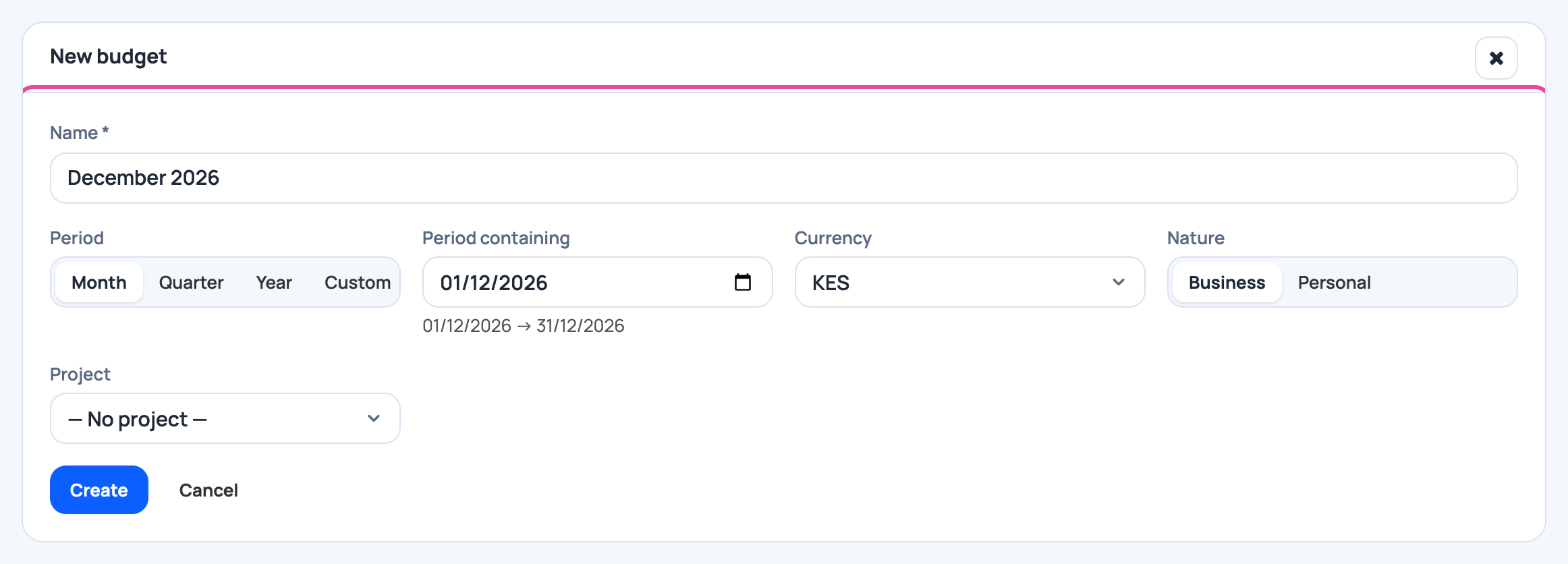
Name it, pick Month and a day in that month.
-
Create it
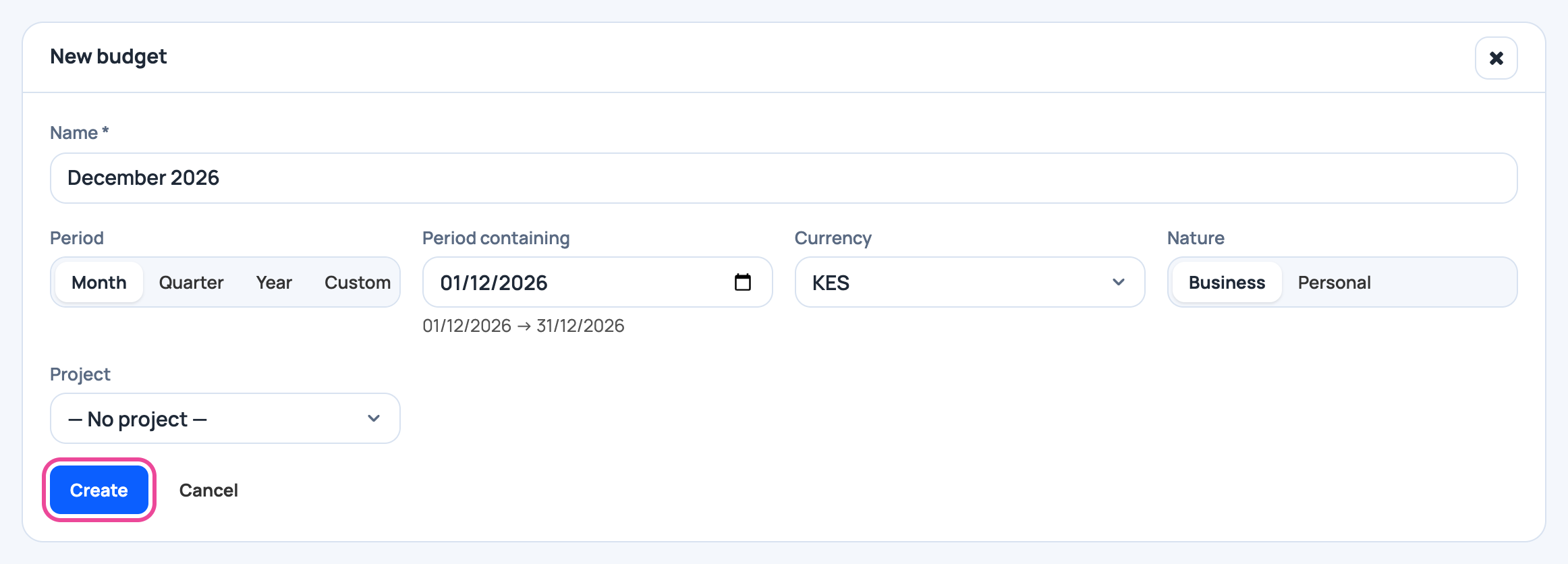
Press Create. The budget’s page opens.
-
A line
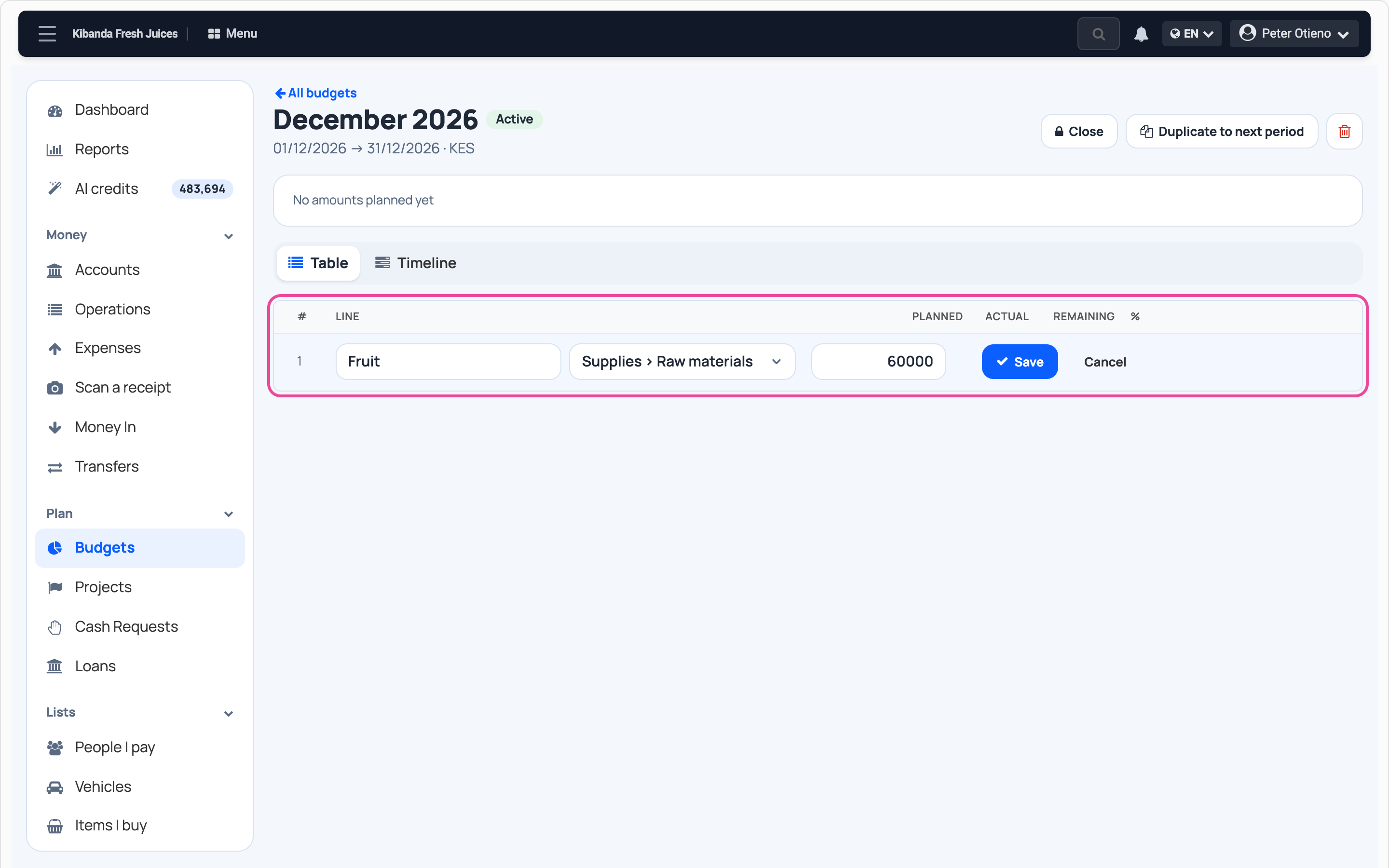
Press Add a group, type what it is for, pick its category and the amount planned. Press Save.
-
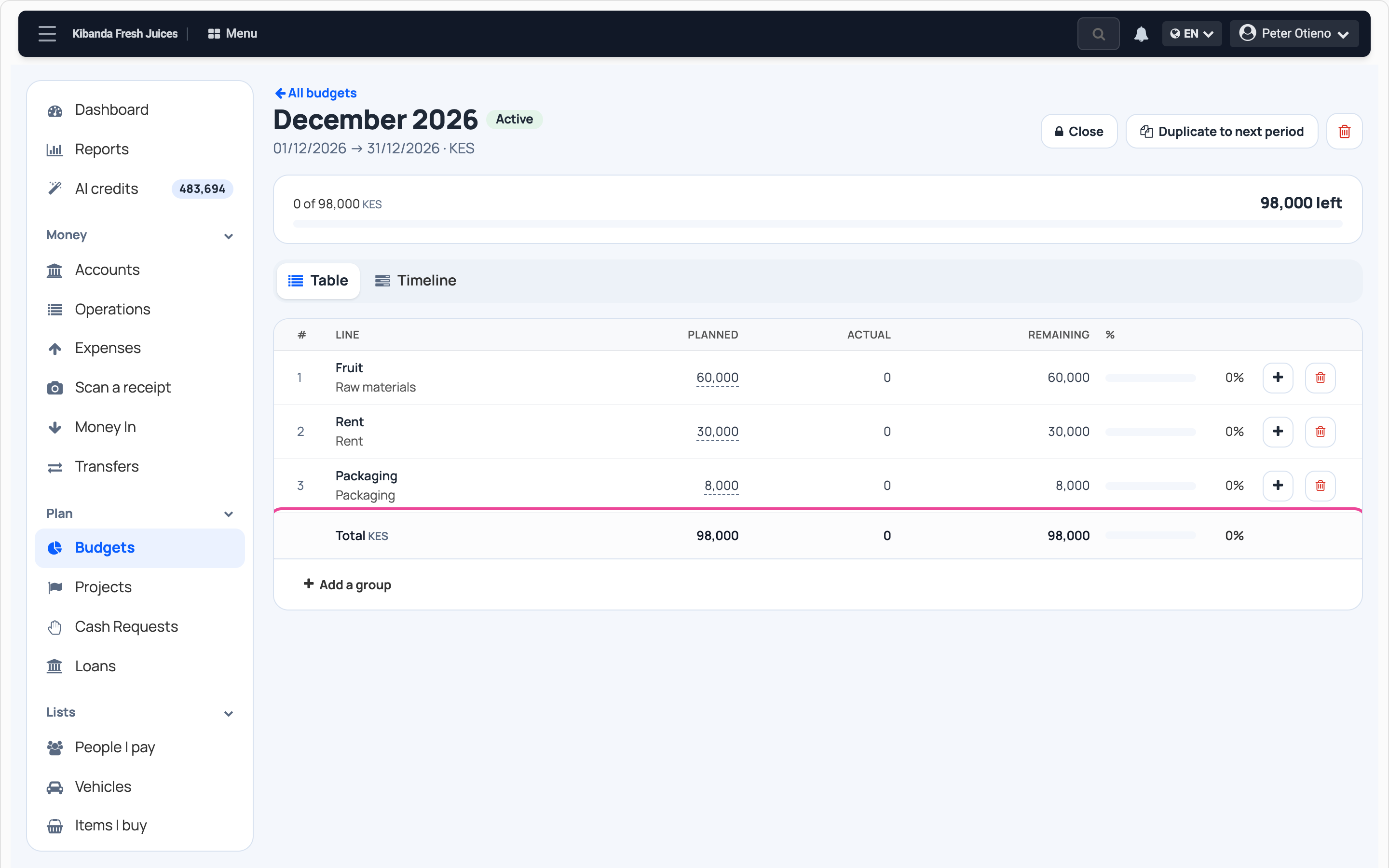
All your lines
Add a line for each big cost. The total adds up at the bottom.
-
See what is left
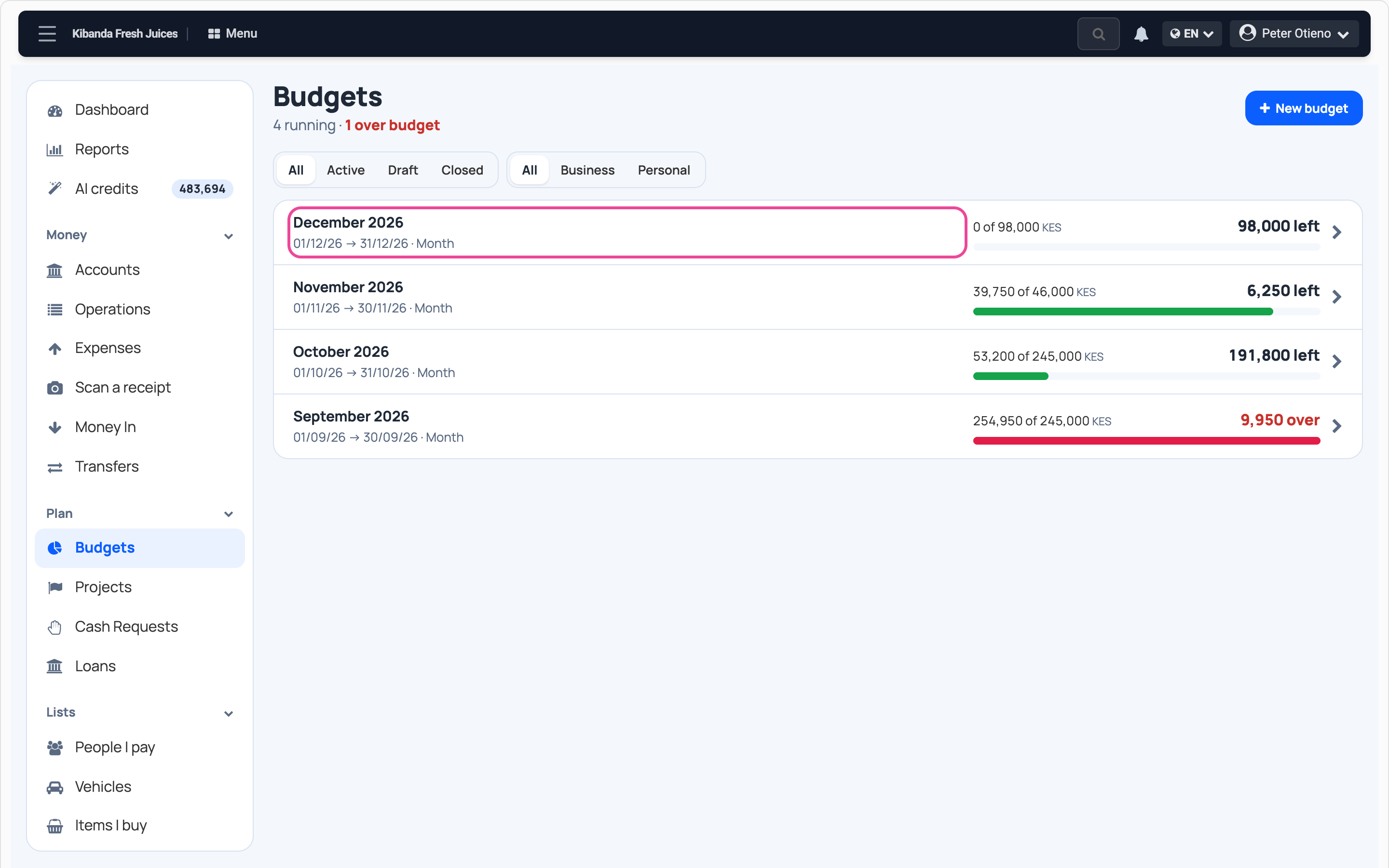
In Budgets, each one shows spent of planned. An expense in that category counts against its line.
Next step
More guides
- 1Add a money boxAdd your cash, bank or mobile money account.
- 2Record an expenseNote what you spend, with its receipt.
- 3Record money inNote sales and other money you receive.
- 4Move money between boxesCash to the bank, M-Pesa to cash, and back.
- 7Check your cash flowMoney in, money out and where it went.
- The Cash flow & expenses appCash flow & expenses
- All guidesLearn