 Aser One
Record money in
Money that comes into a box: sales, a client paying, capital you put in.
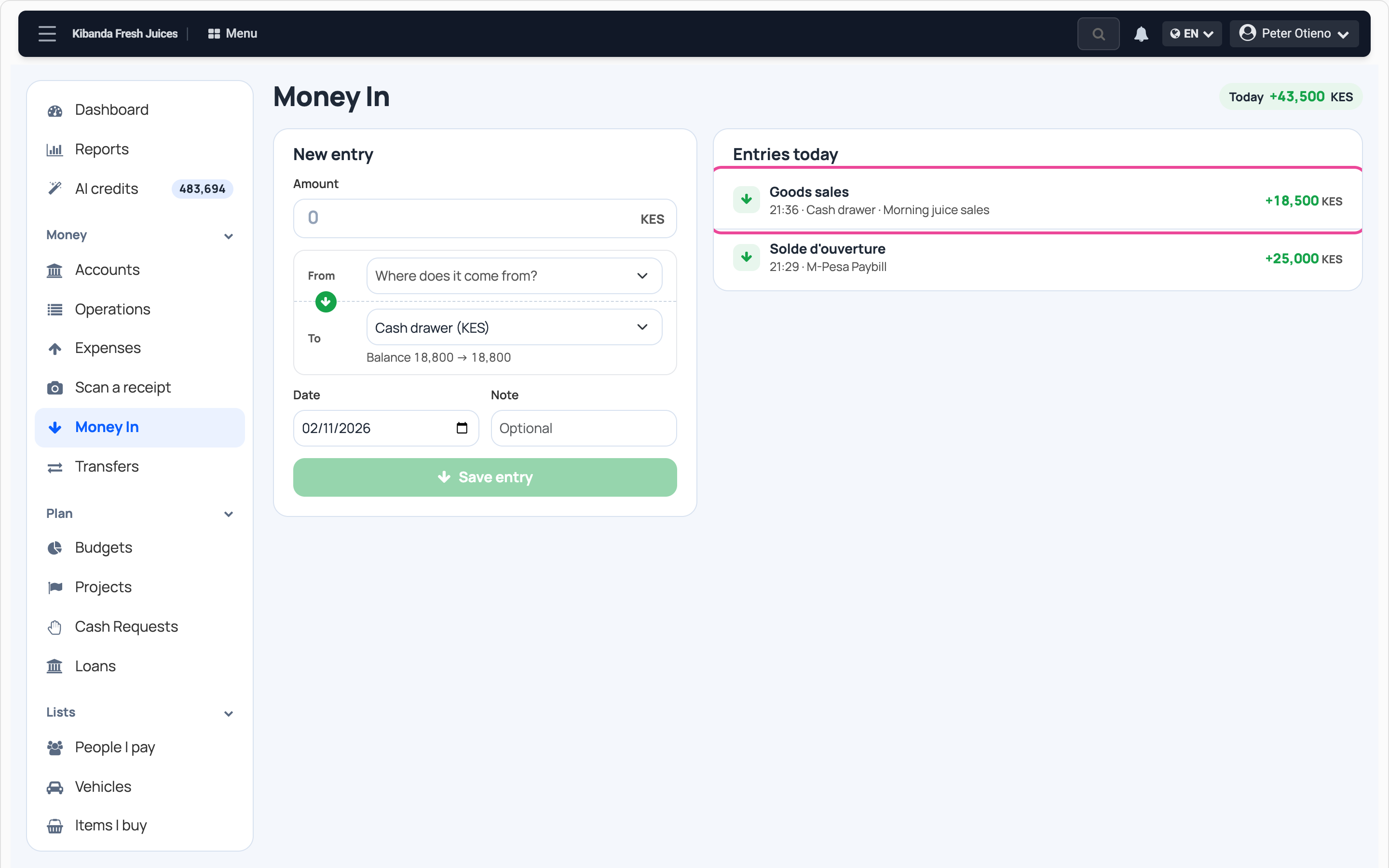
On the computer, 5 steps
Guide 3 of 7 in Cash flow & expenses
-
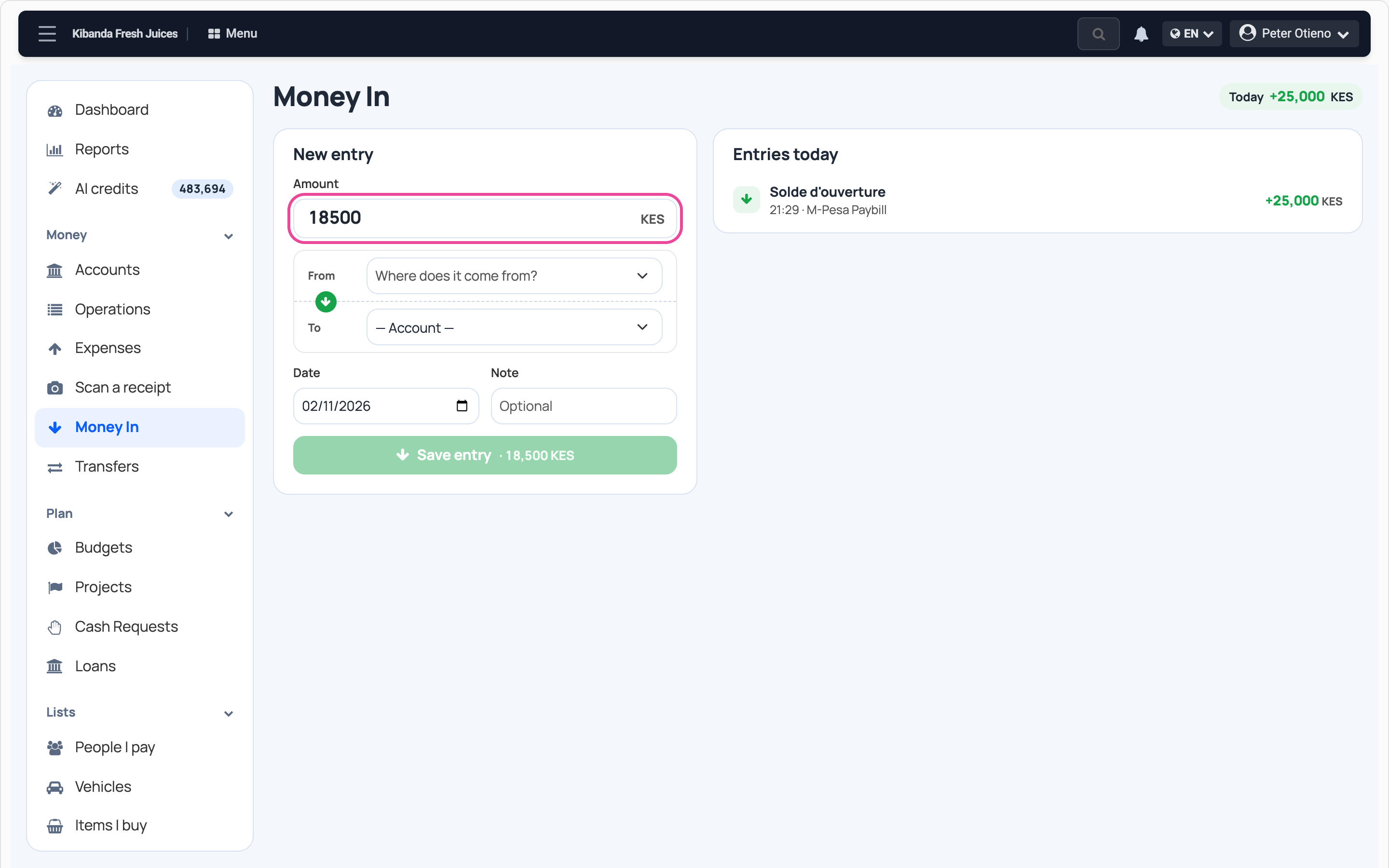
The amount
In Cash flow, open Money In and type the amount.
-
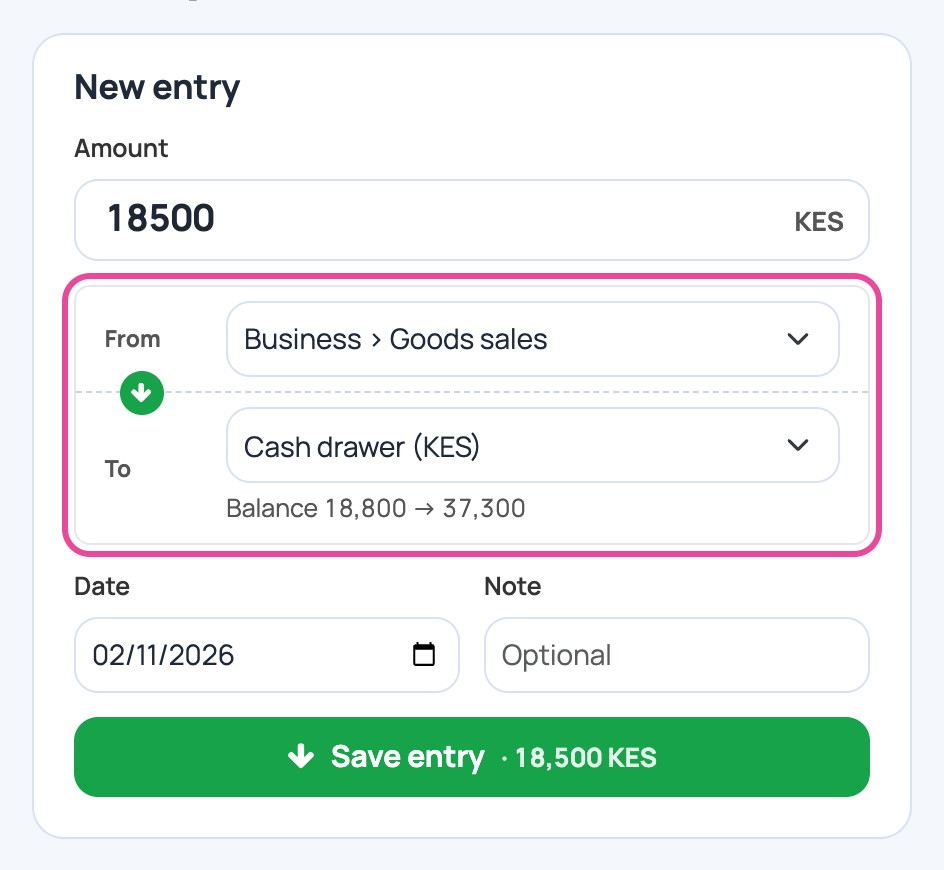
From where, into which box
Pick where it came from, like Goods sales, then the box it went into.
-
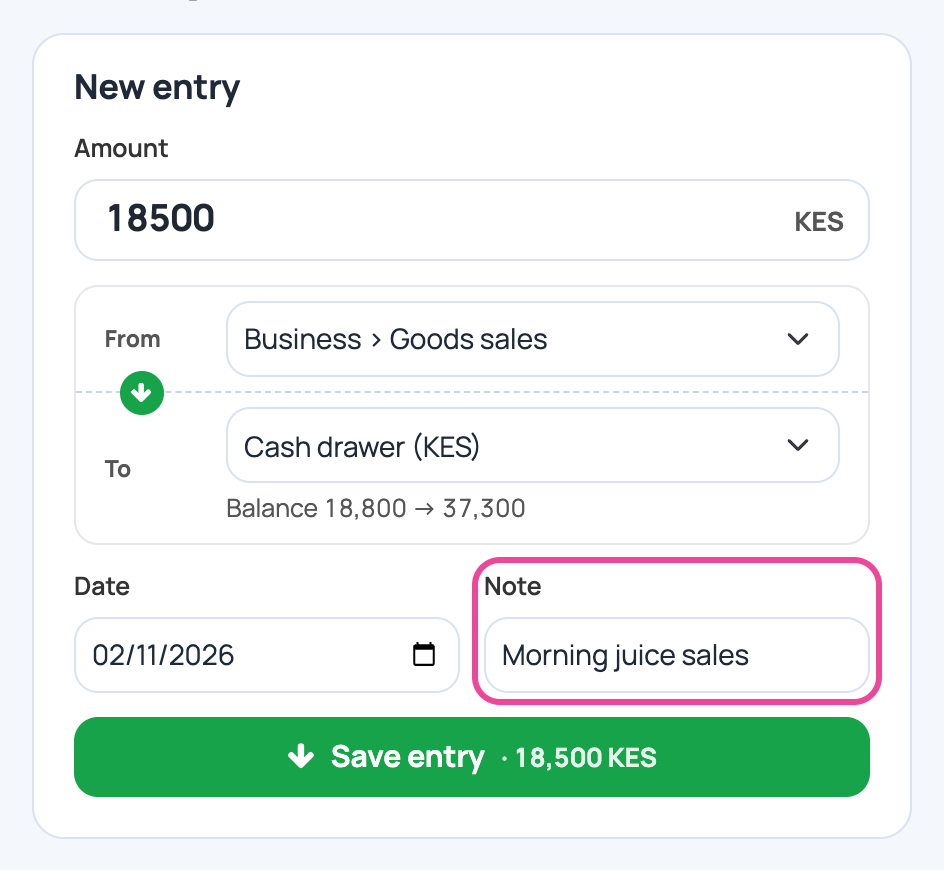
A note
Add a few words, like Morning juice sales.
-
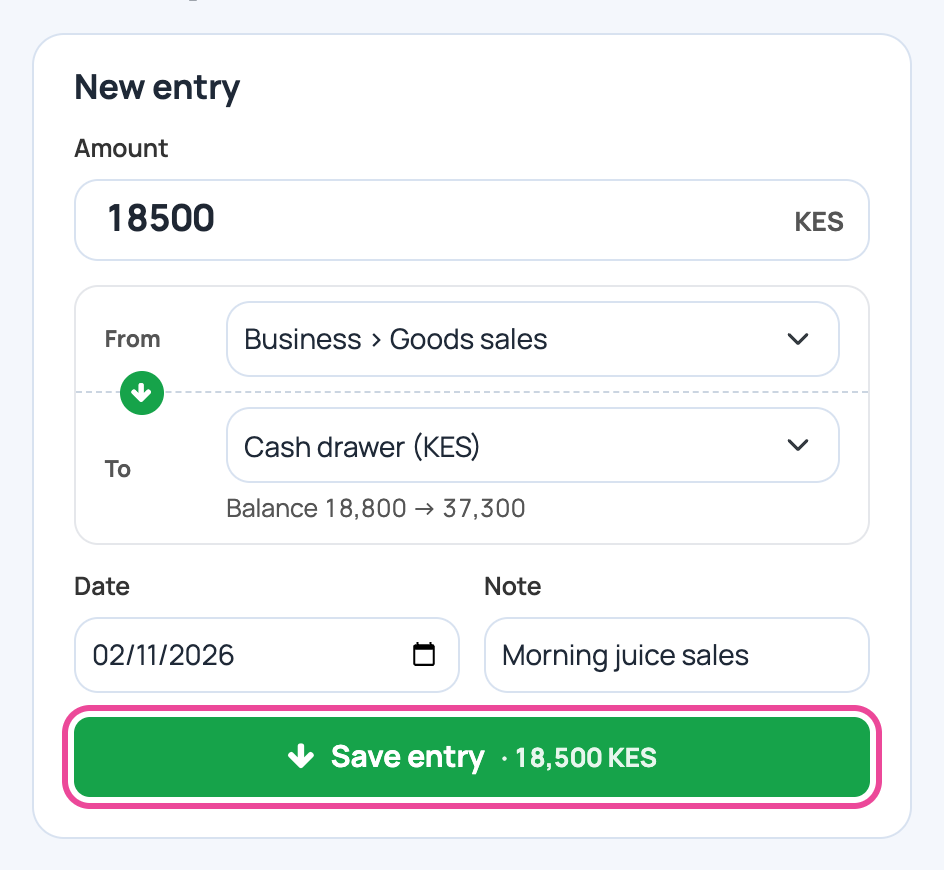
Save
Press Save entry.
-
In today’s entries
The entry is listed and the box’s balance goes up.
Next step
More guides
- 1Add a money boxAdd your cash, bank or mobile money account.
- 2Record an expenseNote what you spend, with its receipt.
- 5Plan a budgetSet a limit per line and see what is left.
- 6Send receipts to your accountantOne zip of a month’s expenses and receipts.
- 7Check your cash flowMoney in, money out and where it went.
- The Cash flow & expenses appCash flow & expenses
- All guidesLearn