 Aser One
Field campaigns
Pay your agents for work that really happened.
Give each agent tasks at named places. Their phone proves they were there. You check, then pay the list by M-Pesa.
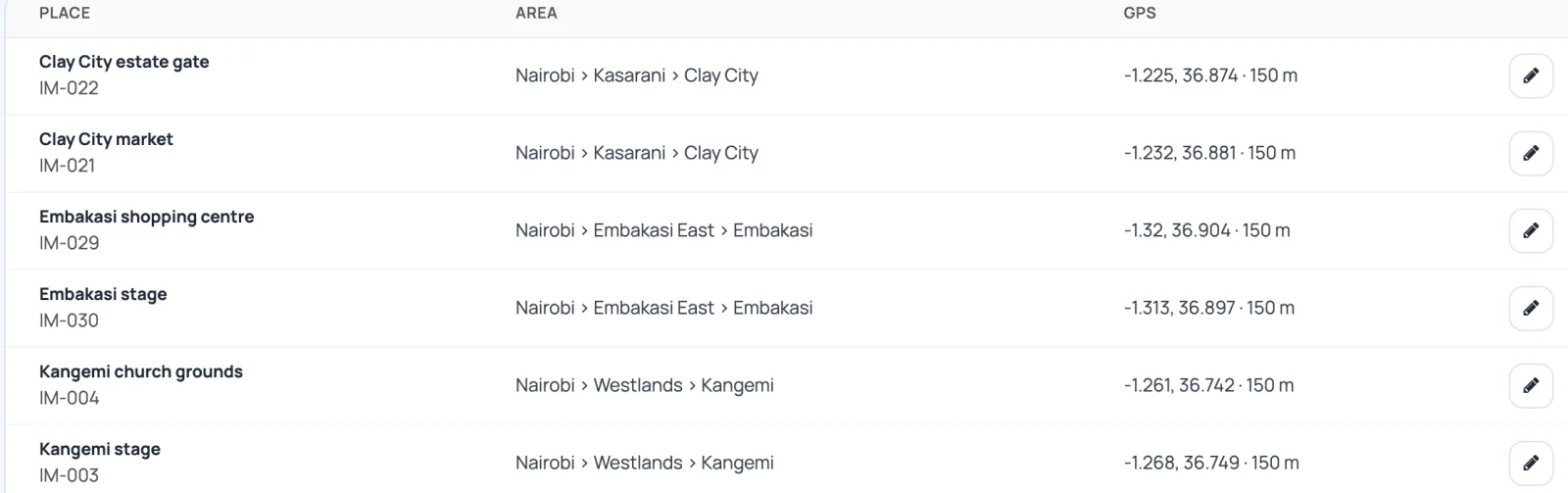
Places, ward by ward
Import polling stations, markets or estates from Excel.
- Each place has its ward and a GPS circle.
- Each activity has its rate in KES and how it is proved.
Places
Area and GPS circle for each.
Activities
Door to door, posters, rallies: your rates.

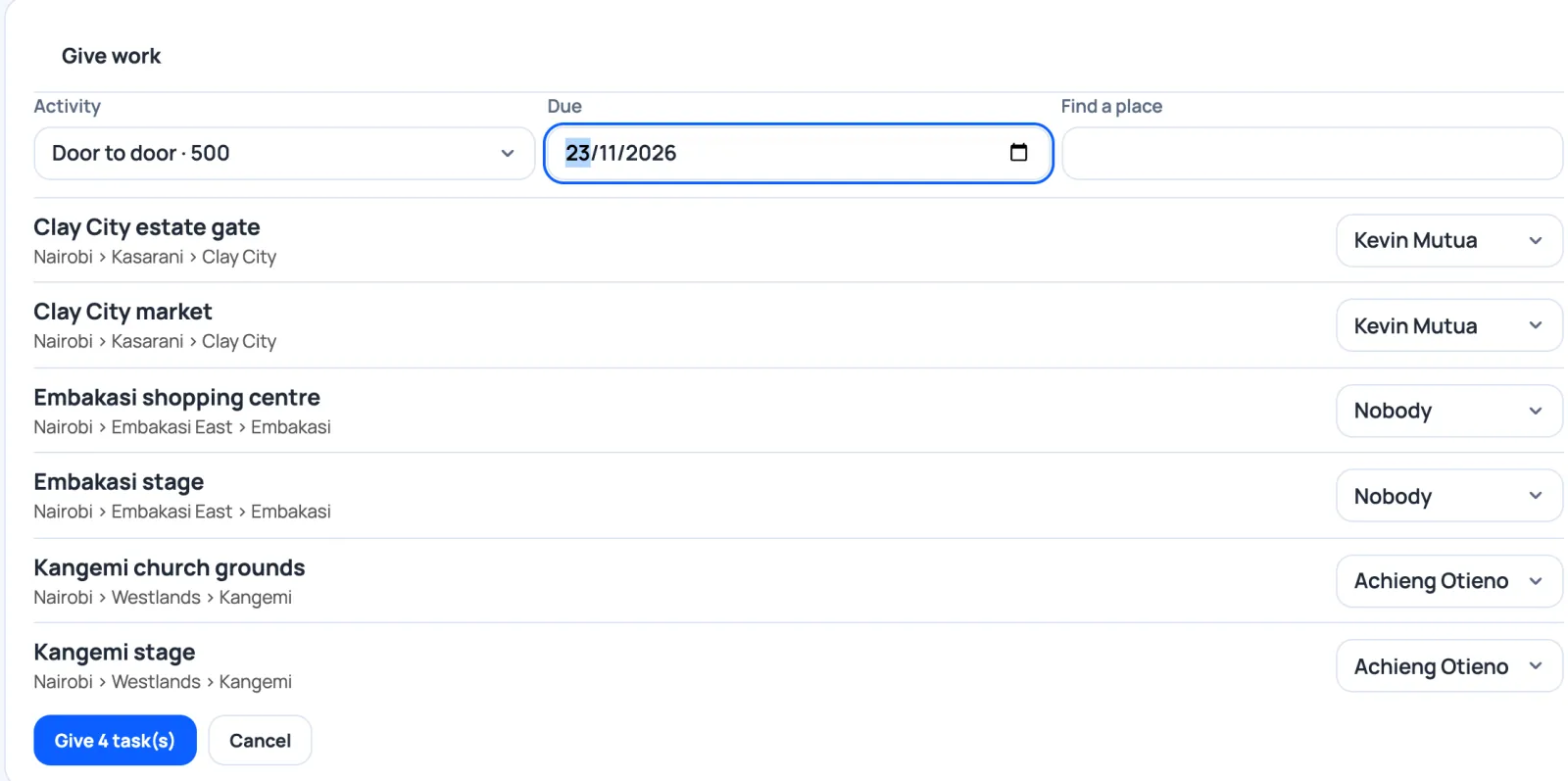
Give work, place by place
Pick the activity and the day, then an agent for each place.
- Each agent sees their list in the Aser One app.
- Any Android phone will do.
Every arrival is proved
The agent taps Arrive at the place. The phone records four things.
Their face
Checked on the phone. A friend cannot easily do the round for them.
At the place
GPS inside the place's circle. Fake-location apps are flagged.
Their own phone
Signed with a key that never leaves it.
A photo, if asked
For posters and branding, the photo comes with the arrival.
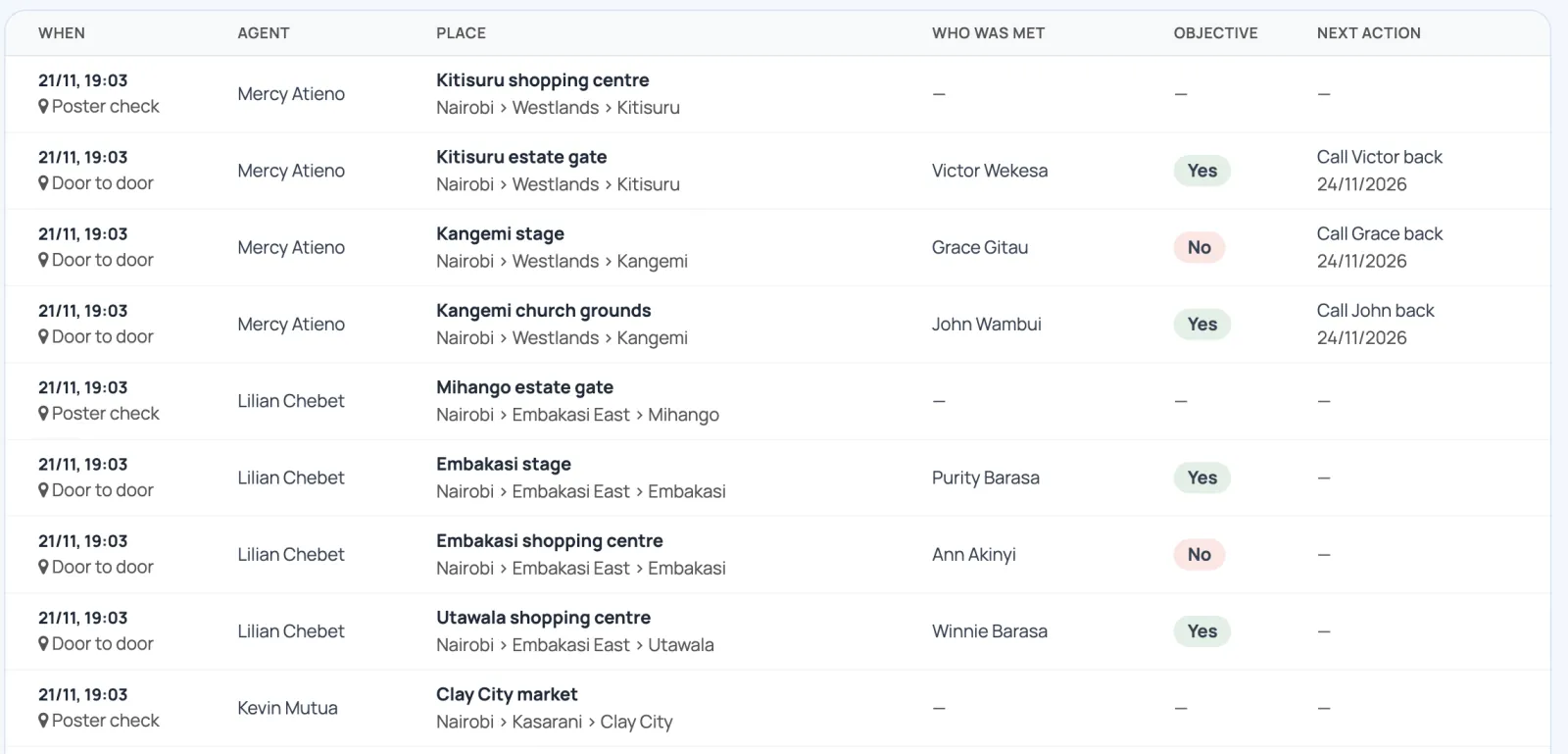
What people said, ward by ward
A short form per activity, filled in during the visit.
- You write the questions: yes/no, choices, numbers, dates, a phone.
- Who was met, objective met, and the next step as a task.
- Filter by ward, agent or answer. Export to Excel.
The campaign on a map
On the web, under Team. It refreshes every minute.
Each place by colour
To do, to check, rejected or done.
Ward by ward
Progress per area. Click to go one level down.
Each agent's last arrival
Where they last proved they were. No live tracking.
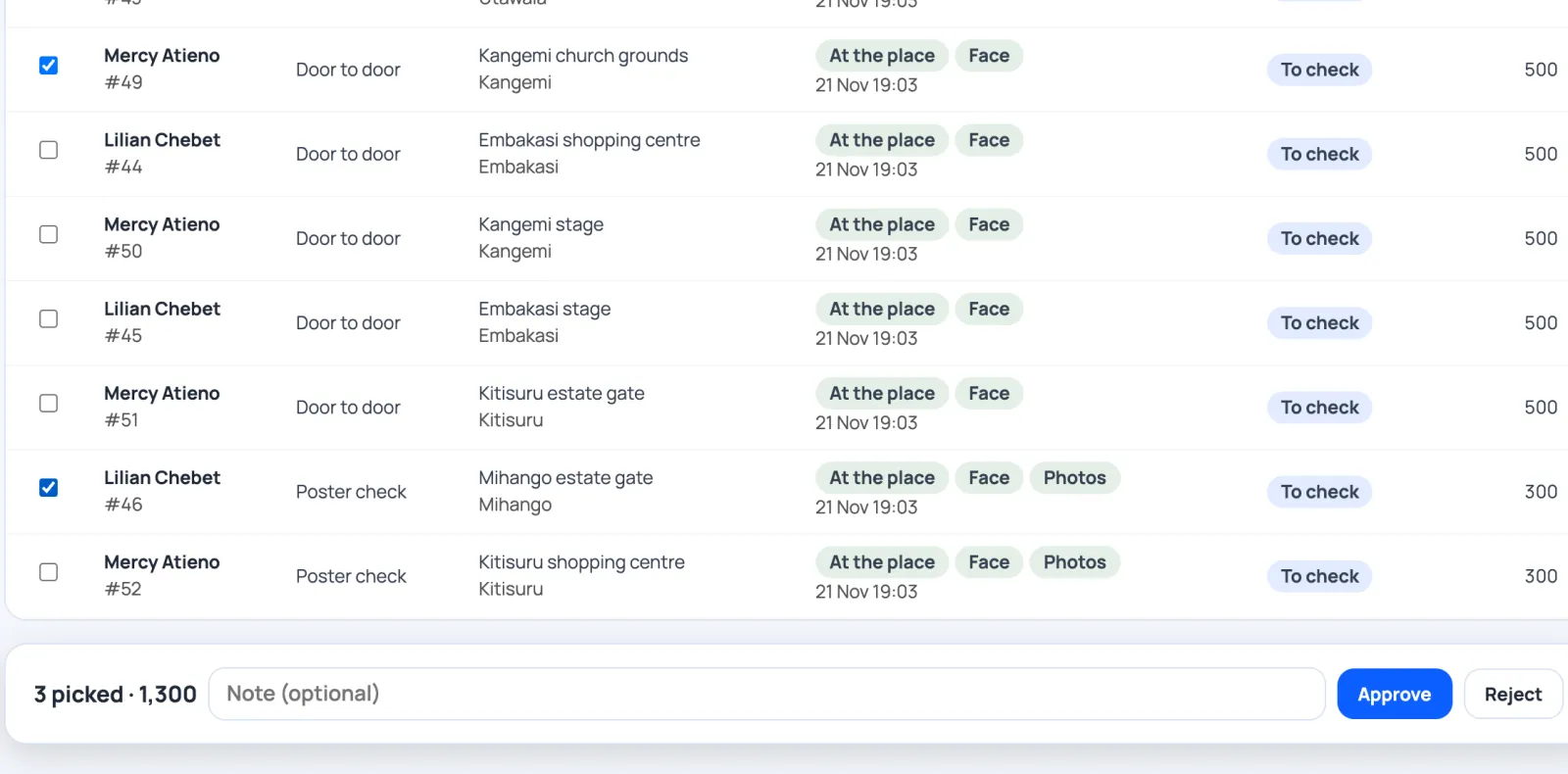
The office checks the proof
Approve what is proved. Reject the rest, with a reason.
Approve in one click
The total to pay shows as you pick.
When the proof does not hold
Rejected work never reaches the pay list.

Paid in one batch, with a trace
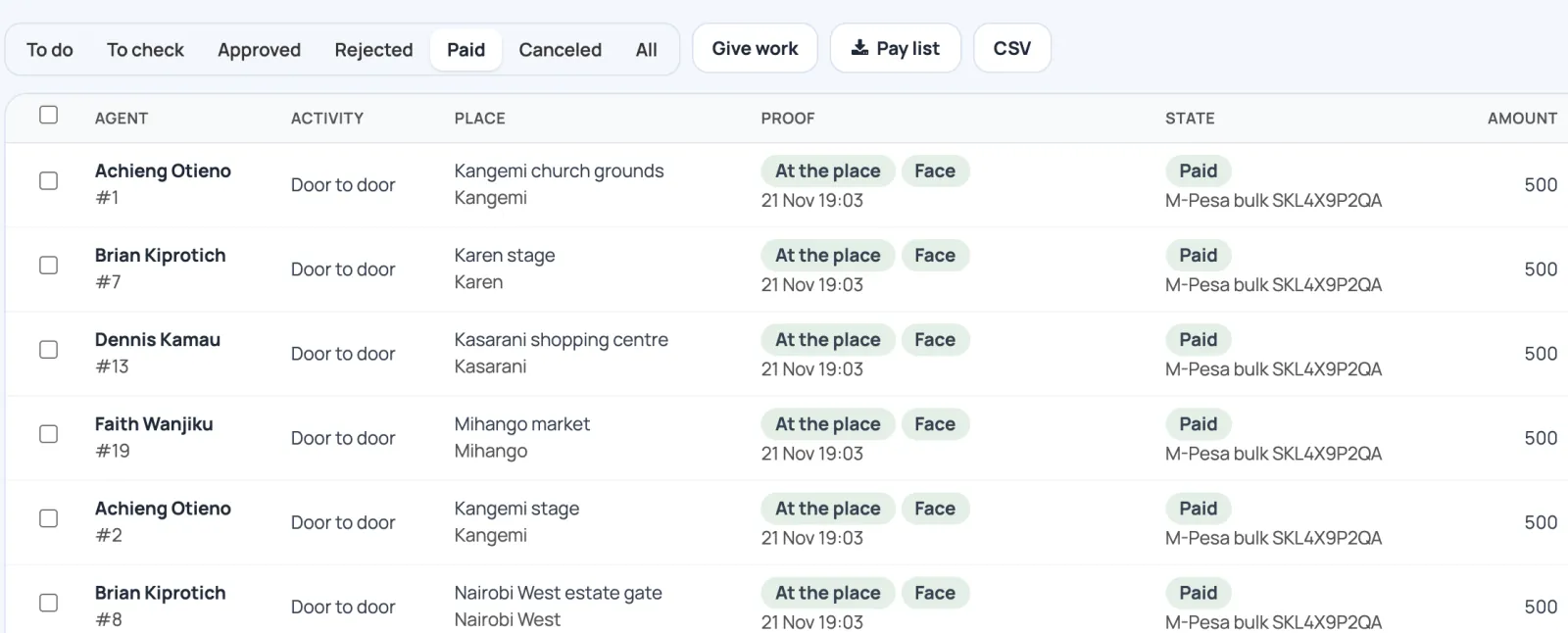
Download the pay list, pay by M-Pesa bulk, then mark it paid.
- Excel or CSV: agent, M-Pesa number, tasks, amount.
- Type the M-Pesa reference once. Every task carries it, so nothing is paid twice.
Questions
Do agents need signal at every place?
No. Once the visit has started, the report works offline and is sent when signal returns.
Do you track agents all day?
No. The position is taken when they arrive at a place.
Does Aser One send the money?
No. You pay with your M-Pesa bulk payment. Aser One prepares the list and keeps the reference.
Can we bring our own list of places?
Yes. Import it from Excel, with each place's ward.
How much does it cost?
Free for 30 days, with no payment to start. After that, contact us for a price.
See it with your own team
A 30-minute demo: we load one of your wards, give work to two agents and check it together.
- WhatsApp +254 745 748 728
- info@aser-tech.com
- Nairobi, Kenya