 Aser One
Field Service
Every job, every technician, every machine.
Field service management software for companies in Kenya that install, maintain and repair equipment.
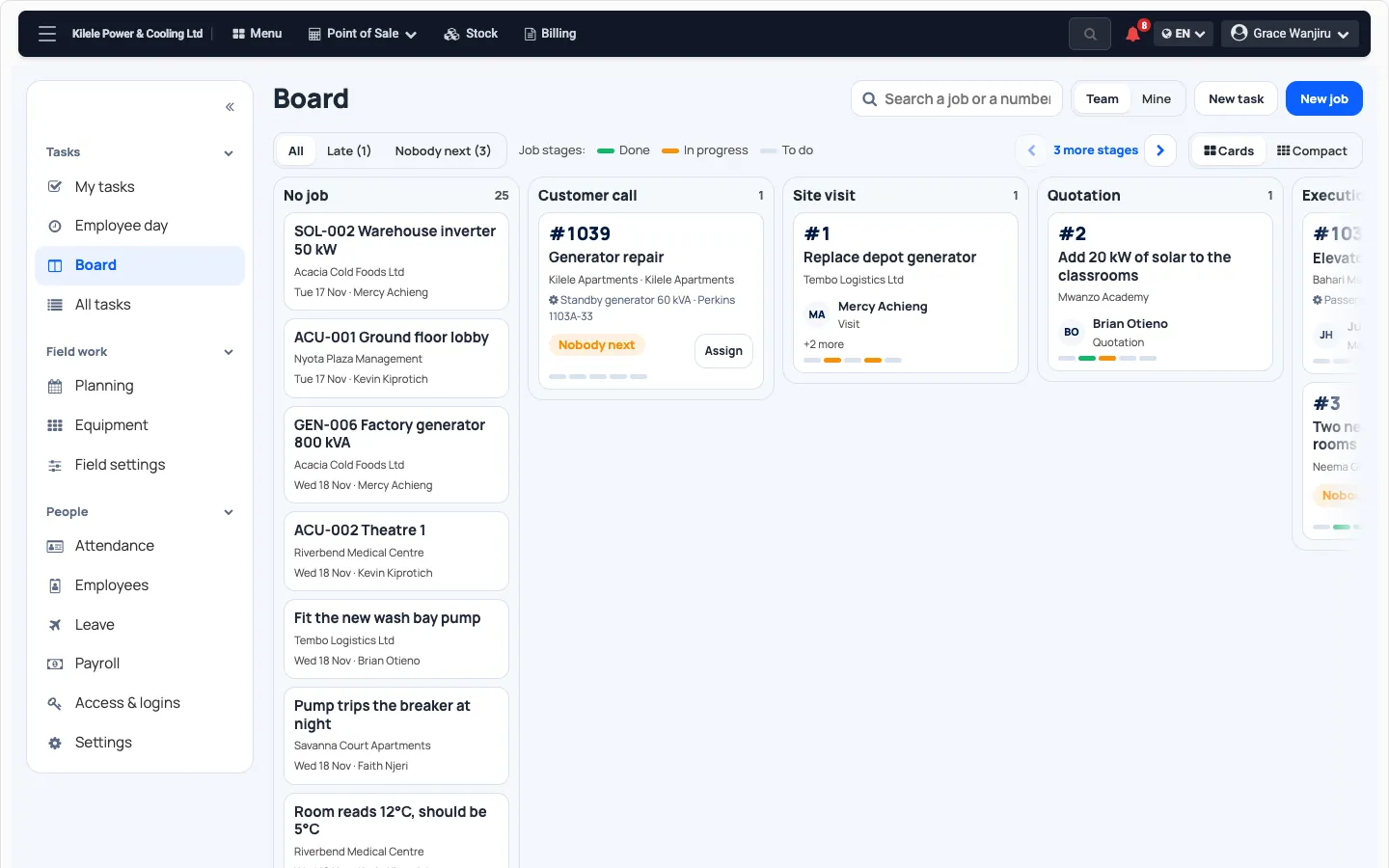
Every job, at the stage it is in
One board, from the customer’s call to the payment.
- Your own stages: name them, order them, retire them.
- A new job takes the customer, the machine and the problem. The site follows the machine.
- Late jobs, and jobs with nobody next, stand out.
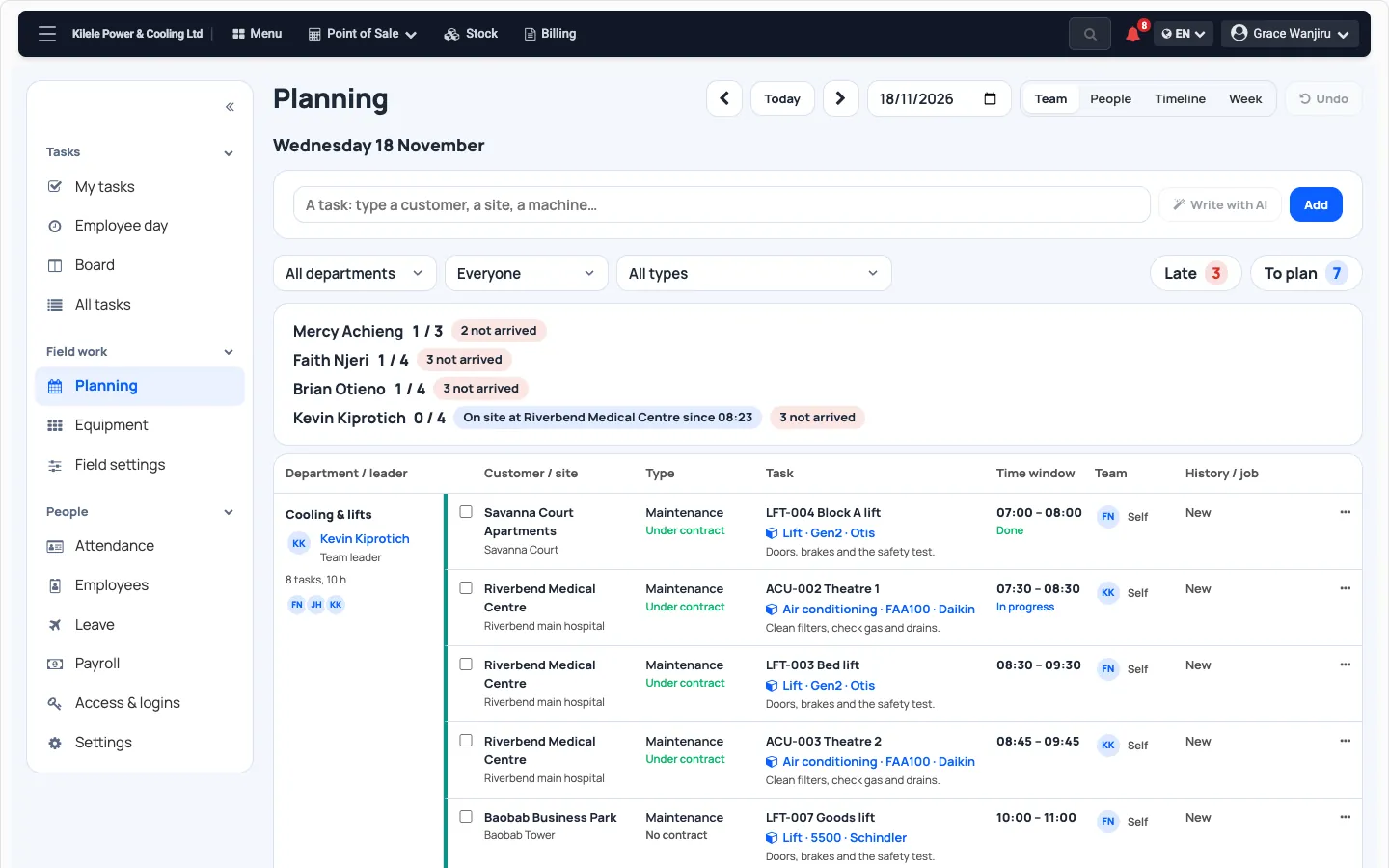
Plan the day, see who is on site
Each technician’s tasks, in time windows, team by team.
- Who has arrived, who has not, and who is on site where.
- Type a task in a few words. Aser fills in the fields for you to check.
- Postpone a task: the new day is planned, the old one stays in the history.
- Plan a maintenance round over several machines in one step.
Your jobs on a map
On the web, under Team. It refreshes every minute.
Each site by colour
To do or done, at a glance.
Area by area
Progress per area. Click to go one level down.
Each technician's last check-in
Where they last arrived or clocked in. No live tracking.
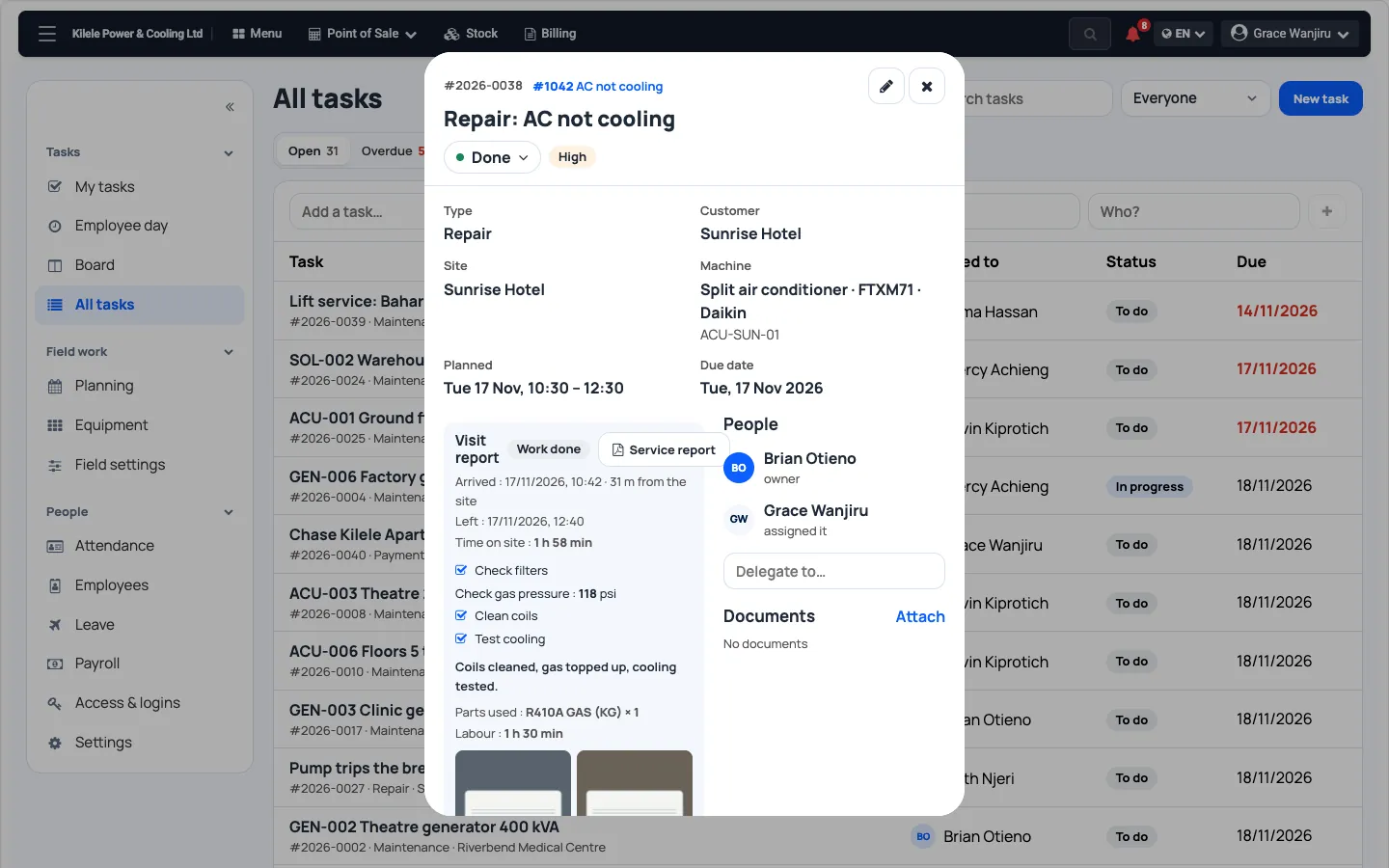
The visit report, filed from the site
The technician’s phone shows their day. They arrive, check the machine, and leave.
- Arrival and departure, with the position at each. Nothing is tracked in between.
- The machine’s checklist and readings, a note, before and after photos, a signature.
- Parts used and labour time. Time on site is counted for you.
- No signal? Each step waits on the phone and goes when it can.
- A service report PDF, ready to share.
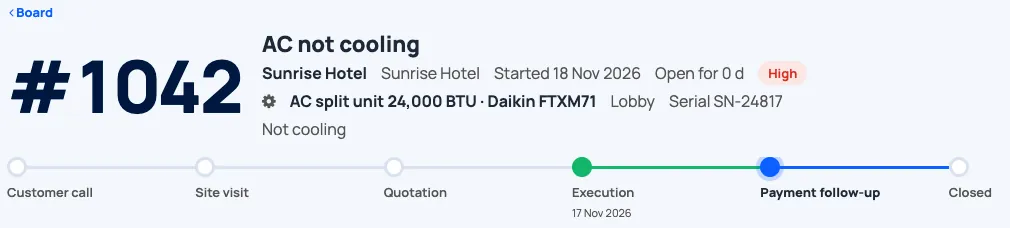
One job, from the call to the payment
Each job shows its stage, who holds it and who is next.
- Whoever finishes a task says what they did and who is next.
- Quotation, stock request, purchase order and invoice are linked to the job.
- The stage moves on as those records move.
Invoice the work that was done
The job’s invoice is drafted from its filed visits.
- One call-out per visit, labour to the quarter hour, the parts used.
- A service contract lists what it includes. The rest is billable.
- One invoice per job, linked to it. The payment follow-up stays on the job.
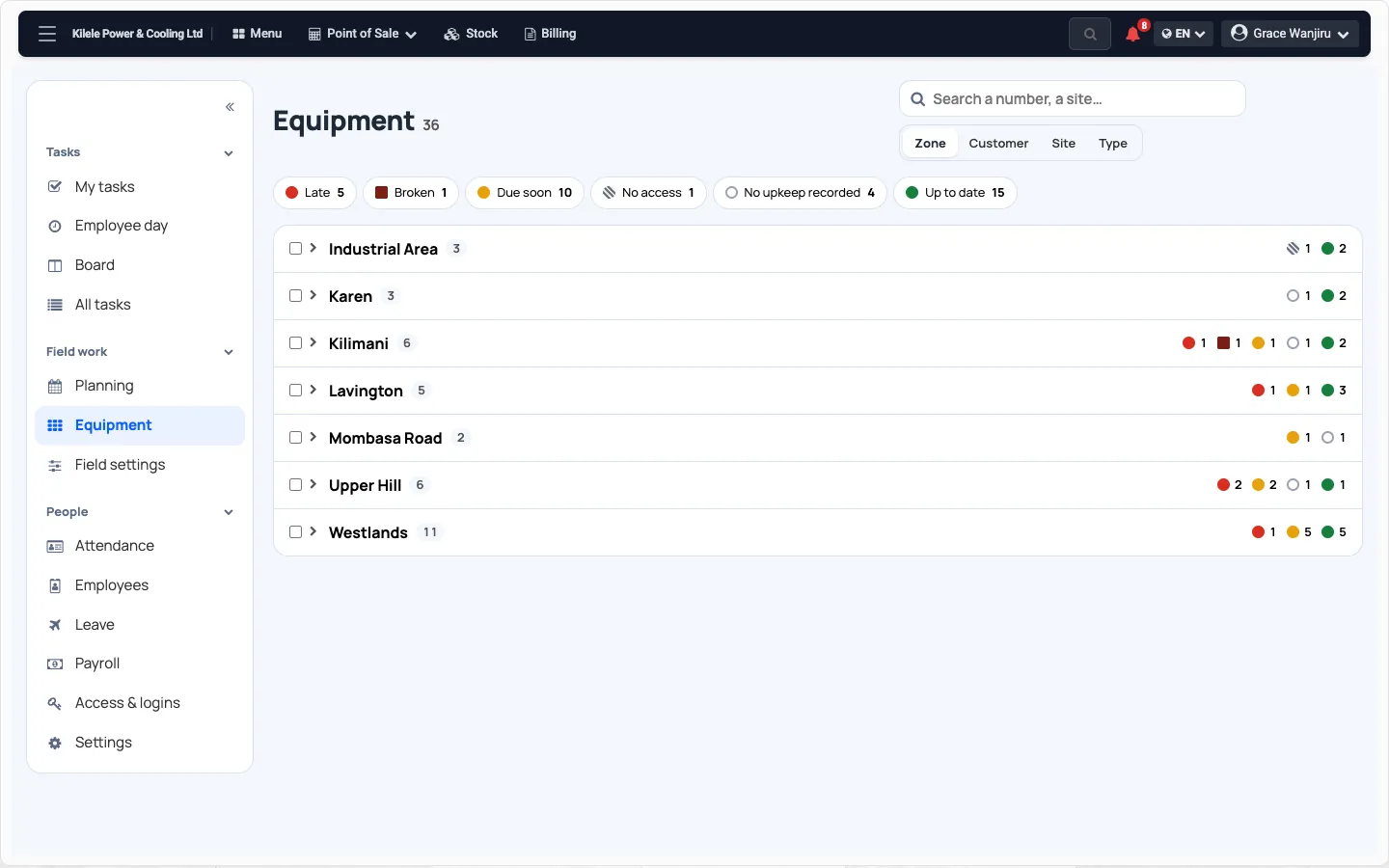
Every machine you look after
A register by zone, customer, site or type, coloured by upkeep.
- Bring your machine list from Excel. An empty cell never erases.
- Machines you sell join the register from the invoice.
- A maintenance visit moves the next due date.
Upkeep at a glance
Late, broken, due soon, no access, up to date.
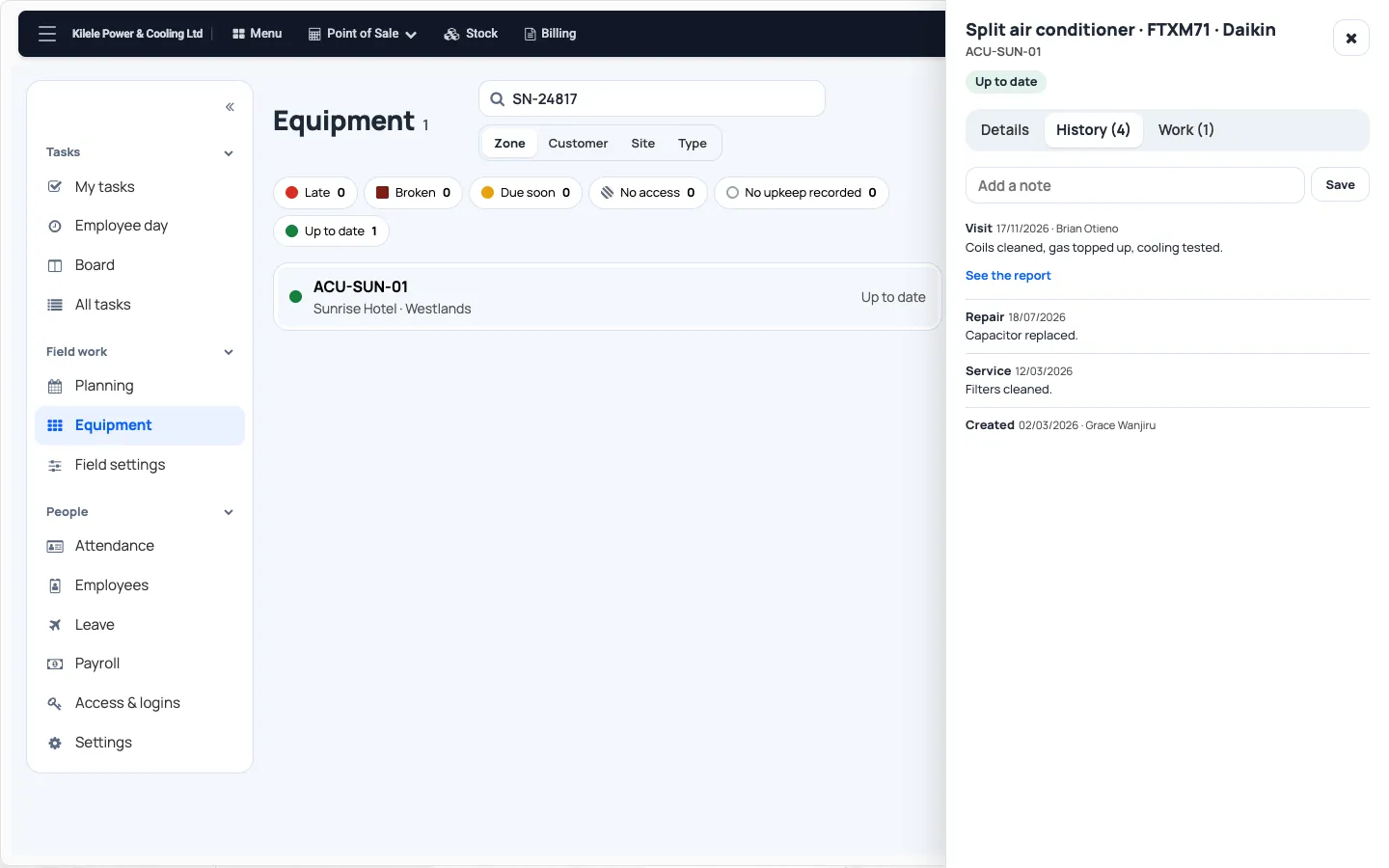
Each machine’s history
Every visit, repair and service, with its report.
Questions
Does it work without signal?
Yes. The phone keeps each step and sends it when signal returns.
Can we use our own job stages?
Yes. Name, order and retire your own stages.
Do you track technicians all day?
No. Their position is taken at arrival and at departure only.
Can we bring our machine list?
Yes. Import it from Excel, with its past work.
Do service contracts bill themselves?
No. A contract says what is included. You decide when to invoice.
How much does it cost?
Free for 30 days, with no payment to start. After that, contact us for a price.
See Field Service on your own jobs
Tell us what you install, maintain or repair. A person answers.
- WhatsApp +254 745 748 728
- info@aser-tech.com
- Nairobi, Kenya