 Aser One
Schools
Know which teachers and pupils are in, and since when.
A tablet at the gate or the classroom door recognises each person. Teachers clock in and out; pupils are marked present, class by class.
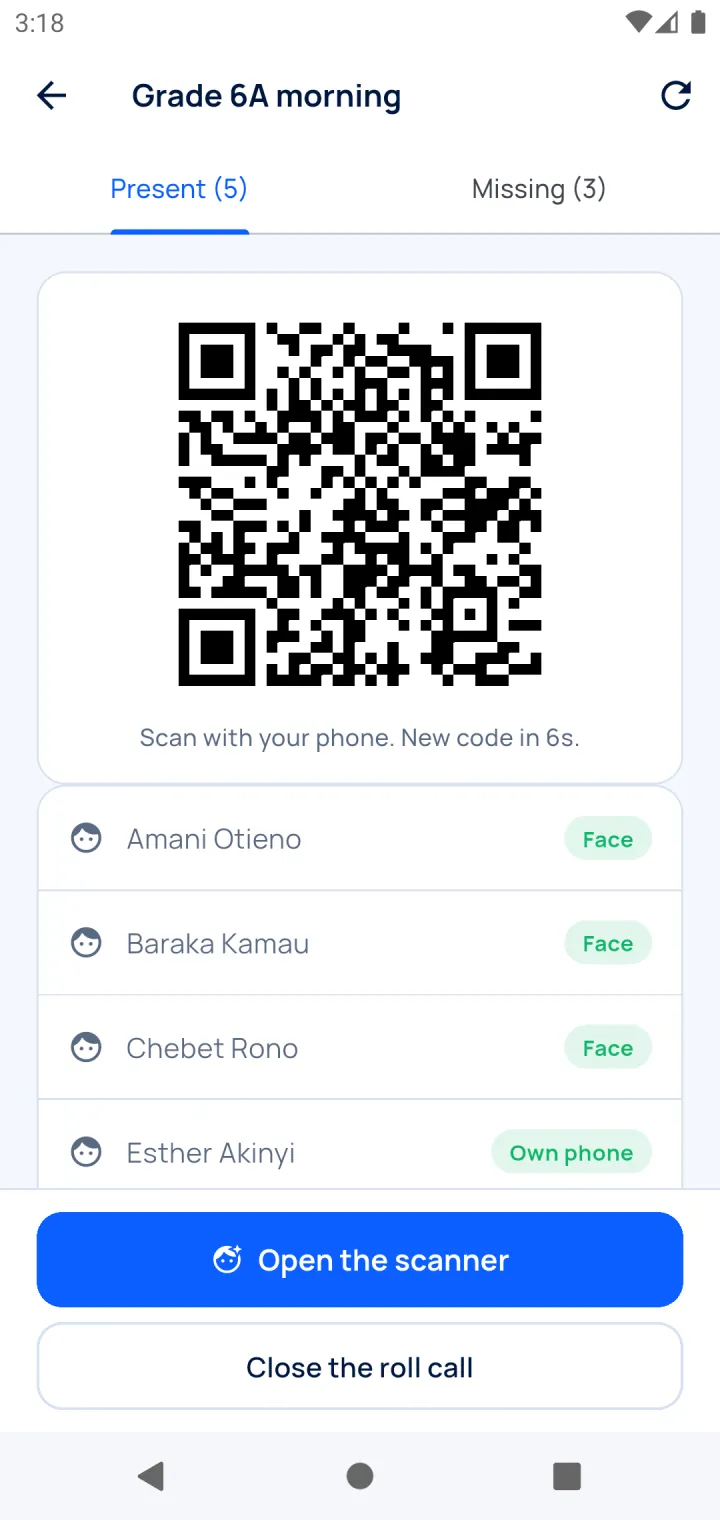
A roll call in three screens
For any class, trip or exam room.
-
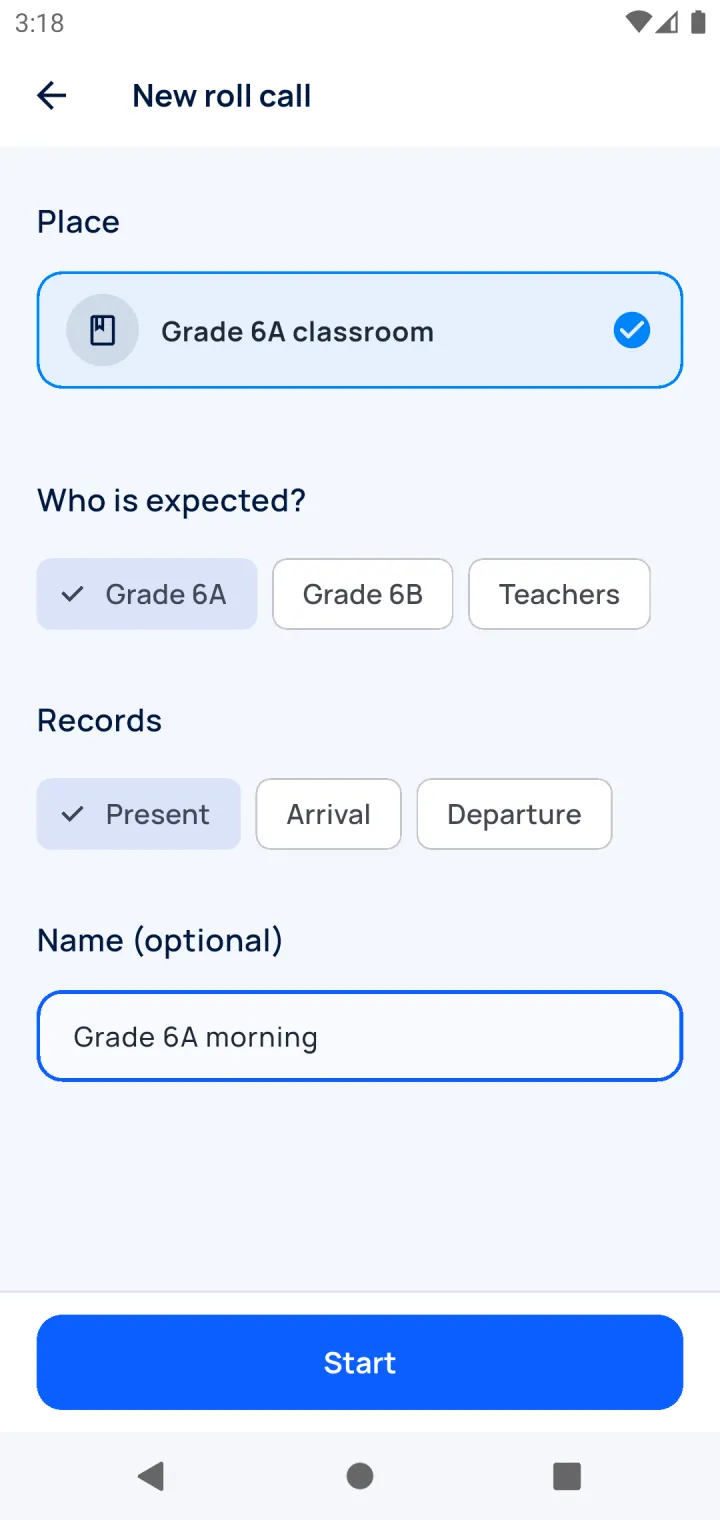
Start the roll call
Pick the class. The tablet expects its pupils.
-
Pupils look at the tablet
A second each, to the minute.
-
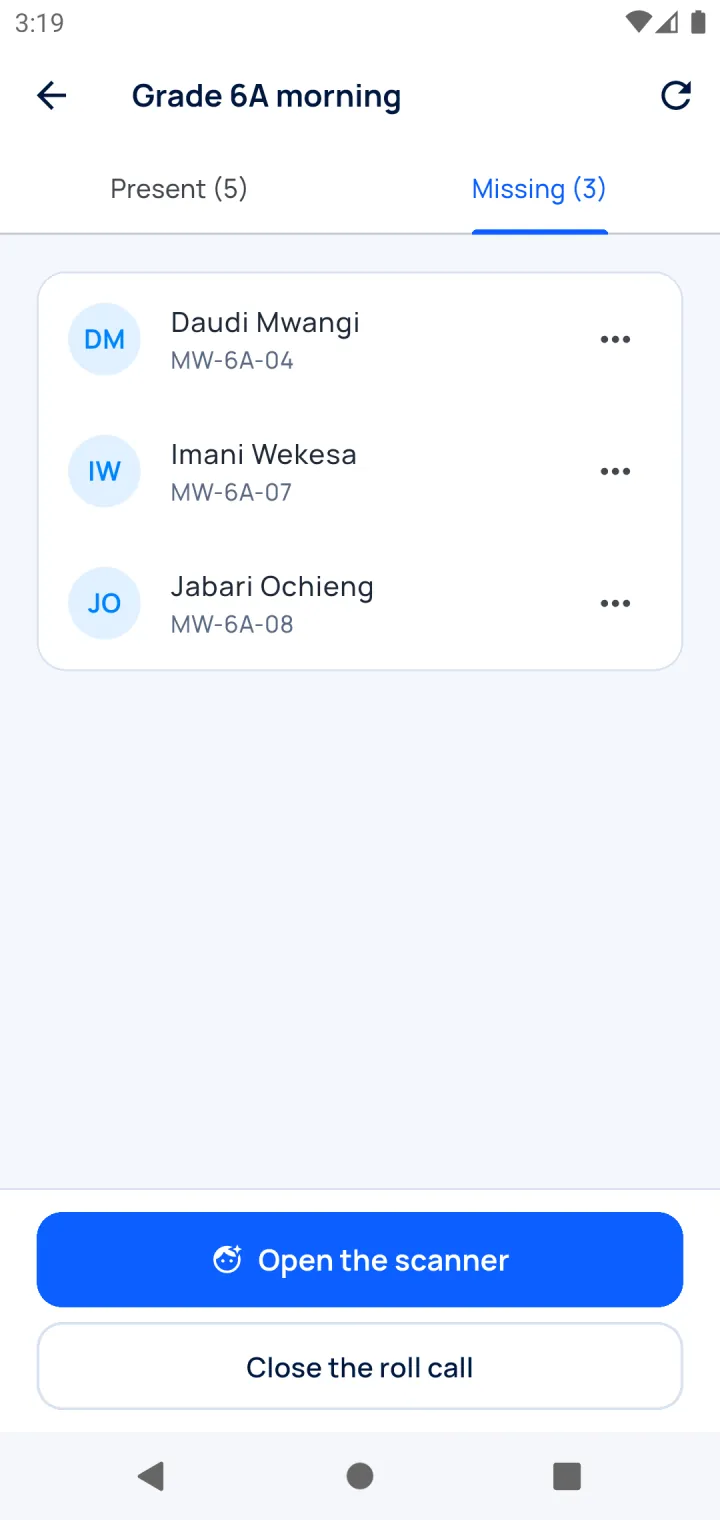
See who is missing
Mark sick or excused, then close it.
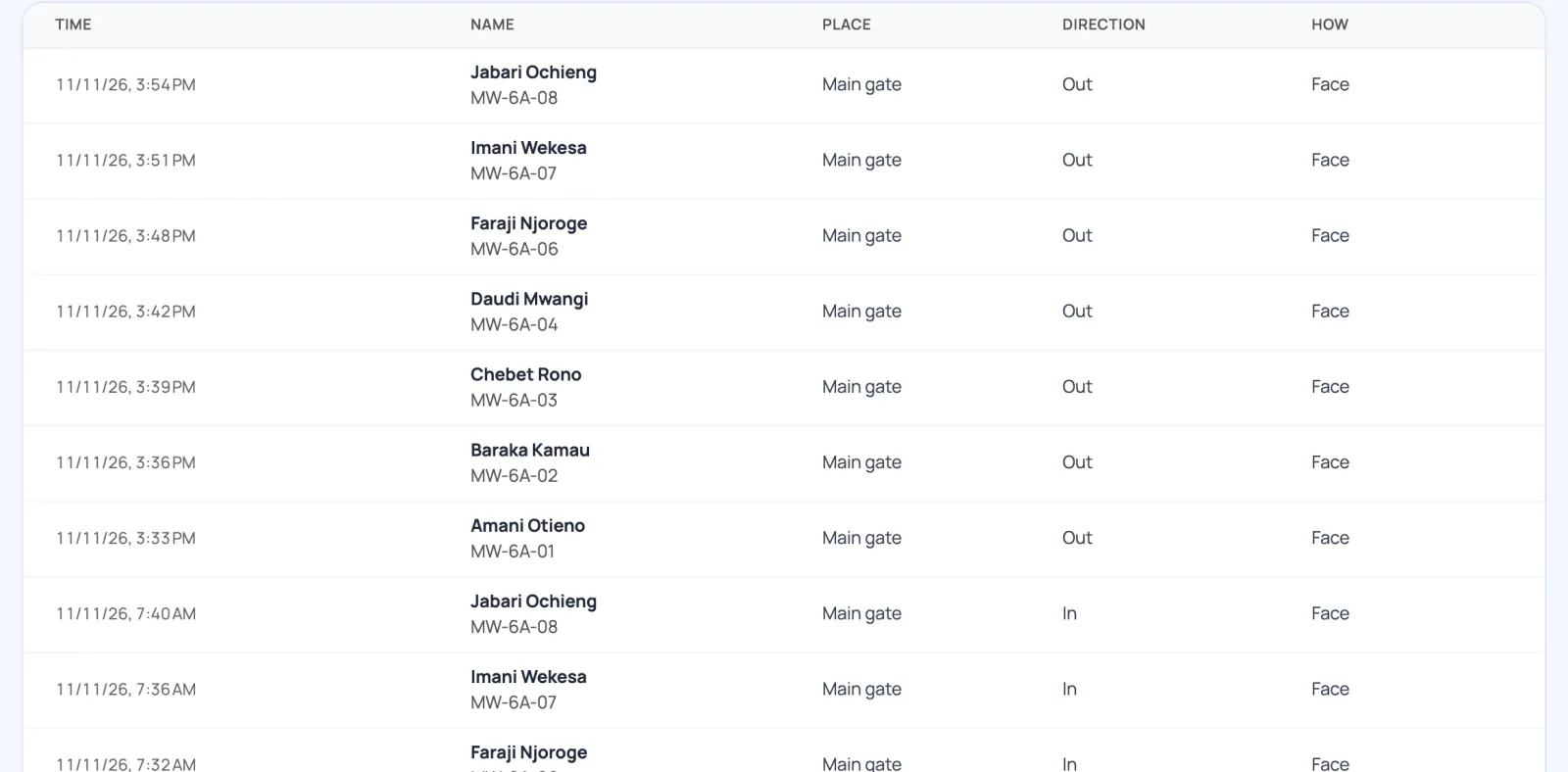
The main gate, as the office sees it
Every arrival and departure, with the time and how it was checked.
- Teachers' hours, ready for pay.
- Pupils present or missing, per class and per day.
- Export to Excel.
Children's faces, handled with care
Consent comes first. A photo is never kept.
Consent first
No face is added before a parent's consent is recorded.
A code, never a photo
Only an encrypted face code is kept.
Withdrawn means deleted
Consent withdrawn: the face is deleted from every device.
No face on file
The pupil types their ID number instead.
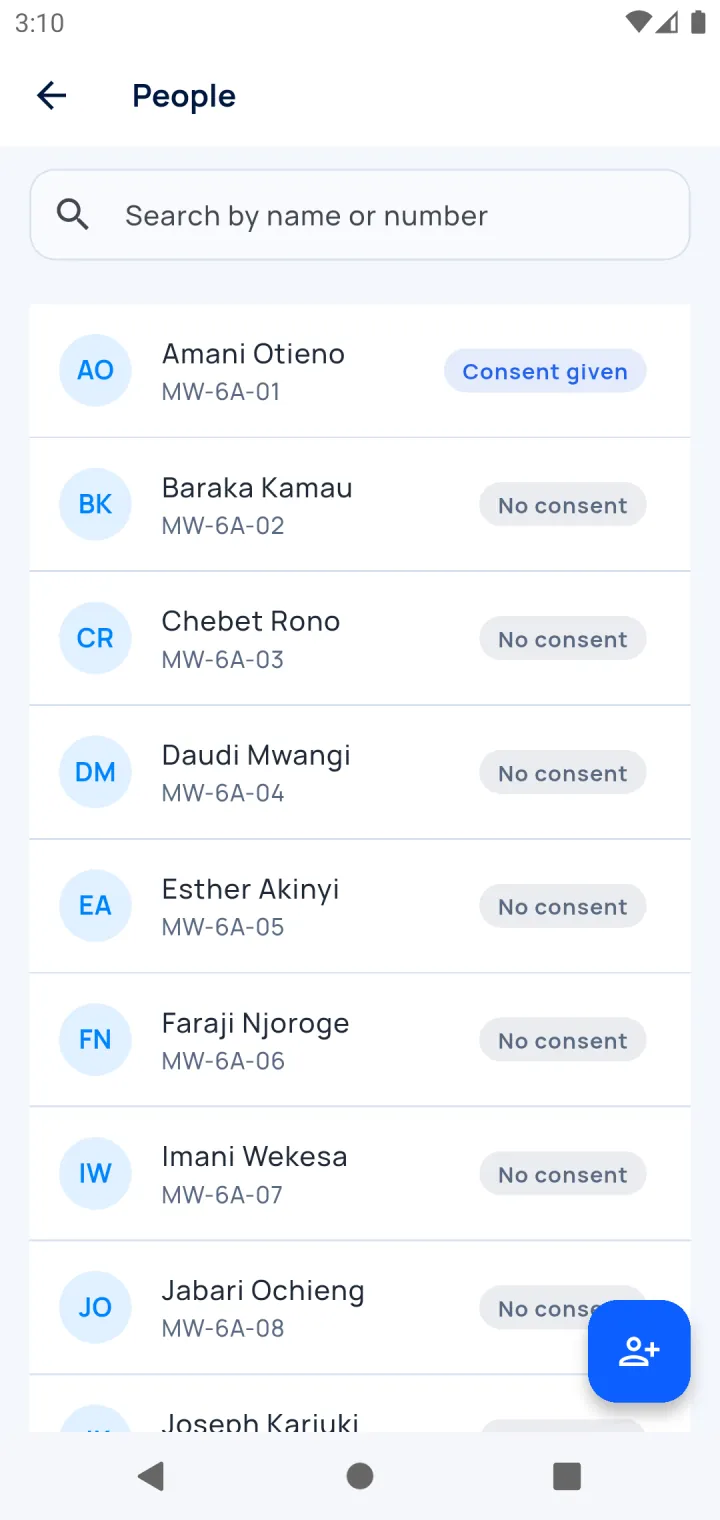
Running in one afternoon
No server at the school. A phone or tablet is enough.
- Import class lists from a file: teachers in one group, pupils by class.
- Record each consent, then add each face once: about a minute per person.
- Put a tablet at the door. A staff PIN keeps pupils out of the settings.
Questions
Does it work without internet?
Yes. It records offline and sends when the network is back.
Which devices do we need?
Any Android phone or tablet with a front camera.
Can teachers use their own phone?
Yes. Teachers can clock in on their own phone too.
Do you keep photos of the children?
No. An encrypted face code, and only after a parent's consent.
How much does it cost?
Free for 30 days, with no payment to start. After that, contact us for a price.
See it work with one of your classes
A 30-minute demo at your school: we enrol a few volunteers and run a real roll call.
- WhatsApp +254 745 748 728
- info@aser-tech.com
- Nairobi, Kenya