Aser One
Add an employee
A person on your payroll, with their job, salary and tax numbers.
On the computer, 7 steps
Guide 1 of 6 in People & payroll
-
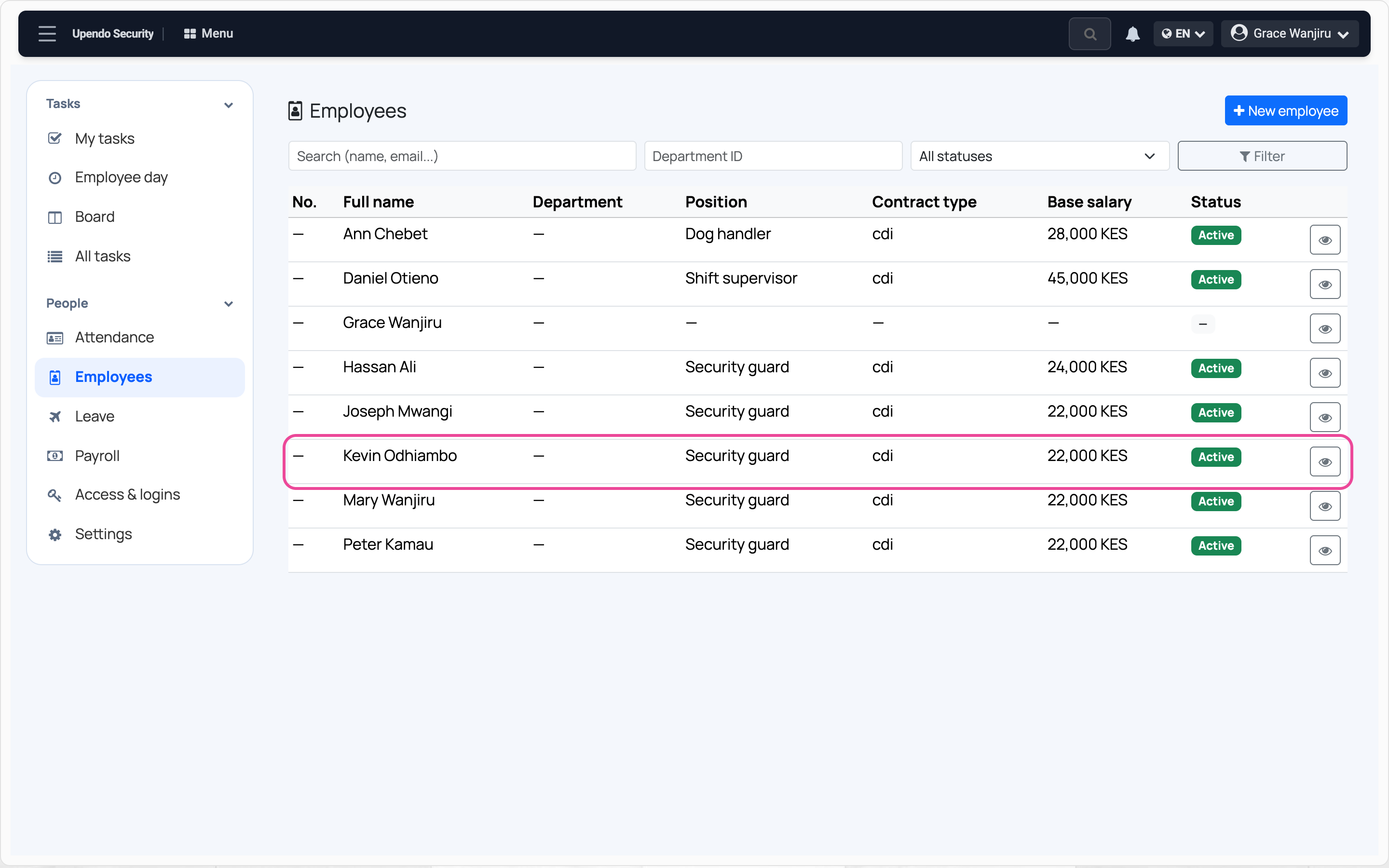
Open the employees
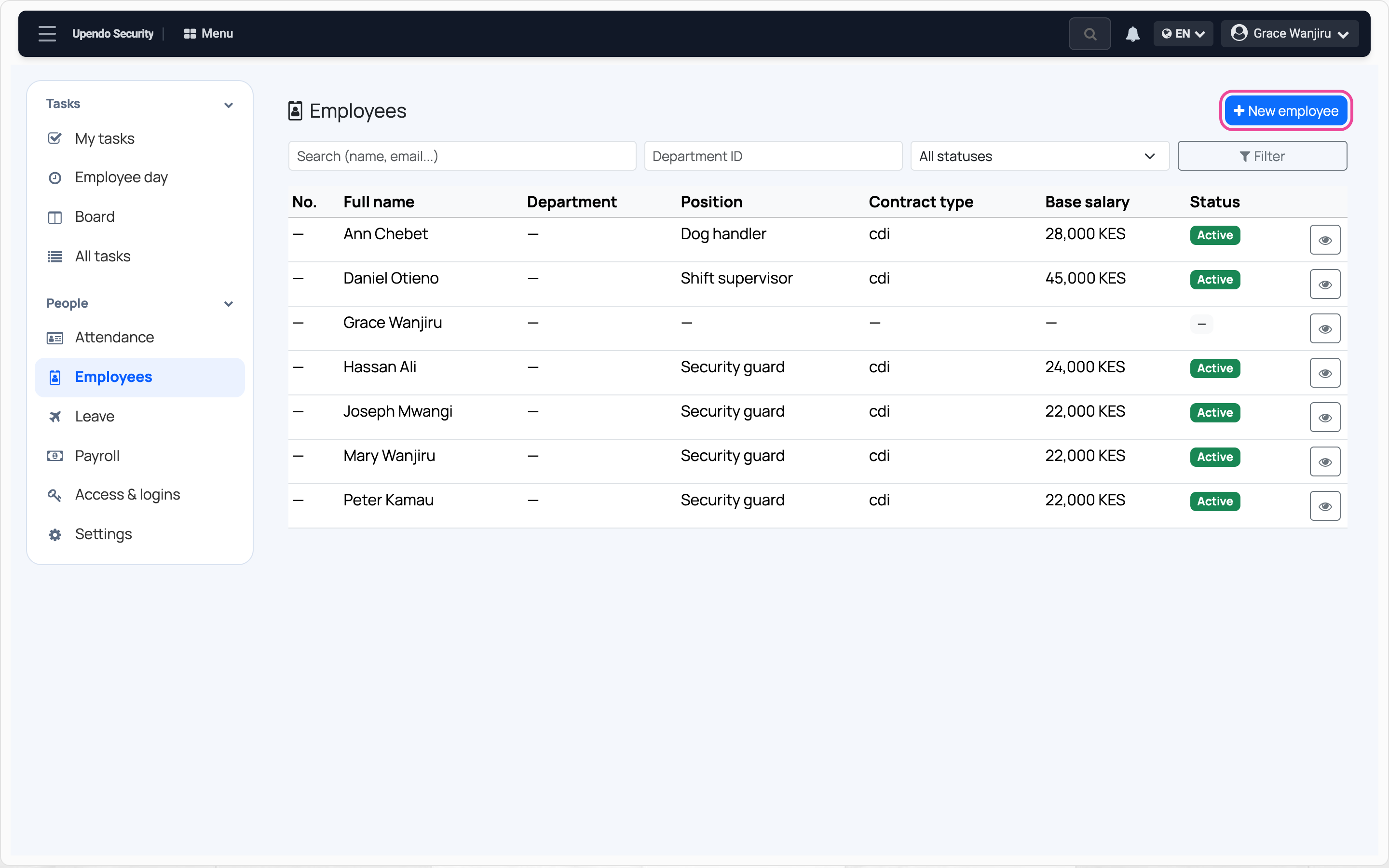
In People, open Employees and press New employee.
-
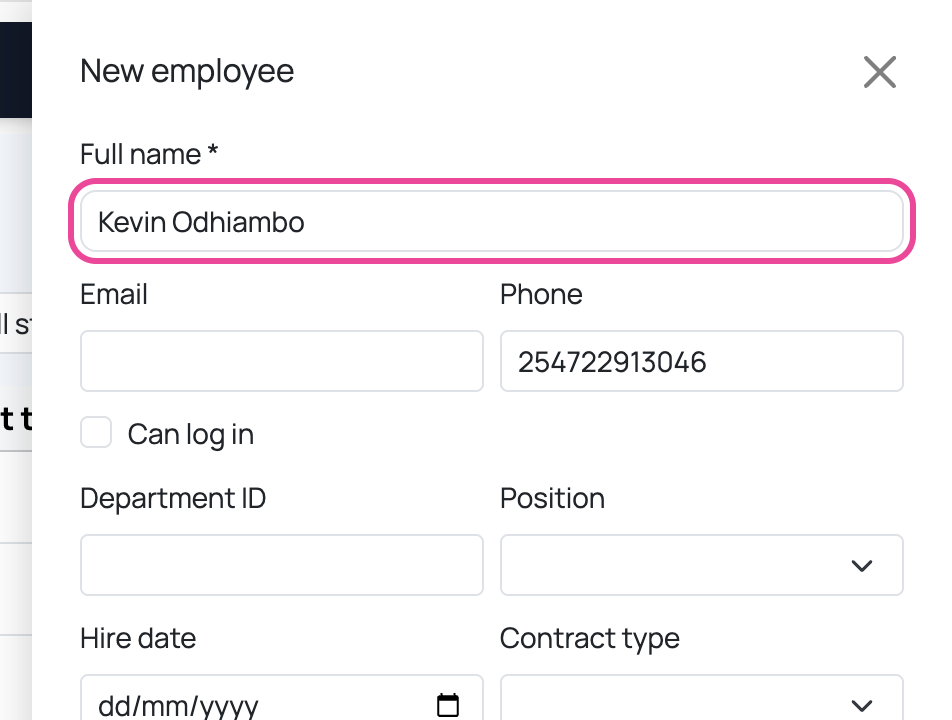
Name and phone
Type their full name and phone number.
-
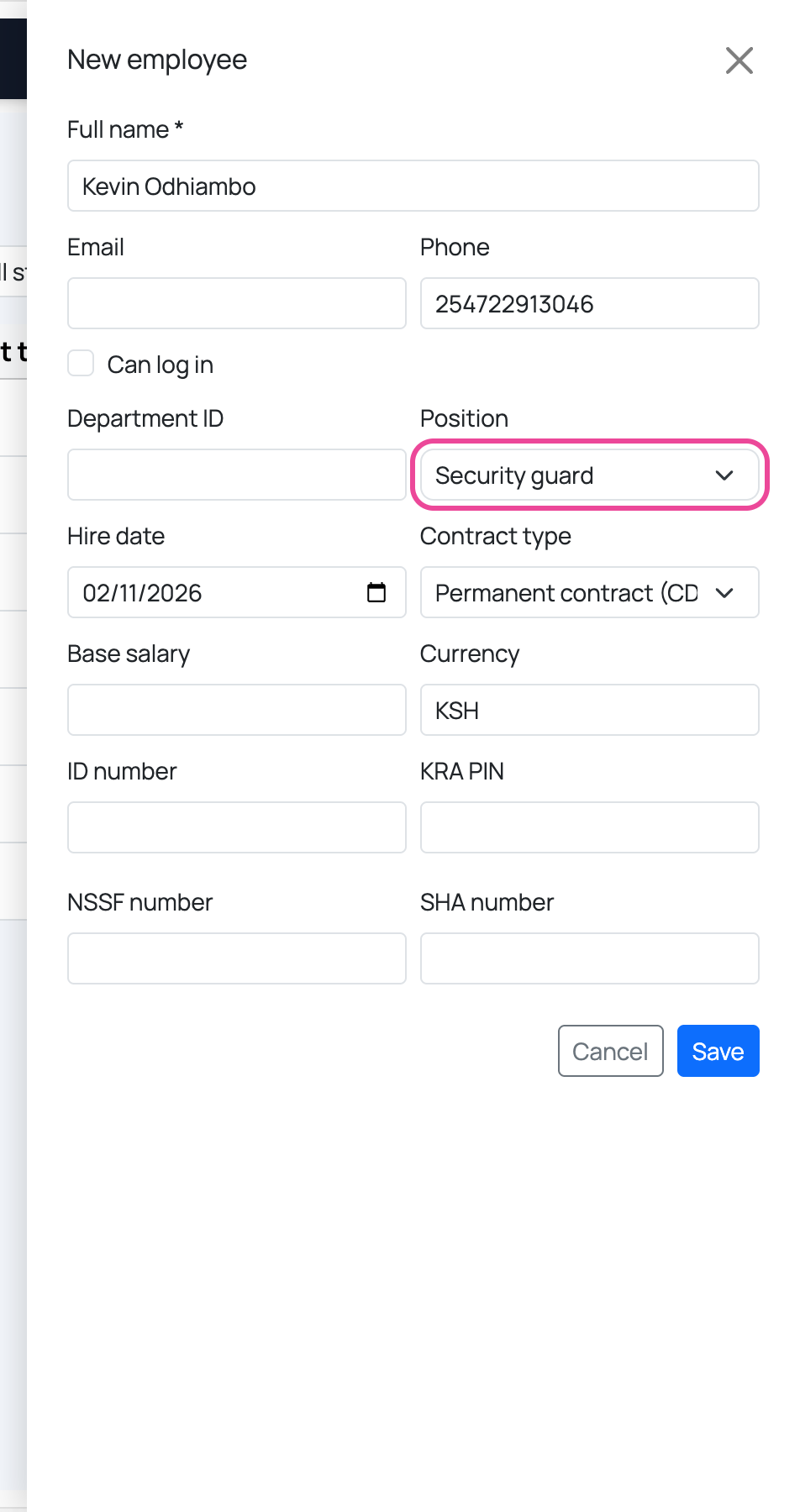
The job
Pick the position, the hire date and the contract type.
-
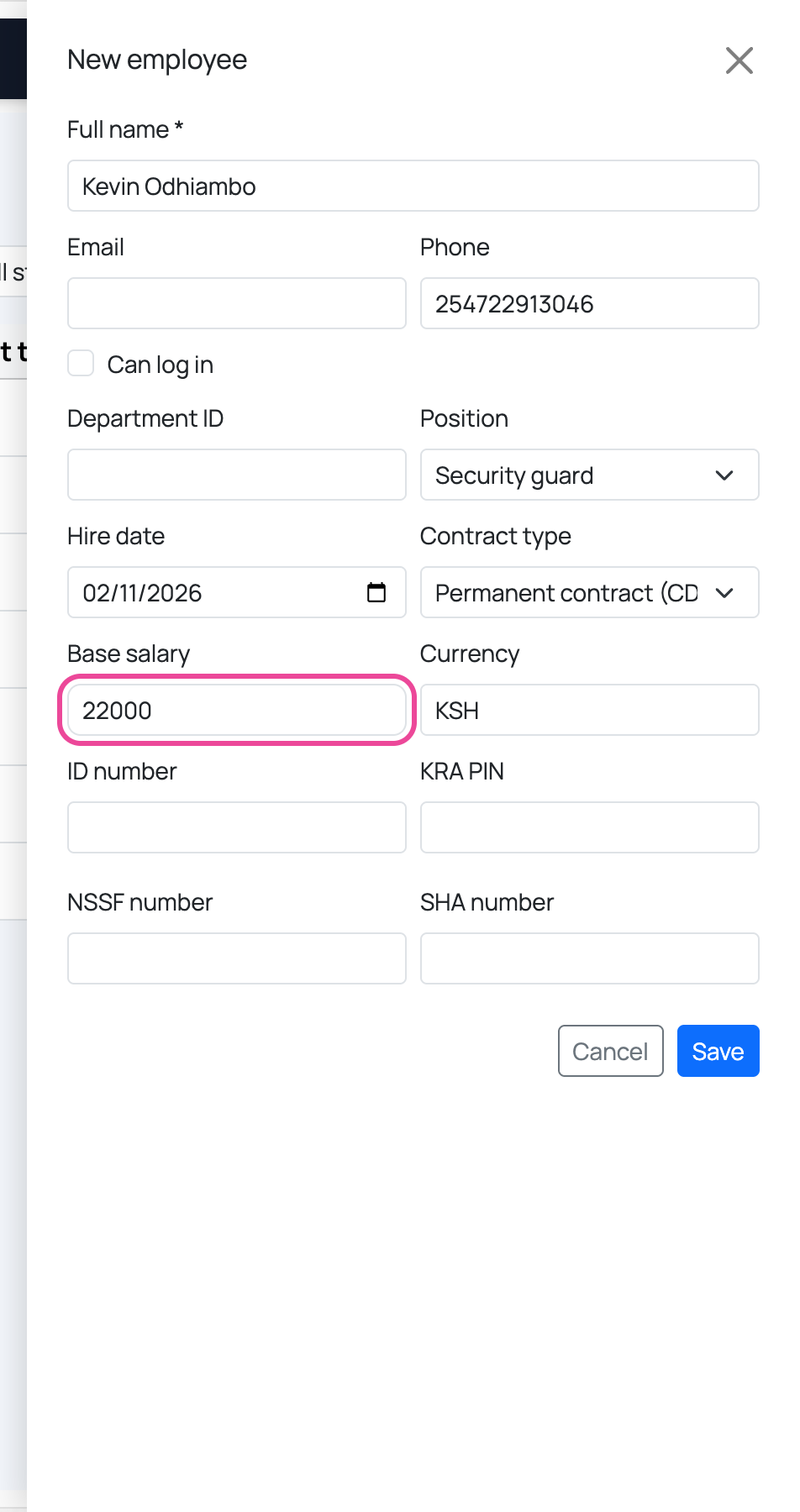
The salary
Type the monthly base salary. Payroll starts from it.
-
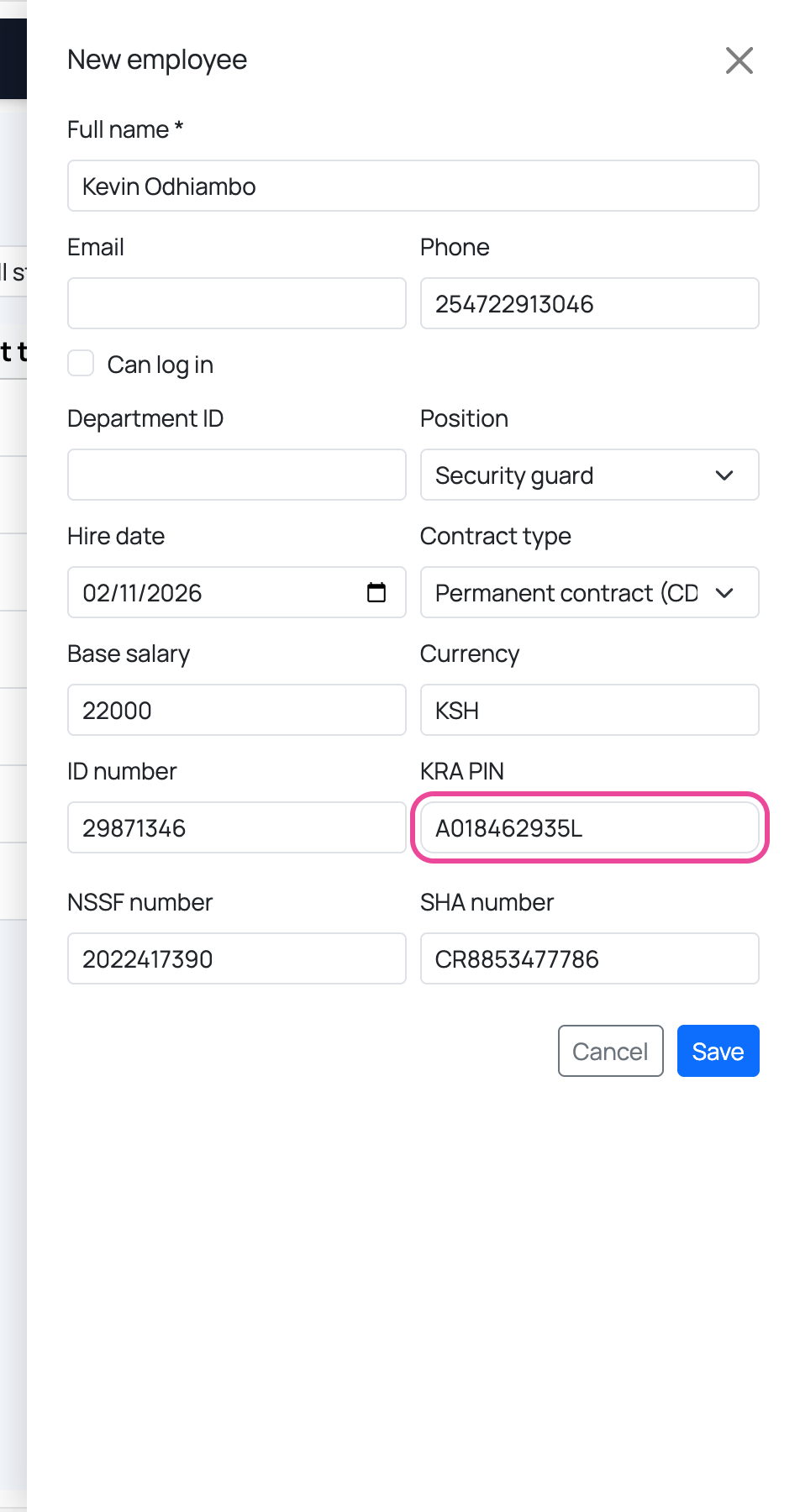
Tax numbers
Add the ID number, KRA PIN, NSSF and SHA numbers. You can add them later.
-
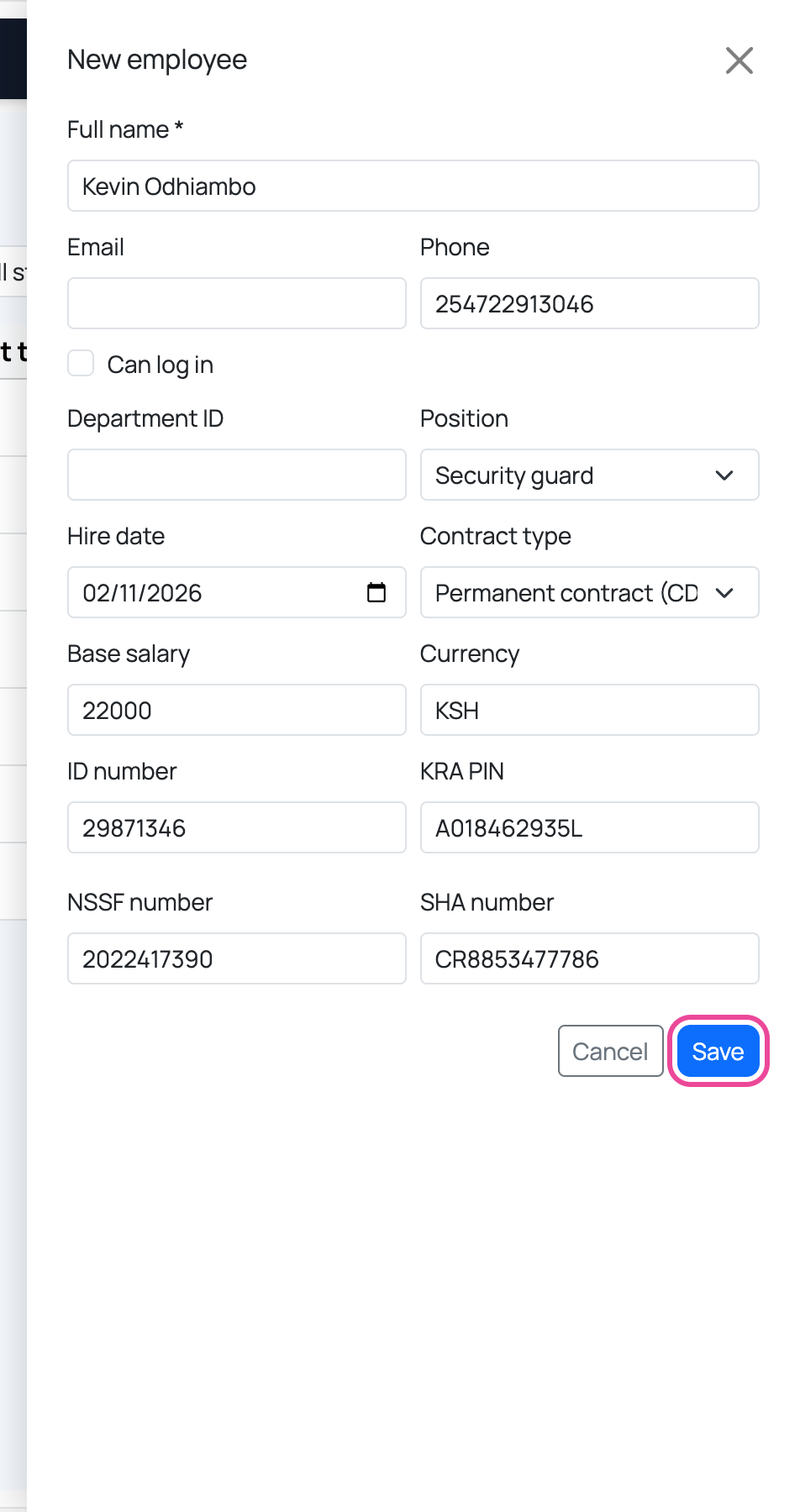
Save
Press Save.
-
In the list
They are active and will be in the next payroll.