Aser One
Pay salaries
Record a closed month’s net salaries as paid, from the account the money left.
On the computer, 5 steps
Guide 5 of 6 in People & payroll
-
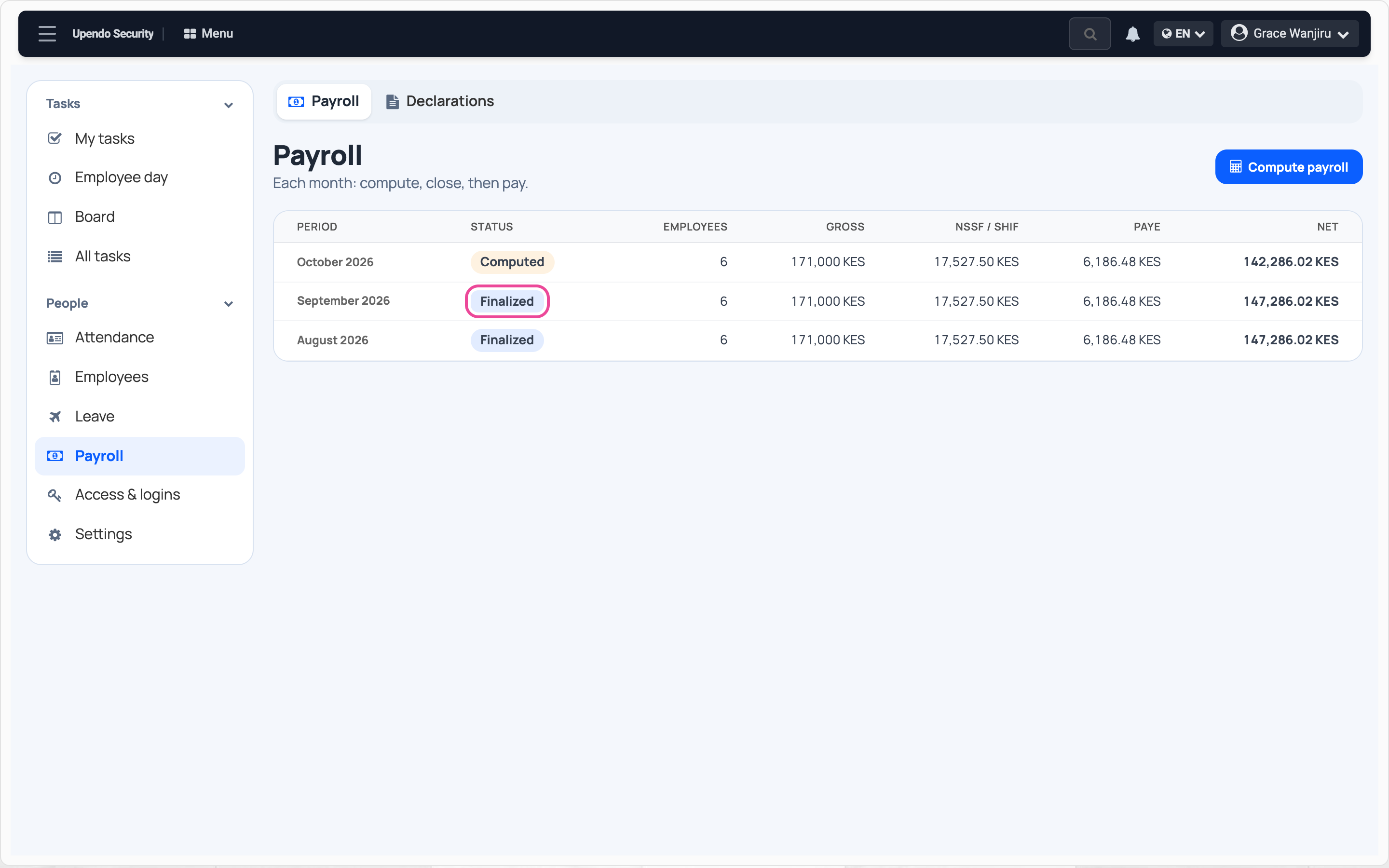
Open the closed month
In People › Payroll, click a Finalized month.
-
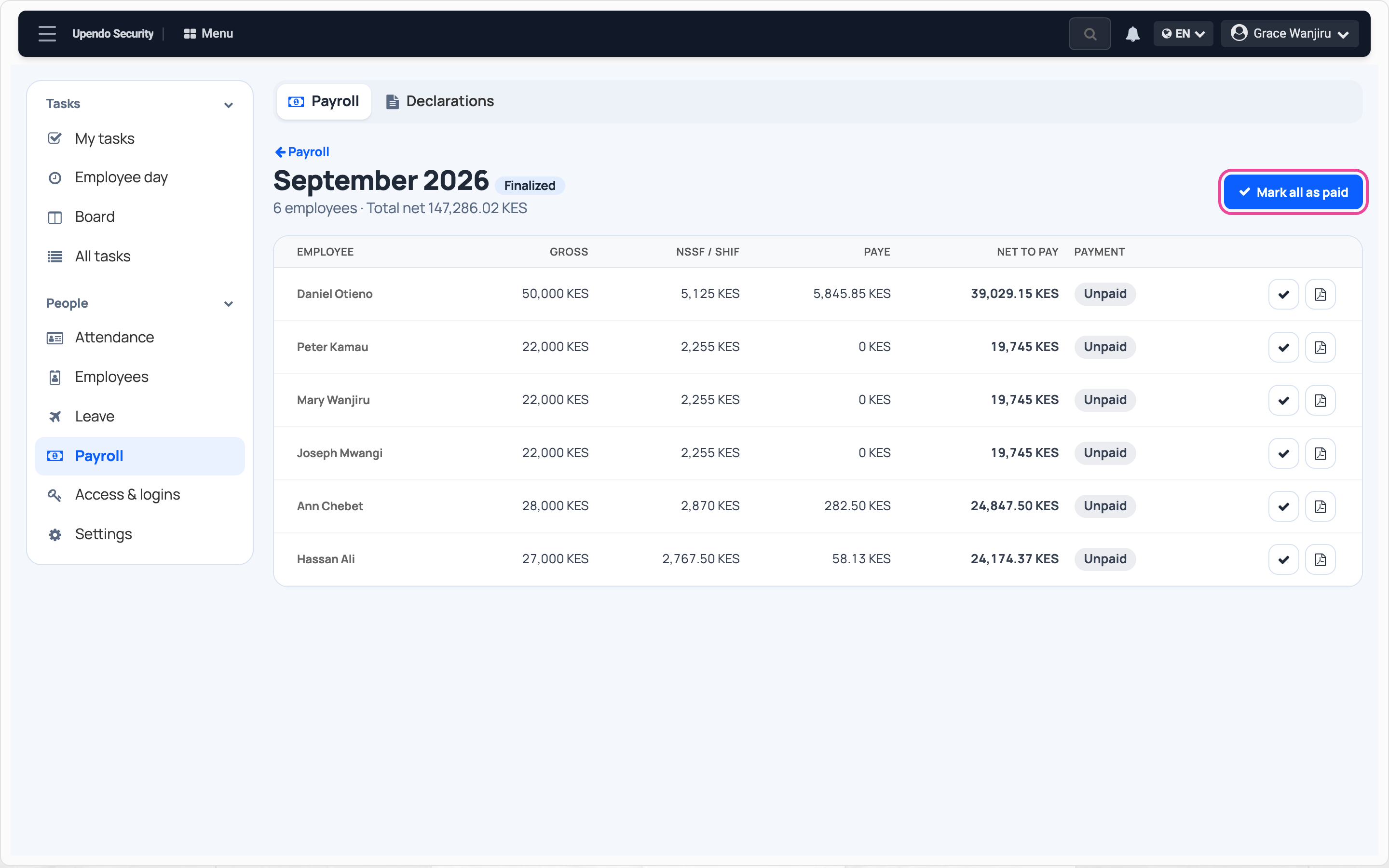
Mark all as paid
Press Mark all as paid. The tick on a line pays one person.
-
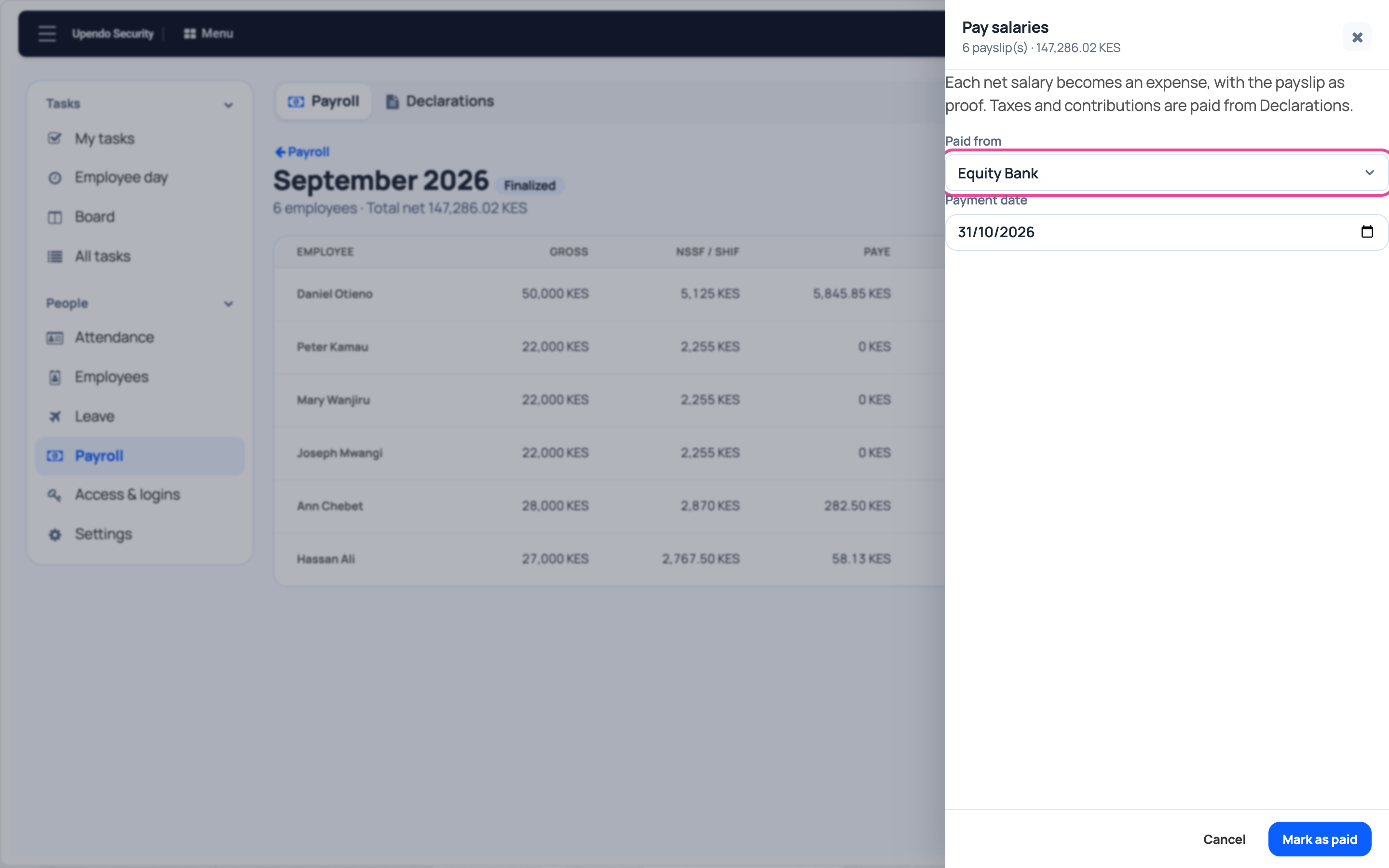
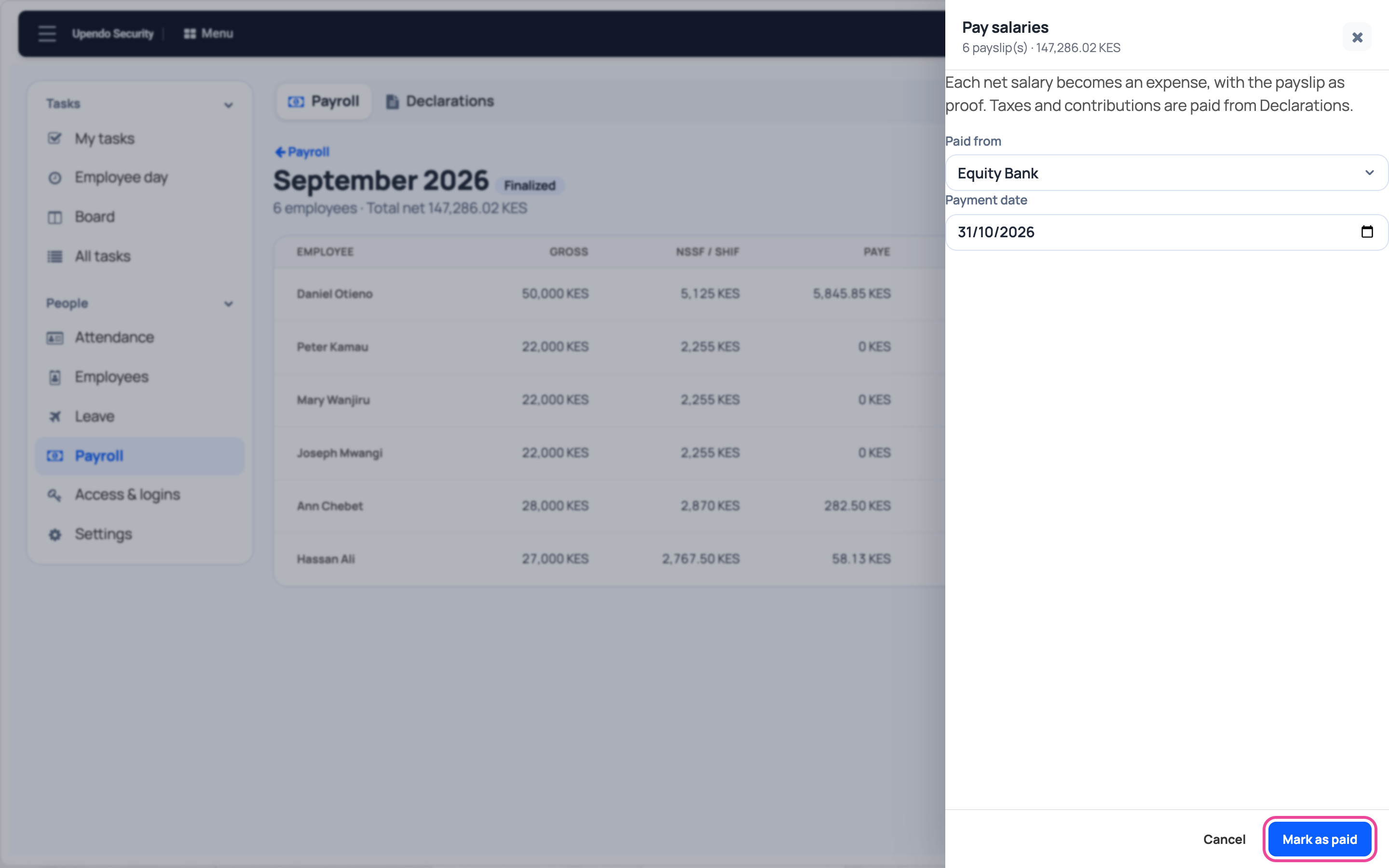
Paid from
Pick the account the salaries left and the payment date.
-
Confirm
Press Mark as paid. Each net salary becomes an expense.
-
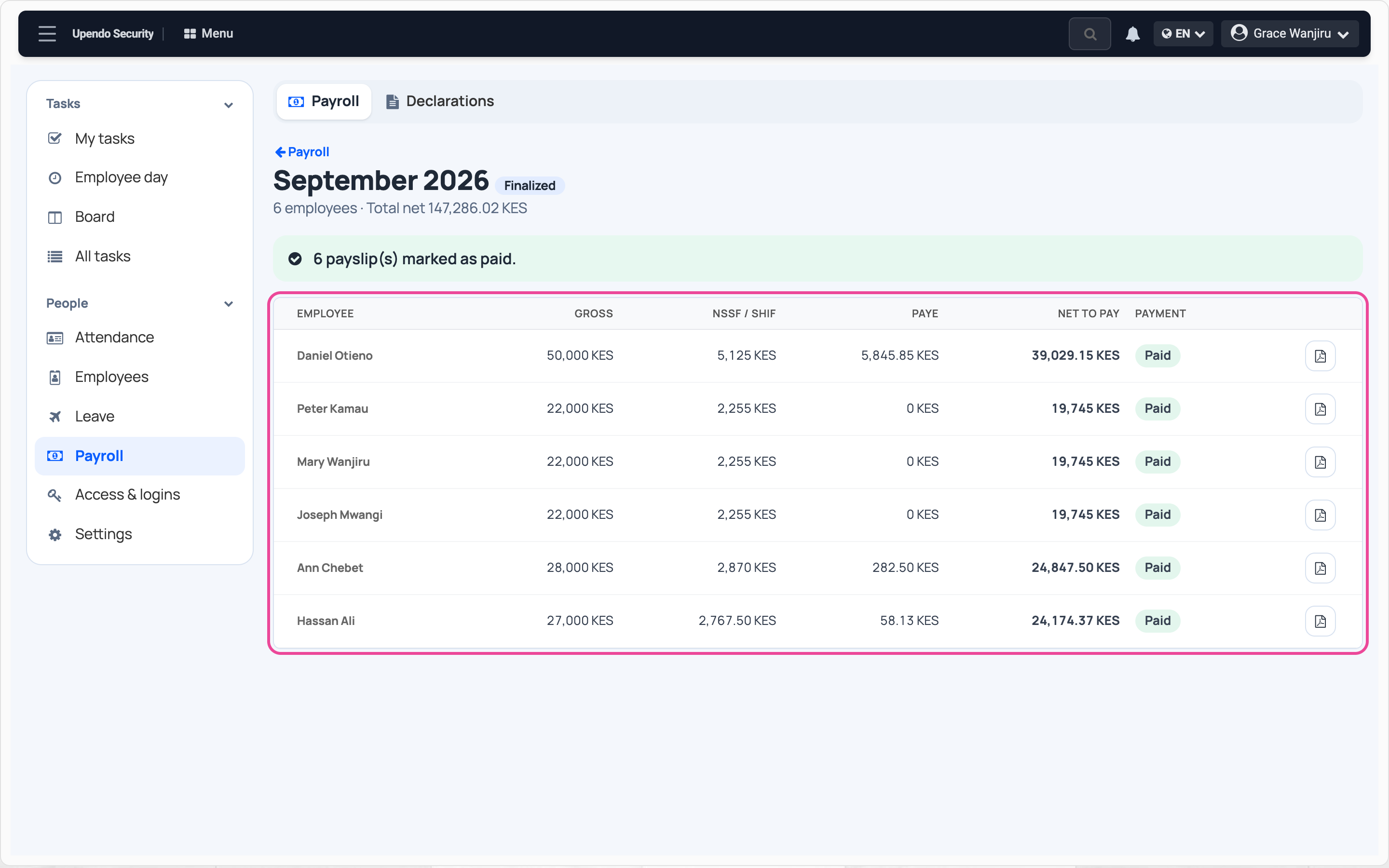
Paid
Every payslip shows Paid. Taxes and contributions are paid from Declarations.