Aser One
Run the payroll
Compute a month’s pay: gross, PAYE, NSSF, SHIF, Housing Levy and net for each employee.
On the computer, 6 steps
Guide 4 of 6 in People & payroll
-
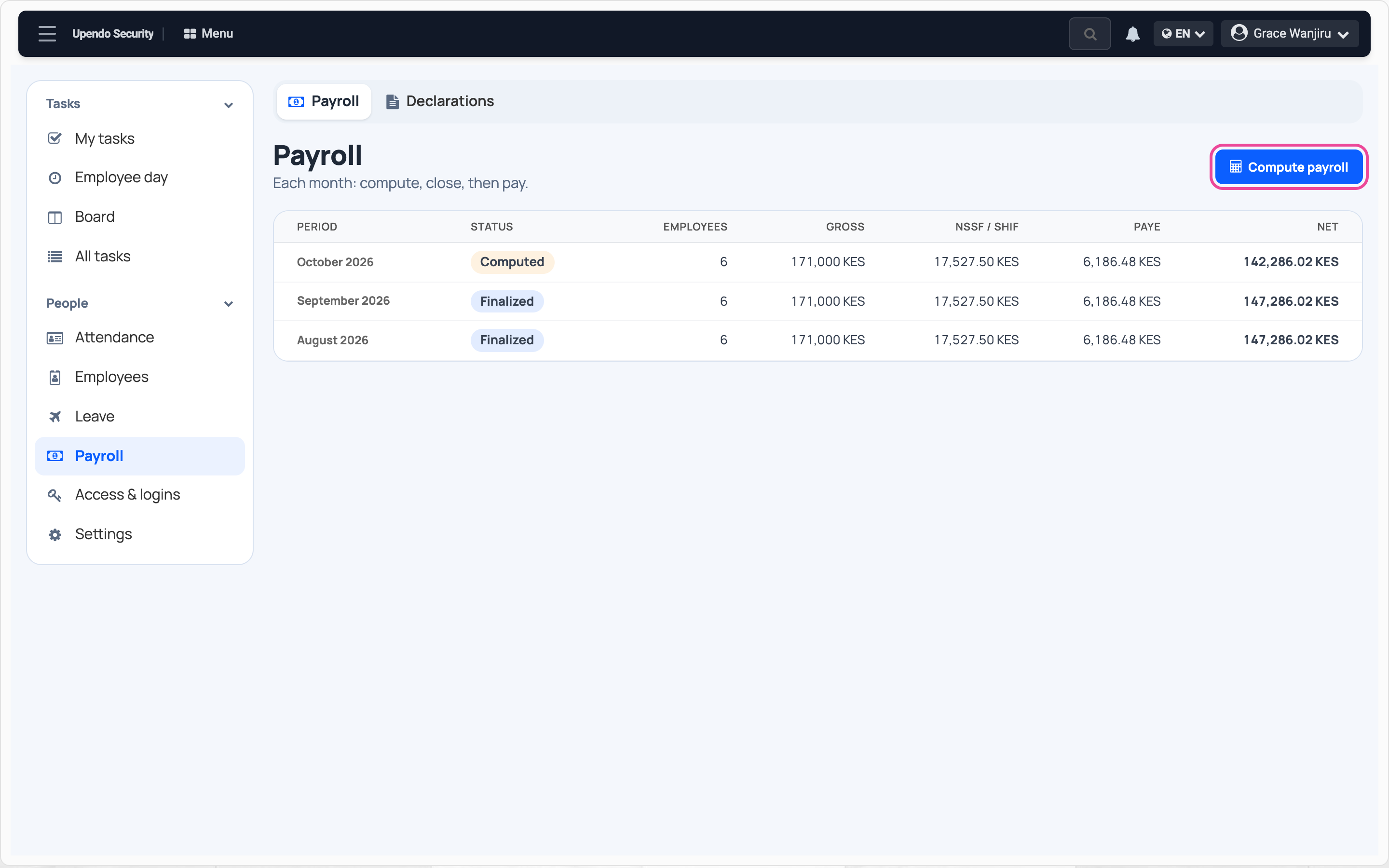
Open the payroll
In People, open Payroll and press Compute payroll.
-
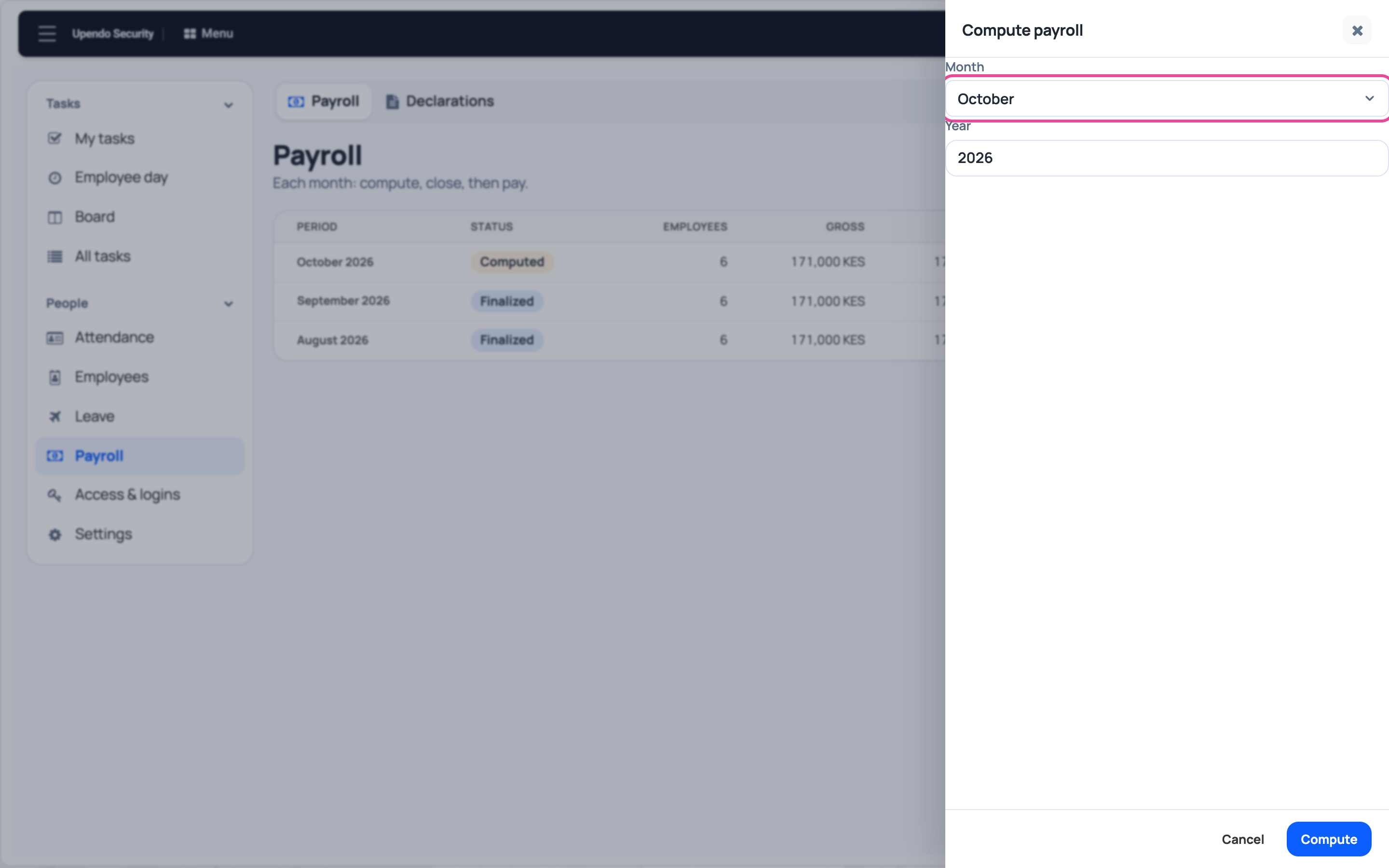
Pick the month
Choose the month and the year.
-
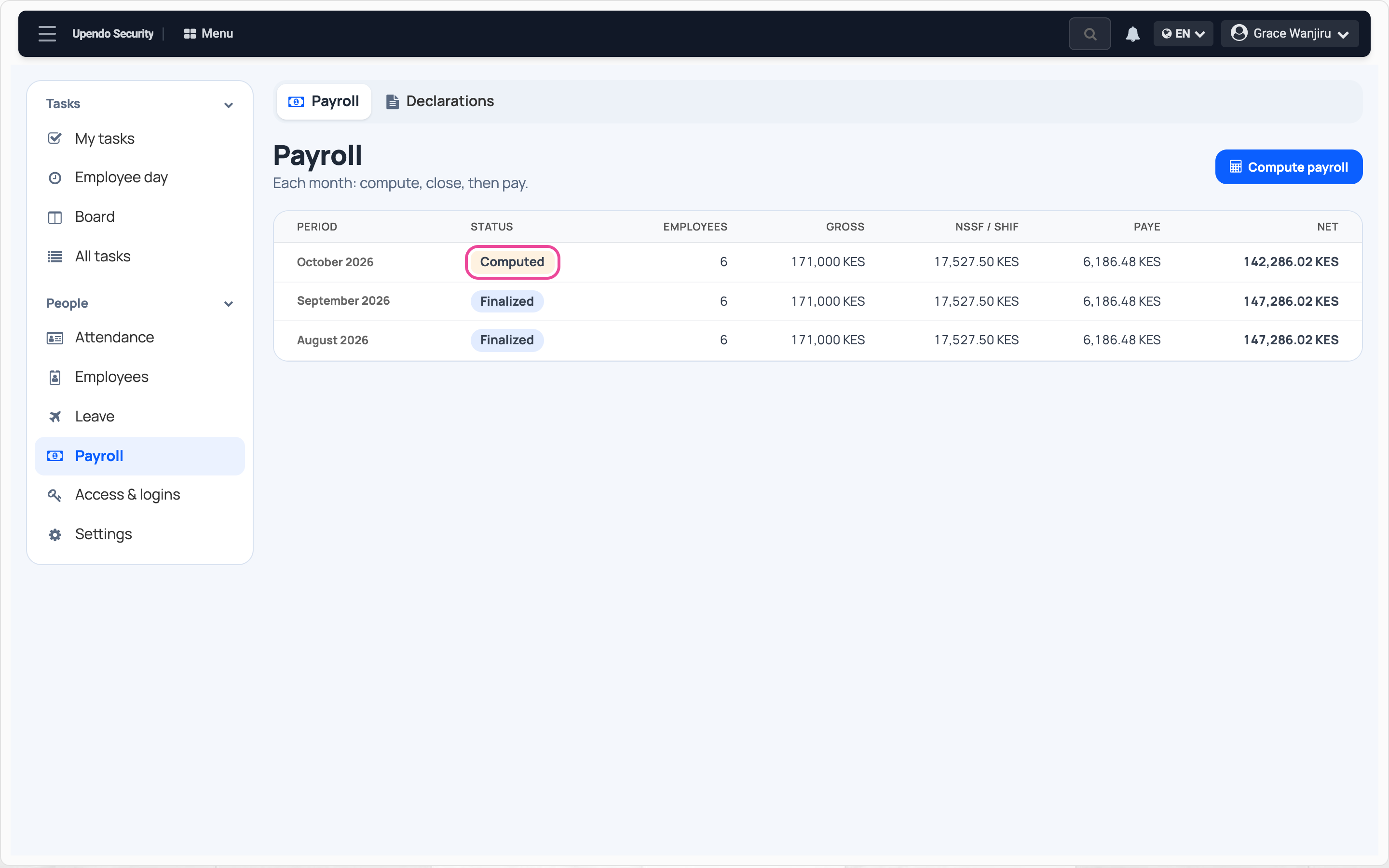
Compute
Press Compute. The month shows Computed. You can compute it again until you close it.
-
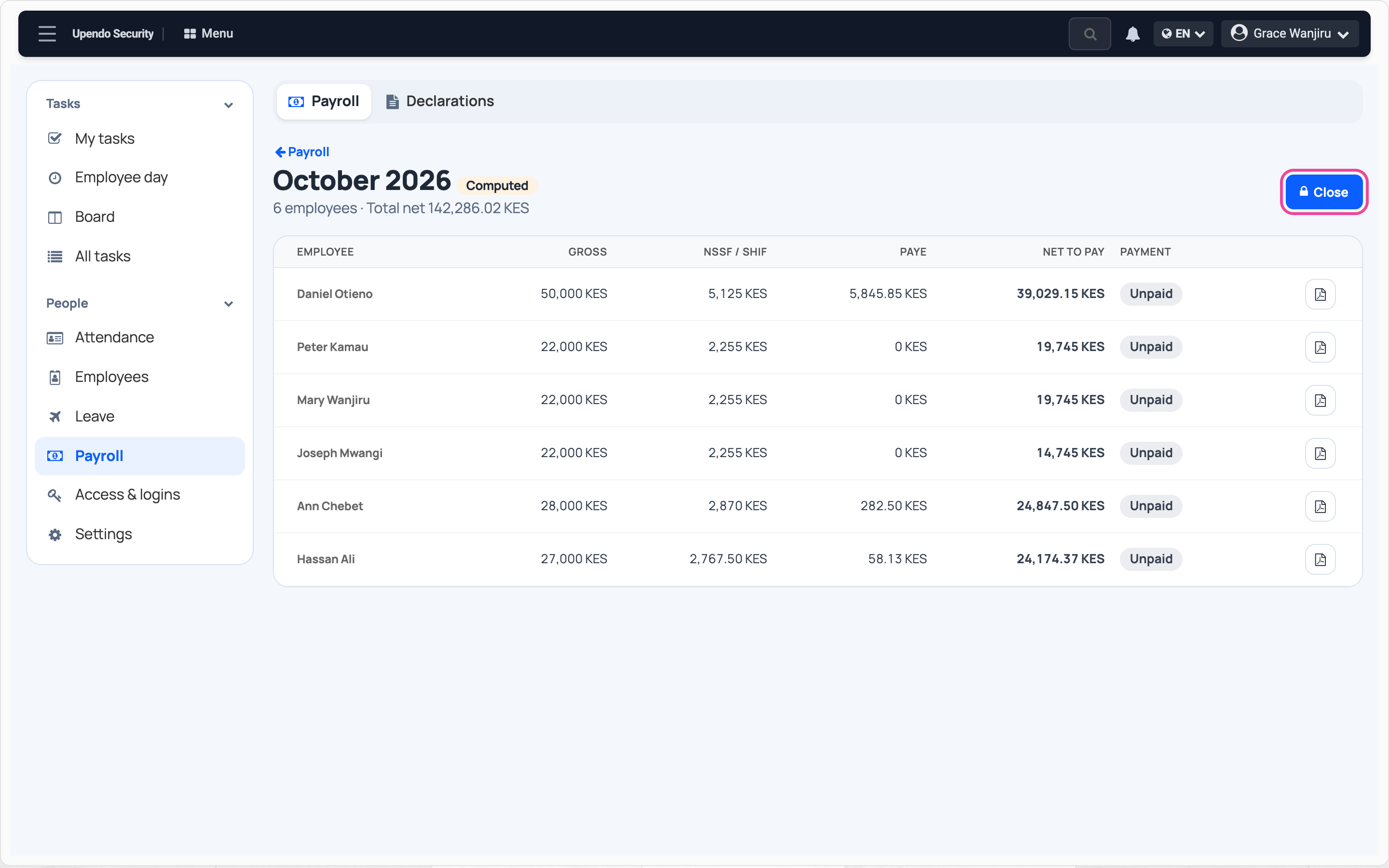
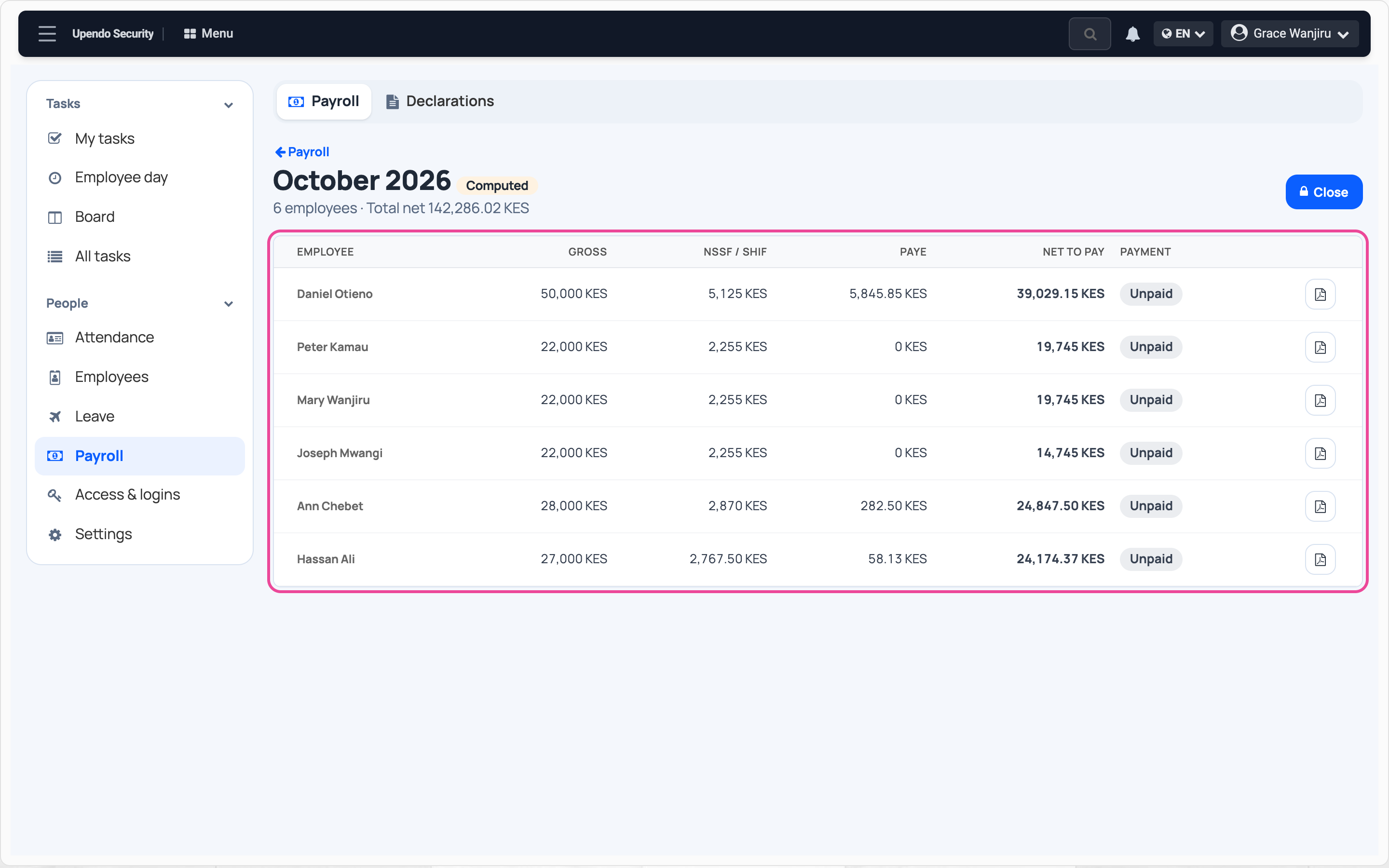
Check the payslips
Click the month: one line per employee, with deductions and net to pay.
-
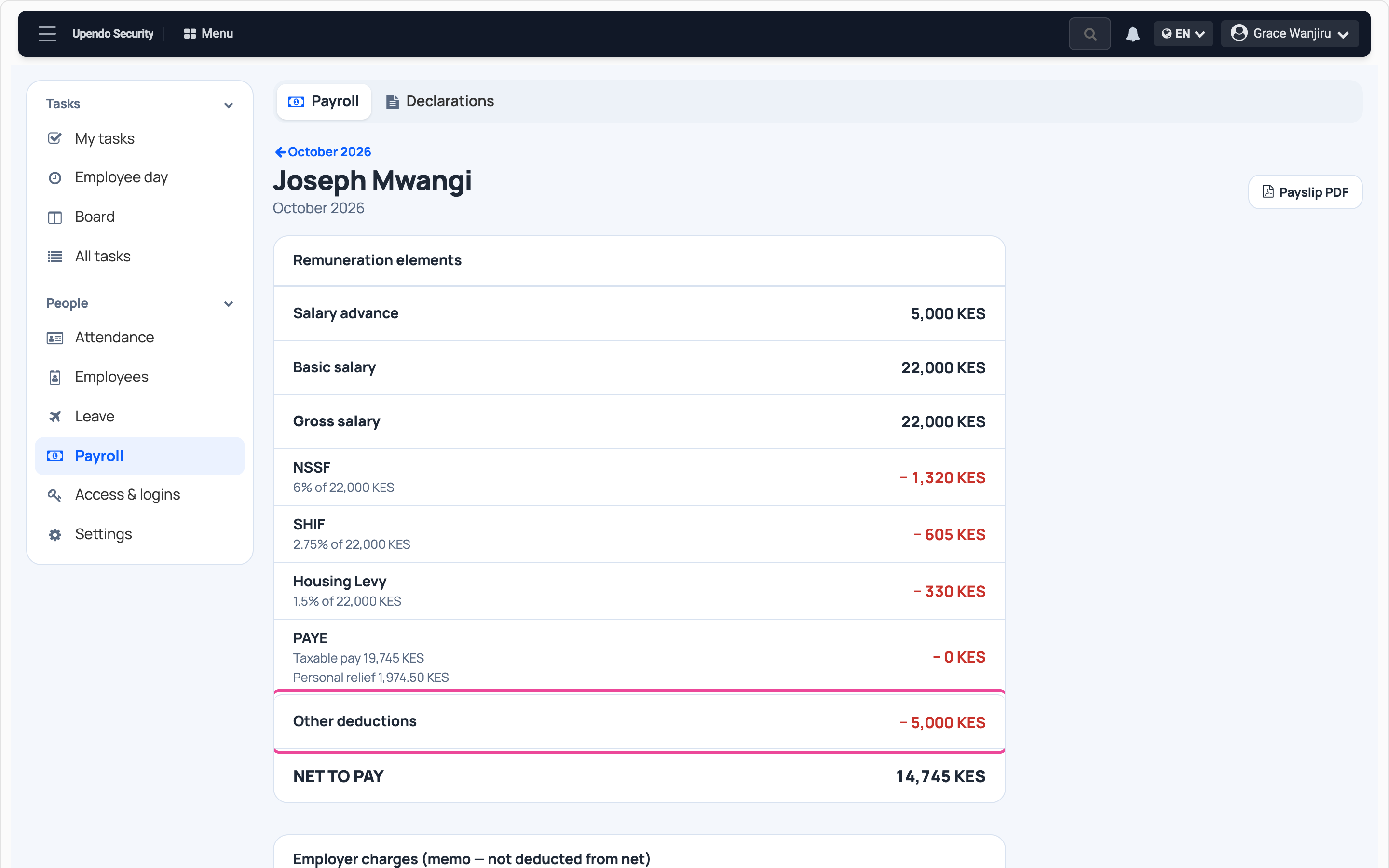
Read a payslip
Click a name. Advances come off under Other deductions.
-
Close the month
When the figures are right, press Close. A closed payroll cannot change.