Aser One
Deduct a salary advance
Money an employee got early, taken off their net pay in the month you choose.
On the computer, 5 steps
Guide 2 of 6 in People & payroll
-
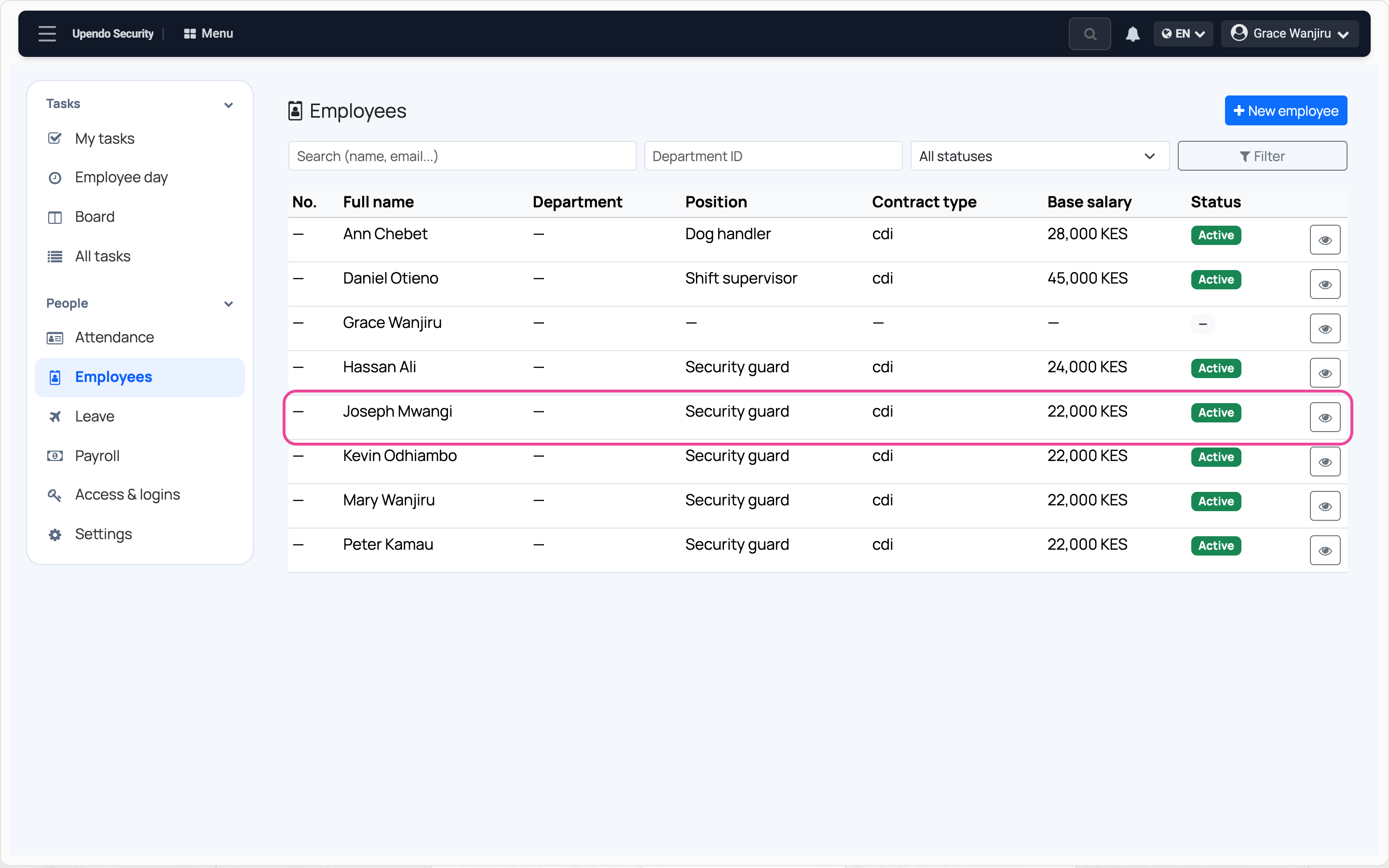
Open the employee
In People › Employees, click the person.
-
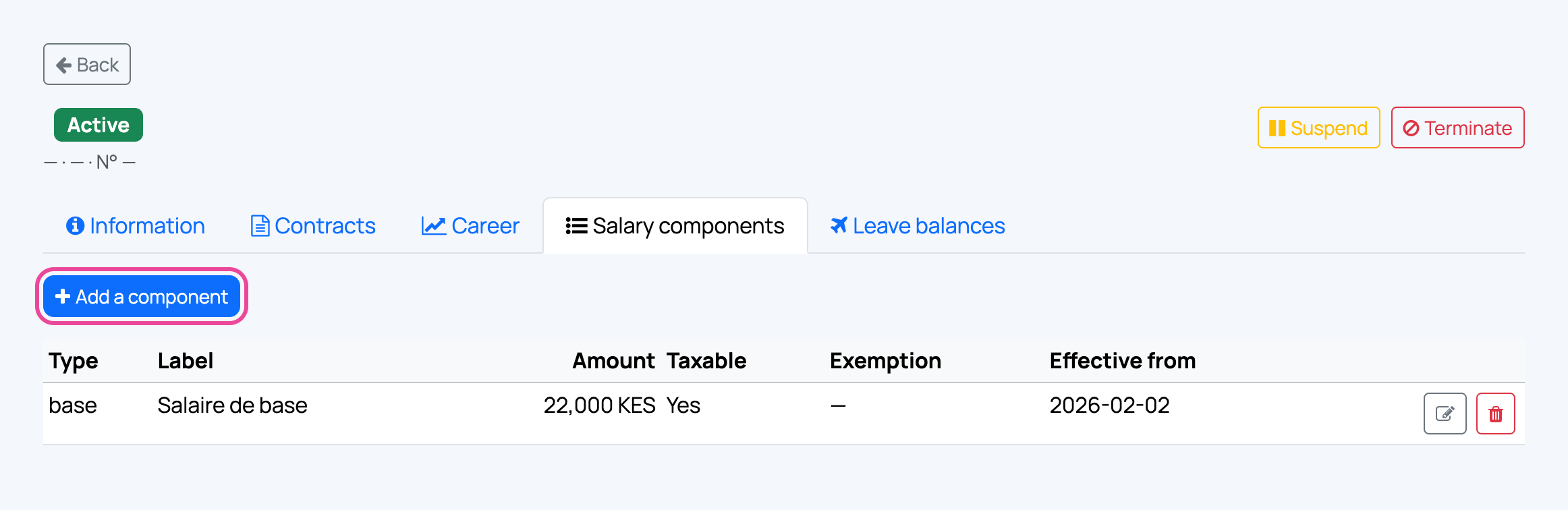
Salary components
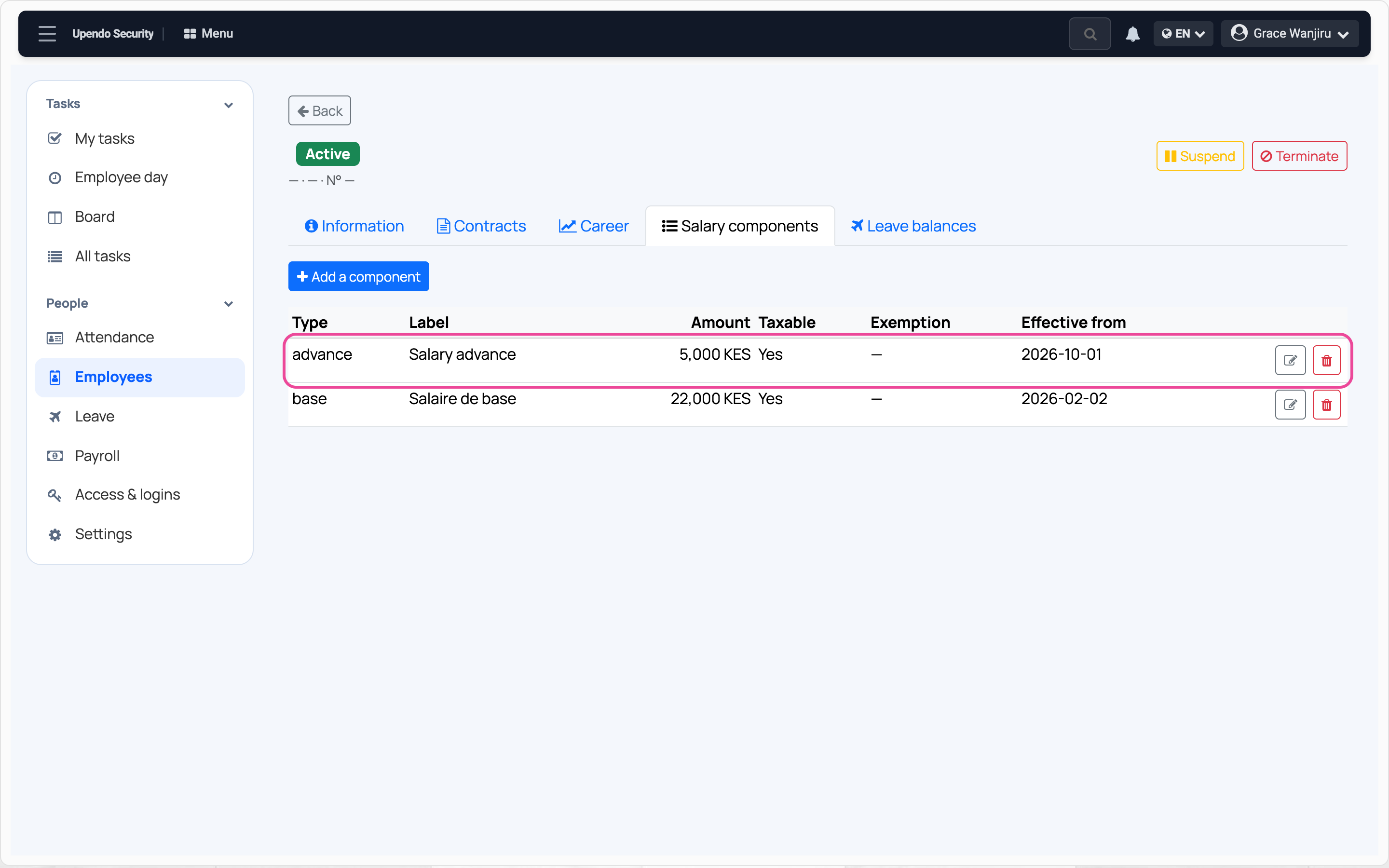
Open Salary components and press Add a component.
-
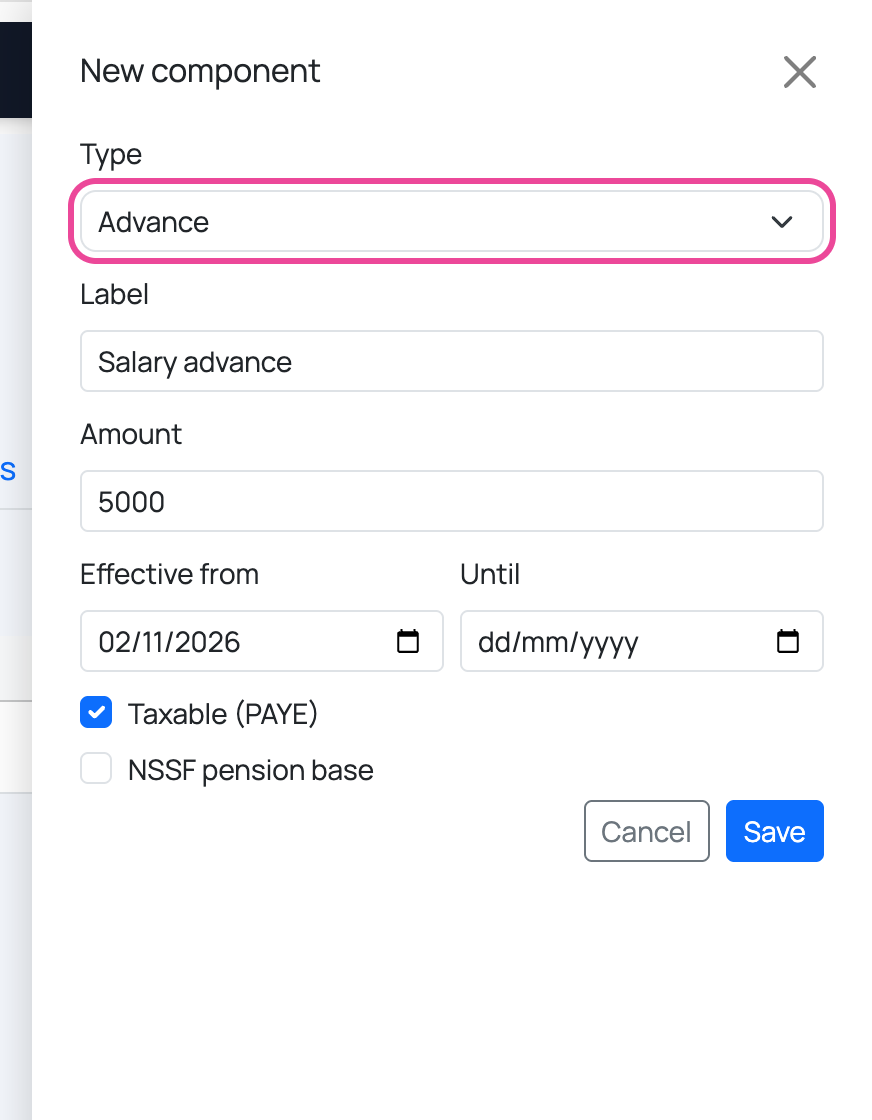
Advance and amount
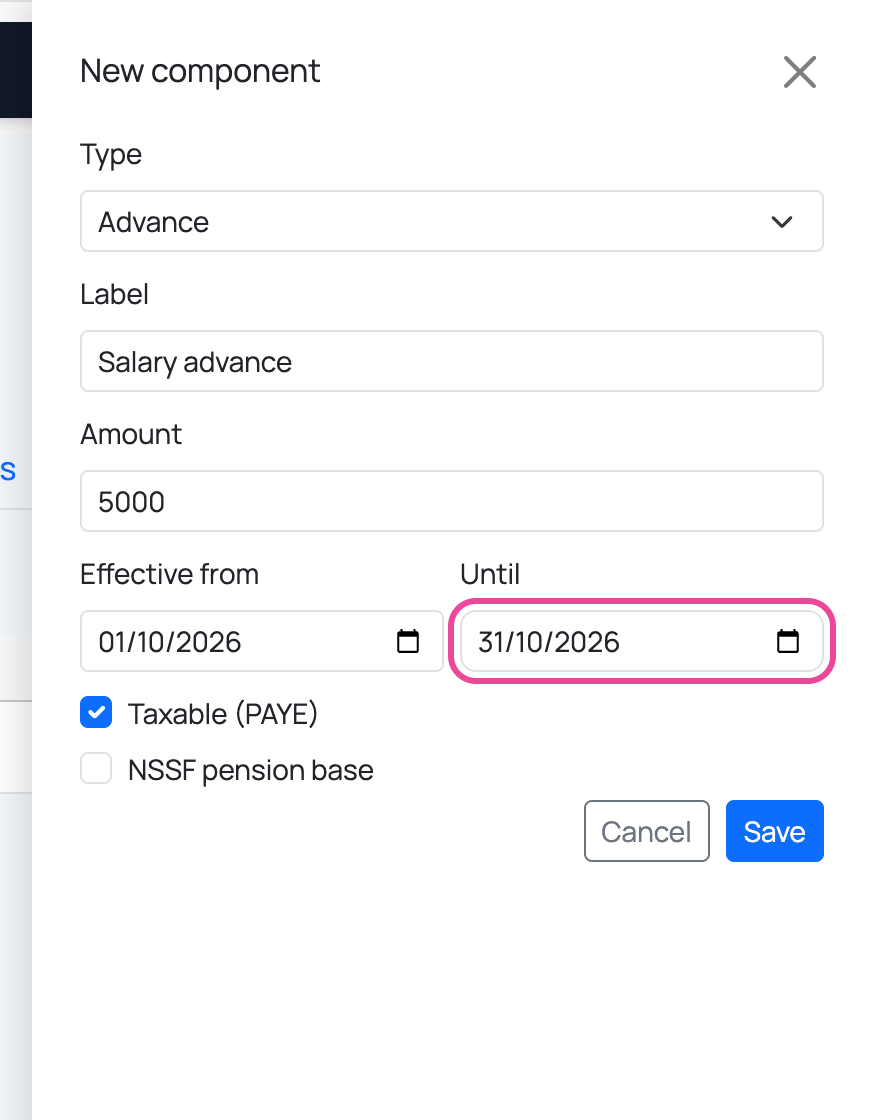
Pick Advance as the type, name it and type the amount.
-
Which month
Set the first and last day of the month it comes off.
-
Save
Press Save. That month’s payslip takes it off the net pay.