 Aser One
Compare the next two weeks with last month and last year
What the shopping list expects you to use, day by day, against the same days before.
On the computer, 6 steps
Guide 8 of 8 in Restaurant & kitchen
What you need
- A shopping list built for the coming days.
- Your sales and purchases of past months, recorded in the app.
Start your free trial
Press Create an account below. Your free trial starts straight away, and no card is needed.
-
Build the list
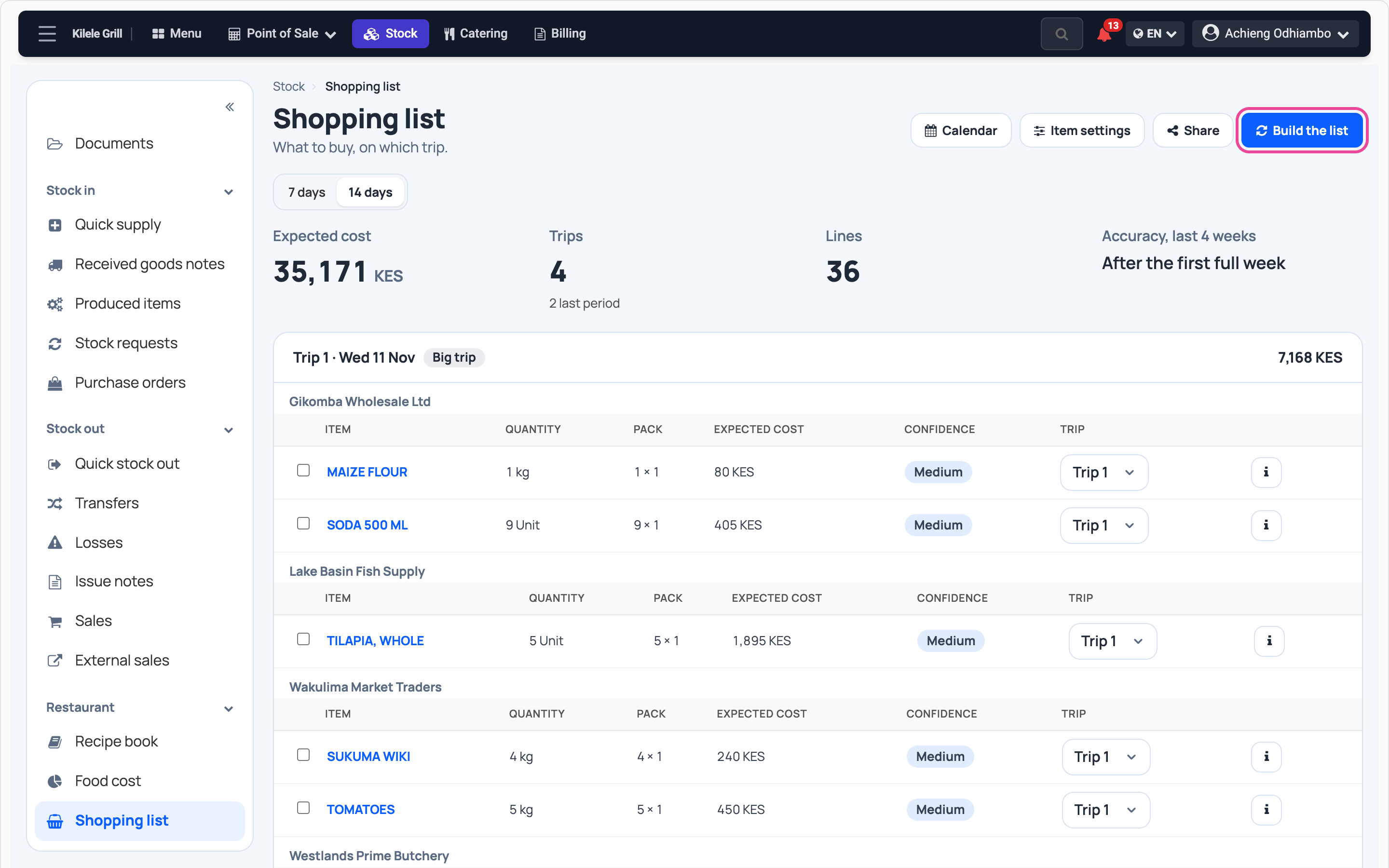
In Stock › Shopping list, choose 14 days and press Build the list.
-
Open an item
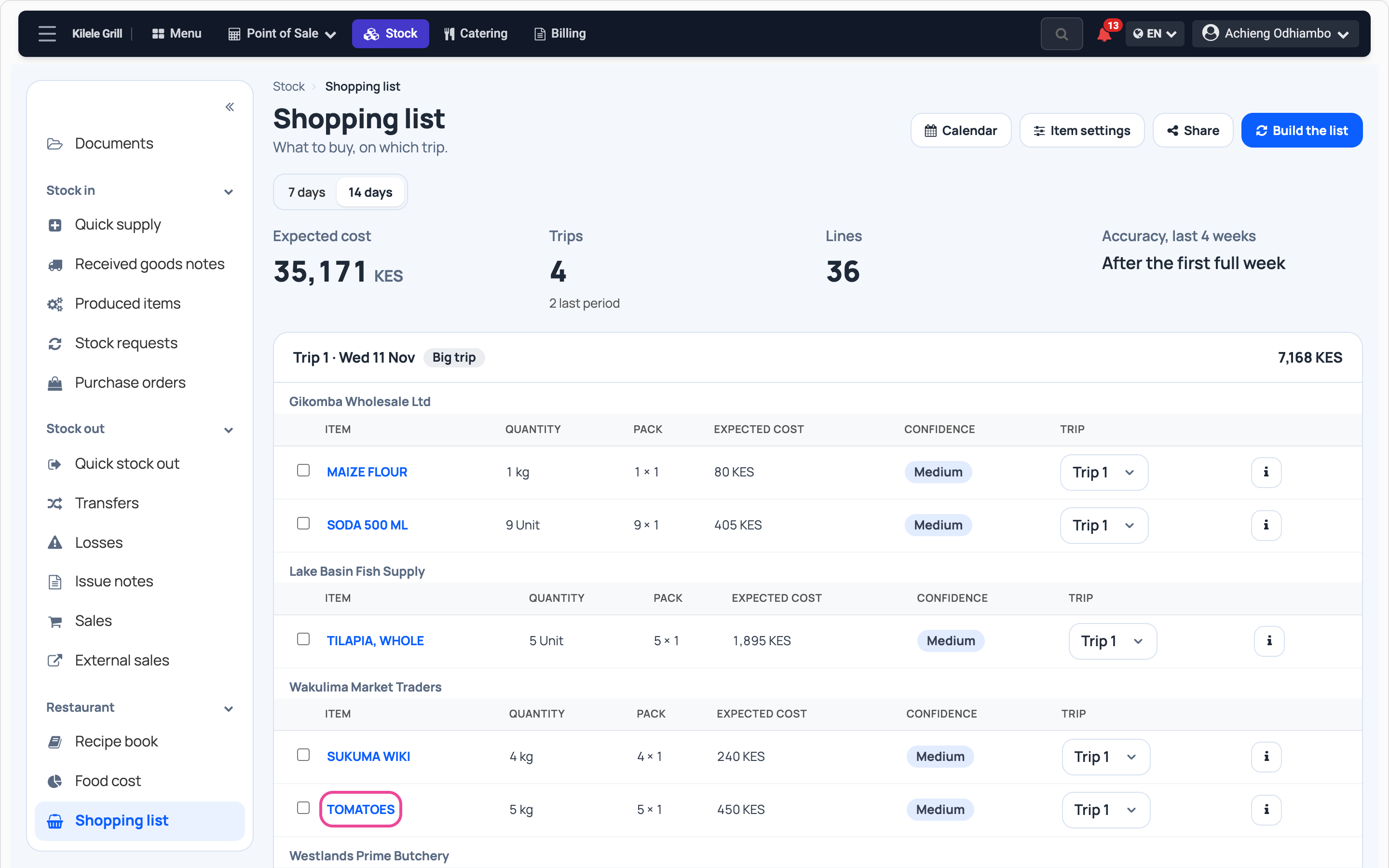
Press an item’s name. Its page opens on the days of the list.
-
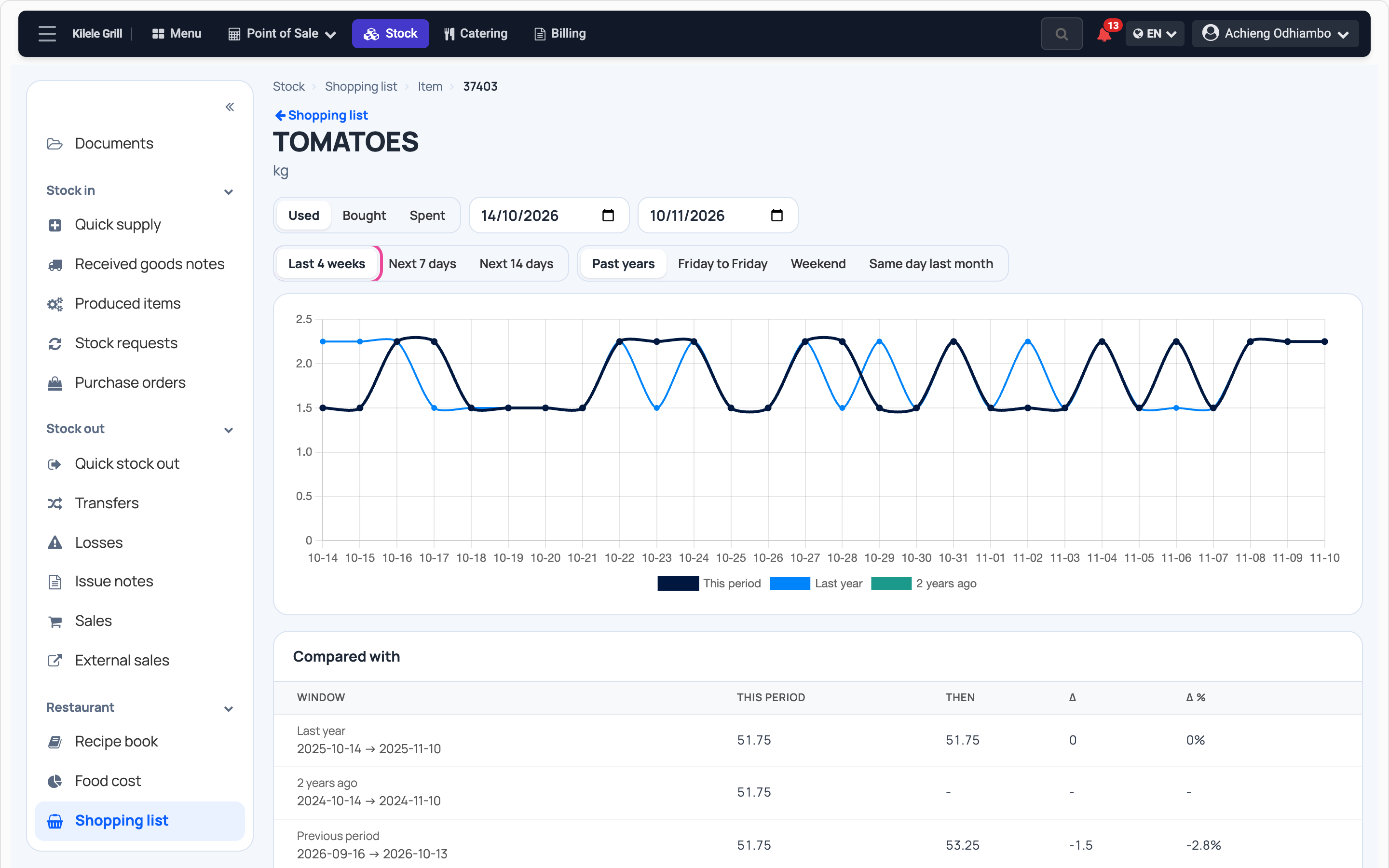
Against last year
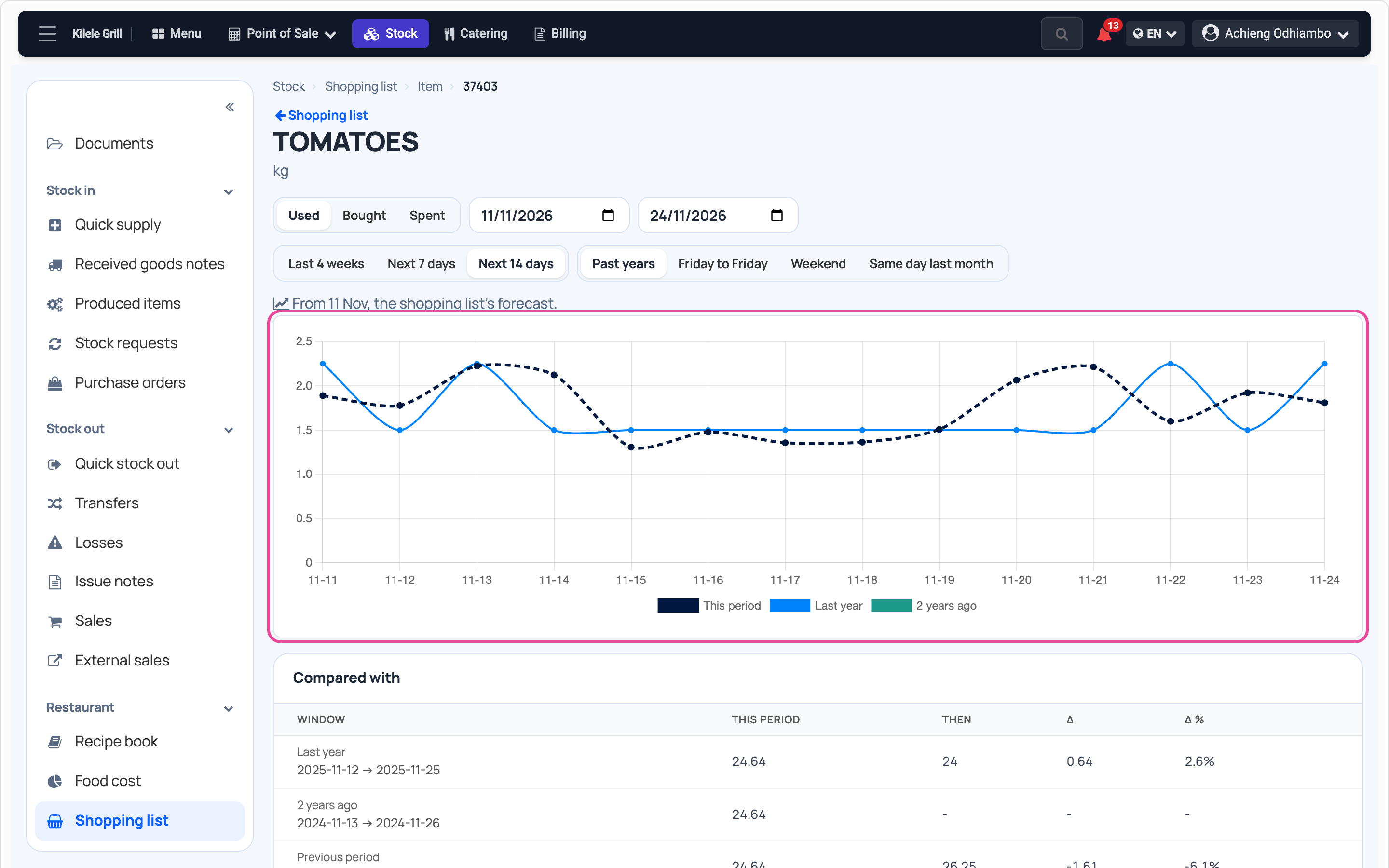
The dashed line is what the list expects. The others are the same days last year and two years ago.
-
Against last month
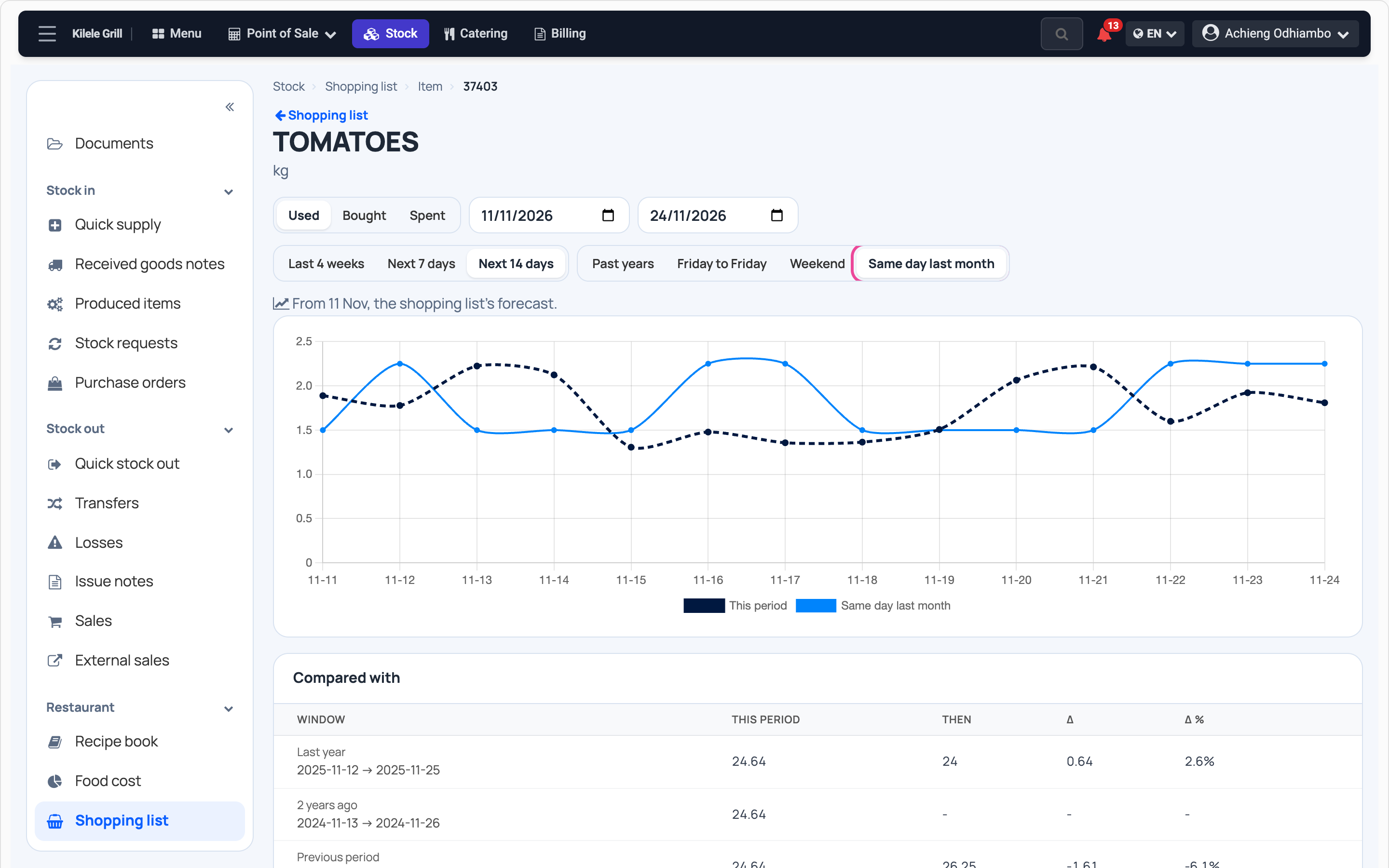
Press Same day last month to set each coming day against last month’s.
-
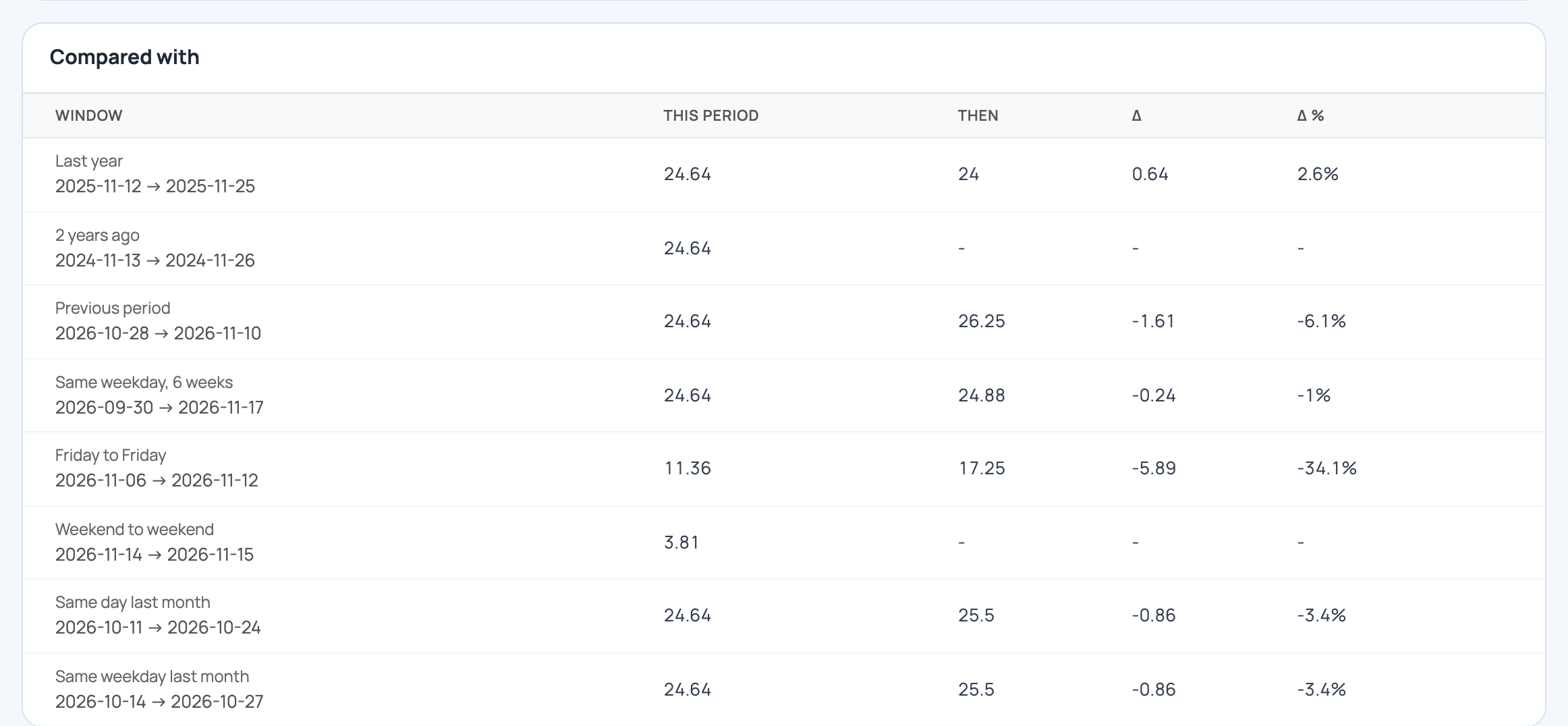
The totals
Compared with sets the coming days’ total against each period, with the difference.
-
Next 7 days or the past
Press Next 7 days for one week, or Last 4 weeks to see what you really used.
Every day
- Build the list before the market.
- Open the items you buy most and compare.
- Change a line when you know better, such as a holiday.
What you see
For each item, the coming days against last month and last year, in quantity used.
Time and effort
Nothing to set up beyond the list. Each item is one press.
Common mistakes
- Comparing with no list built. The coming days then read zero.
- Reading last year with no sales recorded then. An empty period is no data, not zero.
- Taking the forecast as a promise. It helps you plan; adjust for what you know.
More guides
- 1Take a table orderOrder for a table and send it to the kitchen.
- 2Follow kitchen ordersStart and finish each kitchen ticket.
- 3Close the billPrint the bill and take the payment.
- 4Write a recipeList the ingredients of a dish and see its cost.
- 5Check your food costSee which dishes cost too much to make.
- 6Food costing from A to Z: bases, dishes and what they useCost a dish built on a base, then track what it uses.
- 7What to buy next weekNext week’s list, its budget and how sure it is.
- The Restaurant & kitchen appRestaurant & kitchen
- All guidesLearn