 Aser One
See who is at work today
Who came, who is late and who is missing, as the phones clock in.
On the computer, 5 steps
Guide 4 of 7 in Attendance
-
Open attendance
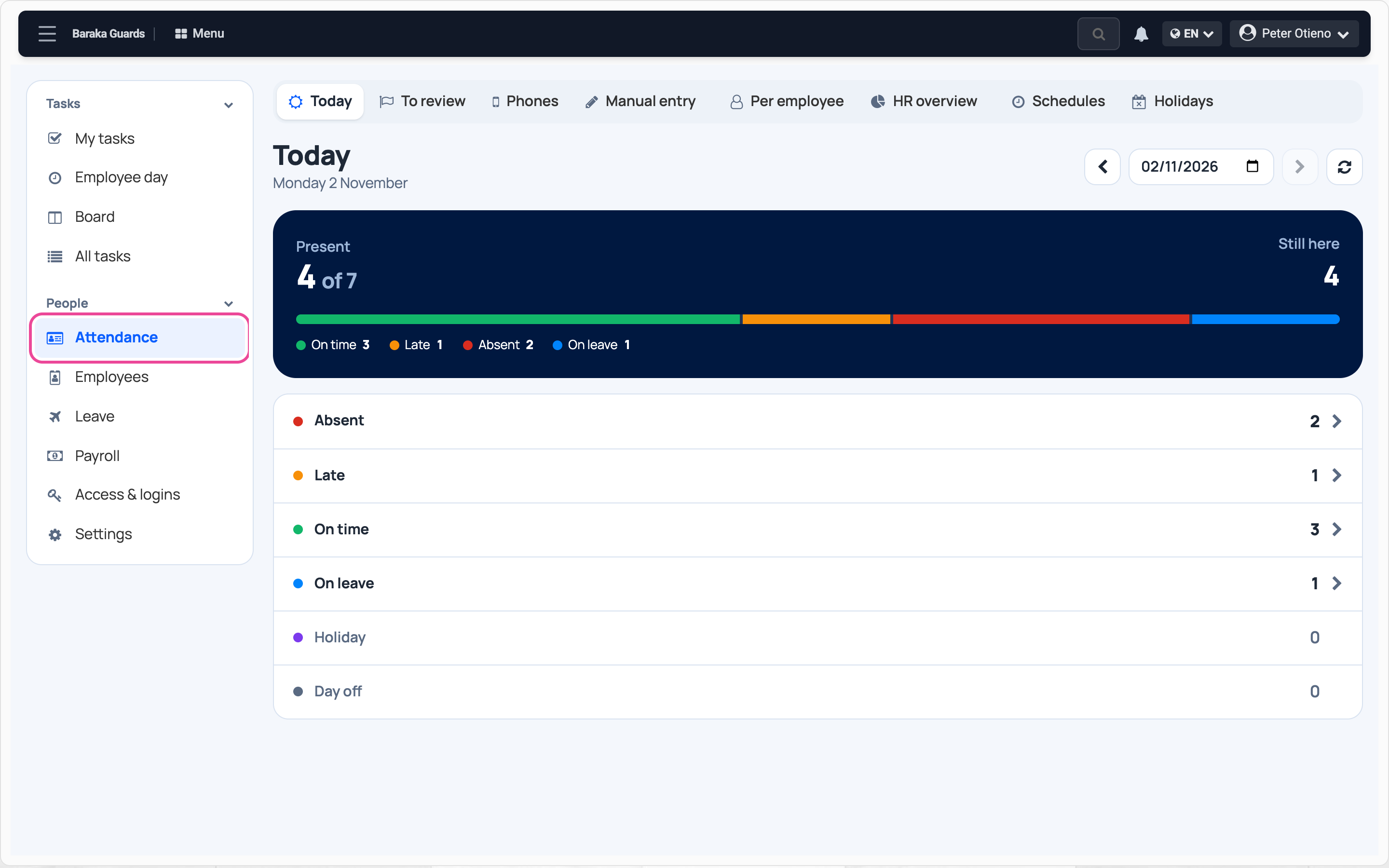
In the Team workspace, click Attendance. Today opens first.
-
Read the count
The top line says how many are present out of those expected.

-
See who is late
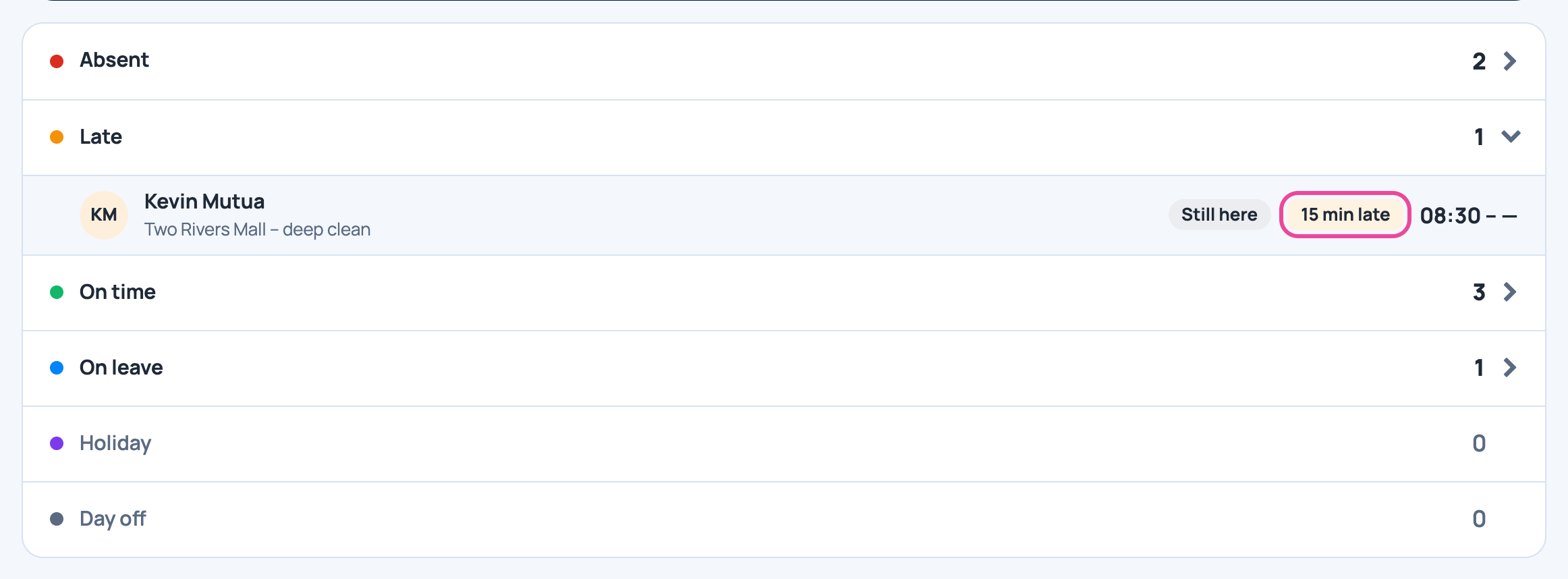
Open Late: each name shows how many minutes.
-
See who is missing
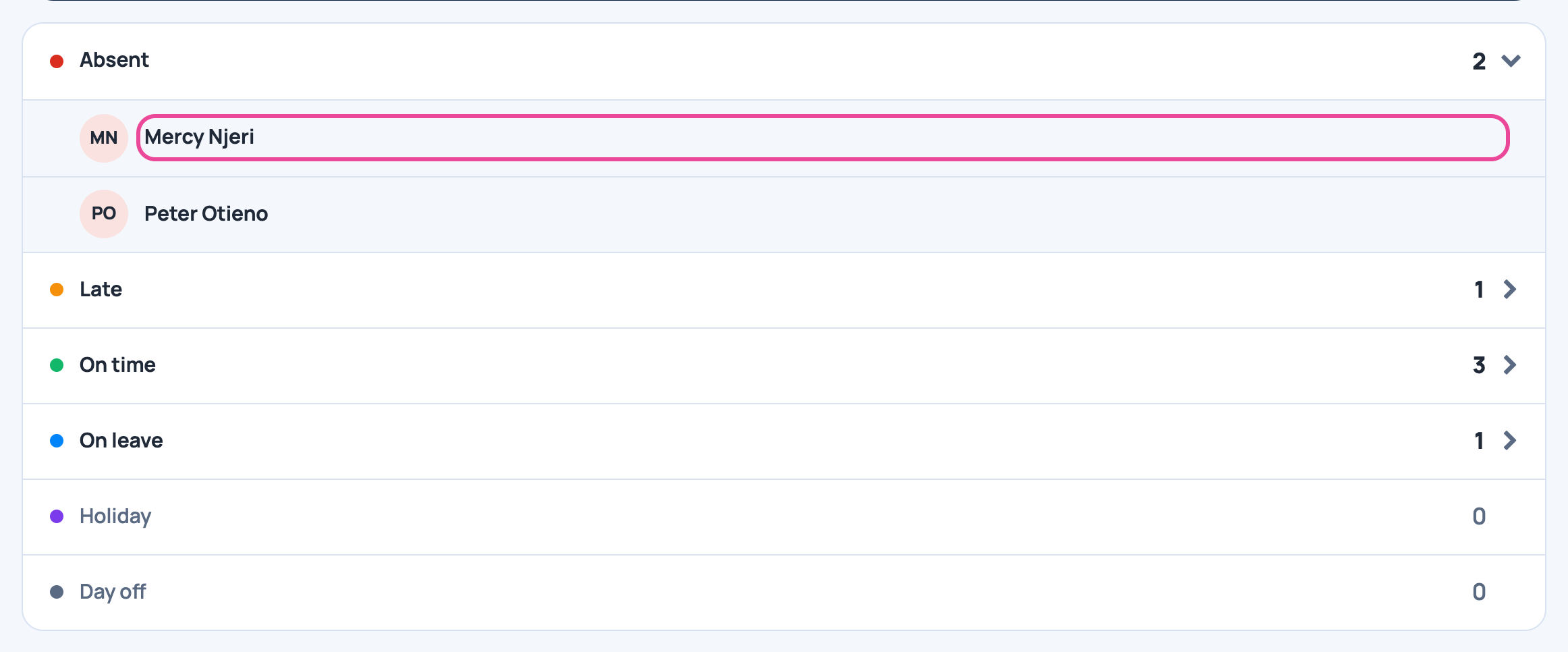
Open Absent to see who has not clocked in.
-
Look at another day
Change the date to see any past day.

Next step
More guides
- 1Choose how staff clock inPick the roles, the clock-in mode and the checks.
- 2Set working hoursAdd a schedule: start, end, grace and working days.
- 3Clock in on your phoneSet up your face, clock in at work, clock out when you leave.
- 6Review flagged punchesCheck, correct and clear flagged punches.
- 7Check a month of attendanceDays present, absences and lateness per person.
- The Attendance appAttendance
- All guidesLearn