 Aser One
LearnStart here: one result at a time
How to run imports from a supplier file to your shelf
Your stock list, the supplier’s proforma, the shipment and the reorder, from the files you already have.
On the computer, 14 steps
Guide 6 of 7 in Start here: one result at a time
What you need
- Your stock list in Excel.
- A proforma or price list from your supplier.
- The exchange rate you pay.
Start your free trial
Tap the button below. The free trial starts at once, with no card.
-
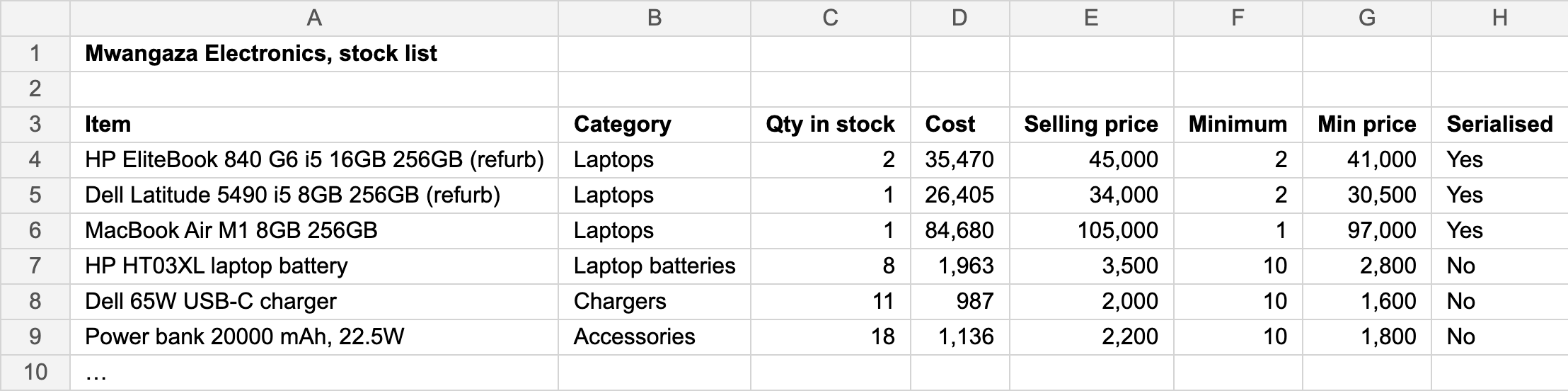
Start from your stock list
Use the Excel file you keep today. One line per item.
-
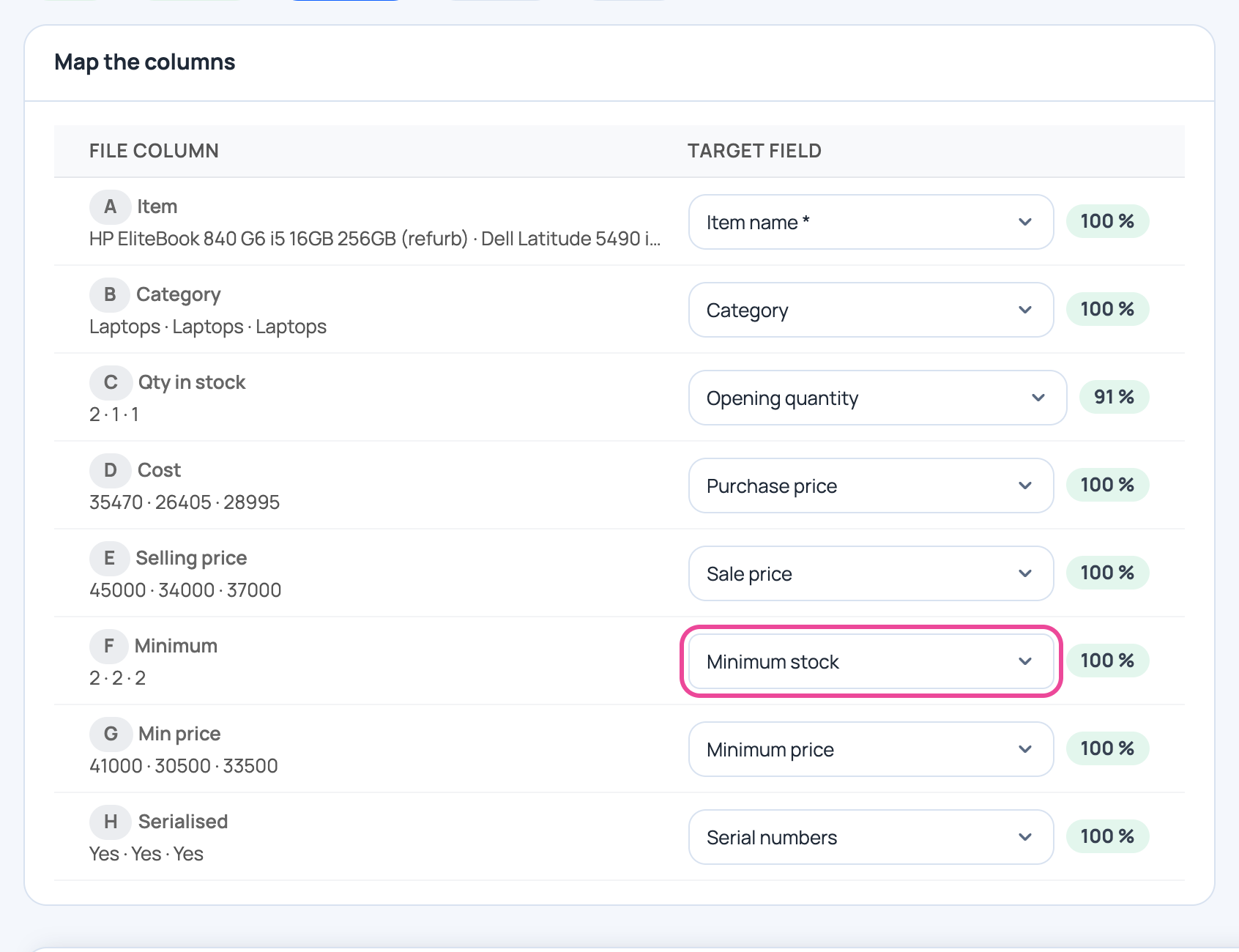
Import it
Items › Import items. Check each column is read right, including Minimum.
-
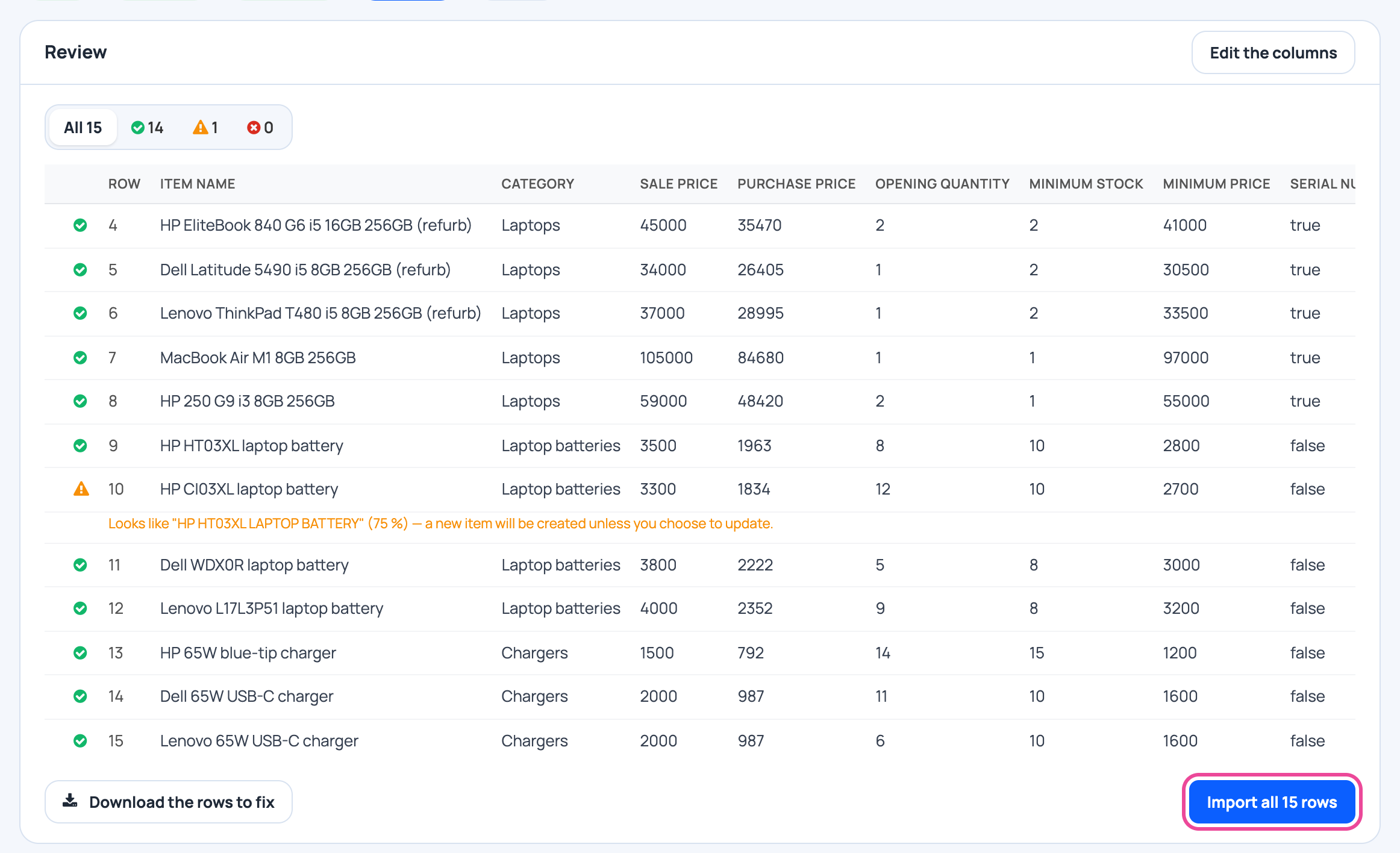
Check, then import
Every line shows what will happen. Fix the red ones, then import.
-
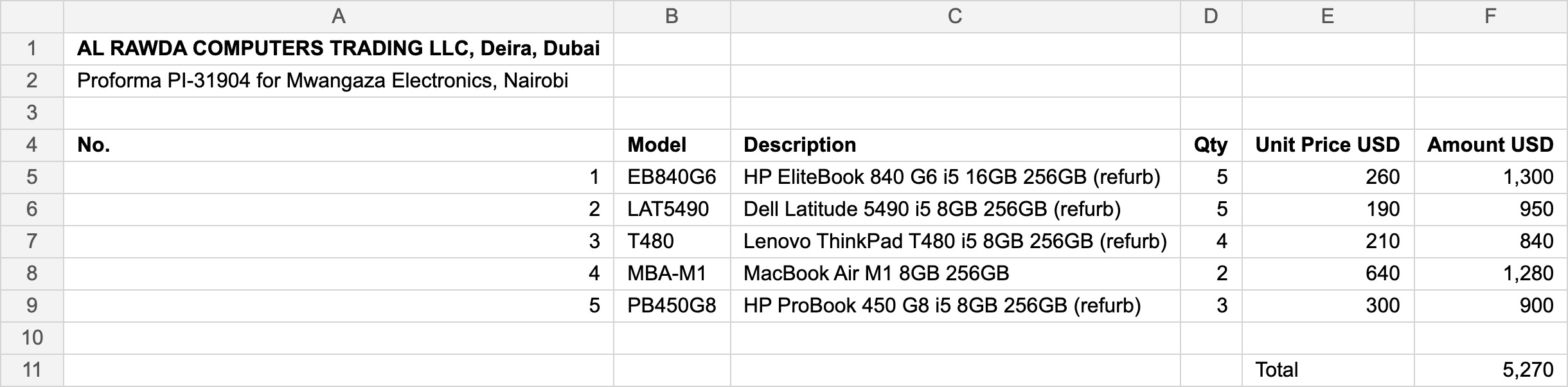
Take the supplier’s proforma
Their file as it came, in dollars. It stays saved online, with the order.
-
Turn it into an order
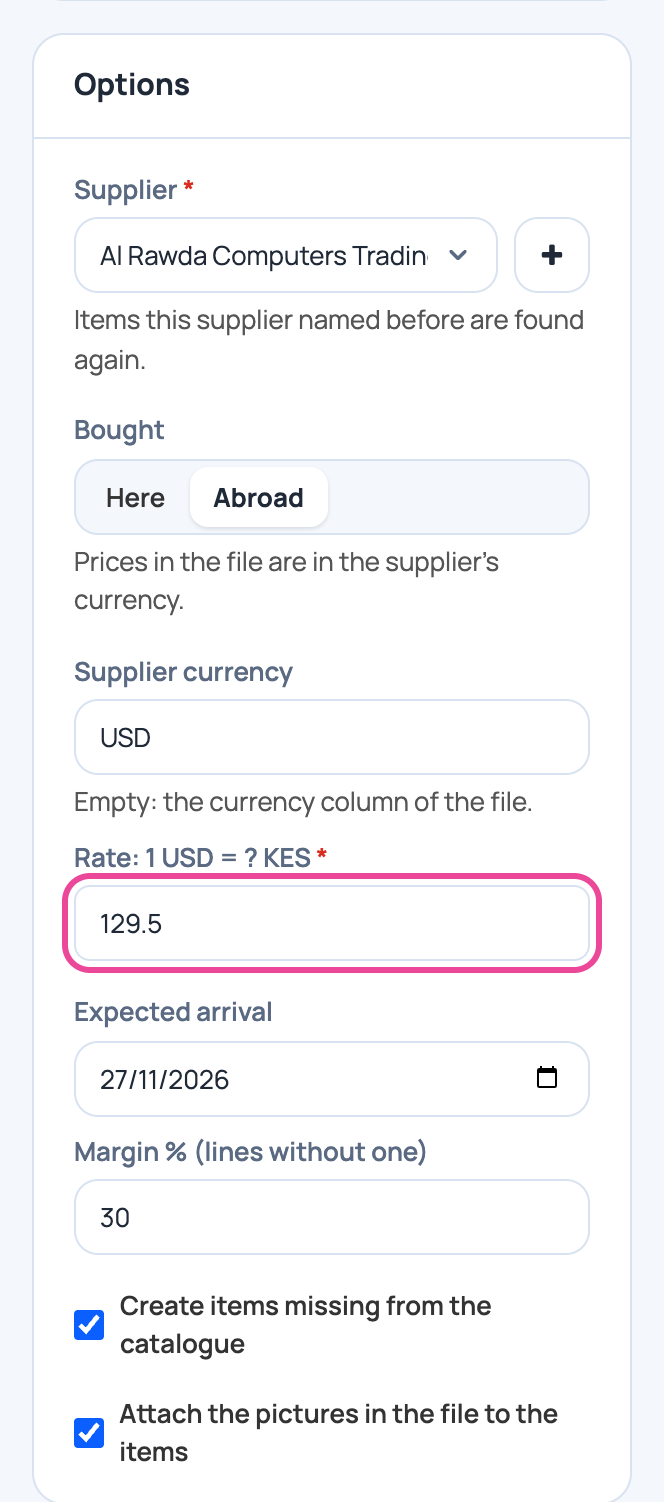
Purchase orders › Import. Set the currency, the rate and your margin.
-
Check the draft
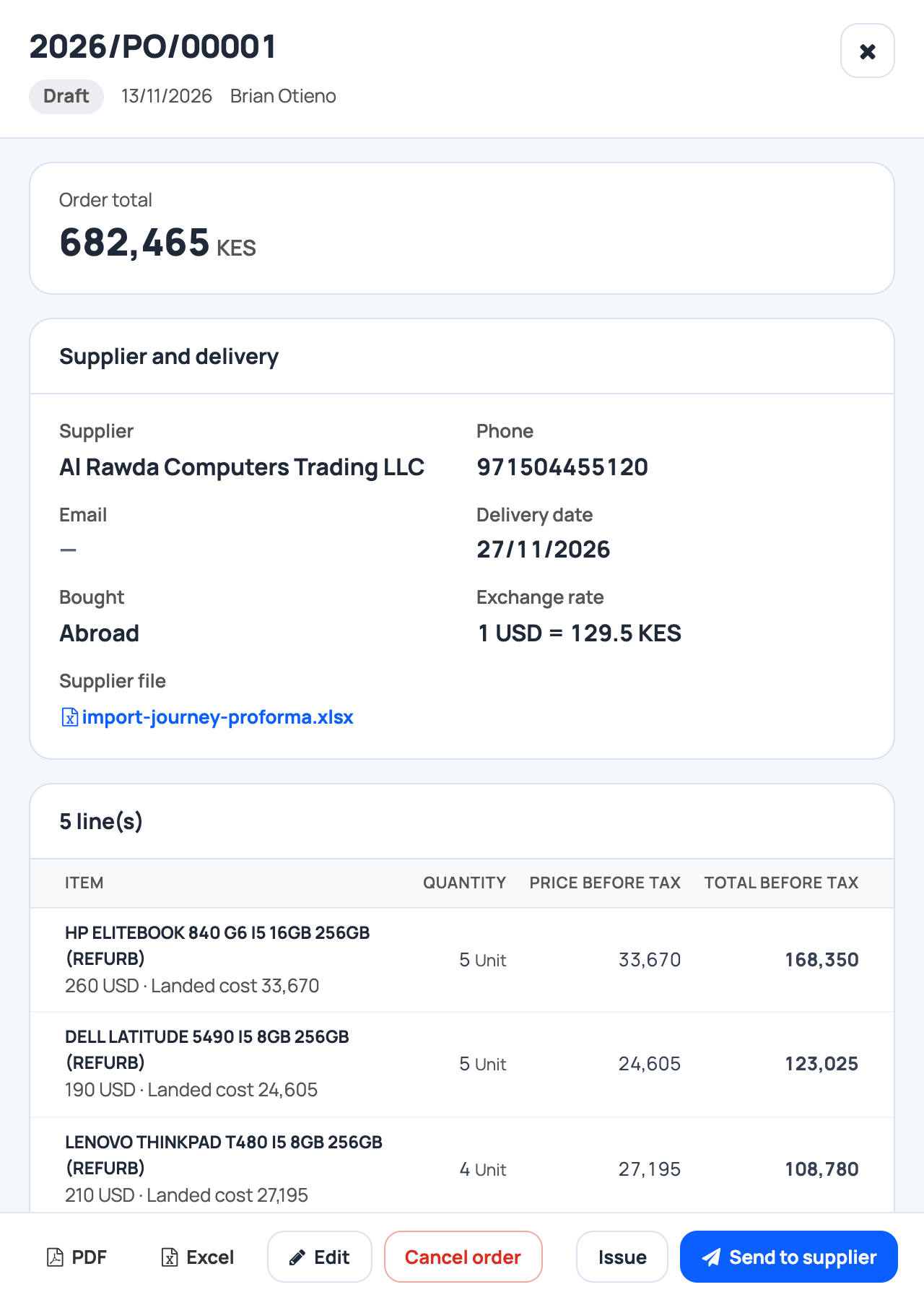
Known items are matched. New ones are created with a price.
-
Issue it: it is on its way
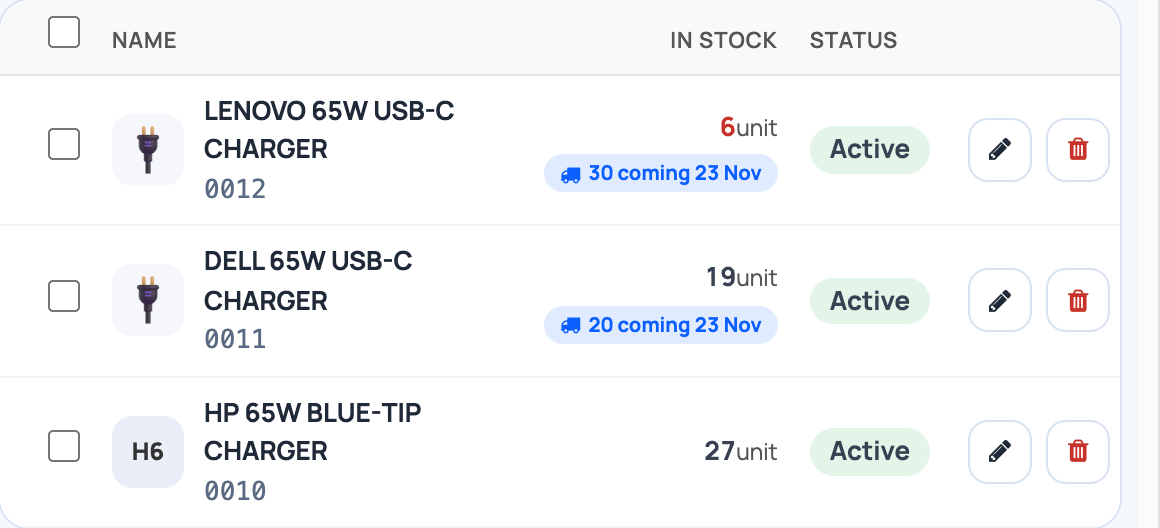
Issue the order. Your items list shows what is coming, and when.
-
Know where to pay
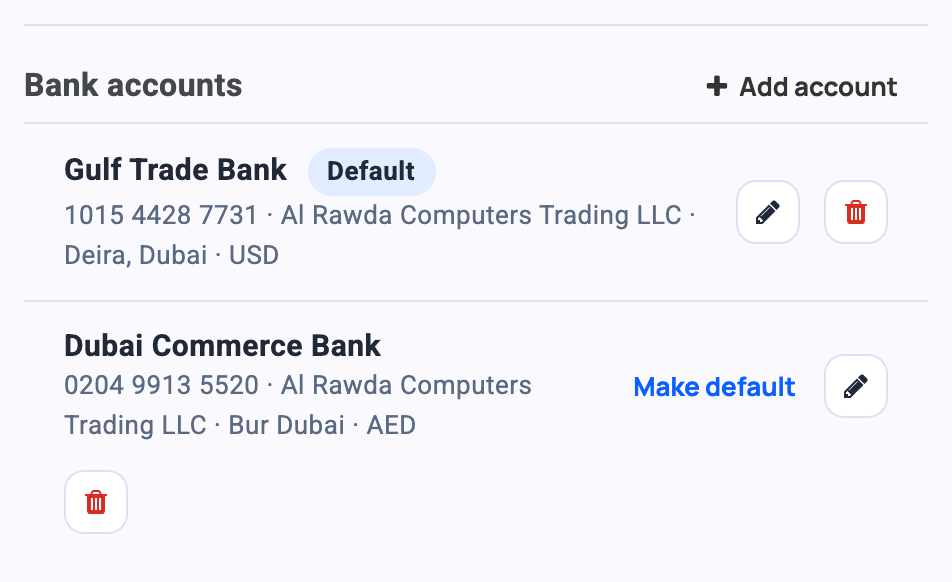
Save the supplier’s bank accounts. The default one prints on the order, so the payment goes to the right account.
-
The goods arrive
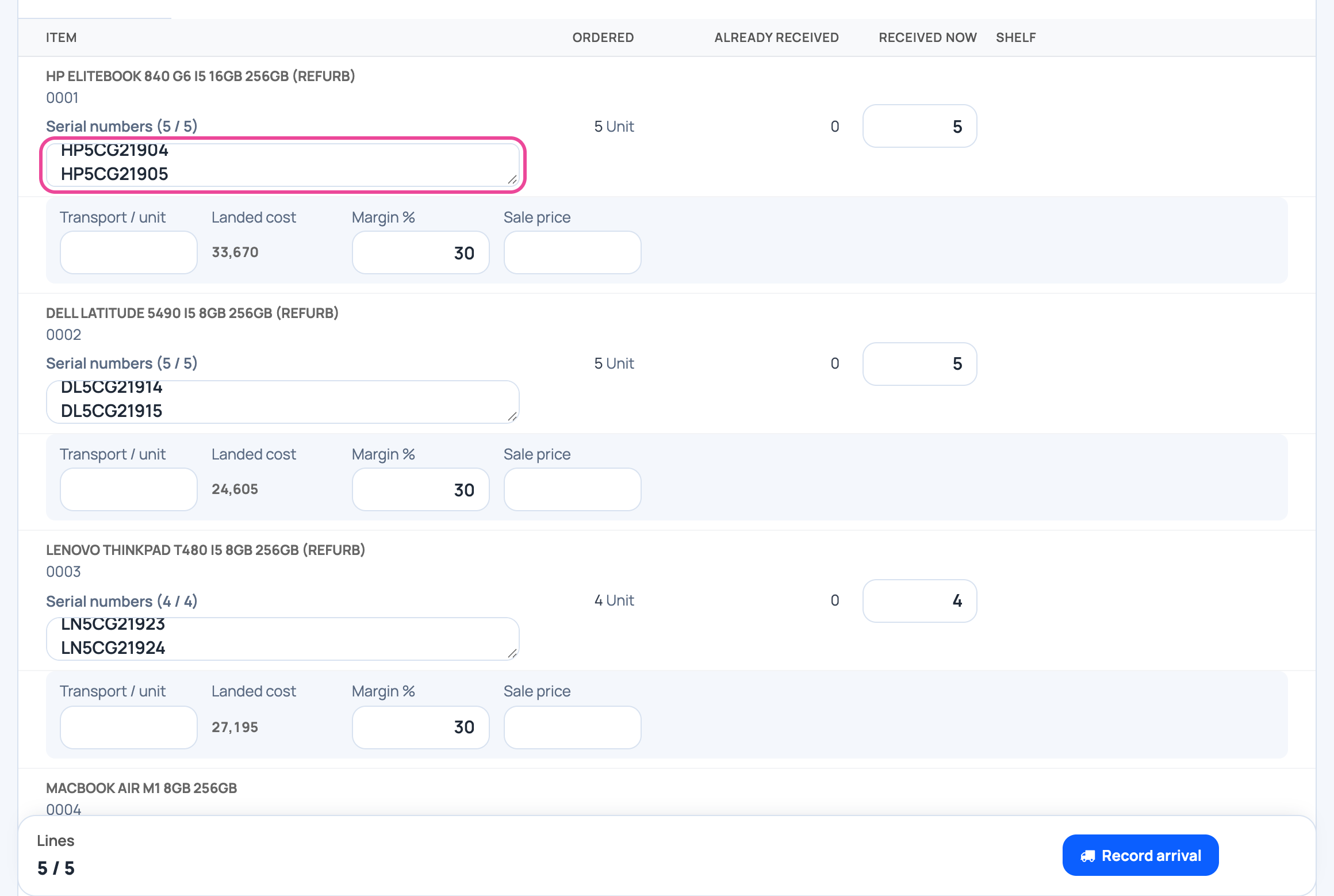
Open the order, tap Goods arrived, and scan each serial.
-
Received at landed cost
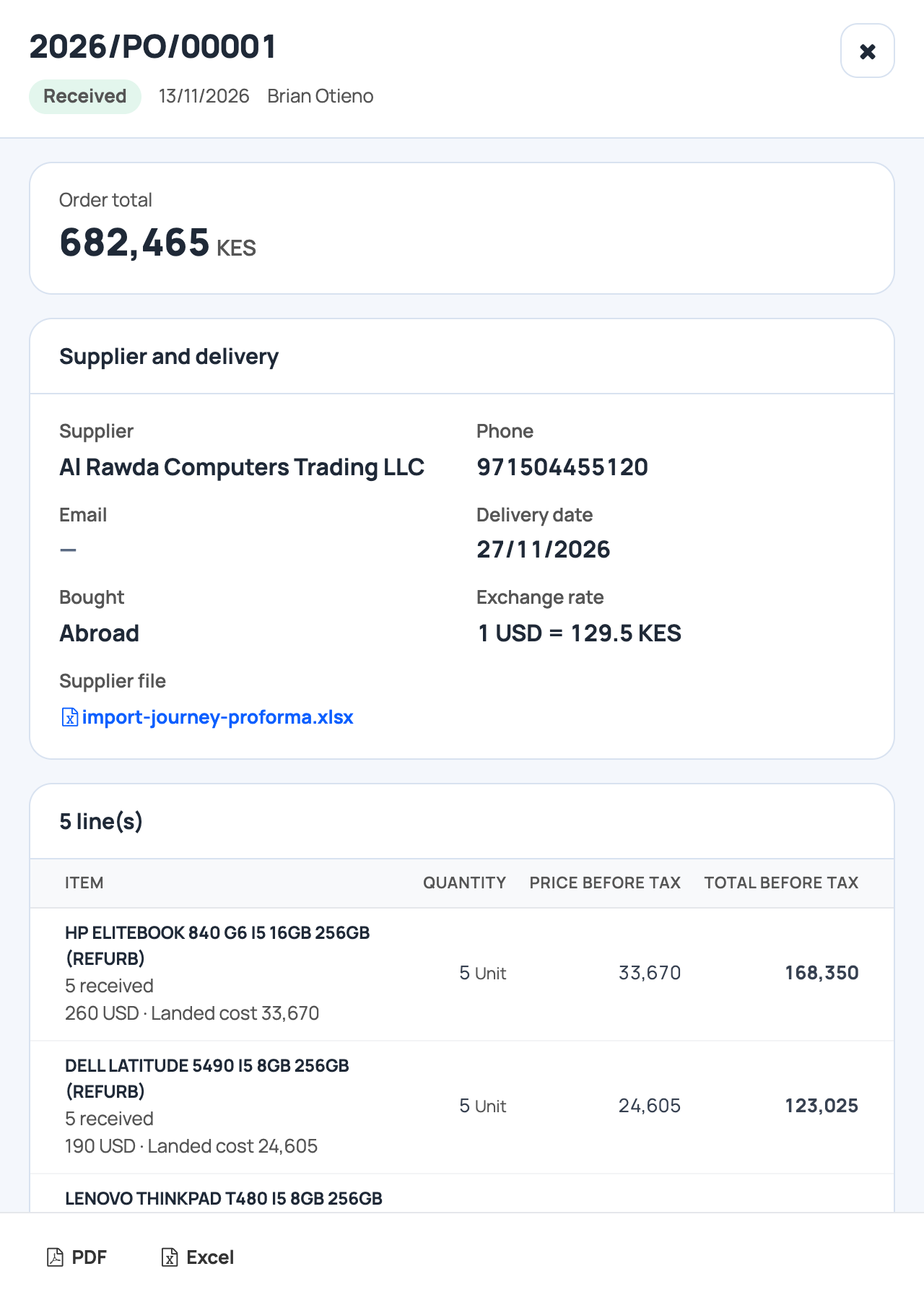
Stock goes up, and each item keeps its cost in shillings.
-
Build the reorder list
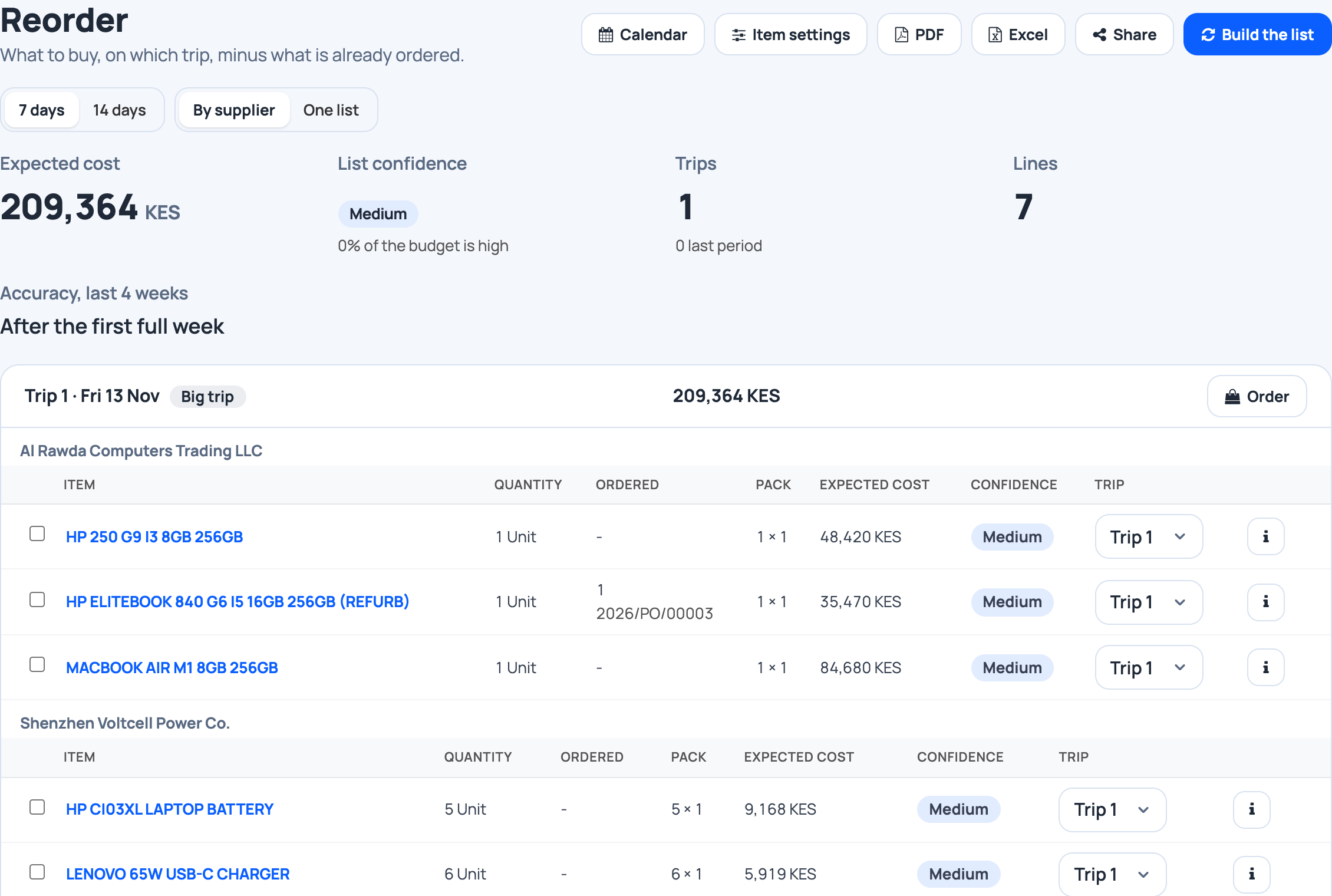
Reorder › Build the list. It counts sales, stock and what is coming.
-
See what is already ordered
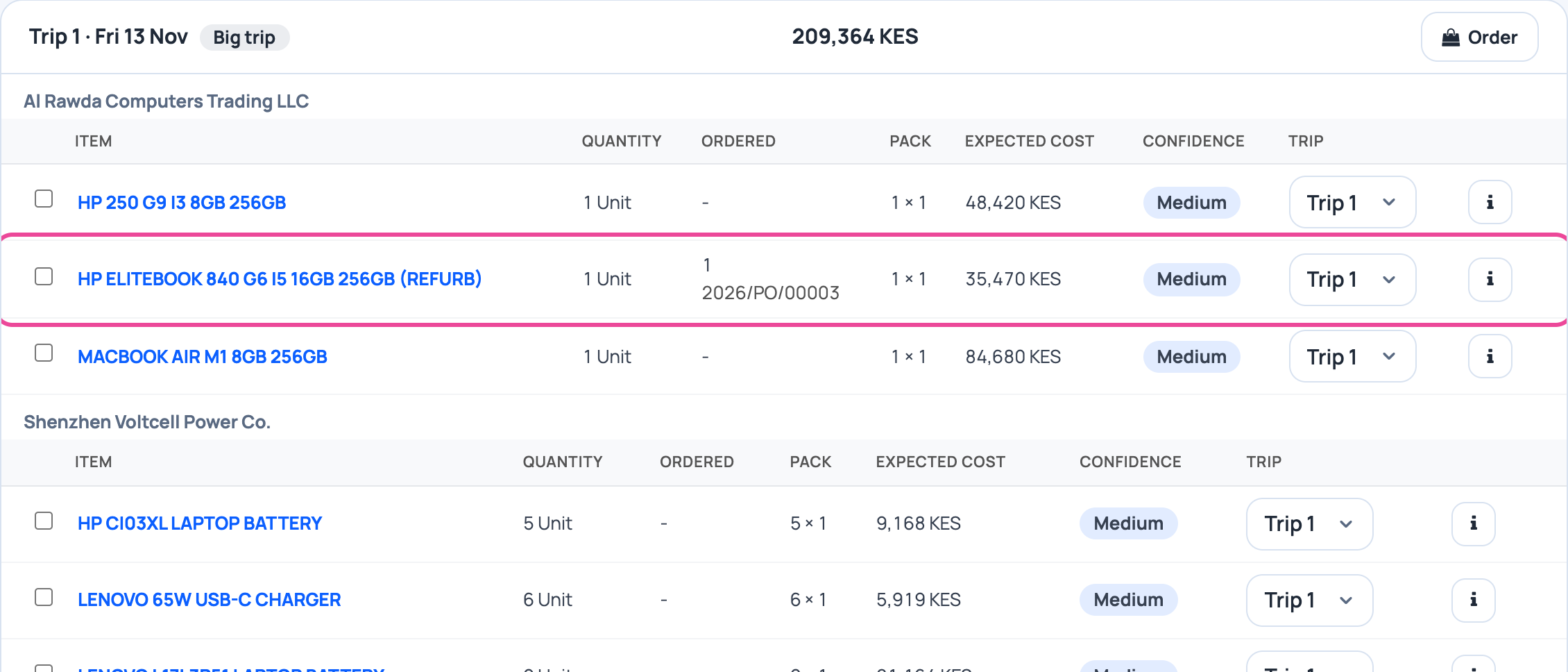
A sold-out item is on the list. What you already ordered is counted, so you buy only the rest.
-
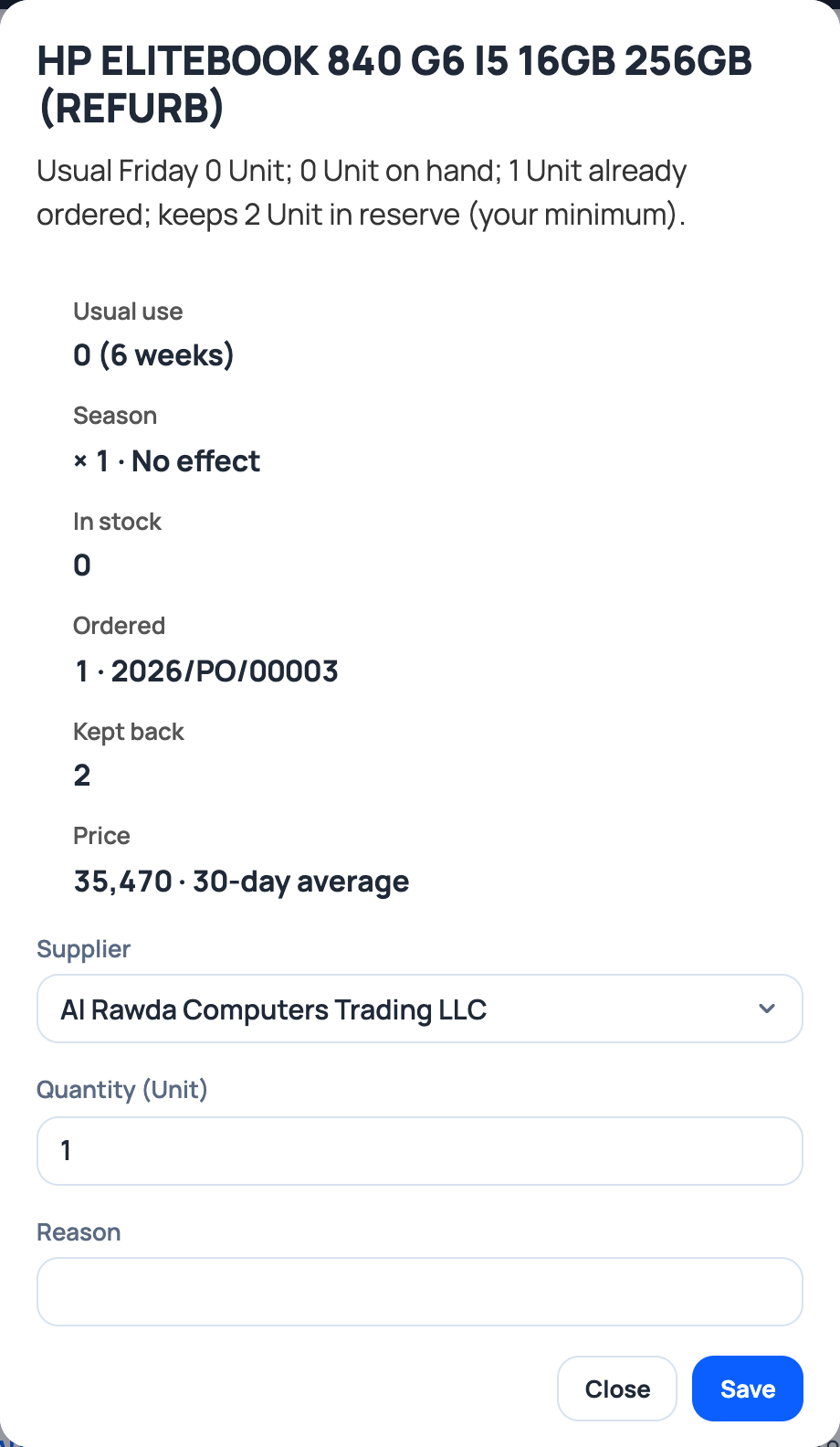
Ask why
Each line shows the usual use, the stock and the minimum you keep.
-
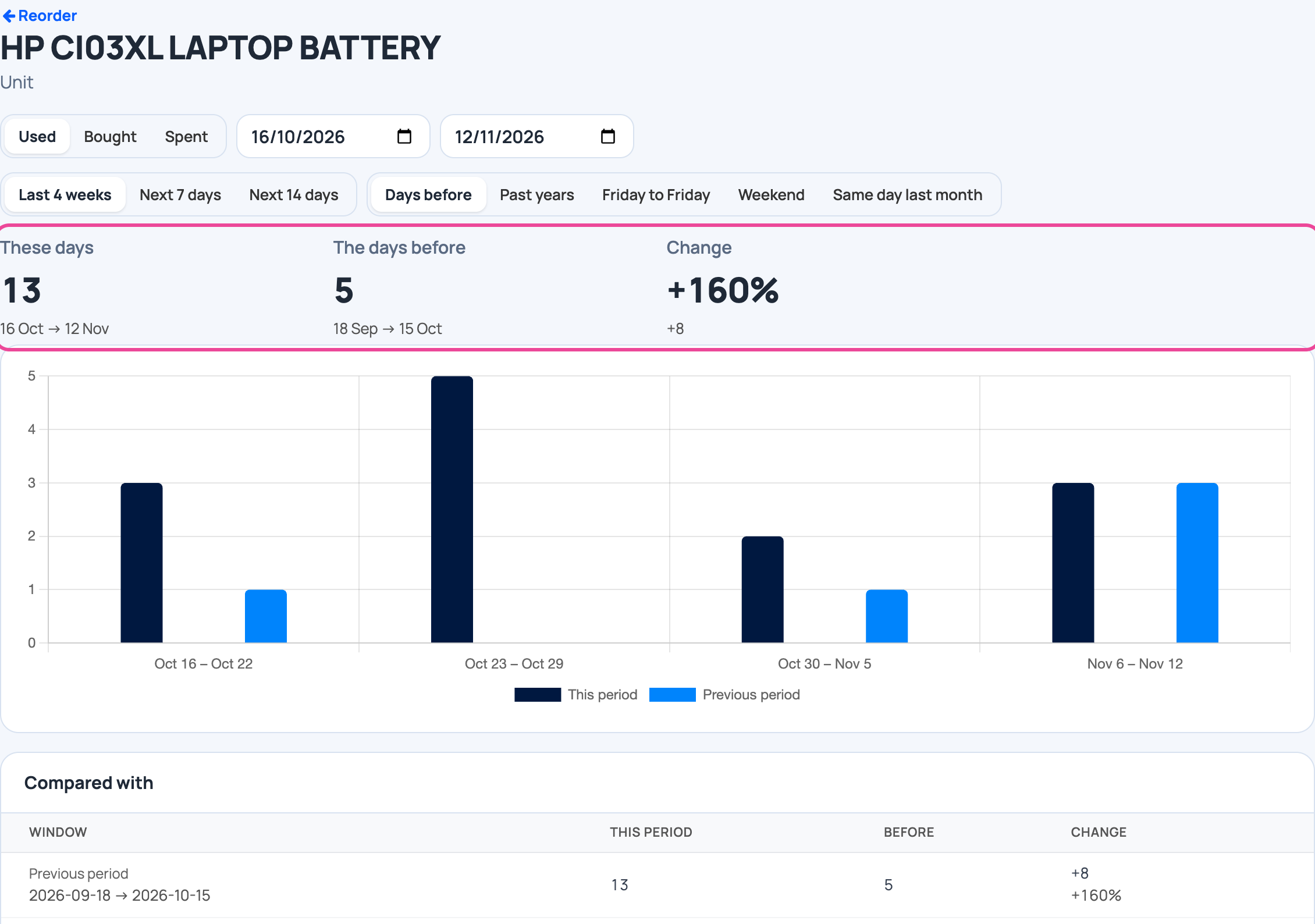
Compare the pace
Open an item: what you used these 4 weeks against the weeks before.
Every day
- Record sales as usual.
- Import each new proforma as an order.
- Tap Goods arrived when a shipment lands.
- Build the reorder list before you order again.
What you see
Your stock, your shipments and your next order in one place, at landed cost. Each order shows the supplier’s bank account, so you know which account the payment goes to.
Time and effort
The stock list imports once. After that, each proforma is one import and each shipment one Goods arrived.
Common mistakes
- Leaving Minimum empty. Without it, nothing shows as under its minimum.
- Forgetting to issue the order. A draft does not count as coming.
- Typing the rate later. Set it on import, so costs are right from the start.
Next step
More guides
- 1How to set up employee attendance with face verificationFrom the free trial to your first real clock-in.
- 2How to track business income and expenses without typing everythingReceipts and statements in, a clear picture out.
- 3How to find unexplained stock differencesPurchases, sales and a count, then the difference.
- 4How to calculate your real food cost and price a dishRecipe and purchase costs, then the price.
- 5How to plan next week’s purchases from your sales historyYour history in, a shopping list out.
- The Start here: one result at a time appStart here: one result at a time
- All guidesLearn