 Aser One
LearnStart here: one result at a time
How to supply shops on credit and know who owes you
For a miller, maker or wholesaler who delivers to shops and gets paid later.
On the phone, 18 steps
Guide 7 of 7 in Start here: one result at a time
What you need
- A phone for you and each driver.
- Your item list, typed or in Excel.
- The shops you supply, with their phone numbers.
Start your free trial
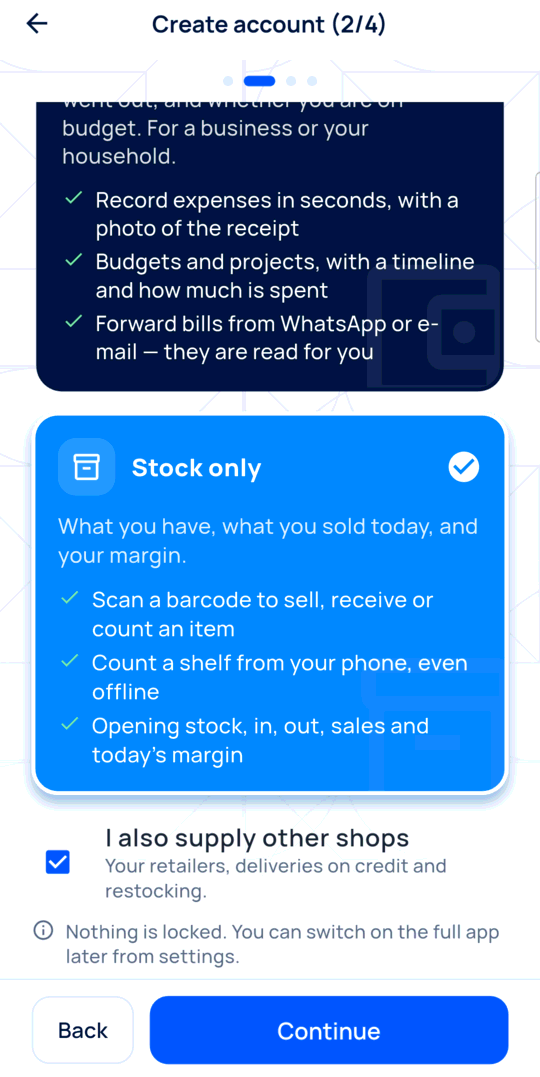
Download Aser One and tap Create account. Choose Stock only and tick I also supply other shops. No card is needed.
-
Sign up
Choose Stock only and tick I also supply other shops.
-
Add your items
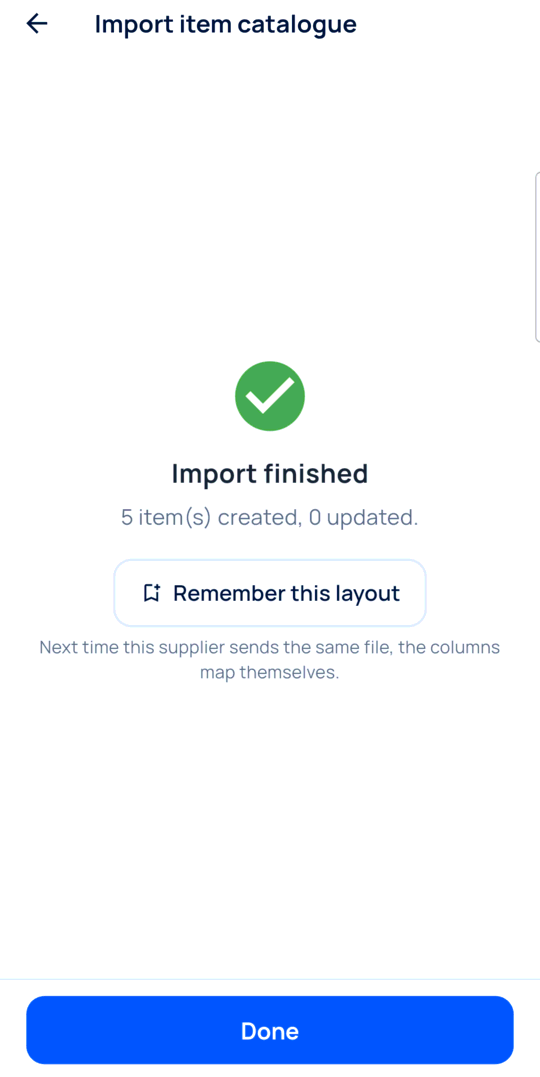
Import your Excel, or add them one by one, with their price.
-
Add your shops
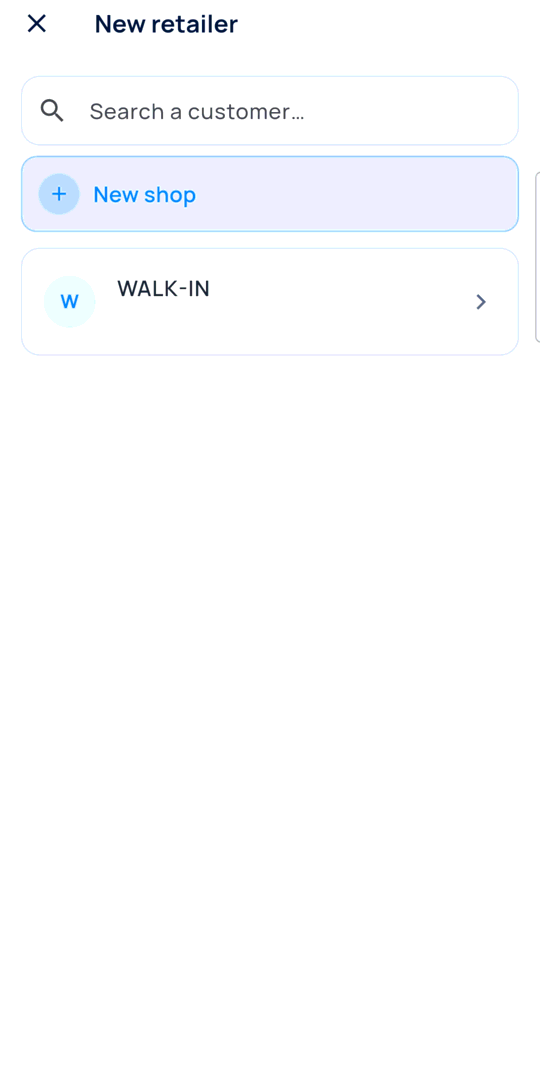
Tap +, then New shop. A name, a town and a phone.
-
Set their terms
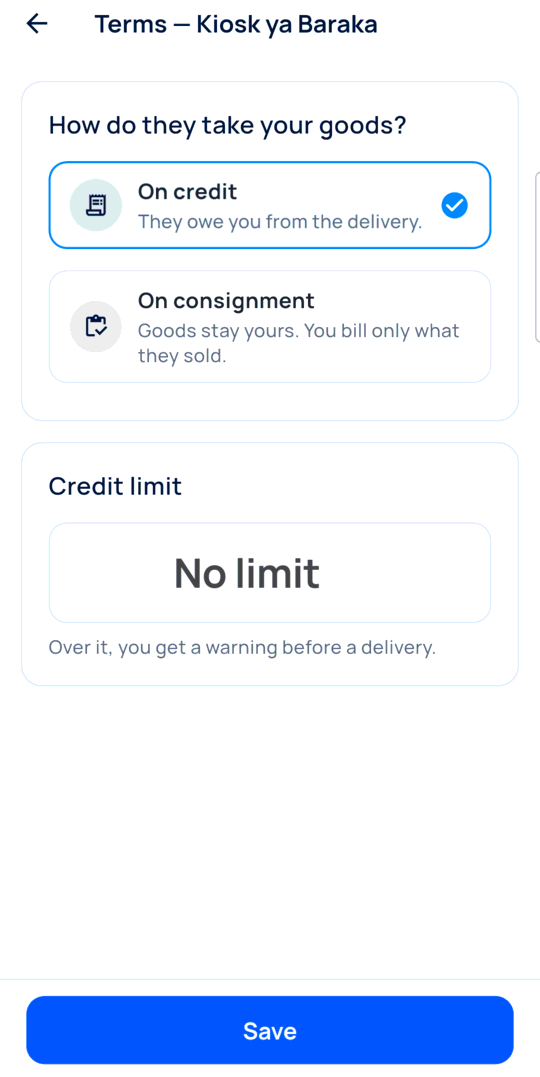
On credit or on consignment, and a credit limit if you want one.
-
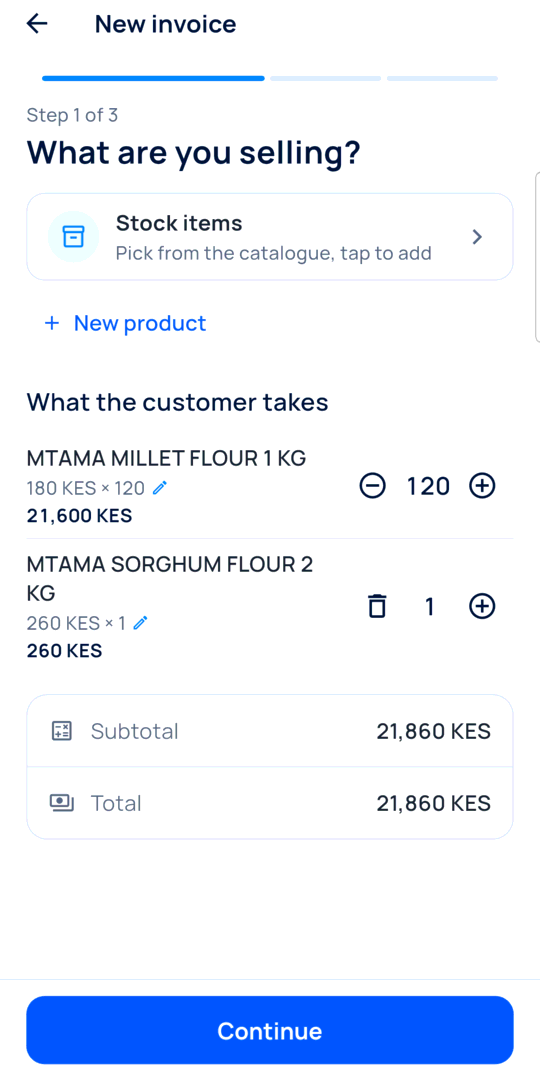
Deliver
On the shop, tap Deliver and pick the items. Their price is already there.
-
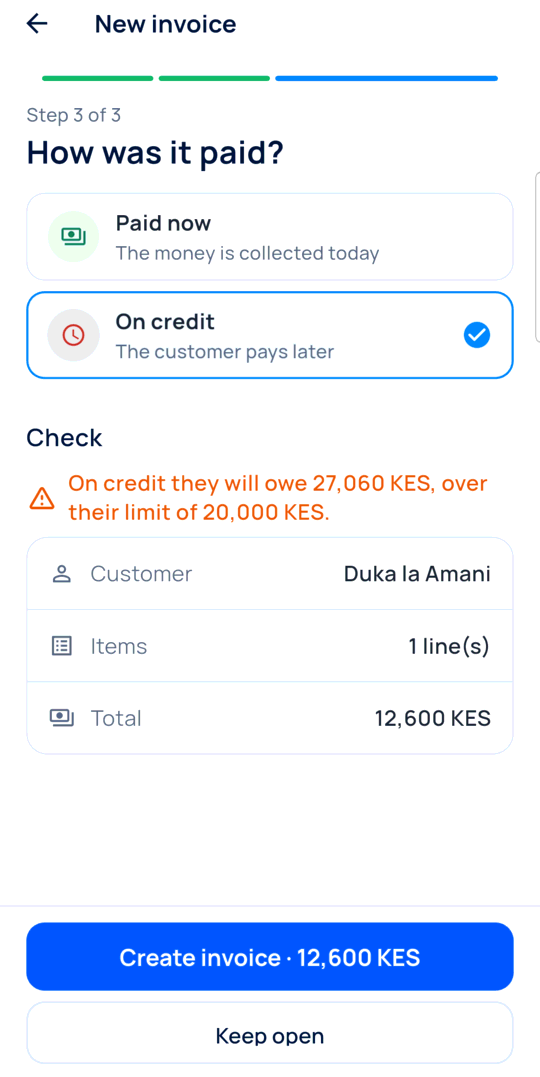
Mind the limit
Over the limit, the app warns you before the goods leave.
-
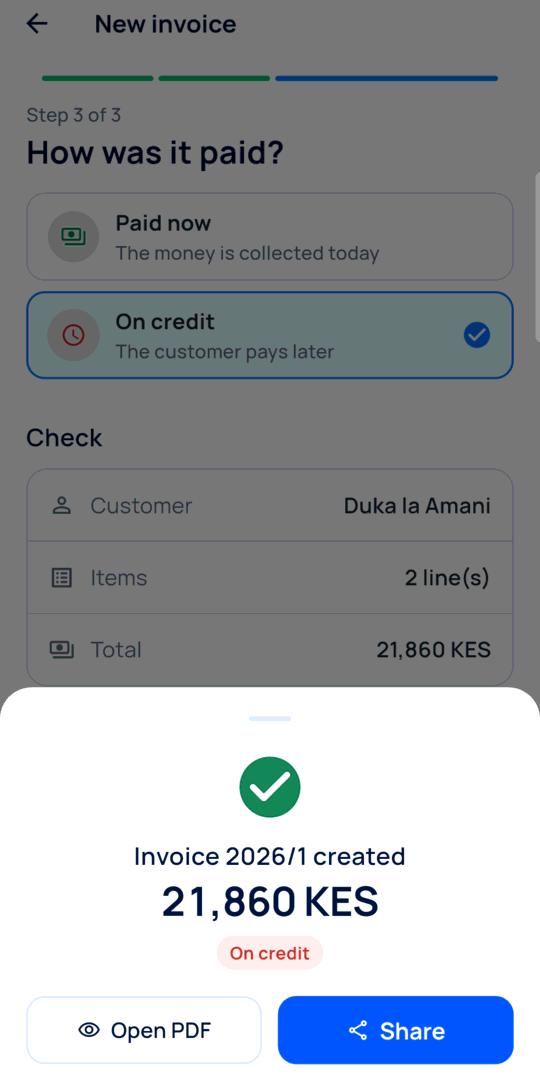
Share the invoice
The invoice is on credit. Share its PDF on WhatsApp.
-
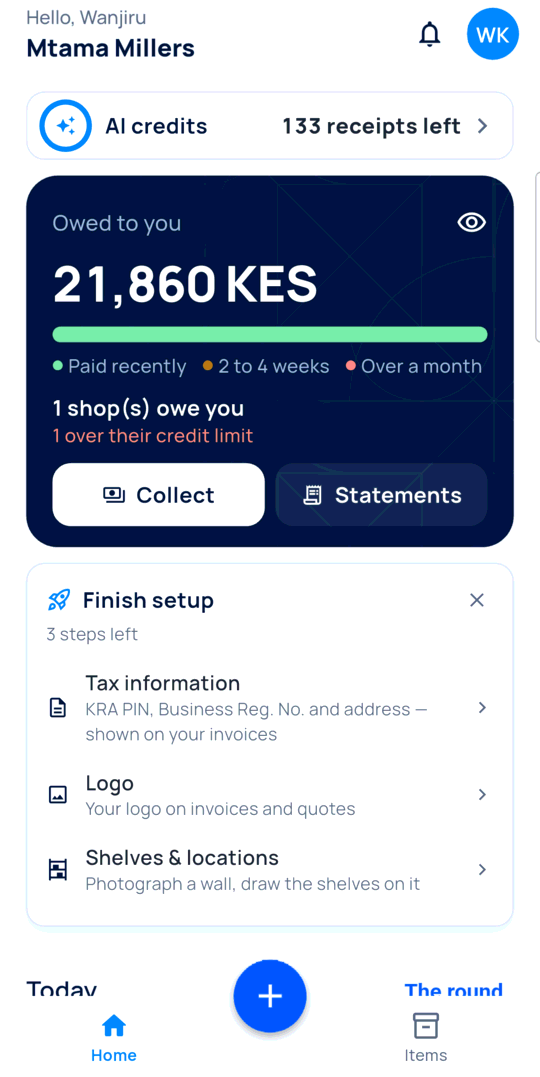
See who owes you
Home shows the total owed, coloured by how old each debt is.
-
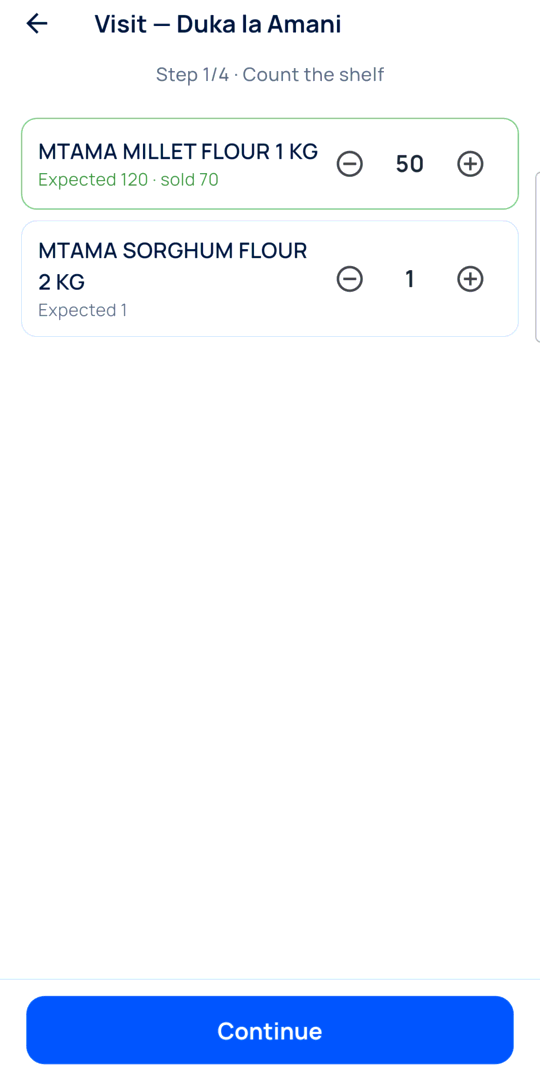
Visit: count the shelf
Tap Visit and type what is left. What is missing was sold.
-
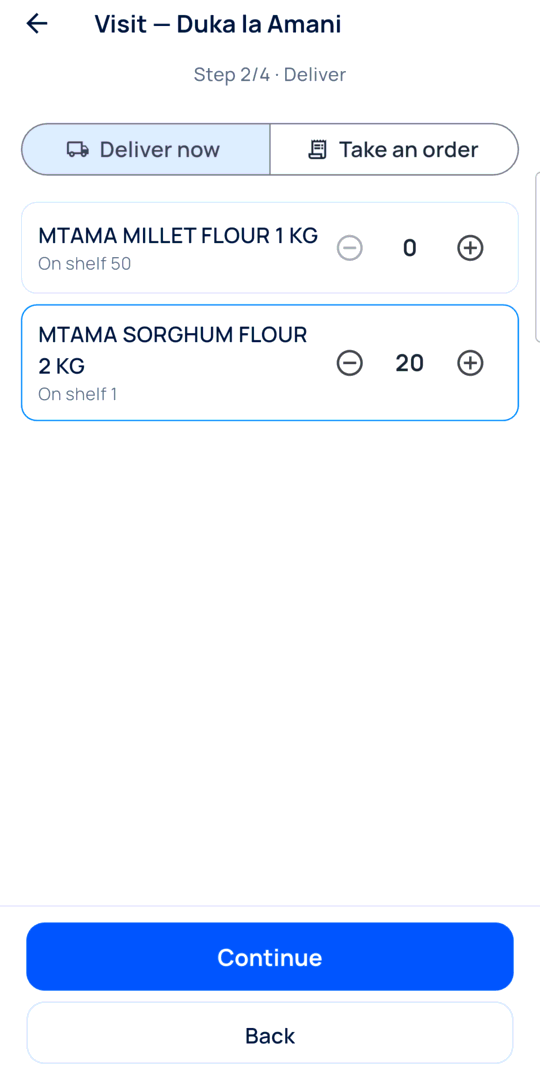
Visit: restock
Add what the shop needs, or take an order for later.
-
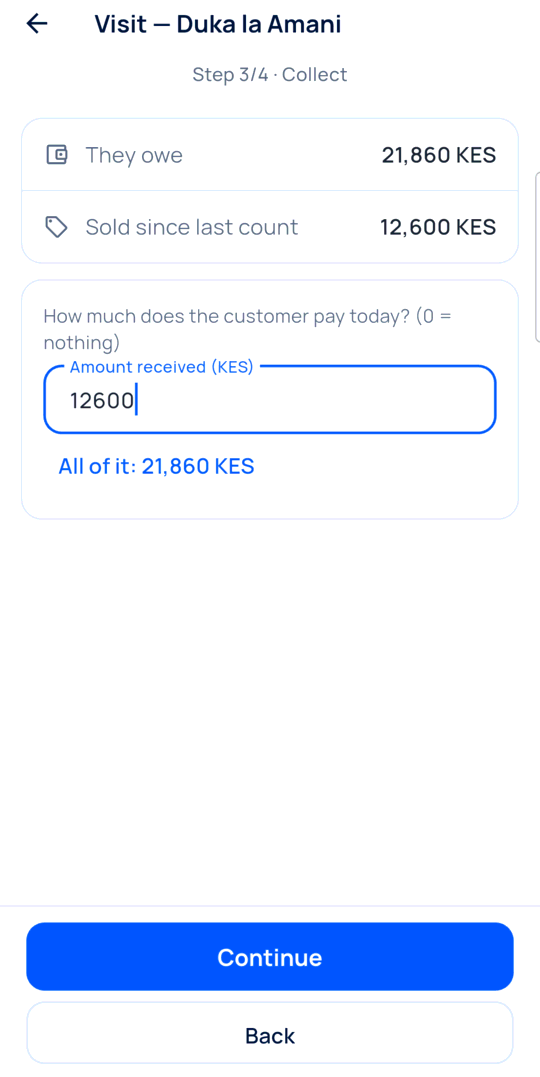
Visit: collect
Type what they pay, or tap All of it.
-
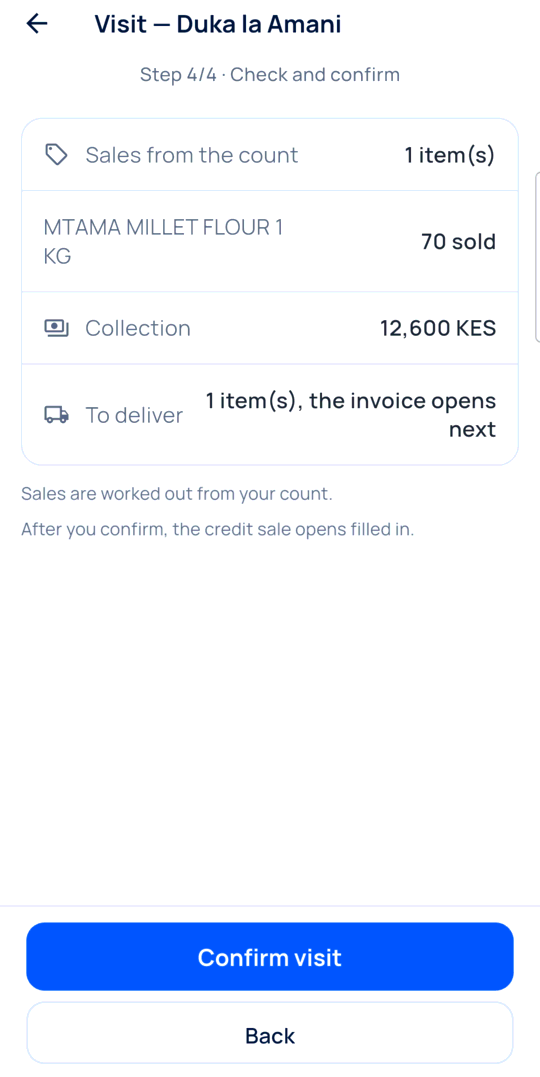
Visit: confirm
Check the summary and tap Confirm visit.
-
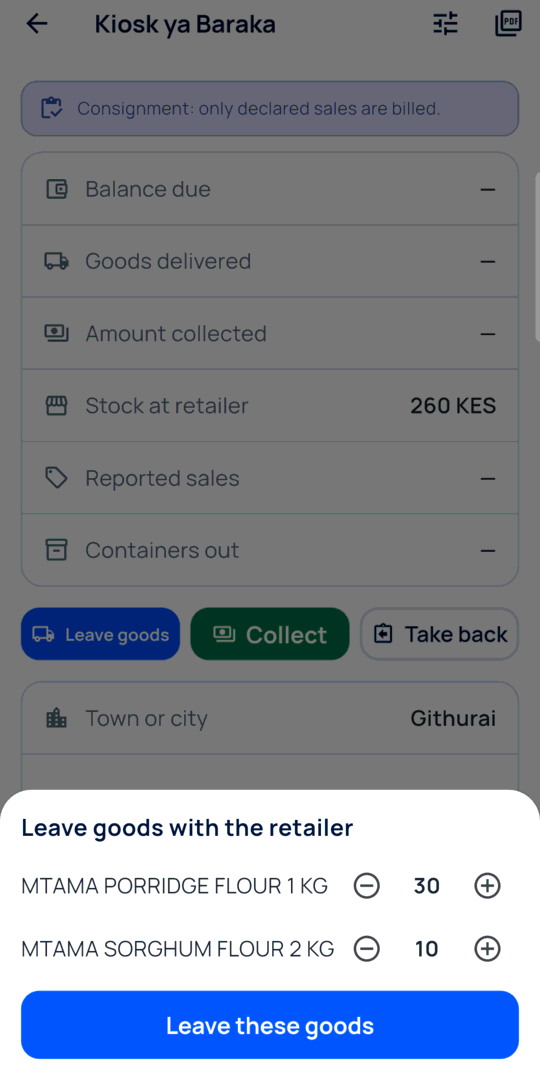
Consignment: leave goods
For a consignment shop, tap Leave goods. No invoice yet.
-
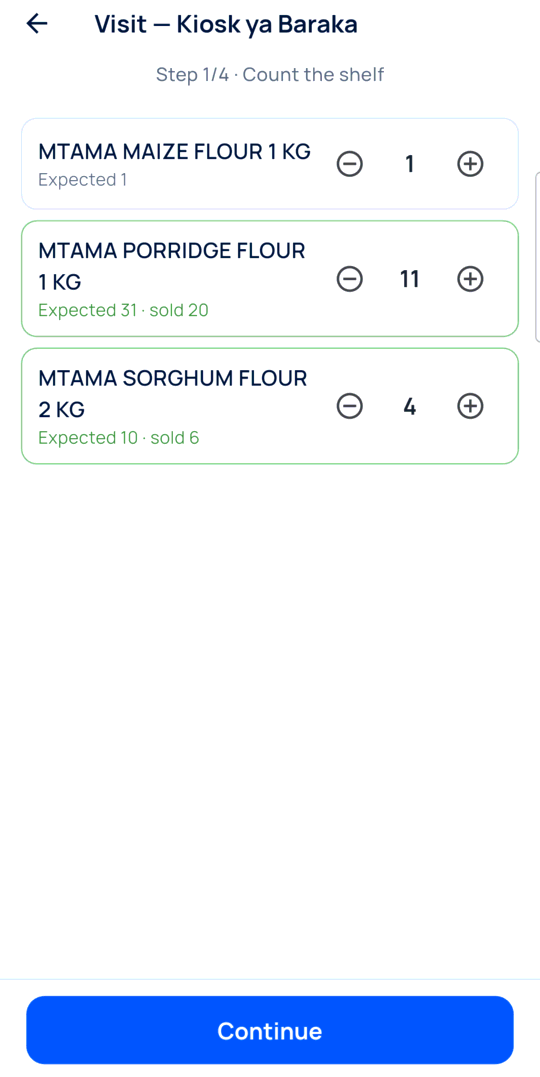
Consignment: count
At the next visit, count the shelf. The difference is billed.
-
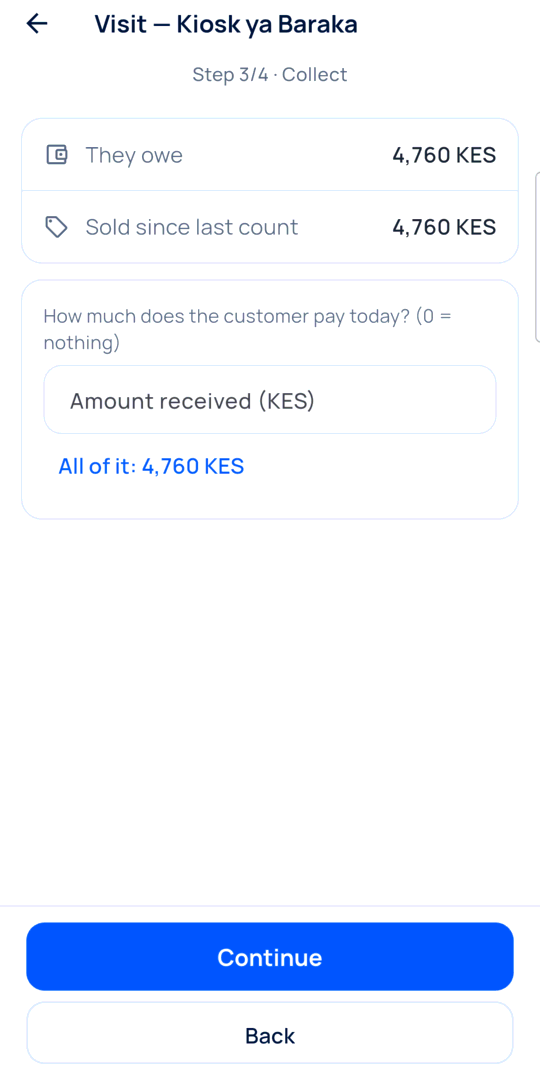
Consignment: collect
They owe only what sold.
-
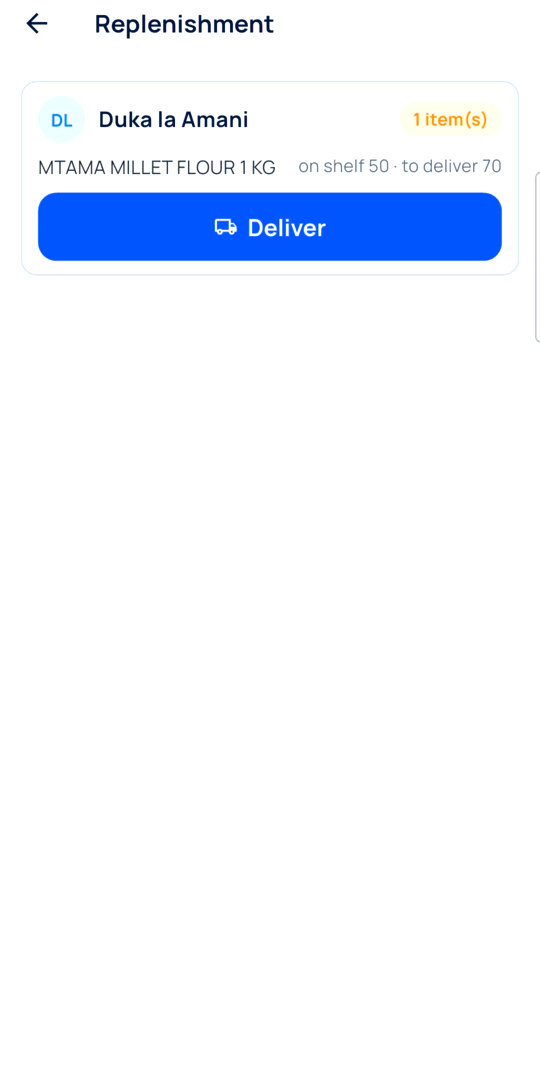
The round
Replenishment lists the shops below their minimum, with what to bring.
-
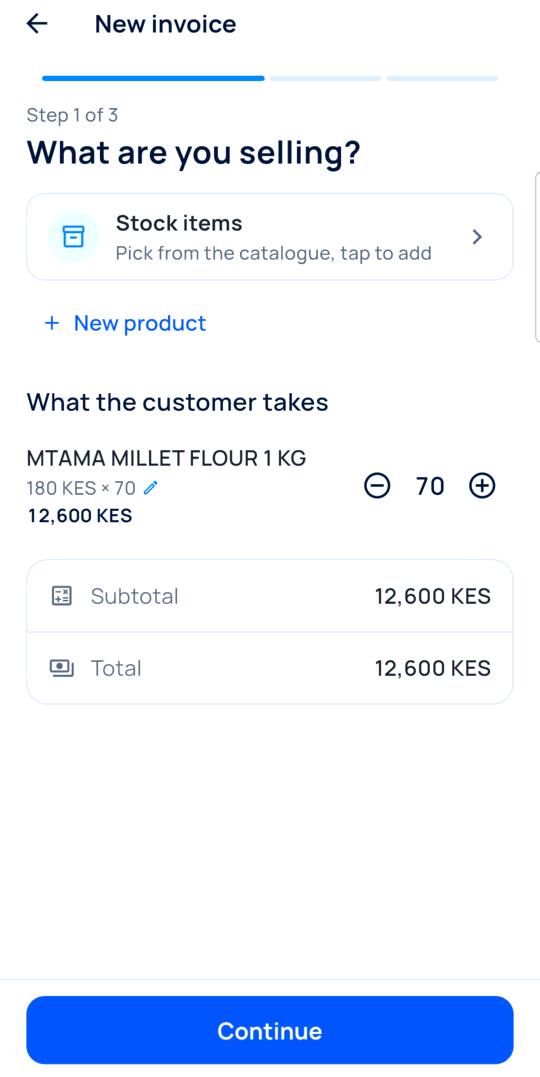
Deliver from the round
Tap Deliver. The invoice opens filled in.
-
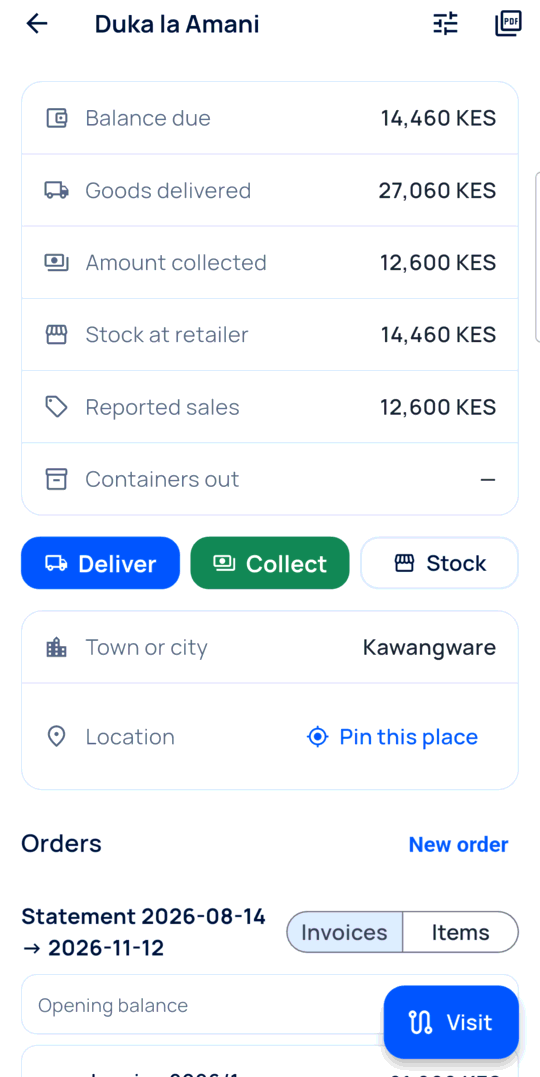
The statement
Every invoice and payment of a shop, as a PDF to hand over.
Every day
- You open the round and pick today’s shops.
- At each shop: count, restock, collect, confirm.
- In the evening, Home shows what is still owed.
What you see
You see each shop’s balance, what it sold, and what it paid, without a notebook.
Time and effort
Items and shops once, about ten minutes. Then a visit is four short steps.
Common mistakes
- Delivering without an invoice. The debt is then nowhere.
- Skipping the count at a visit. The sales and the restock come from it.
- Putting a consignment shop on credit. Its goods are billed at once.
More guides
- 1How to set up employee attendance with face verificationFrom the free trial to your first real clock-in.
- 2How to track business income and expenses without typing everythingReceipts and statements in, a clear picture out.
- 3How to find unexplained stock differencesPurchases, sales and a count, then the difference.
- 4How to calculate your real food cost and price a dishRecipe and purchase costs, then the price.
- 5How to plan next week’s purchases from your sales historyYour history in, a shopping list out.
- 6How to run imports from a supplier file to your shelfFrom your stock list to the next order.
- The Start here: one result at a time appStart here: one result at a time
- All guidesLearn