 Aser One
-
What to order
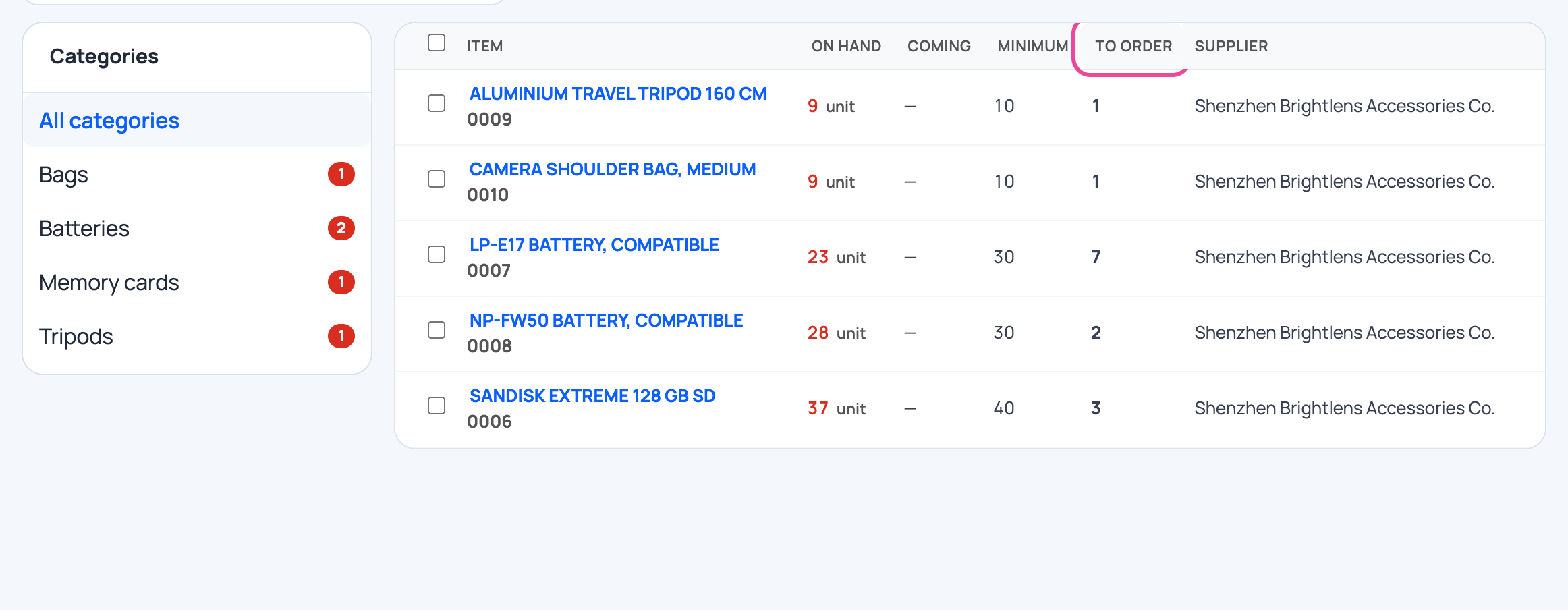
Stock › Reorder lists the items under their minimum, minus what is already coming.
-
Tick the lines
Tick what to buy, then click Create purchase orders.

-
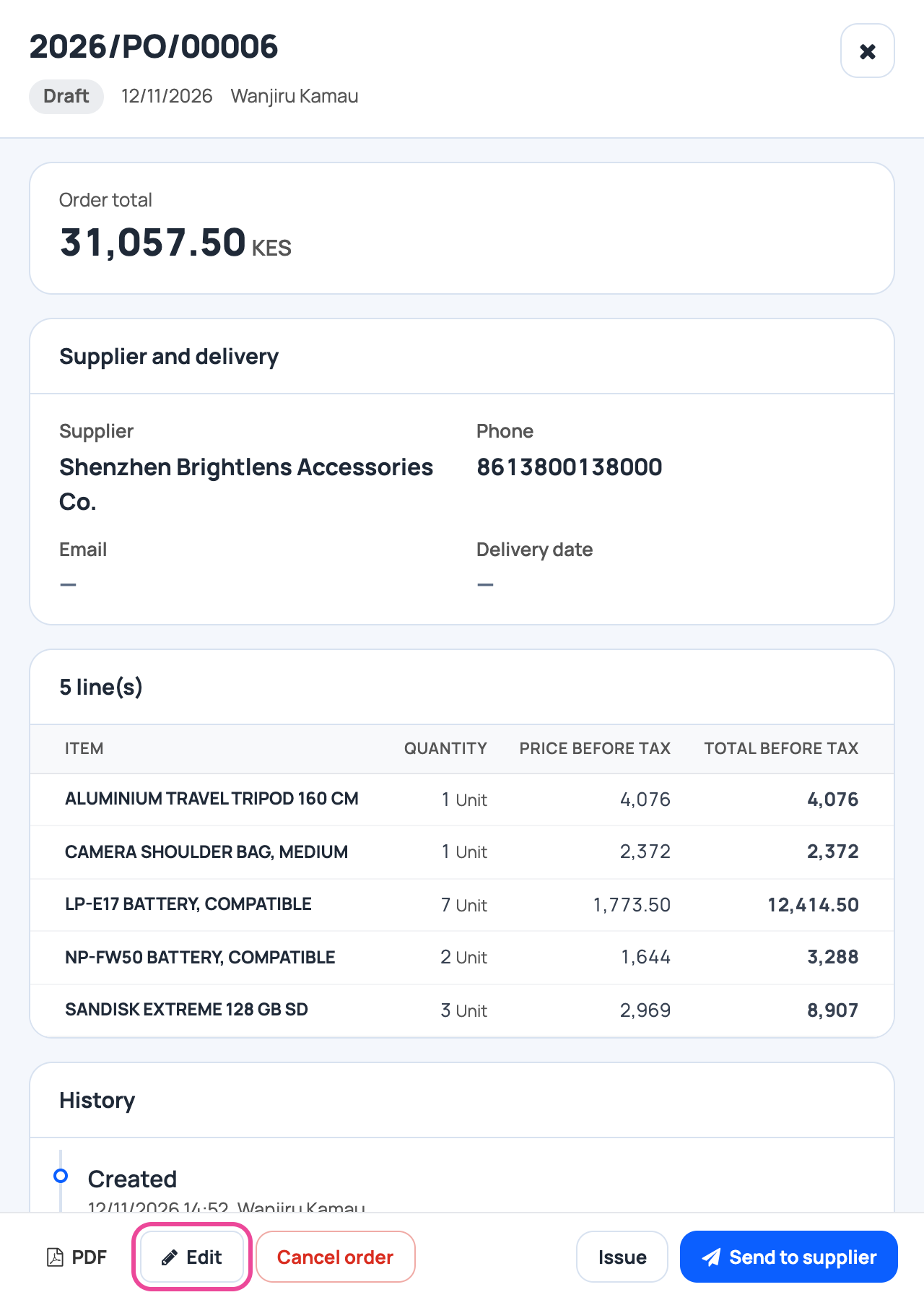
The draft
One draft per supplier. Click Edit.
-
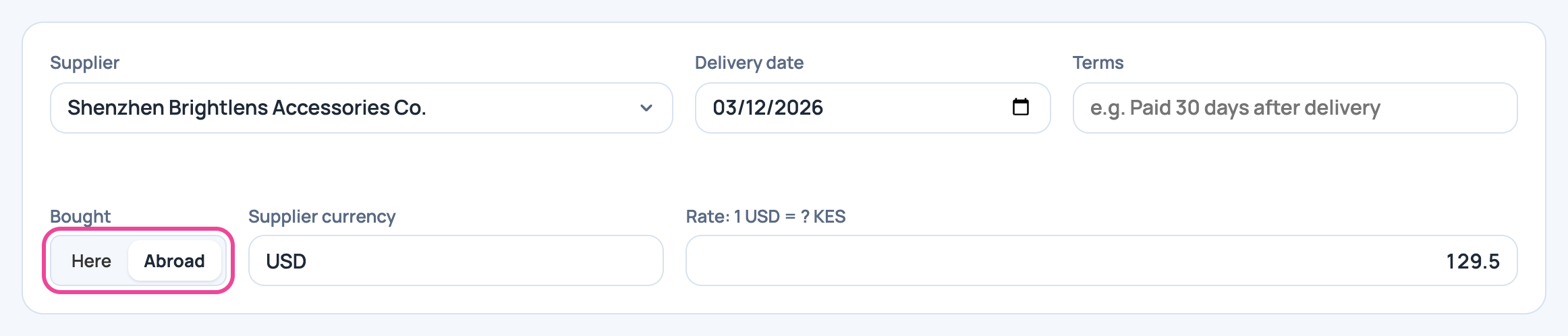
Bought abroad
Choose Abroad, the supplier’s currency and the rate. Set the delivery date.
-
The prices
Per line: the price in dollars, the transport per unit and your selling price.

-
Issue it
Click Issue. The order is now on its way.

-
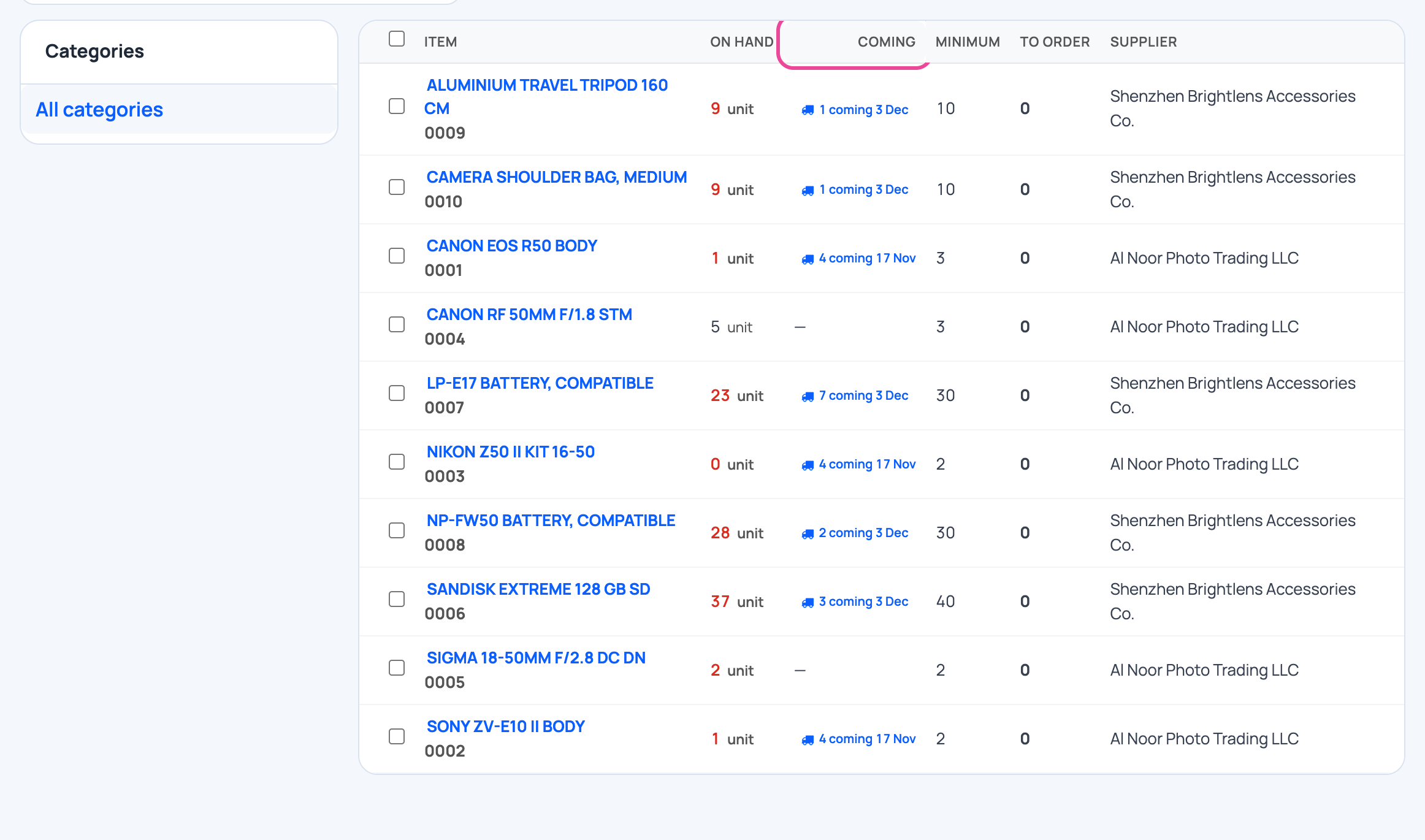
Shown as coming
Reorder shows the quantity coming, so nobody orders it twice.
Next step
More guides
- 1Create an itemAdd a product, its price and its opening stock.
- 2Stock in from a supplierRecord a delivery: item, quantity, price and supplier.
- 3Give out stockRecord stock used, given to staff, or damaged.
- 4Transfer stockMove stock between your storages.
- 5Count your stockCount a shelf and fix the stock to match.
- 6Import items from ExcelAny Excel list works. Check the columns, review, and your items are ready.
- 7Check your stockThe overview and the below-minimum list, in a minute.
- 10Receive an orderStock comes in at its landed cost, with serial numbers and shelf.
- The Stock appStock
- All guidesLearn